Linux 0.00 & 0.11 on Qemu!

While checking out oldlinux.org, I came across two things that are somewhat exciting.

The first, is Linux 0.00 The first ever known version of Linux. It’s only two assembly files, an 8086 booter, and the 80386 kernel that sets up protected mode, and two hard coded tasks, then runs the two tasks. It’s very exciting. There is even some commented source available on the oldlinux forum here.

For those who want to check it out, I’ve padded it out onto a diskette image on sourceforge here.

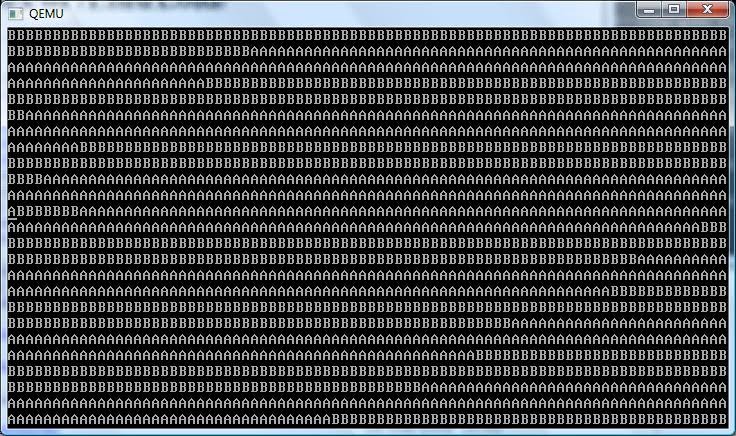
Don’t expect too much, it just prints “AAAA” and “BBBB” over and over, but it’s the first booting version of Linux.

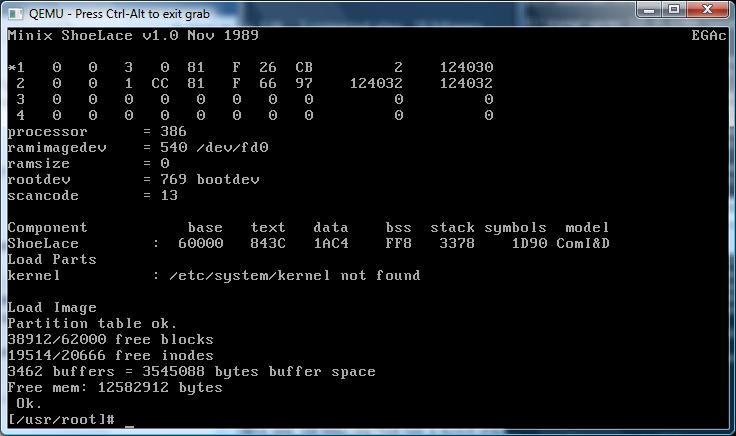
The next thing I found was a BOCHS archive with Linux 0.11 installed, along with GCC 1.40 and a few other programs. This image can even build Linux 0.00 and a slightly modified version of 0.11 that can run bash. I’ve found BOCHS somewhat difficult to configure, and since Qemu is faster, I’ve converted the disk image into a ‘qcow2’, then got it running on Qemu 0.12.5. Just unzip the archive here, and you can be running some really ancient Linux.

Linux 0.00 in action.

Linux 0.00 in action.

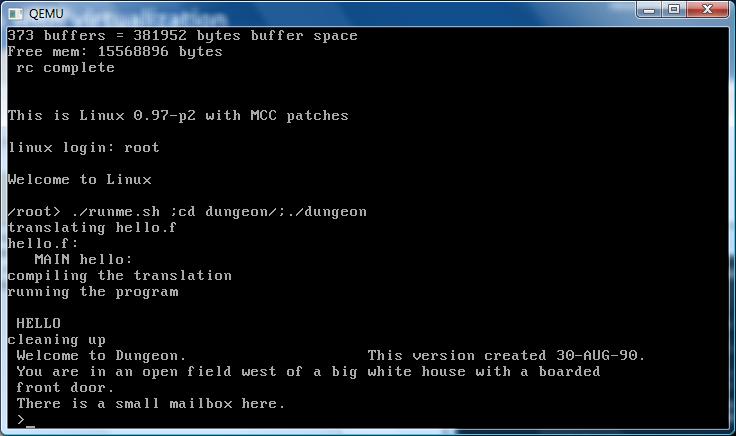
Remember that Linux 0.11 is OLD. At this point it didn’t support multiple users, nor did it even have a shutdown or reboot command. Instead we all ran ‘sync’ a dozen times, then pulled the plug. Also it was VERY unstable, and quite prone to panics and crashes.. Although I think a majority of them back then were due to file system corruption from pulling the plug at the wrong time… 🙂

Linux 0.11 on Qemu 0.12.5

Linux also had no support for things like TCP/IP, UUCP, shared libraries, etc… although I’m pretty sure it had working serial port support.. In many ways it feels like 32v, although more primitive. This disk image also has the ability to re-build the patched kernel, and even Linux-0.00. What is also cool is the ‘shoelace’ loader which can boot the Linux kernel, so you don’t have to suffer the boot/root disks of the time, and the fun of hex editing stuff.

For people that love ancient stuff from 1991 this will be great fun indeed!

***UPDATE

For people who are interested in ancient Linux on Windows, I did get the toolchain to build with MinGW, and it seems to work ok!  I have a post about it here.  I have also been able to get the 32bit portion of the Linux kernel to cross compile on Windows as well!  That adventure is here.

Great resource for ancient Linux

I came across this site, old linux.org That has a bunch of resources for ancient Linux.

They even have a version of Linux 0.11 that can run in VMWare!

However Qemu won’t boot it, because of some issue with the IDE controller…

HD-controller reset failed: 00
Kernel panic: HD controller not ready

I’ve tried a bunch of versions of Qemu to no avail.. It may just be easier to modify the source to Linux, although that’ll require some kind of build environment capable of building early Linux… I don’t know if I’ll do it, as it’d be modifying the old software which clearly worked back in the day, but at the same point it’s behavior that is consistent with a *LOT* of versions of Qemu.

I’ll have to see, but it’d be cool to get 0.11 running under free emulators, and possibly regress back further. I see MINIX is also available on the site so it may be even possible to get 0.01 running…!

2.11 BSD

Well over on the HECNet mailing list, there has been quite a bit of excitement over the opencores project, that is a PDP11/70 system on a chip.

It’ll run on two FPGA eval boards, and can even boot up 2.11 BSD!

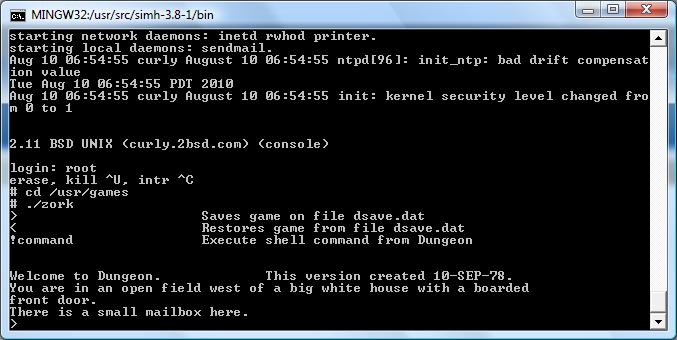
So I figured I’d get into some of the spirit, and see how far I could get with SIMH. Following the great instructions on vak.ru to get a 2.11 BSD tape installed into SIMH. I then spent some time trying to work out a working Ethernet configuration to at least be able to telnet into the VM… It seems the de driver under the PDP-11 suffers the same problem the VAX 11/780 had regarding something being flagged somewhere with errors. I didn’t ‘fix’ the simulator I took the shortcut, and fixed the driver to ignore all errors on the interface, and now I can telnet into it!

I’ve also modified the boot program, and init to auto-boot the kernel, and bring the system up into multi-user automatically.

So I just slapped together a zip file, and placed it on my sourceforge page here for downloading. I didn’t do an installer program this time, as I wanted to build some programs to make it more fun, but it seems that the PDP-11 is limited to 64k data/ 64k instructions for executables, so although I’ve compiled ircII, it will not link. I can verify that you can telnet into the VM (localhost 42323), and the pdp11 executable I’ve enclosed includes my SLiRP patches.

And.. it runs Zork!

I guess for the more adventitious, you could extract out the rest of the source, and apply the some 400+ patches to 2.11 BSD and have a current system. But if anyone knows how to build something like IRC on 2.11 BSD give me a shout.

Oh, and much to my surprise, this version includes zork, and it’s the same RT-11/LSI-11 binary that the VAX loaded up in some RT-11 syscall emulator.

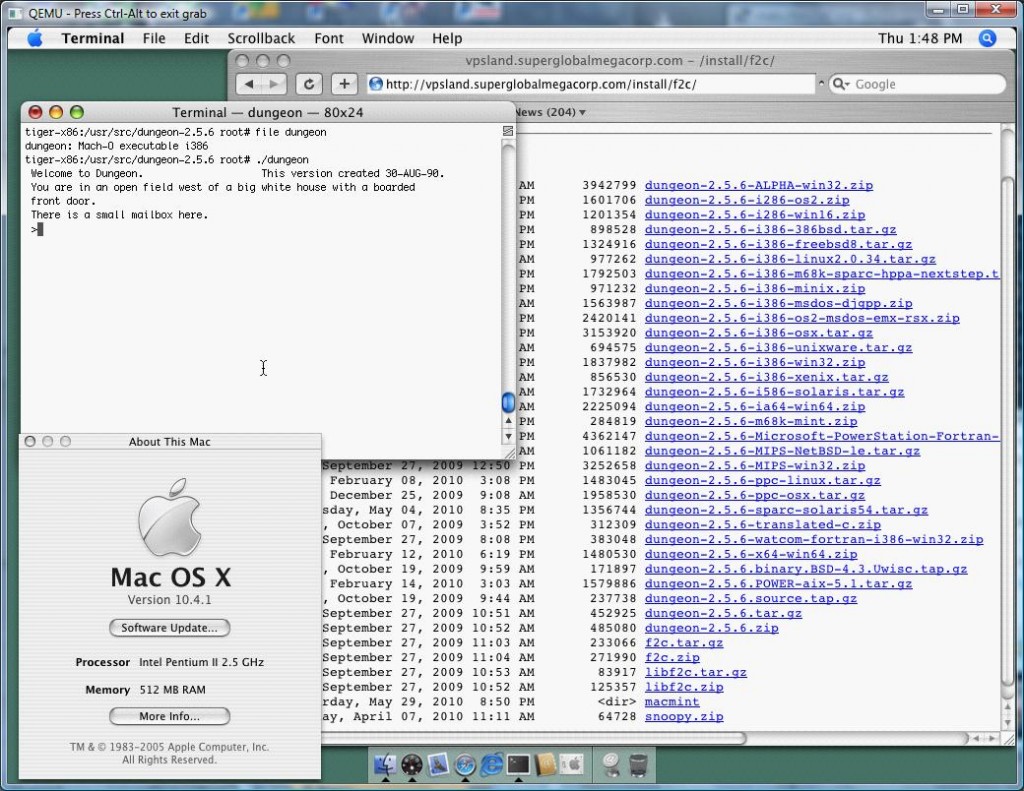
Qemu 0.12.5 and OS X 10.4.1

Well as the maintainer of the SIMH binaries on sourceforge, I end up needing access to a bunch of different platforms to build some prebuilt binaries for non win32 people out there.

As a direct result, I end up emulating many of the platforms, but for OS X, I have an old PowerPC mac mini that I used to build stuff, but I gave it away last year. Anyways after digging around on various networks, I came across this file, “tiger-x86.tar.bz2” So after copying it to my pc, and doing the bzip2/tar decompress shuffle, I had what looked like a VMWare config for OSX on intel.

So I figured this was as good as any test for the latest build of Qemu. After a bunch of experimenting I worked out this was the best way to start it:

qemu.exe -L pc-bios -m 512 -hda tiger-x86-flat.img -net nic,model=rtl8139 -net user -no-acpi -no-reboot -k en-us

Then when the bootloader comes up, I just typed in:

platform=x86pc

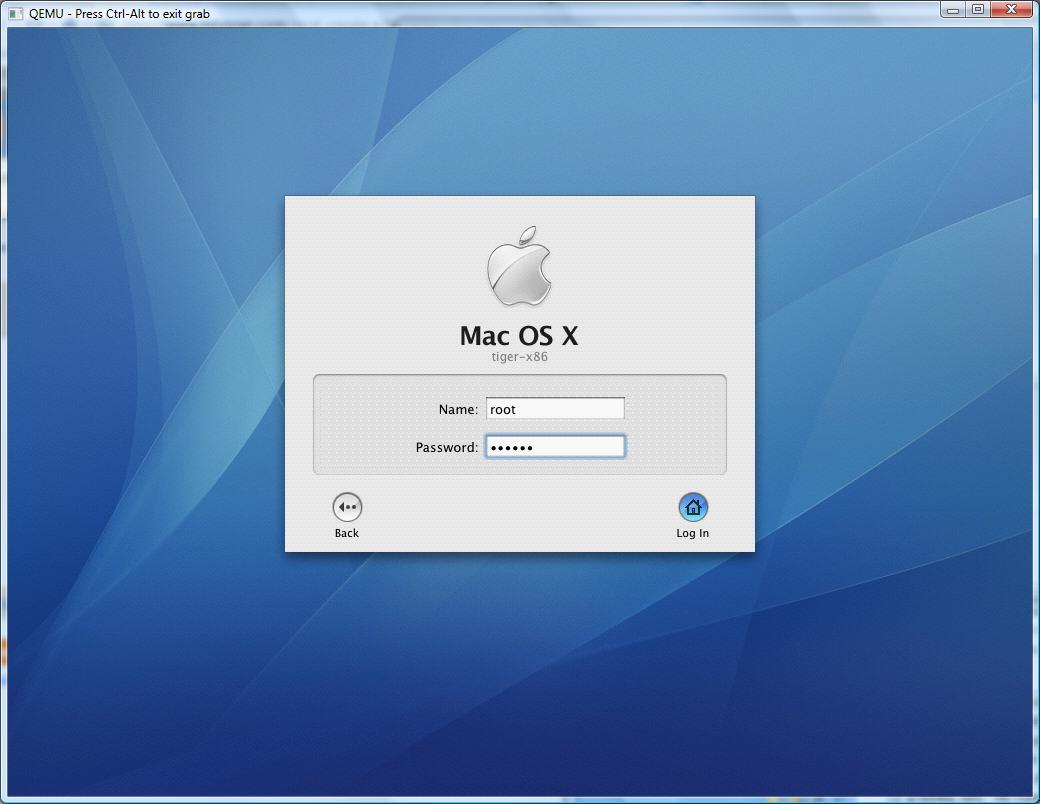
Qemu 0.12.5 osx 10.4.1 logon screen

OS X’s logon screen

And away it went!

Now sure it works, but it’s SLOW. VERY Slow. You can remove some TPM extension, and it’ll speed up somewhat, and at least idle like a normal process. After all, I only wanted this setup to build some binaries, not run this like a desktop OS.
To make the bootstring permanent, you just have to open up a termianal window, and edit the file:

/Library/Preferences/SystemConfiguration/com.apple.Boot.plist

<?xml version="1.0" encoding="UTF-8"?>

<!DOCTYPE plist PUBLIC “-//Apple Computer//DTD PLIST 1.0//EN” “http://www.apple.com/DTDs/PropertyList-1.0.dtd”>

<plist version=”1.0″>

<dict>

<key>Kernel</key>

<string>mach_kernel</string>

<key>Kernel Flags</key>

<string>platform=x86pc</string>

<key>Boot Graphics</key>

<string>Yes</string>

</dict>

</plist>

Save it, and you’ll be good to go!

For me it was nice that the networking works, so I had an easy way to get source code into the VM, and executables out of the VM. One cool thing about this VM image is that it contains the compiler! I just wonder since it’s super old will it’s exe’s I make run on modern machines…? I don’t have any way to tell, so it may all be in vain.

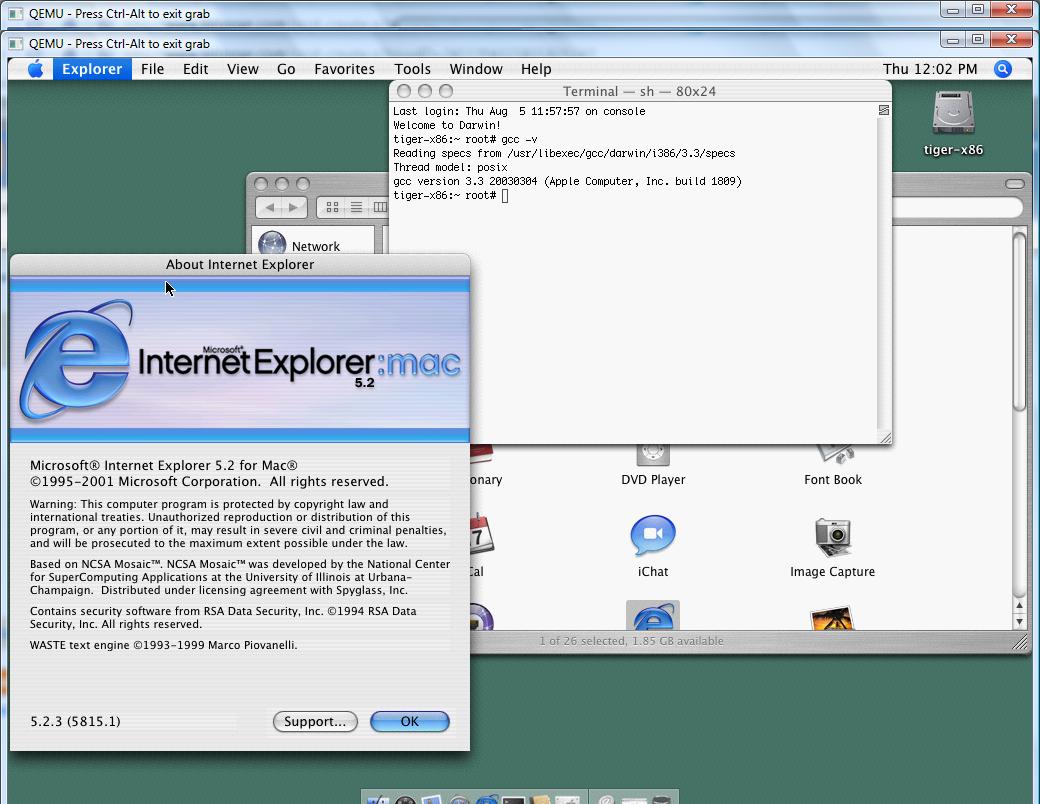
Even the PPC version of IE works!

Even the PPC version of IE works!

As a test for the heck of it, I downloaded Internet Explorer 5.2 for the PPC version of OSX, and it runs.. It’s too slow to actually use it, although I’ve run it on real intel macs at the apple store, and it FLIES… It’s too bad they killed it IMHO I kind of liked it.

I’m not trying to advocate piracy and all that, but rather show how Qemu can help you run some VMWare disk images, and just how flexible it is.

Found an interesting picture….

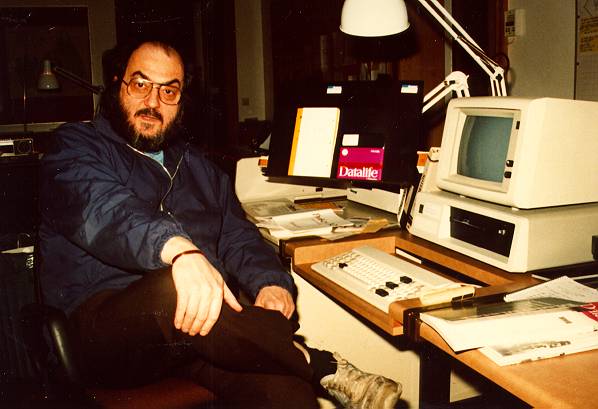
Stan45

Recognize this guy?

While looking around for a picture of an IBM XT, I came across this great picture of Stanley Kubrick with a pre production XT! I found this on the great blog kubrickonia.

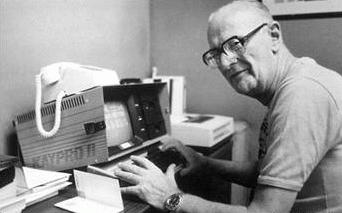
I guess it’s slightly interesting that Kubrick was into IBM’s, Arthur C Clarke was into his Kaypro.

Arthur C Clarke

Arthur C Clarke

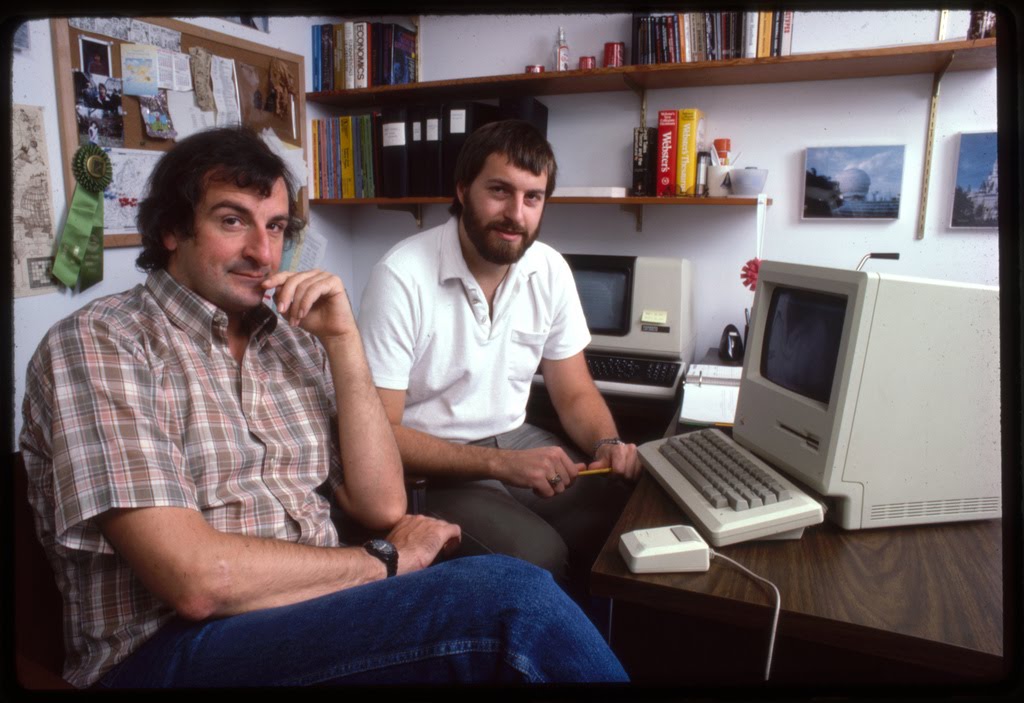
And Douglas Adams was all about the Macintosh.(which it seems he even had one handy to use as a prop for this Infocom picture……)

Douglas Adams and Steve Meretzky

Douglas Adams and Steve Meretzky

Ok, I know it’s not the most exciting update, but hey, I’m still unpacking stuff like crazy.

My background on emulation

Before I get into anything specific, let me first talk about how I got started with PC on PC emulation. Back when I was in high school, we had these Unisys ICON workstations that ran QNX, and all of these QNX programs. However, even back then, the tide of available software was turning towards the IBM PC. The ICON workstation was an outgrowth of an Ontario program from the early 1980’s when the micro market was best described as being a ‘wild west’ with no clear winner.

But as the 1980’s progressed, it became more and clearer with IBM’s entry into this market, that they were going to set the next standard. So that meant everyone having an 8086 compatible CPU, and being able to run the MS-DOS operating system. The ICON workstations had the 80186 CPU which was compatible, and with a software emulator they could run MS-DOS on the workstation, and run programs like DBase, Lotus 1-2-3, Turbo Pascal etc etc…

The big plus for us, was that the school was able to preserve their investment in hardware, while being able to run programs for both QNX & MS-DOS, there by increasing the flexibility of what was available.

In college where we had Macintosh computers, again there was this great program from Connectix called Virtual PC, which allowed the Mac’s to run MS-DOS and Windows programs on the Motorola 68040 CPU. Additionally in the PC labs, we were able to run ARDI’s Executor which would let the Intel 80486 based machines run Macintosh programs.

Another program we used in college was the great and open program pcemu, by David Hedley which would allow SUN SPARC workstations to run MS-DOS programs. This was a big deal at the time, as programs like Word Perfect, while available for UNIX workstations, cost significantly more then the MS-DOS version, while this free program would allow you to run the MS-DOS version, saving money.

Going forward, it was around 2002 when Connectix took their Macintosh product Virtual PC, and ported it to Microsoft Windows. Now at first glance emulating an IBM PC on an IBM PC seems quite silly, as you can run in emulation what you can run natively. However the first big ‘win’ for this was OS/2.

Now you have to remember that while OS/2 didn’t achieve big success in the home market, nor in the commercial space, where it did get big penetration was places like banks, and various payroll companies. And with these large programs written to run on OS/2 it was starting to become more problematic with newer machines and device drivers as now nobody was releasing new network card & video card drivers for OS/2.

Now this is where emulation’s strong point comes into play, since it emulates the hardware, all emulated machines have the same BIOS, motherboard IO chips, video cards, and network adapters.
Suddenly everyone could run their legacy OS/2 applications on the newest computers, without worrying about device drivers, memory setup, and hard disk sizes (OS/2 can’t use the new giant hard disks available on the market).

The best part of course, is that as PC’s get faster, the emulation only gets faster, giving you a far more responsive emulated session. In fact, with the megahertz ‘race’ to 1Ghz and beyond, it got so fast that by 2004 with the acquisition of Connectix by Microsoft, it was now possible to run more then on Virtual PC at a time on Virtual PC 2004.

This allowed me to take a VERY complicated internet firewall setup that previously required 6 firewalls, and consolidated it to a single computer saving space & energy, not to mention they ran faster because of the faster CPU, and I was able to effectively upgrade the infrastructure for the cost of one of the firewalls.

This was a very big deal at the time, as our data room was over crowded as it was, and had major electrical shortfalls.

After the firewall success, we entered into the beta program for Virtual Server. This would allow us to run our Virtual PC virtual machines in a SMP (multiple CPU machine) environment, and take advantage of the extra CPU’s. The first machine we bought to test this on was a Compaq Proliant 6500 with four Pentium III 1Ghz CPU’s, which let us easily move all the firewalls to it, and also migrate our development Oracle 7/Windows NT 4.0 machines into this single server.

Not only were we able to save power, space and electricity but now we were running on enterprise grade hardware, which gave us things like redundant power supplies, and a RAID disk setup.

In the intervening years, a friend pointed out this new program called Qemu, which unlike BOCHS a full PC emulator, provided a dynamic translator and thusly could run significantly faster then a full emulator. The other big plus was that Qemu was open source free software! So you could easily modify the source for any specific requirement you had, from simple things like changing IO/IRQ ports in the emulated hardware, to even adding in extra serial ports etc…

Now the cool thing about Qemu, is that they started adding more and more different CPU types, allowing you to originally run and test various Linux distributions out for things like the MIPS, PowerPC, SPARC, ARM and x64 all on the x86 platform. And as the emulation improved, it was then possible to run Solaris, Windows NT (MIPS) and other OS’s for different CPU types.

The next big step for our emulation strategy was to purchase the VMWare ESX product allowing us to create a cluster of servers with shared storage, allowing us to move virtual machines between nodes while they were running. This gave us a more robust environment as now even a multiple node failure no longer meant that we would lose the emulated machines, and also that we could take nodes offline if they were to require hardware maintenance to be performed. We then took all of our production servers, and migrated them into VMWare, then shipped the cluster to a collocation facility where we were able to decommission our data room at a great savings, and able to now leverage a commercial data center, and all the benefits of things like location and giant batteries, and security that we just simply could not justify on our own.

The best part, in my opinion is that as CPU technology improved we could simply replace the processing nodes in this cluster with newer machines, and now all of our servers across the board would see an improvement in their speed, and throughput.

As QEMU improved there was a push for a kernel module for Linux systems that would allow x86 on x86 OS’s to run a near native speeds. Eventually the module was reworked into a full kernel subsystem on Linux called KVM (Kernel Virtual Machine).

This has allowed Qemu to progress to the point, that with distributions likes Proxmox/VE it can provide similar functionality to VMWare’s ESX platform, at a tremendous cost savings as it is free software.

Much like the proprietary UNIX market has fallen to Linux, I feel that the emulation space too will become dominated by free solutions that enable the ultimate in flexibility, and allow for greater customer control, then any proprietary solution.

Qemu 0.12.5 binaries

This are pretty basic x86 win32 binaries…. I haven’t added anything so they are pretty stock.

The FULL package is here, while a smaller download for people only interested in the x86/x64 emulators is available here.

I’ve only tested Windows NT 4.0/MIPS and MS-DOS but everything seemed to work ok.

Other then that, the move continues….