A quick Neko x64 update!

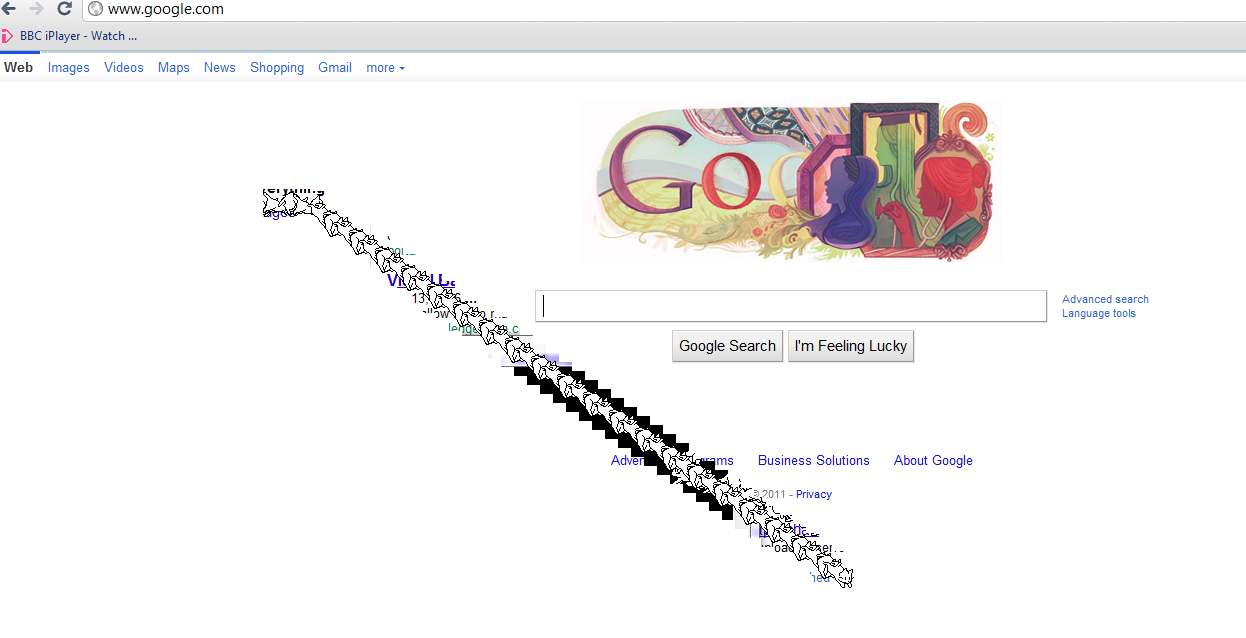
Oh no!

Oh no!

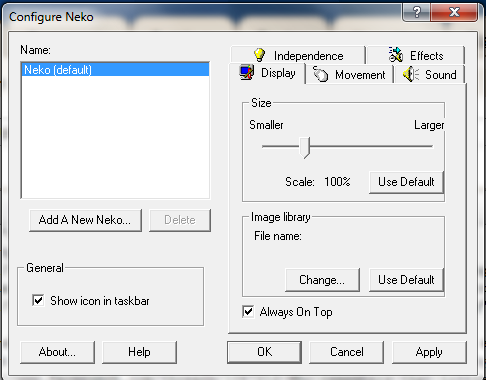
For anyone who’s been using neko x64 on Windows Vista or Windows 7 and seeing something like the above, it turns out the fix was really easy and really simple. As mentioned by mikesword221, all you have to do is make it ‘always on top’.

Just right click on the cat in the task bar (he may be hiding, check under the up arrow…)

And make your settings something like this:

Configure Neko

Configure Neko

Then hit ok and Neko will now look normal, with no more ghosting.

Later on I’ll have to make an installer, and fix it so that neko is always on top.

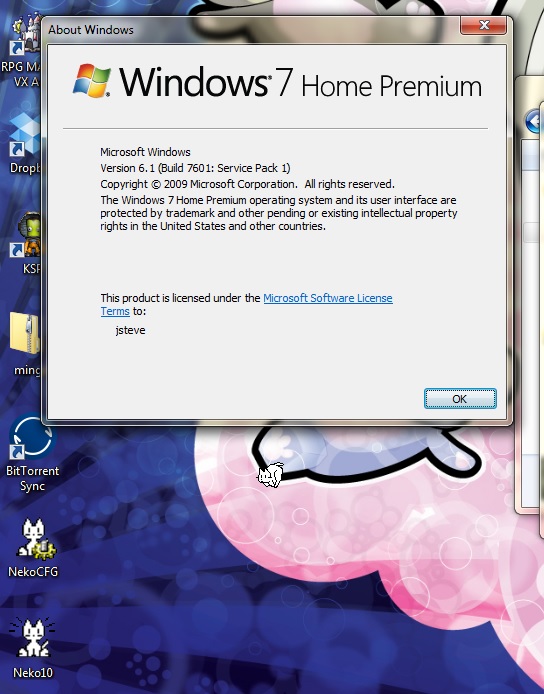
Glorious Neko returned!

Glorious Neko returned!


Early Windows applications

With the dawn of Windows 2.x there was some push to make Windows a ‘runtime kit’ or basically Microsoft would let vendors ship a stripped down version of windows with their application to get people used to the idea of Windows. Back in the 1.x & 2.x days nobody really used it full time, but it was more so for the one or two applications of the time that needed it.

Adobe Pagemaker was the first application to take advantage of this runtime version of windows, but with the introduction of Windows 3.0 it was the end of the runtime version.

However Microsoft did have a ‘working demo’ version of Windows 3.0 . I still haven’t been able to track this down, however I have been able to find working demos of Power Point, Excel and Schedule.

So let’s take a look at this little thing, shall we?

For anyone who want’s to check it out, you can download this file, which has the whole thing setup. If you want to install it yourself, you can find what I’ve found so far here.

I’m running this under DOSBox, so I don’t have to worry about copying files in & out, or redistributing any operating system, like MS-DOS.

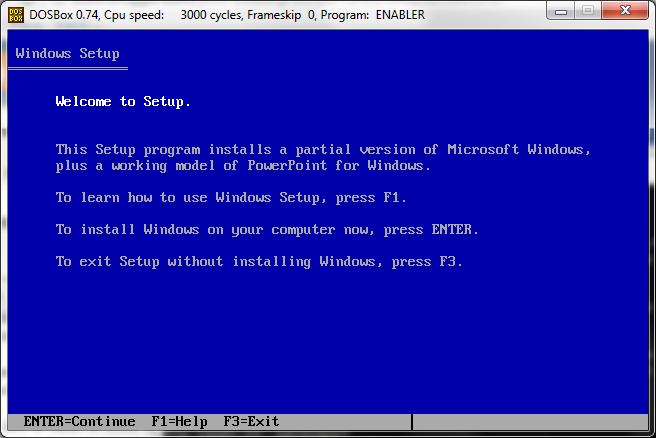
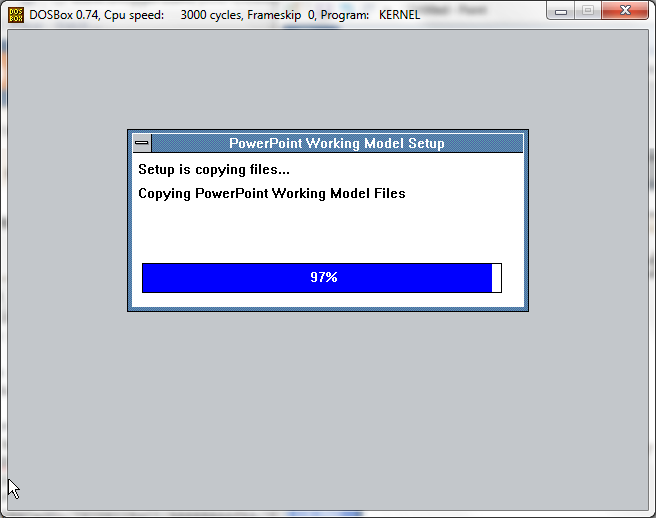
As you can see from the MS-DOS setup, it looks pretty similar to the Windows 3.0/3.1 setup that we all know.

And just like 3.0 / 3.1 there is also a graphical phase.

Once the setup is complete we run this demo as ‘windemo’.

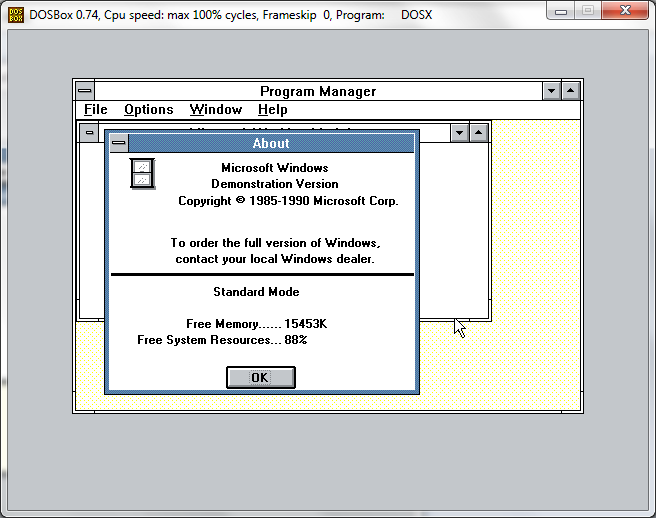
As you can see it looks just like Windows 3.0. Well for the most part it is Windows 3.0 .

And as you can see, the demo executes in 286 protected mode, giving us the maximum 16mb of ram.. Not to bad for a demo.

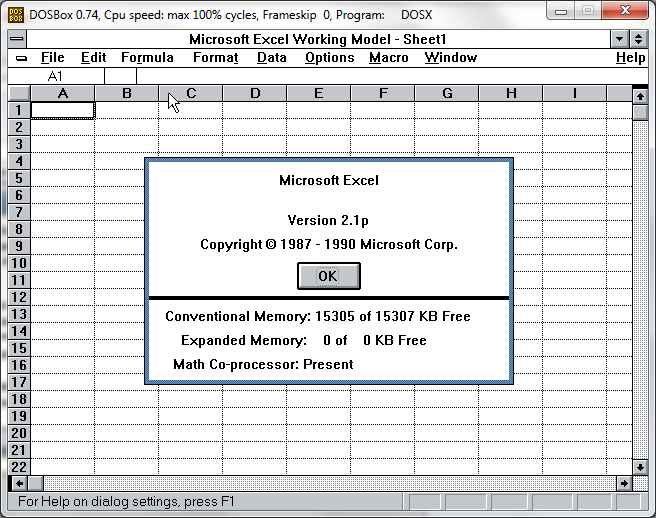
So we get a limited version of Excel 2, that is good enough to test out some basic stuff.. Or for basic people it’s really all you would ever need. And yes the model will let you save, print, and do a simple graph. I think that is what the bulk of people with Office 2010 do anyways, here you go, and for FREE!

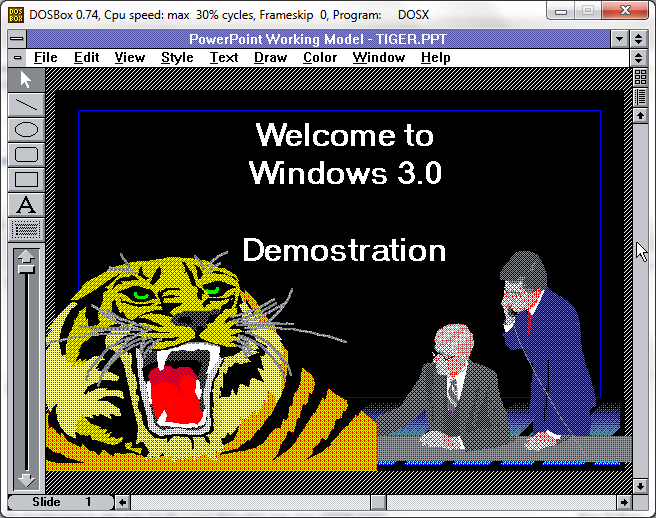
Next is Powerpoint 2.0 I’ve never been one for presentations myself, but here is a ‘hand tiger’.. I’ve never gotten why the clipart is so .. clipped, but there you go. Sorry no Ligers.

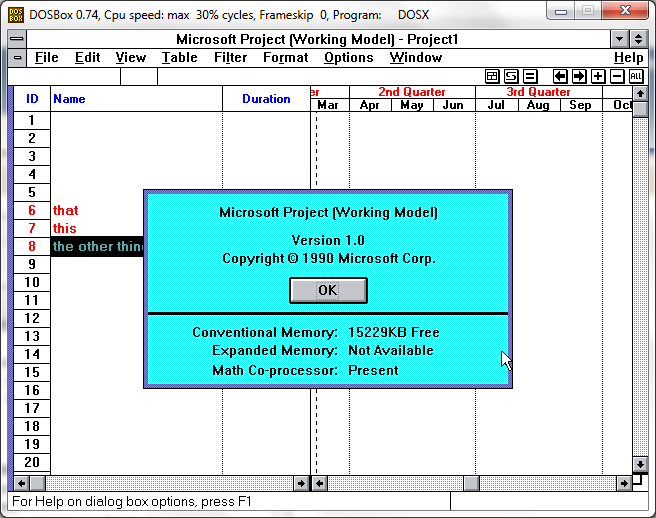
And finally Microsoft Project 1.0 The tutorial is lubriciously missing. Perhaps there should have been some kind of written pamphlet that accompanied the disk? Also see the conventional memory? This screams Windows 2.0 application.

Of course the working model of Windows 3.0 will not let you run ‘normal’ applications. But exiting, and copying the application to ‘progman.exe’ will get you there.

This is my f2c port of dungeon (zork) to win16, running on this minimal environment without issues.

Who knows there may be enough windows there to host QuickC for Windows. I haven’t tried, I have a real copy of 3.0 so I’ve not worried. But for you other people……

If anyone has a working model of Word, let me know…

Windows NT 4.0 MIPS revisited

MIPS at it's best

MIPS at it’s best

Over the last few days, I’ve received a few ports of some software for Windows NT 4.0 MIPS, that I am sure the rest of everyone will be interested in.

The first one provided by nandhp is lynx, the text mode browser! While it may not seem like a super big deal, it *IS* a http 1.1 compliant browser, and it is more useful then Internet Explorer 2.0.

The next, also by nandhp is putty! So now you can ssh out into the world!

I’ve also received unzip & gzip for handling compressed files.. .No word on a tar yet. For now I’m using gnutar for MS-DOS.

And finally I took my quakeworld for MS-DOS with some of the SDL parts merged in to provide a preliminary QuakeWorld for the MIPS.

What is more cool, is that there is still people out there playing Quake. I suspect the non intel numbers are pretty low.

At any rate, enjoy!

Oh my god does watcom suck

The things I see go through my blog… Well someone googled that (blogger.com shows me top hits, on what people search, and how they got here).. and I have to admit it made me laugh.

But my exposure to Watcom really didn’t start until I was in college, and I found some $99 offer to buy Watcom 10.0 CD only package. At the time I thought it was super exciting, because it not only included 32bit tools, but also the 16bit stuff. At the time, I still had a 286 running OS/2 so for me this was awesome!

So for my $99 I got a 32bit MS-DOS,OS/2,Windows NT & Novell Netware compiler, along with a 16bit MS-DOS, Windows & OS/2 compiler.

Ok, so that’s the ‘good’. All the documentation was online, which was ok, but it was in like 30 different files…. The UI was weird, but really in the early 1990s everyones UI was odd. Heh even Microsoft ended up taking over the UI from QuickC for Windows as their ‘professional UI’.

Now what of the Watcom Legacy? Well sure we all know that the iD software guys, used Watcom as their 32bit compile to ship DOOM to the MS-DOS world. Just as 3D Realms used it for Duke Nukem 3d!. But I’d suspect this was mostly because of the DOS4G/W DOS Extender, and it’s royalty free redistribution with Watcom C++. From what I understand Pharlap TNT was *VERY* expensive to license, with regards to it’s royalty price.

Also at the time, Watcom C++ was the fastest compiler available.

But time and competition wasn’t kind to Watcom. Eventually the language company slipped, was purchased for a side product sold off and killed. It’s kind of funny that a language company that produced a SQL server as a necessity ended up being the only product that people sought, and didn’t want to let discontinue.

So sure Watcom C/C++ was a great compiler for it’s time, but the time has passed. In the meantime we are lucky that it’s been open sourced so it hasn’t faded off to oblivion.

Although the C/C++ is what people know them for most, Watcom had a lot more, as seen in their source, they did have support for the Dec Alpha. also did have a Fortran compiler. Back a long long time ago, this Waterloo Ontario based company used to supply computer languages to all kinds of Canadian endeavors. It’s a shame that us kids never got to really see them, but rather it was more so for research as I’m lead to understand.

So really what separated Watcom from say Microsoft? Maybe it was their proximity to research? Maybe government contracts? Perhaps reluctance to enter the operating system business? I don’t know it’s really hard to say, I’m sure it’d make an interesting documentary but I’m afraid the audience would be pretty small.

But then again the Canadian government does like to green light this kind of thing, so maybe someone out there will take it up.

At any rate, I’m sure others may want to chip in on how they feel about Watcom.

—-
edit
I see now that the phrase actually comes from doom

‘!’, // shift-backslash – OH MY GOD DOES WATCOM SUCK

This is in the heads up code, hu_stuff.c

So I guess that ends that eppisode.

Internet Explorer 6 countdown.

So I saw this post on /. talking about the IE 6 countdown page from Microsoft.

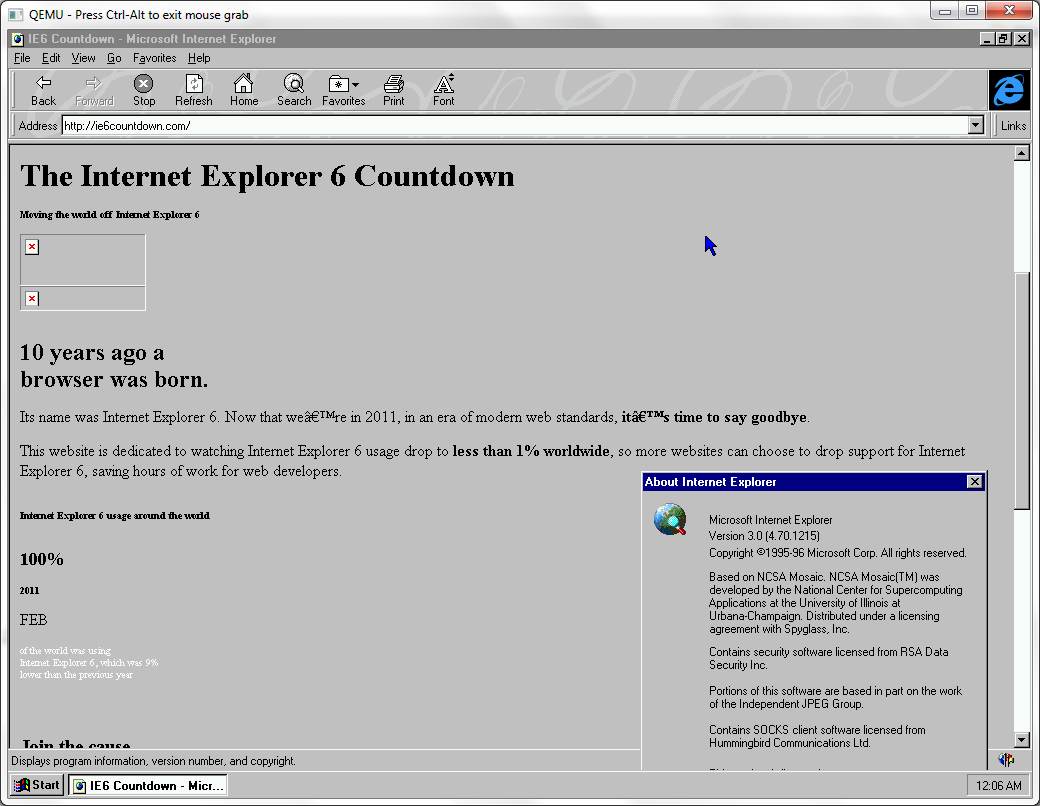
So, after helping someone verify the needed flags to install Windows NT 4.0 on Qemu 0.14.0 ( C:\temp\qemu-0.14.0>qemu.exe -L pc-bios -cpu pentium -hda nt4.disk -net nic,model=pcnet -net user -cdrom “\install\nt4workstation.iso” -m 16 ) I thought I’d try this sucker in Internet Explorer 3.0

IE 6 countdown, on IE 3

IE 6 countdown, on IE 3

Hell you’d think they’d at least make the page VIEWABLE in older browsers.. I didn’t even try IE 2.0 just yet, as I almost bet it can’t even pop the page…. Seeing that IE 2.0 isn’t even HTTP 1.1 compliant.

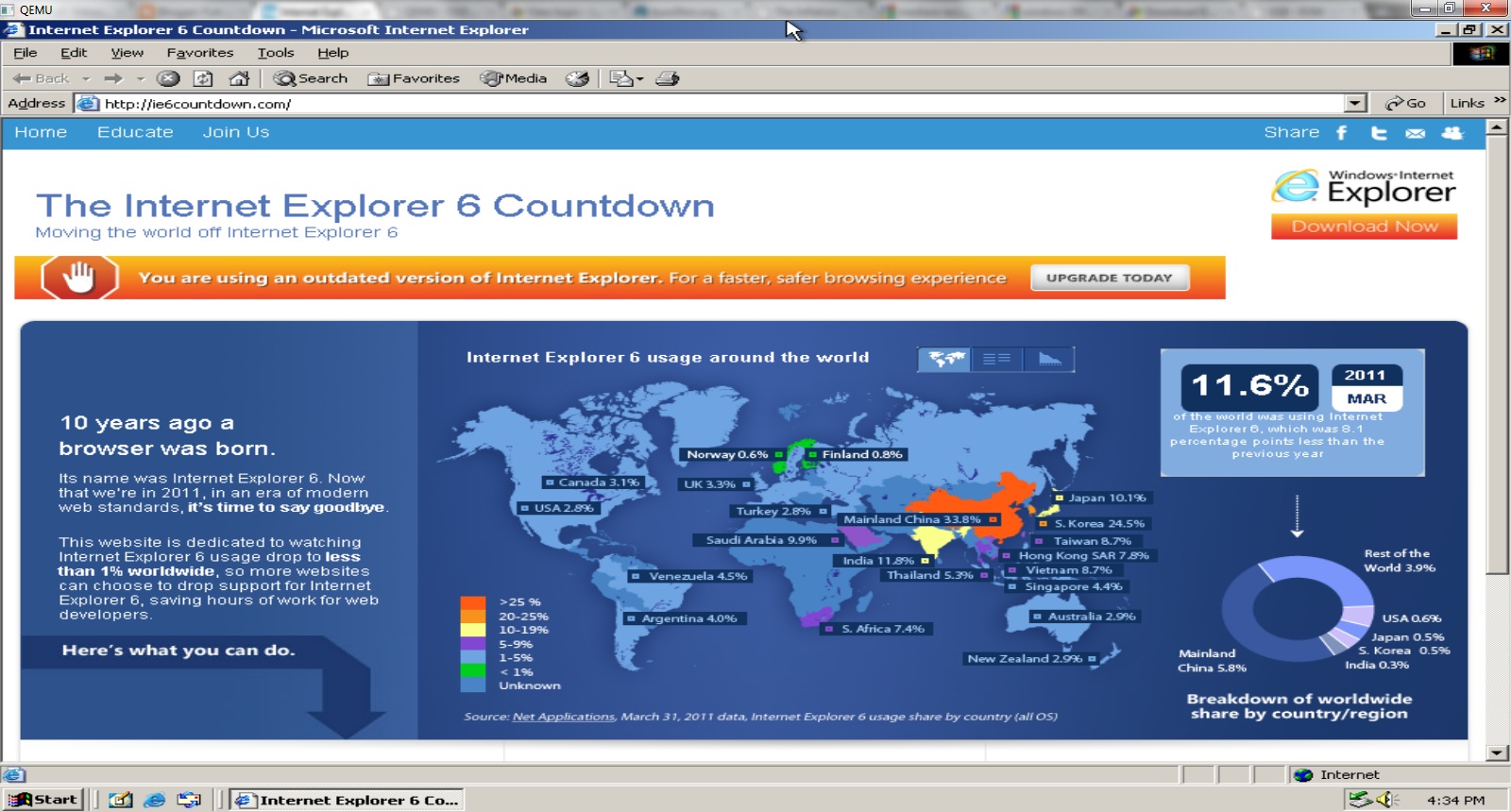
What is interesting is the high numbers in China, India, and South Africa. I wonder how many of those IE6 users are on NT 4.0? I wonder how many IE 5.5 users are running Windows 95? How many are simply using older computers that these new modern titan operating systems simply will not load on.

At any rate, here is the site on IE6 / Windows 2000…

IE6 countdown on.. IE6

IE6 countdown on.. IE6

Oh well my $0.02 on the whole thing.

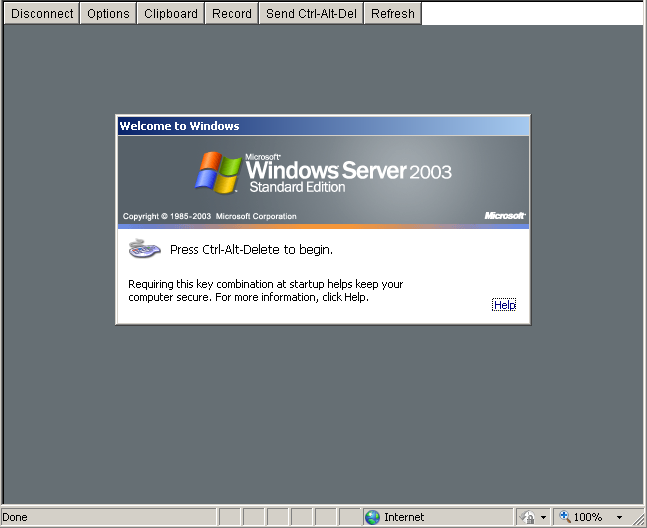
Migrating Windows 2003 servers to Proxmox/VE

So I’ve had this Microsoft Virtual Server 2005 install that has been chugging along since.. Well 2005. On hardware we scrounged around at work from 2000. So as you can gather, it’s getting OLD. Real old.

So now after a panic, we are finally at the crossroads of what to do from here.

Now most people would expect us to just “migrate” the server to Hyper-V but there is some major shortfalls I’ve had with Hyper-V. First you can’t remotely manage it very easily. God help you if you are on the road, on a notebook, or even… On your parents computer. The idea that you must be on a domain, and install some 300MB+++ file is totally insane, and completely unacceptable.

The other catastrophic issue we’ve had is that running the x64 version of OpenBSD has been met with failure so that enterprise is virtually over.

So, let’s revisit Proxmox VE.

Now to start small, I’m going to migrate the 2003 domain controller. Luckily it’s configured for IDE disks (phew!) and basically doesn’t do anything else other then act as a DC. The steps to do this in a quick and easy manner is something like this:

1 Remove those blasted MS extensions! You can ONLY do this while you are under MS Virtual Server. Really. I expect this also holds true for Hyper-V.

2 Next run the mergeide.reg, file which will tell 2003 (probably 2000 and above…) to enable all the IDE controller types on boot, so you don’t get locked out…

3 Next download and install this GREAT program, selfimage (sorry for the lame download thing), and go ahead and run it.

Make sure you set the source to being a WHOLE DISK, not a partition… Start with the C drive. (I always try to get the OS going before going after data drives & whatnot….).

Next you can set the target to NBD and point it to your proxmox server, and set the port to 1024.

I didn’t know this, but NBD is a network block device! So instead of playing with intermediate disks, formats, and all this other painful crap, we can instead basically dd from one disk to another over the network, with little effort. I would imagine for the WindowsPE crowd this would be a massive win, to say image disks out of other servers, or even LIVE servers.. Although if it were SQL I sure would shut down the database server at this time.

On the proxmox server go ahead and create a ‘destination’ VM, that you will copy the VM into. It’s recommended you make the destination disk larger then the source disk, so there isn’t any nasty rounding errors.

Now putty into the proxmox machine, and then you have to launch the nbd server. The syntax is something like this:

qemu-nbd -t /var/lib/vz/images/xxx/vm-xxx-disk.qcow2

The filename may be slightly different, so don’t sweat it too much, but basically you are telling qemu-nbd to ‘serve’ this virtual disk.

With all of this in place, you can now hit the start button on the SelfImage application and it’ll start to block copy!

I have a slow network where I’m doing this so it took me about an hour to do 32GB.

Once it is done, you can terminate qemu-nbd with a Control+C, then try to start up the VM on Proxmox.

Two things I ran into:

Some error about processor.sys, and a 0x000000CE error code. For me the easy way out of this is to shut down the VM, and re-configure it to disable KVM. In this mode it will be SLOW. But once booted up, you can issue the following from a command prompt:

sc config processor start= disabled

Shut down the VM, turn on KVM, and start it up again. Also the start= isn’t a typo, it really is entered that way.

The other error I had was a INTERNAL_POWER_ERROR blue screen. I tried playing with the ACPI, and some other stuff to no avail. The only way to seemingly ‘fix’ it was booting up again with KVM disabled, and when I tried to login, windows immediately started to shutdown.. Re-enabling the KVM option then let me boot normally. I’m still a little lost as to what this was all about.

So with all the little stops here & there, my VM is now running on Proxmox VE.
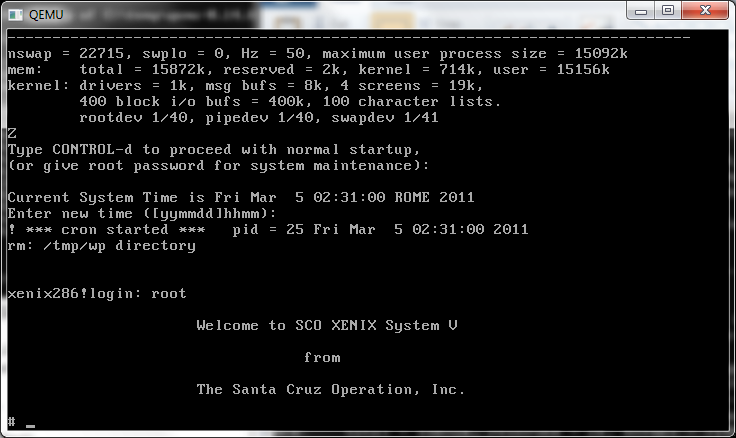
Xenix 286 on Qemu

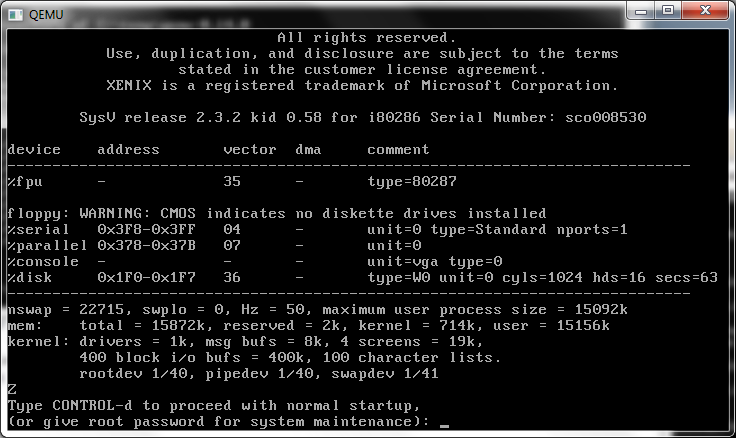
I nearly forgot to mention this… But a friend had some issues with an ancient 486 box running Xenix 286 and made a disk image of it. The box finally died, and he lost his copy with some disk accident (double trouble!) but he did send me a copy to see if it’d work under Qemu… At the time it didn’t.

So while I was transferring his disk image back to him, and looking around on ebay for a 286 board, I figured I’d try Qemu 0.14 to see how badly it failed…

xenix 2.3.2 286 on Qemu 0.14

And…

xenix 2.3.2 286 on Qemu 0.14 pt2

It worked!

I can’t say I’ve thoughtfully tested it, but it seems pretty workable.. I have no idea about what editions work, and which do not… I have no idea if this version knows it’s on a 386 and uses a 386 friendly method to switch to protected mode, or what.. Then again it being Xenix, it won’t need to constantly pop between real & protected modes, unlike, say Windows 3.0 / windows 3.1 or OS/2 1.x ..

Microsoft Word and Ribbons….

I came across some startling news today.

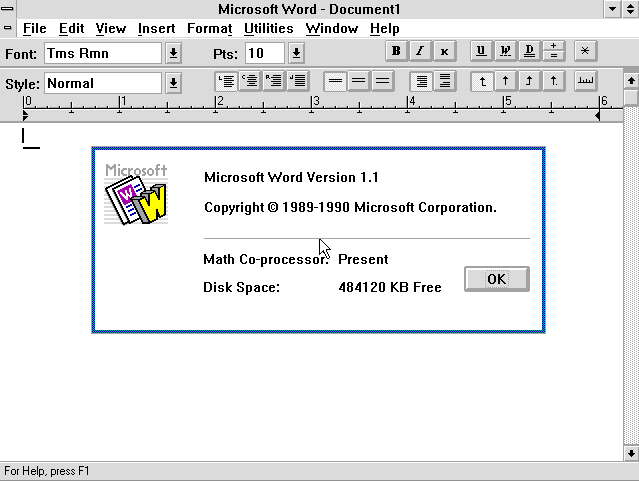
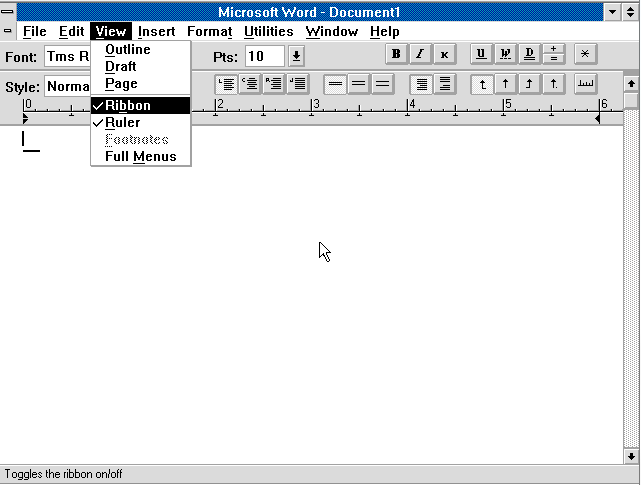
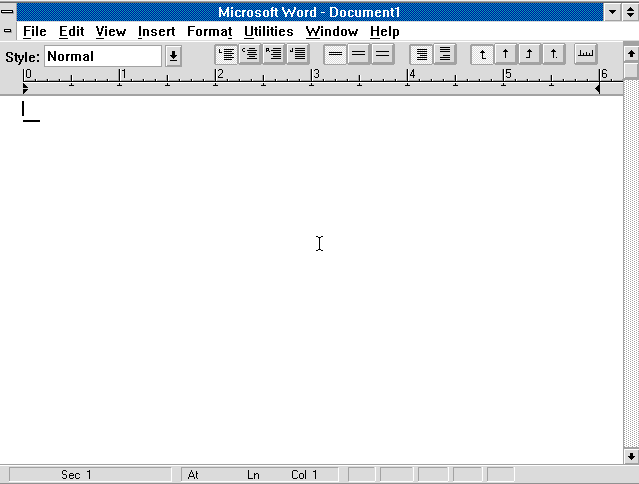
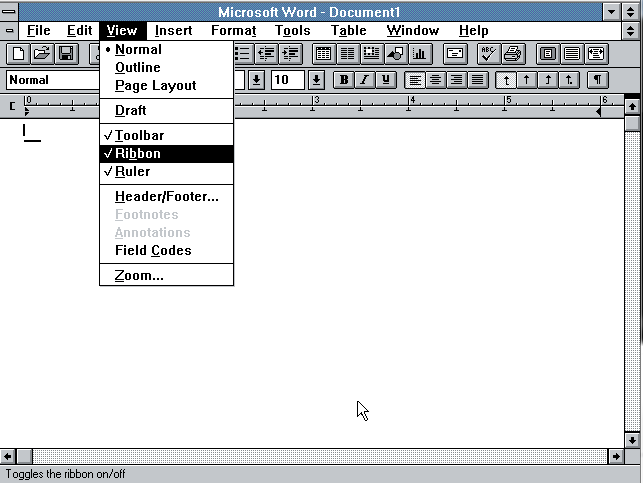
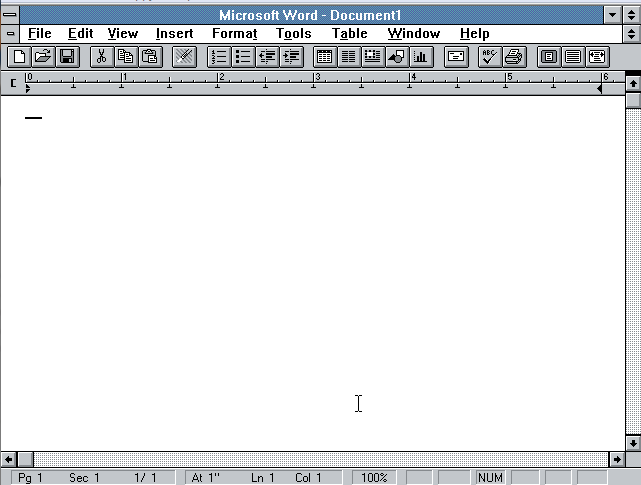
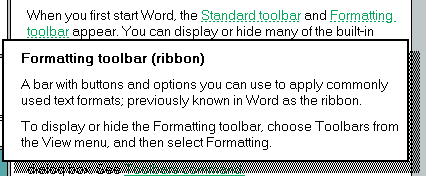
Those of us that have hated all this new ‘ribbon’ talk since Office 2007, seemed to have forgotten that the blasted ribbon was there all the time. Most of us called it a tool bar for some reason, but here let me show you.

Word 1.1 for OS/2

Here is Microsoft Word 1.1 for OS/2

What’s that?

Hello, ribbon?

Now with no ribbon!

And here we go!

Ok but what about Word 2.0?

Microsoft Word 2.0 for Windows

Word 2.0 for Windows

What is this? Ribbon??!?

Word 2.0 with the ribbon off

Word 2.0 with no ribbon.

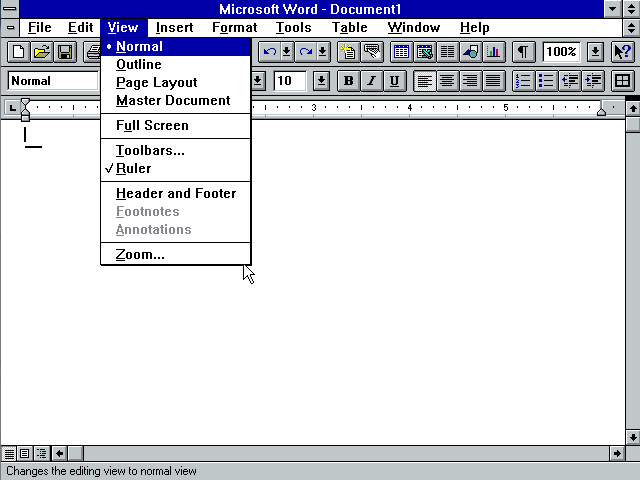
Ok but what about Word 6.0? Although they were going to write a whole new engine for Word, they gave up, and instead revamped the Word 2.0 engine, although…

Word 6.0 for Windows NT

Let’s try Word 6.0 for Windows NT! The first 32bit Windows Word processor from Microsoft.

Oh what’s this? No ribbon?

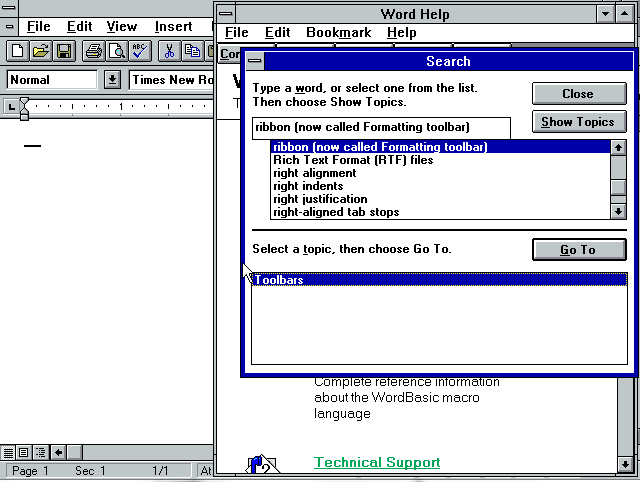
That’s right, the ribbon just got renamed, and buried.

So there we go there has always been a ribbon in Microsoft Word, but it’s become another toolbar to only resurface and take over the entire interface. Although I’m not a Word expert by any stretch, I do have to say, if I was given the chance, I’d certainly go back to the Word 6.0 interface ….

But I guess I’m just old.

AT&T 3b1 emulator

while checking out some random link on some vintage ads, I found this exciting development..

Philip Pemberton’s 3b1 emulator.

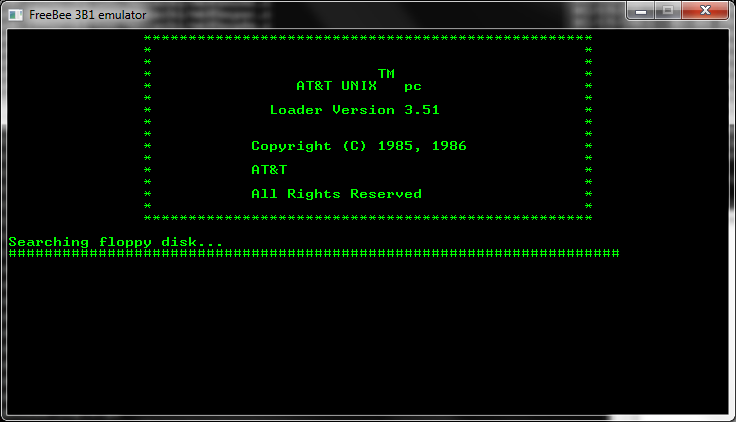
While a work in progress, he’s getting there, so far it’s capable of booting the diagnostic diskette, although I couldn’t get it to run any programs….

3b1 emulator

3b1 emulator

I’ve personally only dealt with the 3b2’s so I don’t know all that much about the 3b1’s short of them running some SYSV (r2?) Unix, and it was some half hearted attempt by AT&T at marketing Unix to the masses.

I’ve built the emulator under windows, and compressed it up here.

It’s interesting though, and more interesting to see where it will go…

VM/386

So I picked up this old 386 multitasker on amazon called.. VM/386. I remember seeing ads on how awesome it was back in the day.

VM/386 diskettes

VM/386 diskettes


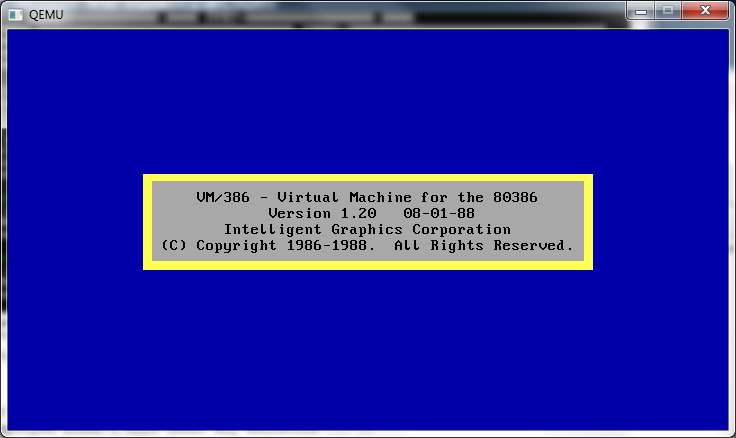
VM/386 1.2 splash screen

VM/386 1.2 splash screen

So much to my luck, I not only got 1.2 but 1.22! Even luckier all the disks read! However what ever magic they employed doesn’t work under any emulation … ๐Ÿ˜

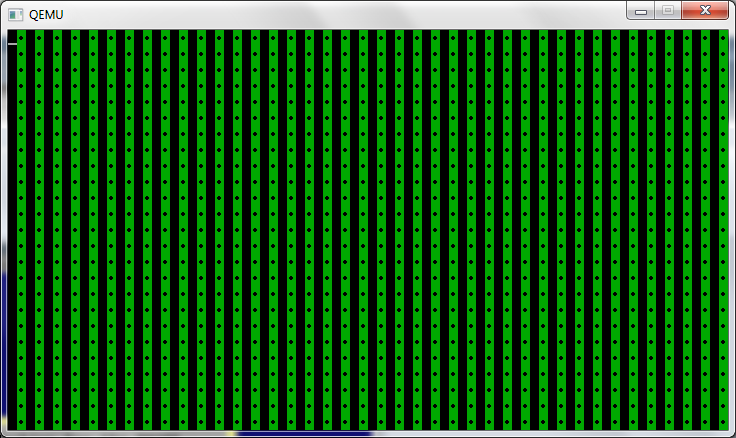
Sure it’ll load up, and let you do some options.. But this is all I get.

VM/386 in action

VM/386 in action

I’ve tried it on various Qemu levels, I’ve even used a real cirrus logic video ROM (from an ISA board, I’ll have to find a PCI cirrus logic ROM…) VMware, Virtual PC, and Virtual BOX.

Has anyone ever used this thing? I was under the impression it was multiuser as well as multitasking but it seems from what little I’ve been able to use that it’s only multi tasking…

Oh well I guess another sem-interesting update in MS-DOS multi-taskers.

— edit

And… I just got word of a copy of 2.0 and it’s being shipped.. 5 user version too!