A friend passed this link on, and I thought it’d be right to share this:
https://github.com/jmechner/Prince-of-Persia-Apple-II
So now who is going to port it to the i386?
LOL

A friend passed this link on, and I thought it’d be right to share this:
https://github.com/jmechner/Prince-of-Persia-Apple-II
So now who is going to port it to the i386?
LOL
Personal issues have intervened with pretty much everything. This morning, I packed as much as I could into three suitcases, bought a one-way ticket, and I’m leaving my ‘home’ behind.
While in the past I’ve taken a few months off here & there I’ve done my best the last two years to get in an update of something at least 2x a week, if not more.
However, I don’t feel that I am in any position to do so now, I don’t even have a proper place to live so the next while will be .. interesting to say the least.
If things get too crazy I’ll wind up archiving this thing in Egypt and I don’t know from there…
But at the same time, who knows the future isn’t written.
there is not fate, but what we make.
Well looking around on my sourceforge page, it hit me that I never did do a NetBSD 1.2 MicroVAX II package, so I thought I’d slap one together. Â I basically just followed my install notes, and added in some stuff that I’d built earlier.
So for those who care, here you go!
From the package’s readme:
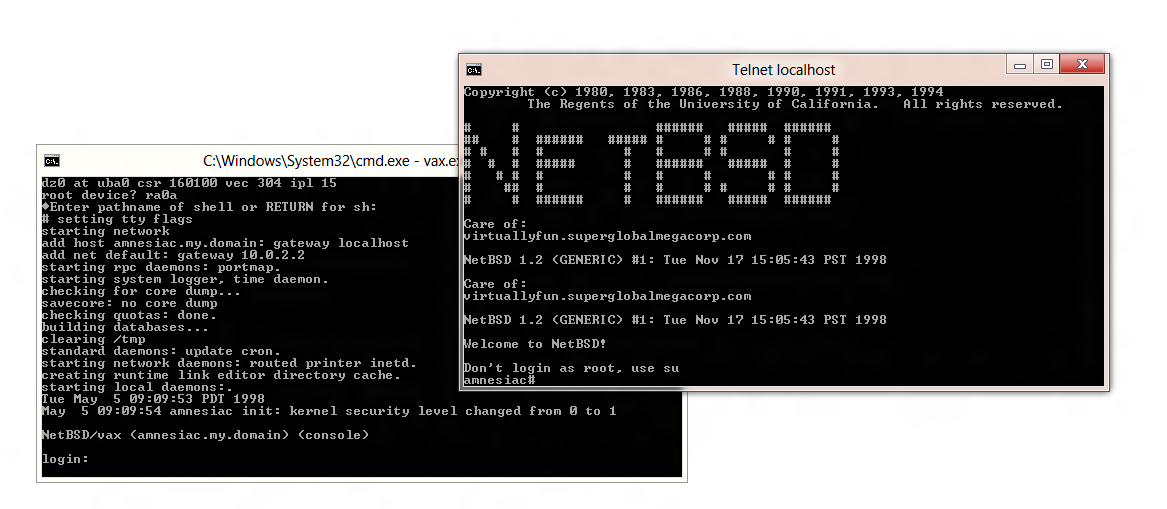
Welcome to this minimal version of NetBSD 1.2 for the MicroVAX II.
Getting started
:::::::::::::::just fire up the emulator like this:
vax.exe run.ini
—–8<—–8<—–8<—–8<—–8<—–8<
C:\netbsd1.2\test>vax.exe run.ini
VAX simulator V3.8-1
run.ini> set idle OLDVMS
Non-existent device
TS: creating new file
Loading boot code from ka655x.bin?[c
KA655-B V5.3, VMB 2.7
Performing normal system tests.
40..39..38..37..36..35..34..33..32..31..30..29..28..27..26..25..
24..23..22..21..20..19..18..17..16..15..14..13..12..11..10..09..
08..07..06..05..04..03..
Tests completed.
>>>
—–8<—–8<—–8<—–8<—–8<—–8<You’ll be booted up to the boot rom. next we have to boot from the
hard disk. NetBSD’s bootblocks were very fragile back then so
it won’t autoboot. I never did tear into it to see why it won’t boot
so you’ll have to do it the old fasioned way.
>>>b/3 dua0
(BOOT/R5:3 DUA02..
-DUA0
1..0..
howto 0x3, bdev 0x11, booting…done. (11108+33996)Nboot
:ra(0,0)netbsd
—–8<—–8<—–8<—–8<—–8<—–8<Once you’ve booted the kernel, it’ll probe out the hardware, then
it’ll ask where the root disk is (ra0a).—–8<—–8<—–8<—–8<—–8<—–8<
zs0: timeout waiting for TS_SSR
tmscp0 at uba0 csr 174500 vec 760, ipl 15
tms0 at tmscp0 slave 0
qe0 at uba0 csr 174440 vec 754 ipl 15
qe0: delqa, hardware address 08:00:2b:aa:bb:cc
dz0 at uba0 csr 160100 vec 304 ipl 15
root device?
—–8<—–8<—–8<—–8<—–8<—–8<Armed with this information you can simply hit enter as it’ll want
to drop to single user mode, then hit contrl+d and it’ll resume booting
into multiuser mode.—–8<—–8<—–8<—–8<—–8<—–8<
root device? ra0a
?Enter pathname of shell or RETURN for sh:
#
—–8<—–8<—–8<—–8<—–8<—–8<
remember it’s enter then control+d—–8<—–8<—–8<—–8<—–8<—–8<
#^D setting tty flags
starting network
add host amnesiac.my.domain: gateway localhost
add net default: gateway 10.0.2.2
starting rpc daemons: portmap.
starting system logger, time daemon.
checking for core dump…
savecore: no core dump
checking quotas: done.
building databases…
clearing /tmp
standard daemons: update cron.
starting network daemons: routed printer inetd.
creating runtime link editor directory cache.
starting local daemons:.
Tue May 5 08:29:22 PDT 1998
May 5 08:29:22 amnesiac init: kernel security level changed from 0 to 1NetBSD/vax (amnesiac.my.domain) (console)
login:
—–8<—–8<—–8<—–8<—–8<—–8<
And there we go, NetBSD is all booted. The network is configured, you
may wish to change the /etc/resolv.conf if you so wish.
USING NETBSD
::::::::::::Once the system is booted up into multiuser mode, TCP/IP is enabled and
you can now telnet into your system, by connecting to the localhost on
port 42323.telnet localhost 42323
will connect you, and you’ll get the login prompt:
—–8<—–8<—–8<—–8<—–8<—–8<
NetBSD/vax (amnesiac.my.domain) (ttyp0)login:
—–8<—–8<—–8<—–8<—–8<—–8<There is no root password, so you can just login as root, and away you
go. I prefer to telnet in so I get a working terminal as the console
doesn’t do any VT100 emulation, its more of a dumb TTY. Outside of the
default programs in NetBSD the following programs have been installed
into the image:
* bash-2.0
* dungeon-2.5.6
* ircii-4.4
* lynx-2.8.2
* GNUmake-3.75
* pine-3.87
* screen-3.7.1
* unzip552This should at least make using the system somewhat tollerable.
FAQ
:::
Q:When I hit backspace I get ^H ‘s!!!
A:stty erase <backspace>In unix they used keyboards with delete keys instead of backspaces… Oh the horrors.
SHUTTING DOWN
:::::::::::::This should be simple, login as root and just issue the following command:
reboot
And you’ll get halted to the SIMH prompt from there you can just quit.
NetBSD 1.2 MicroVAX II
Jack Tramiel, passed away this Sunday. Â For those of you who don’t know about him, he founded Commodore, and made it his mission to bring computing to the masses not the classes. Â Thanks to him we had the PET, VIC and of course the beloved Commodore 64. Â When things went south for him, he jumped to ATARI, after snagging it on a firesale from Warner as Jack wasn’t a guy to get put down, and helped bring the ST to the market.
Jack survived the holocaust in Poland, and left for Canada and started Commodore, originally focused on office furniture, filing cabinets and typewriters, then breaking into electronics with calculators. His leveraging of vertical businesses allowed him to bring to market products with the exact specifications that he wished.  And sometimes with unintended consequences like the file cabinet people making the seemingly indestructible PET cases.
Even though Commodore & Atari computers are no more, he has left a major mark on anyone who wanted a computer in the 1980’s who couldn’t afford a machine that cost as much as a car.
Tramiel is survived by his wife Helen, sons Gary, Sam, and Leonard.
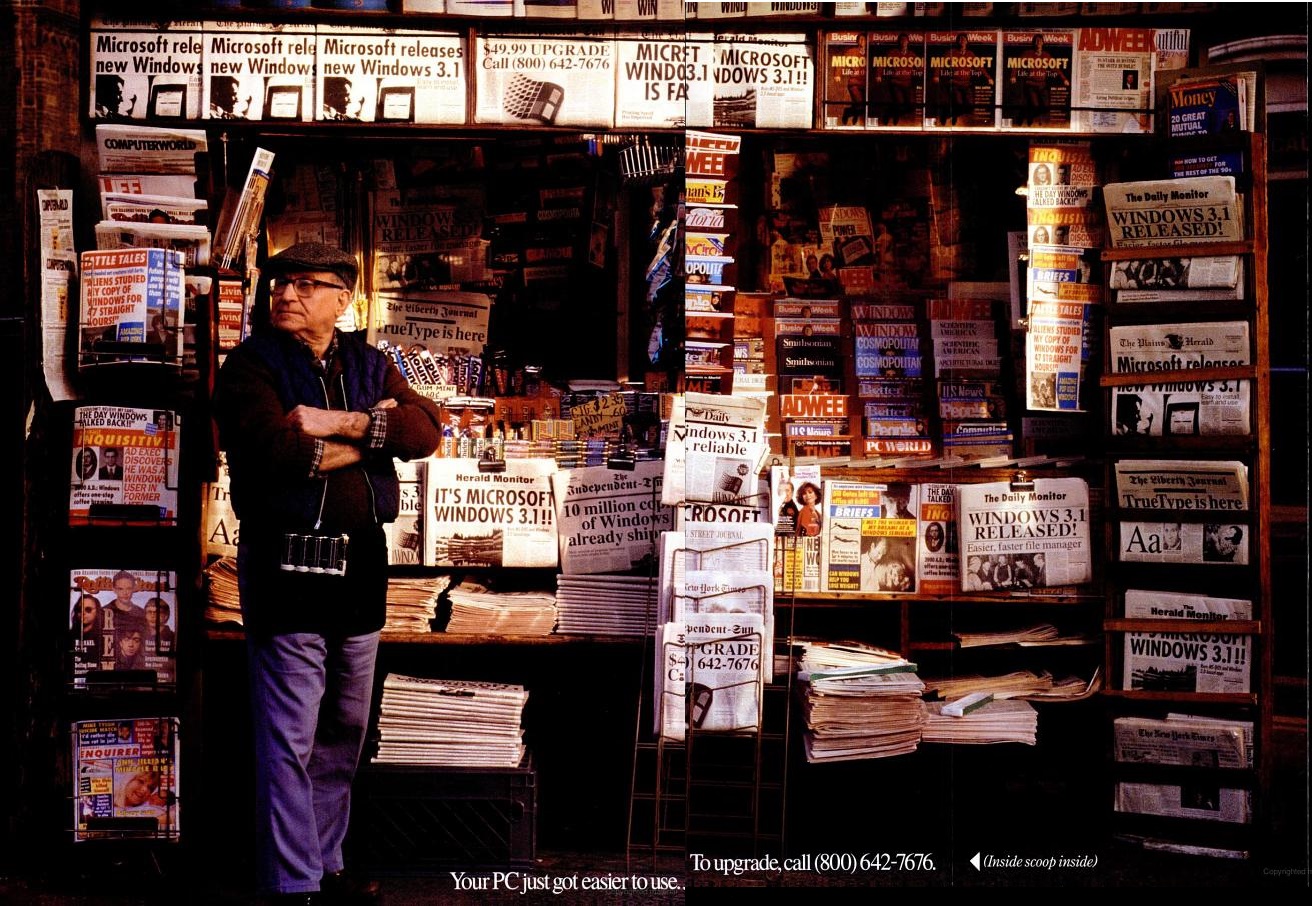
Windows 3.1 turns 20!
I still remember when Windows 3.1 was announced, and there was all the excitement in our programming class as Windows 3.1 was going to change everything. Â One kid had already gotten it on launch and was all excited as it supported more resources, had better fonts for printing, and included multimedia support! Â The teacher was all excited about it too, as at the time everyone loved Windows 3.0 but only if it could do more in terms of being able to run more reliably, and support more things at once.
Later, I found out later that this lucky kid had a 386 with 8MB of ram, a full MIDI setup and VGA graphics, which of course blew away my glorious 80286-16 with 1MB of ram, a 20MB hard disk (with stacker!), and CGA.  Needless to say wing commander was actually playable on his computer.
There was no denying it, Windows 3.0 had started the shift from an exclusively MS-DOS world, in which everyone was hoping and searching for a graphical way out of, to the world of Windows we know today.  Windows 3.0 established the beached, and Windows 3.1 basically won the war.
Visually Windows 3.0 and 3.1 look very similar, but Windows 3.1 builds on Windows 3.0’s success and adds in some very important technologies, not limited to:
The only ‘down’ side that I was aware of is that Windows 3.1 dropped support for IBM PC/XT’s. Â You needed an 80286 processor as Windows 3.1 ran in protected mode, which at the time it only shut out one person that I knew of. Â However he was just a new motherboard away from being able to run Windows 3.1 . Â Which is another point against OS/2 as Windows 3.1 used the PC BIOS for almost all hardware access, even a 286 with mostly XT guts would work, but sadly even XT’s with Intel inboard 386’s were not supported, however AT’s with inboard 386’s were. Â Even Microsoft MACH 20 card owners were restricted to Windows 3.0 standard mode (after some extensive updates). Also was there ever a special version of OS/2, like how the box claims?
While many of these things seem obvious now, back then this was a big thing to include so many technologies into Windows, and the more compelling the technology people were starting to replace their MS-DOS applications with windows ones, and the ‘dream’ of spending more and more time in Windows was starting to happen.  Although for many of us this ‘dream’ was a freaking nightmare as more applications would install and overwrite system libraries, and end up with massive system instabilities. Not to mention the DLL hell that many of us still face, as even side-by-side and .net only save us from some things, even though nothing is ever perfect.
Windows 3.1 also saw the PC world transition from 16bit to 32bit with the shift of users from 80286 based computers to 80386 and 80486 based machines.  With the split from IBM with OS/2 2.0, Microsoft was pressed to keep Windows 3.1 relevant to the 32bit crowd, and there was plenty of addons for Windows 3.1 to keep things going.  Namely:
I don’t think Winmem32 ever took off, as it really was just a way to allocate larger memory segments, I’m almost positive that Watcom’s Windows Extender was more popular.  Naturally these predate the ever popular Win32s, which I’ve covered before.  WING was the fast video for games that I’ve covered once more again, with WinDoom. But I’ll just state it again, that Win32s was very important for bringing the whole ‘internet’ experience to mere users as almost everything that was TCP/IP based was 32bit for the ‘rest of the world’ and Win32s brought a taste of real 32bit computing to the masses, esp for people using Mosiac and Netscape.
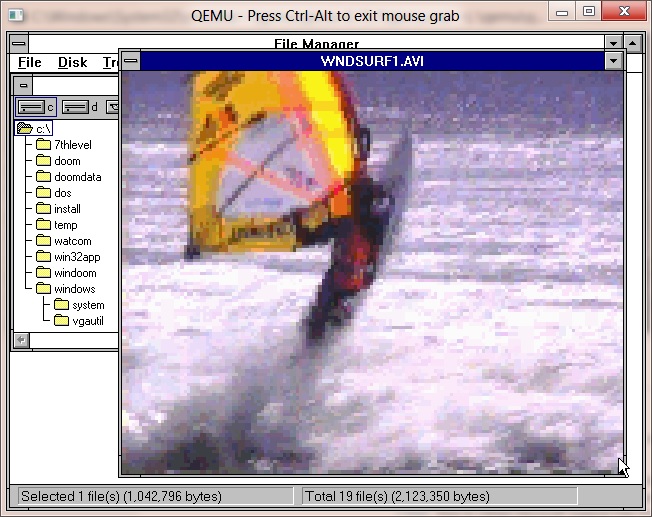
Winvideo was Microsoft’s answer to the ever popular Quicktime.  Not to mention this add on was to solidify Windows 3.1 as a multimedia powerhouse. Microsoft still to this day has the test avi’s available for download here, And thanks to the University of British Columbia, you can download the Video for Windows Runtime here.
Needless to say the open standard of how the Winsock DLL should work helped standardize internet applications early, esp while there were multiple competing stacks for both MS-DOS and Windows.  Ultimatley when Microsoft wrote their own it pretty much took over everything, but seeing a chance to sell another version of Windows “Windows 3.11 for workgroups” was later released, which could be extended with MS’s TCP/IP.  At the end there even was a version of IE 5 for Windows 3.1, that I remember being as somewhat poor, and even NT 3.51 users were pushed into that direction.  Not to mention it had a tendency to not want to install on machines with more than 16MB of ram. I suppose the good thing is that IE 5 (probably 3 & 4 as well) came with PPP dialers, which was good enough for the majority of users.  Microsoft even made its improved Media player 5 (beta 2), and Net Show players available for 3.1, although I’ve never used them. “Good” IE releases didn’t come until 95/NT 4.0 anyways, the retrofitted ones were just unstable and lacking.
ODBC was a major selling feature in the world of databases, as now you could write uniform code to access data from all kinds of data sources. Â Imagine if you had old dbase files, and a SQL database, it would be a major pain to tie them together. However programs like Access which used ODBC could quickly and easily talk to multiple data sources, and create data reporting and entry systems. Â This is how the business world got hooked on Access & Visual Basic. ODBC typically came with either database programs, or with database driver disks, like the one for SQL Server.
While Windows was becoming more and more useful, users were going insane, clamoring for a full 32bit version, which led us down the ‘short’ road to Chicago, which was originally expected some time in 1993, but instead didn’t ship until August of 1995.  Windows NT 3.1 was another contender, but again it didn’t ship until March of 1993, and it was far too resource hungry for anything serious.  This left a gap for OS/2 to fill, and around the shipping time of Windows 3.1 was OS/2 2.0 which only included a runtime version of Windows 3.0 .  Lots of people feel that the additional features to 3.0 could have been delivered via a patch, but the 3.1 release was to purposely make OS/2 2.0 obsolete right after it had been released. Even OS/2 2.1 didn’t ship until May of 1993, although it was always locked into a race with Microsoft as various add-ons would either break OS/2 for Windows requiring updates to OS/2 or even sometimes entire new releases (Warp 3.0 for Win32s for example..)
What also made Windows 3.1 popular was the so called “Microsoft Tax” where Microsoft would sell to OEM’s copies of MS-DOS and Windows 3.1 at an incredibly low price with the condition that they resell them with *EVERY* PC that they sold.  This of course was annoying to UNIX users, even NT users as they all had copies of MS-DOS & Windows 3.1 that they never needed, nor wanted.  But this strategy was pretty successful at locking out not only OS/2 from being preloaded & configured on systems, but pretty much any hope of competition.  Many people attempted to sue, and only Digital Research managed to get anything out of it, as there excellent DR-DOS product was effectively barred from the market (very few end users ever change operating systems, they typically buy new PC’s its always been that way, upgrade sales lag way behind new sales), but by the time the courts had done what they were going to do the damage had been done.
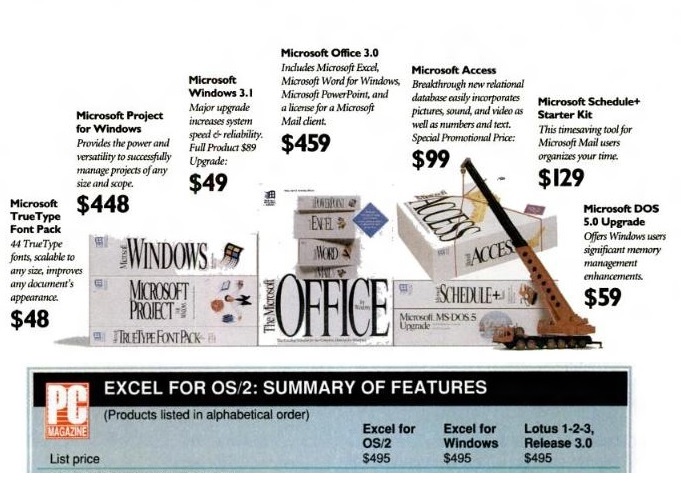
1-2-3 for $495 or Office for $459 …
Another typical bundle was Microsoft Office. Â Microsoft took advantage of Lotus’s failure in the market place to deliver a graphical application (The OS/2 switch doesn’t matter, Lotus still released a text mode app in the OS/2 heyday), combined with 1-2-3’s heft price tag, Microsoft made Word, Excel, PowerPoint and their Mail product available for less than the price of 1-2-3 with a new PC.
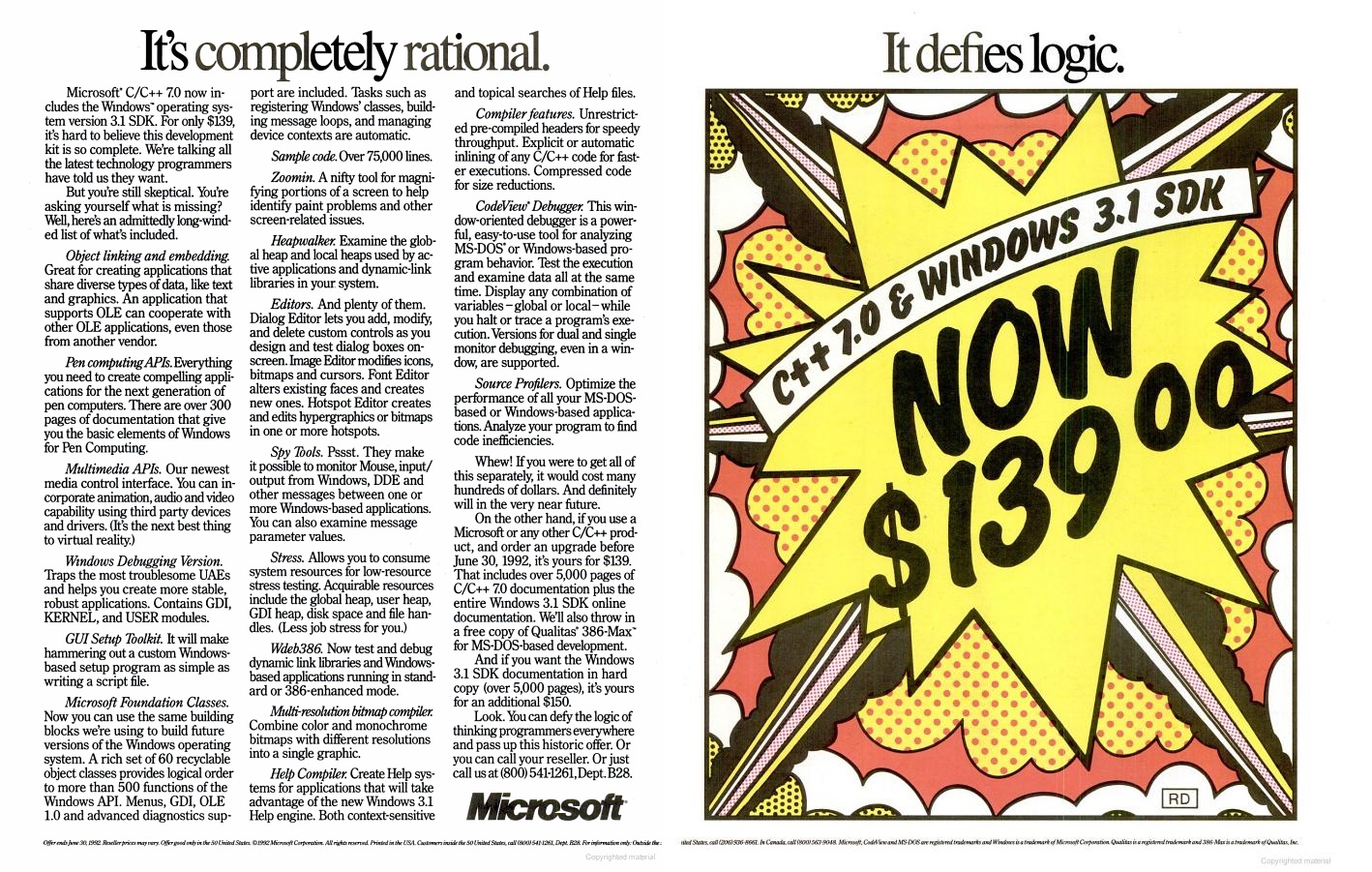
Microsoft C/C++ 7.0 + Windows 3.1 SDK $139.00
In the end it all comes down to developers.  Something that some companies still struggle with, esp those that positioned themselves in an OS/2 type fix.  If your native tools are too expensive, too restricted, nobody will write for you, esp if you can run other peoples applications better than the native platform.  And this was not only the cause of the ‘why bother’ with OS/2 native applications, but even today you can see it with RIM and their QNX based products that run Android applications.  Combine this with other low cost compilers from Borland and it really is no wonder why everyone was programming for Windows, esp the cost of Windows was typically cheaper than licensing a single seat for any DOS Extender that required royalties.  How much of this was due to Microsoft brilliance, or the competition being bent on short term greed, it is hard to say, but IBM wasn’t taking out full page ads trying to court developers with cheap access, but rather you had to phone them up, go through some IVR’s and be ready to charge a few thousand dollars for the honor of developing for OS/2.  I still remember Watcom C/C++ 10.0 being the cheapest way to build for everything, its a shame in a way that their SQL product was so good, as Sybase snapped up Watcom, and pretty much killed the languages, but thankfully not before open sourcing them.
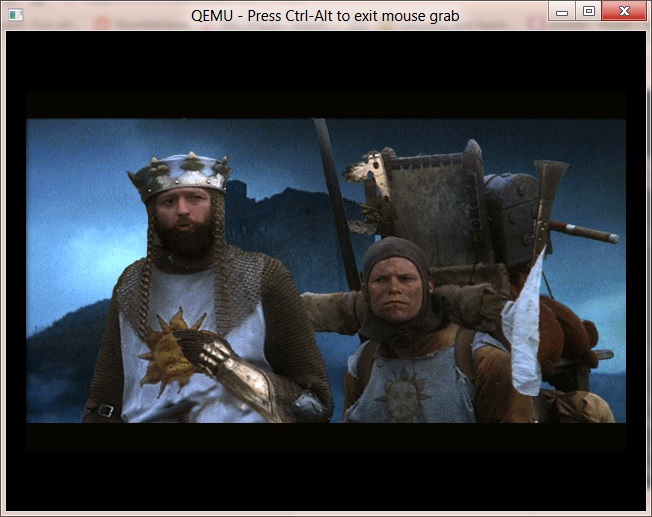
The quest for the holy grail
With high resolution, and color depth displays, audio cards, multimedia games like “Monty Python’s quest for the holy grail” started to appear for Windows, as programmers could now concentrate on content, as Windows provided the layer for audio/video abstraction. Â While some games worked great others did not as there was a performance gap from raw MS-DOS to Windows, but tech like WinG was closing the gap. Â Not to mention the device driver patch hell was being shifted from the game devs to the hardware vendors, although that race still goes on, as even today Steam still combats older drivers and tries to hand hold users into updating them.
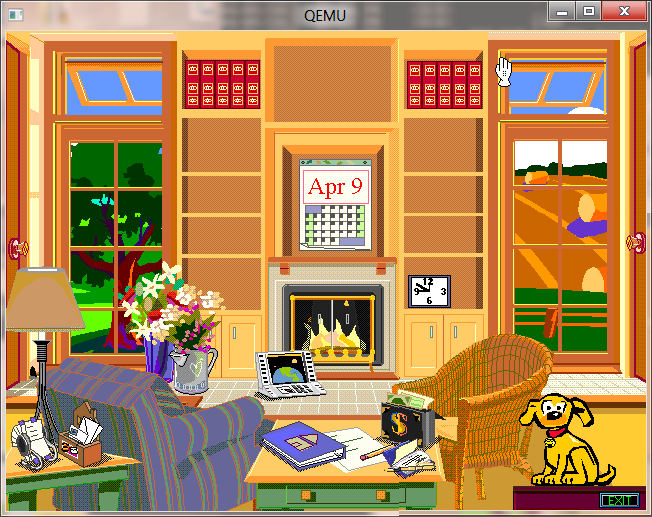 Even the horrible shell saw some competition for improvement, there was the Workplace shell for Windows 3.1, and of course BOB. Â And boy were people so happy with BOB. Â Not to mention thinking that this was just some great tech, it made its way into Office, to be forever remembered as Clippy in Office 97, who was tuned down in 2000 and killed in Office 2003. Â Its funny how future looking movies always go on about these animated seemingly helpful digital assistants, and yet in the real world they usually are the first thing turned off. Â I even remember the whole “Chrysler New Yorker’ debacle back in the day. Â Even in the show room it just went endlessly on about the door being a jar. Â Maybe its just HAL-9000 backlash.
So what can be said of Windows 3.1?  It still lingers in 32bit versions of Windows 7 (Wow! or Windows on windows), and it basically tipped the world into the Win-centric place we are today, along with the office everywhere mentality.  I can’t even imagine giving someone a 1-2-3 wks file, let alone a Word Perfect document, as I’m pretty sure there are no translators anymore. Oddly enough Win64 based OS’s can’t directly run Win16 based programs, there is always emulation.
I went ahead and slapped together a bunch of favorite patches to Qemu that I seemed to not have put in all together… so here we go the i386 version…..
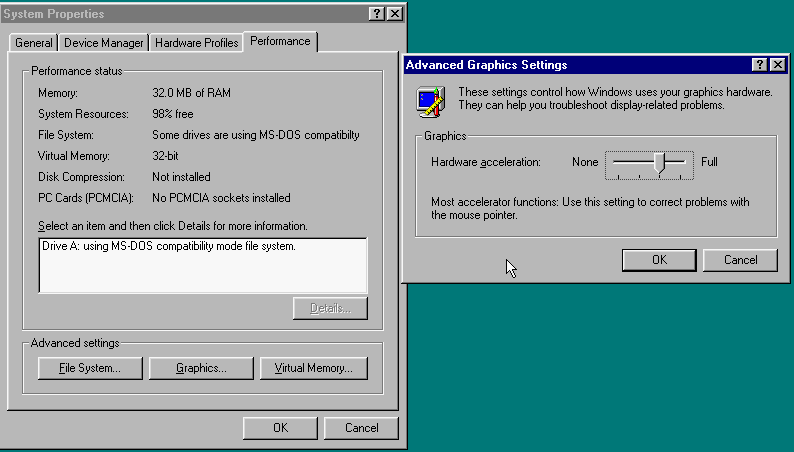 I’ve also found for Windows 95, that if you set the graphics one notch off of full acceleration that the mouse pointer will ‘work’ …
Of all the testing Iv’e done so far, it’s just been with Windows 95, the SoundBlaster/adlib works along with the networking (NAT) as I installed IE 3.01 for good measure.
For those who are interested, my build is available here, and the patch is here.
The ISA Cirrus VGA is enabled with -vga isacirrus … Enjoy!
4.1.12
As they say it’s only a maintenence release, some of the fixes include:
Hours of good fun, I’m just glad its still receiving updates. As always you can download it here. I just wish I could upgrade Windows 2000 to XP and beyond.
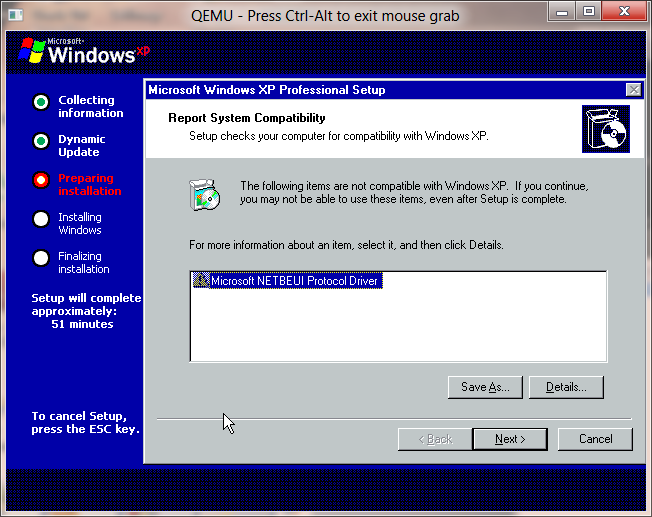
No more NetBEUI
While without fail Windows XP may have been the most popular version of Windows ever, it did remove the OS/2 subsystem, something I had grown used to having around.
But without fail the MS-DOS and DPMI environments were still in place.
Windows XP of course also entered the home market with the aptly named Windows XP Home Edition, which was limited to a single processor and couldn’t join any domains. For the sake of my upgrade path, the ‘workstation’ versions became PRO with Windows 2000 & XP, so that is what I’ve upgraded to is XP Pro, without the slipstreamed SP1/2/3.
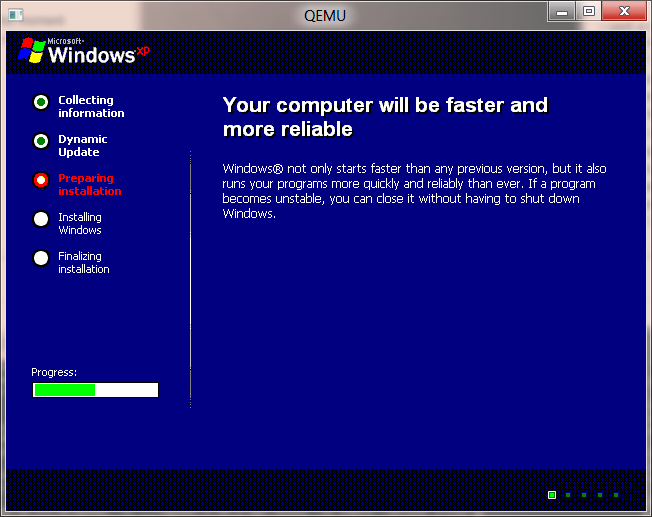
Faster, more reliable!
Unfortunately right now this is the end of the road, XP doesn’t upgrade correctly from Windows 2000, and it leaves me with a black screen at best, or a BSOD related to Bug Check 0x19: BAD_POOL_HEADER … Error code was 20 so … there you go.
 I’ve always thought Windows 2000 was weird, from the moment it proclaims that it is built on NT Technology! No doubt this was from some kind of marketing slip up, but I guess at this point it was clear who was going to come up with the great names of Windows from here on out.
On the way to upgrading my Windows NT 4.0 install to Windows 2000, I got this interesting prompt:
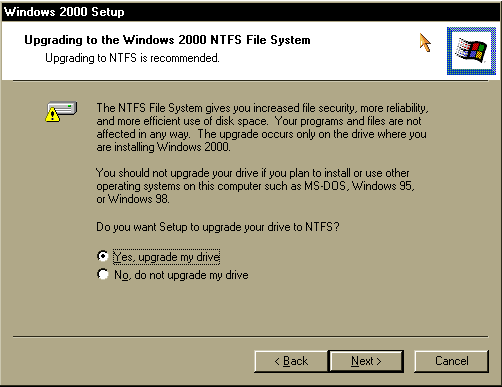
NTFS
One nice thing vs the OS/2 upgrade path is that Windows NT converts filesystems, not blindly encourages into new filesystems and destroys your data. While upgrading using Qemu I ran into this ‘disk full’ snag that either has to be fixed by using the -win2k-hack flag, or by the following advice:
There are problems when installing Windows 2000. Windows setup will generate a lot of edb*.log files, one after the other containing nothing but blank spaces in C:\WINNT\SECURITY which quickly fill the virtual hard disk. A workaround is to open a Windows command prompt as early as possible during setup (by pressing Shift+F10) which will allow you to remove these log files as they appear by typing:
del %windir%\security\*.log
With that in mind the Windows 2000 upgrade takes a while to complete. This is largely from some bizarre fault with Qemu. But it will complete.
Windows 2000 adds quite a few things from NT 4.0, including:
After performing the upgrade, I did find that there was some weirdness going on, as I now had no network, and no sound! So looking at the device manager I got this strange error as administrator!
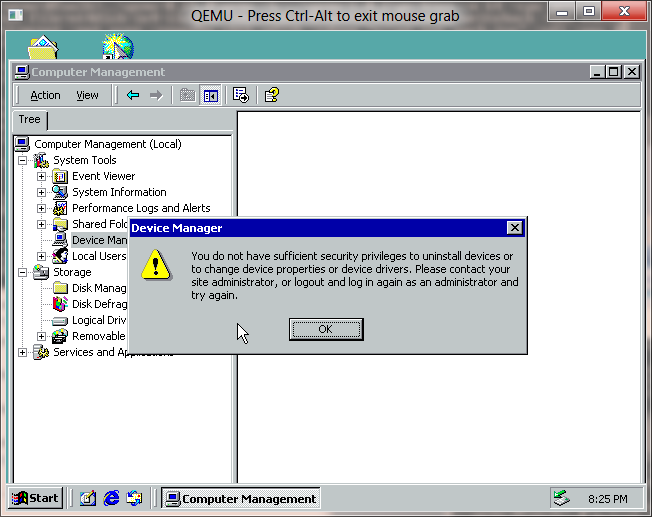
Not an Administrator?
Well, that is odd, looking at the hardware pane below…
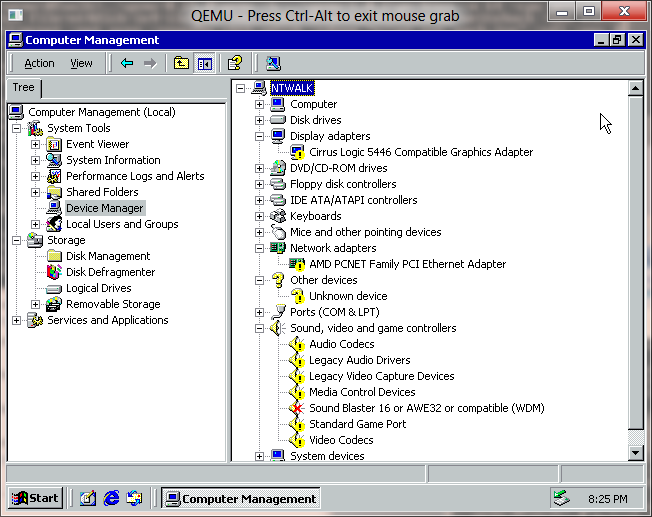
WTF?
I don’t understand what went wrong here, but basically all the hardware is screwed up. In the meantime, I’m installing SP4 for Windows 2000 to see if that helps in the slightest. The only plus side is that my old applications work well.
I just found out, the local security database is screwed up! running:
esentutl /P secedit.sdb
then deleted the log files in the %systemroot%\security directory.
seems to have fixed it. Also, I did this:
Start>Programs>Administrative Tools>Local Security Policy> Expand
“Local Policies” click on “User Rights Assignement” and double click on
“Load and unload device drivers”. Make sure that Administrators are
Assigned To and put a check mark in the “Local Policy Setting” box.
I’m still having issues even trying to upgrade to XP so … hold tight.
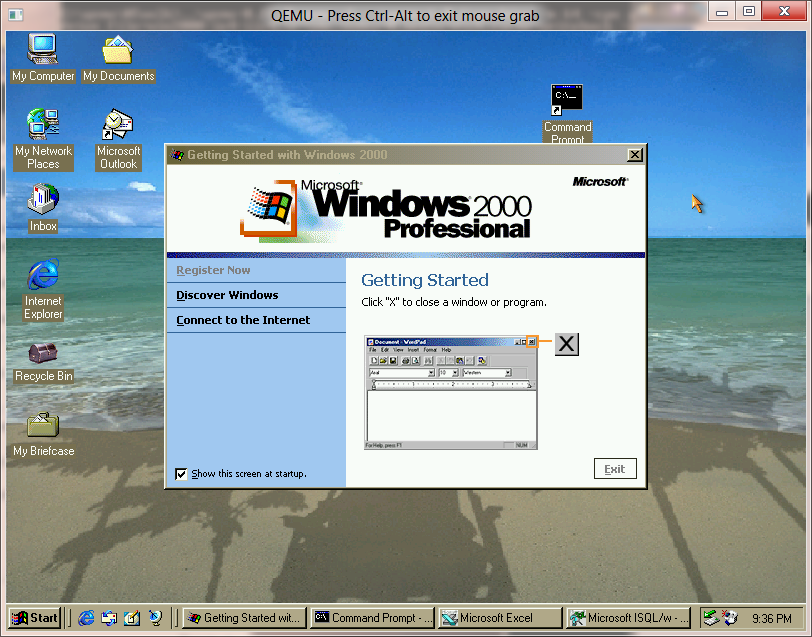
Windows 2000 Professional
I went ahead and re-upgraded my NT 4.0 but this time with the correct -win2k-hack flag, and still had to delete log files, but most of the hardware is in place. However I still do get errors saying my administrator user isn’t an administrator to correct anything.
I remember at the time more and more users that would try to game on Windows 98 moving onto either NT 4.0 or Windows 2000. At the time there was a feeling that Windows 2000 was ready for ‘normal users’, there even was project Neptune at Microsoft to try to make this happen but best I can figure it slipped but someone liked what they saw, and they combined it with other components for Whistler AKA Windows XP. With Windows 2000 all the RISC fans basically saw the writing on the wall for mainstream RISC support. It was effectively over, the Pentium PRO and it’s ilk had basically destroyed the MIPS/PowerPC/Alpha market.
Windows 2000 saw four service packs, and the number of platforms NT was supported on cut down from four to one. There were hopes of a Windows 2000 for the new Itanium but the pre-release 2000 for the Itanium looks far more like a Windows .NET server beta which it probably is.
It wasn’t until 2001 when the successor to 2000 was released, Windows XP.
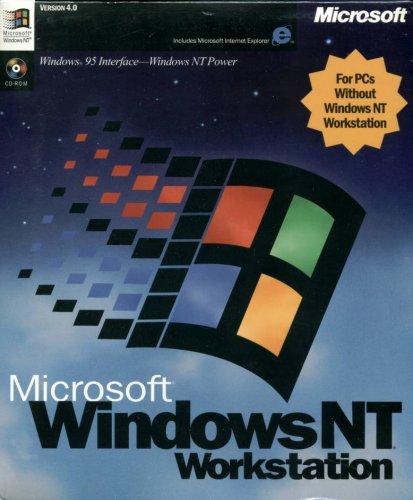
Windows 95 Interface – Windows NT Power
Windows NT 4.0 was without a doubt the smash through success that Microsoft had been hoping for with Windows NT. There is no doubt that NT 4.0 was at the right time, right place for all of this to happen.
First corporate computers were finally out of the 386/486 class machines, for people to have at least a Pentium class computer in 1996 with 32MB of ram, computers had effectively caught up to something capable of running Windows NT.
The other big tipping point was that the internet was starting to gain mainstream acceptance, this meant that NetBEUI and IPX/SPX were starting to face their decline in corporate networks and being replace by TCP/IP based systems. This was a big win for Windows NT as not only did it include TCP/IP but it could network over TCP/IP out of the box, unlike Netware. In addition Internet Explorer 2.0 shipped with NT 4.0, although even back then I don’t think anyone seriously used it, Netscape was still the king back then. Another interesting feature was PPTP, the ability to setup VPNs, although at launch time I was still dialing directly into work with IPX/SPX. The final ‘big’ thing was the inclusion of IIS in both Workstation & Server versions. Now it was a trivial thing to setup & deploy a web server.
Windows NT 4.0 shipped with support for the Dec Alpha, i486, MIPS and PowerPC CPU’s. The discs are super rare to find, but the original shipment of NT 4.0 had a catastrophic SMP bug that wasn’t addressed until SP1. Almost all NT 4.0 media you will encounter has SP1 slip streamed in. Shortly after SP1, the MIPS platform was dropped. Before SP3 the PowerPC had been dropped as well. The Dec Alpha survived all the way to SP6, being dropped between NT 4.0 and Windows 2000 as Compaq who had bought DEC saw the AlphaNT product cannibalizing sales of its high end Pentium systems, and sinking too much R&D money into the product.
The most obvious change from NT 3.51 to 4.0 was the user interface. Gone was the program manager, and in was explorer. Another big change was that the video subsystem was moved into the kernel space which resulted in significantly faster video performance. Windows NT also included DirectX support (2.0 in the box, 3.0 with SP3) and even hardware OpenGL support for cards like the Diamond Fire GL 1000 (which was a big letdown as it couldn’t run GLQuake correctly…)
Also around the time of NT 4.0’s launch SMP capable motherboards were now starting to appear that didn’t cost an insane amount of money. I had a Tyan Tomcat dual Pentium 100 board at the time, which was fantastic IMHO… While two CPUs don’t make things run twice as fast, they certainly are more responsive had handling a larger workload of various processes.
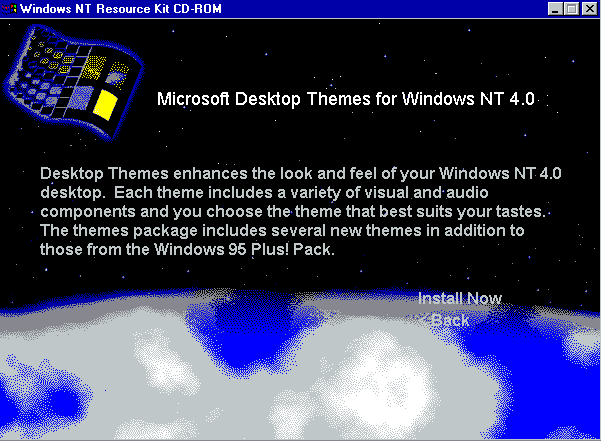
Windows NT 4.0 Resource Kit.
With the release of Windows NT 4.0 Workstation, the Resource kit was an excellent resource to have (OK I Know that sounds horrible… but nothing like built on NT Technology). The number one thing was the desktop themes which were copied from the Windows 95 Plus! Pack. This made Windows NT 4.0 feel far more like something that would be acceptable to an end user. My personal favorite was the ‘Tropical Interlude’
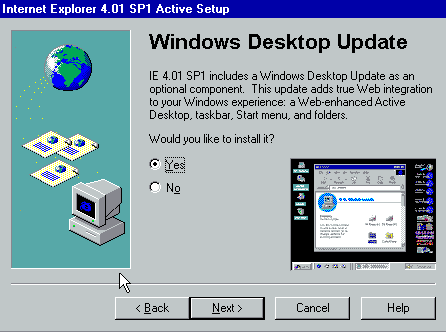
Windows Desktop Update
With the release of Internet Explorer 4.0, the full downloadable version also included an option to install a Windows 98 like shell, AKA the Active Desktop. Oddly this was left out of IE 5, 5.5 & 6.0 . Internet Explorer 3 added things like POP support to the mail client, 4.0 expanded on this with Outlook Express, Netmeeting, FrontPage express, and Microsoft Chat, the ‘comic chat’ IRC client.
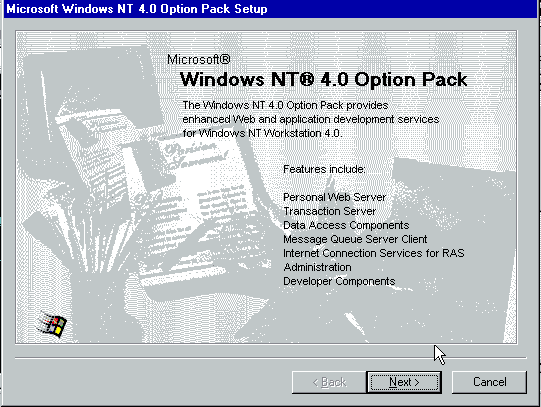
The Option Pack
Later in NT 4.0’s life saw the release of the “Option Pack” which was a bunch of Windows 2000 technology that was ready for release while ‘NT 5.0’ was stalling for release. This included things like the MMC (Microsoft Management Console), a SMTP Server, Transaction Server, and a stronger platform for hosting DCOM components (oh the horror!).
Besides IIS, NT 4.0 was the platform for Exchange 5.0/5.5 which pretty much gutted the old email systems that corporations relied on. SQL Server 6.5 & 7.0 also gained quite a bit of ground for people wanting to move off expensive mainframes or midranges, heck you could even run it on your own workstation!
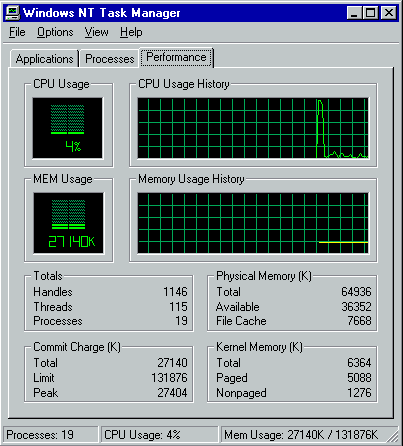
taskman!
One of my favorite and small addition to NT 4.0 was the new task manager. Gone was the simple list of programs running but now you could quickly view the CPU level, see who the hog was without resorting to perfmon, but you could easily kill processes, change their priority and affinity.
It is hard to imagine (impossible really) to imagine Windows NT without this great feature.
During Windows NT 4.0’s lifetime patching had started to become somewhat of a problem. While there were 6 major service packs, and one security rollup, there were tonnes of vulnerabilities that were found while NT 4.0 / IIS 4.0 were actively supported and needed to be corrected via hotfixes. Starting with IE 5.0 there was a ‘windows update’ feature which could then scan the OS, and determine what fixes needed to be applied. While on the one hand there were constant updates, and no real good, automated way to push them, there was at least a way to finally get updates onto NT 4.0 systems. Even later with SUS/WSUS this is something that IT shops still struggle with.
As far as application compatibility goes, much to my amazement ALL of my applications are continuing to work, this includes Excel 3.0, MS-Word 5.5, SQL Server 4.21 and Doom 1.1 . I should also add that NT 4.0 added something really cool, pinball! Although all I ever did see is people addicted to solitaire. And of course, WinDoom works GREAT as well! One thing to point out is though NT 4.0 can still run OS/2 16bit text based exe’s there was an addon pack to run 16bit PM applications for 4.0. Also, by this point the HPFS filesystem had been removed from Windows NT. While it was possible to put 3.51’s pinball.sys driver into a 4.0 system, and restore HPFS functionality, even us diehard OS/2 fans had given up at this point and either went Linux or NT.
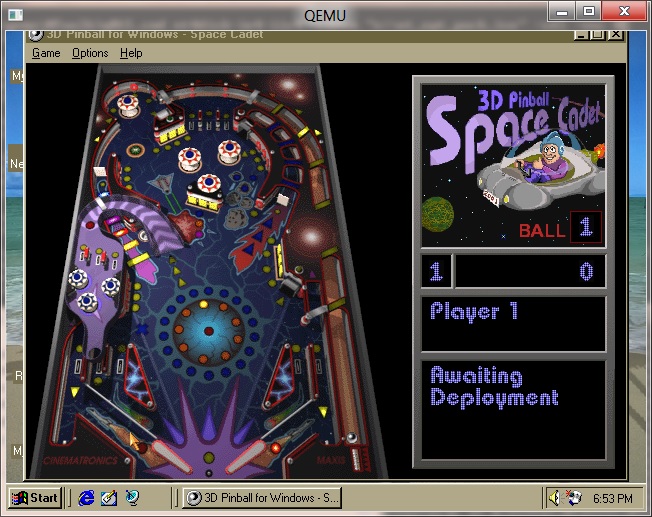
Pinball!
Another great thing that was added into NT 4.0 was Hyperterminal. While the old Windows 3.0 terminal had been ported to the Win32 subsystem, and was present in NT 3.1-3.51 it was finally nice to get something in the box that supported ANSI & Zmodem.. even if it was frankly too little too late, as everything was going internet.
And speaking of the internet in late 1996 we saw the release of Office 97 and it’s “internet centric” thinking. One interesting thing is that Office 97 leaves my Excel 3.0a install alone. And much to everyone’s enjoyment Office 97 came with Clippy! .. Who’s removal in Office 2003 was a selling feature. Also included in Office 97 was Outlook 97, the first real email client for Windows. Much like the ancient Office 4.2 for Windows NT, there were versions of Write 97 & Excel 97 for the Dec Alpha… Although for the ‘full’ office suite I just ended up running !FX32 to run i386 Win32 binaries on the Dec Alpha.
Windows NT 4.0 ended up being available in a Terminal Server Edition which would support multiple users on special Windows Terminal appliances, or old workstations. There also was an enterprise version which could use eight physical processors, and allow programs to access 3GB of ram directly, and page memory out to more ram to allow bigger working sets. It was like LIM EMS it didn’t get around that arrays couldn’t directly be larger than 3GB. Already in 1998, we were starting to actually hit the physical limitations of 32bit computing.
Though 4.0 was a major release there were several things lacking in Windows NT 4.0, such as good PCMCIA support (it came from many 3rd parties) USB support, power management, and multiple displays. All of this was addressed in Windows 2000.