Porting Quake II to MS-DOS pt3

Well, it mostly works now.  But did we ever have the biggest fun with the sound and SVGA.

So [HCI]Mara’akate integrated all the Q1 sound code, got it to compile, but nothing not a peep from the sound card.  While I was busy trashing the video code, he spent way too much time on the audio, and then for the heck of it I thought I’d look at the code, although I’m really stabbing in the dark when it comes to audio.  Imagine my surprise when I compiled the code and ran it and got the sound blasting at full volume!  It turns out that I had my audio set to ‘high quality’ in the client, while he had his set to ‘low quality’.  What it does is govern the frequency between 11Khz and 22Khz. And if you get this wrong you get *NO* audio. OOPS.  At least it was one of those feeling vindicated moments that his efforts for sound really did work.

Now with audio, it was my time to hurry up and get the video going.  I had basic VGA working so I figured I didn’t want to spend a lot of time on this, so I was going to go with the VESA 2.0 linear frame buffer.  Well, this once more again proved to be a bit more involved as the only way I really have to test is emulation via DOSBox and Qemu.  And naturally both of them worked fine, but when [HCI]Mara’akate ran it on his real DOS Box (with GUS of course) it crashed wonderfully.

Now I had taken the VESA init code from Quake 1 to build a table of what 8bit modes are supported, and used the VESA code to switch, along with drawing to the buffer with a simple memcpy. And we got nothing but crashes.

After looking more around, I found that you had to add 0x4000 to the VESA mode you want if you wanted to access it’s LFB.  Did that work? No still crashed.

Later in the adventure we noticed to get proper access you had enable ‘near pointer acess’ with a call to :

__djgpp_nearptr_enable();

So naturally I would disable it when I’m done, making the call look like this:

__djgpp_nearptr_enable();
memcpy(vid_resolutions[whatmodearewe].address+__djgpp_conventional_base,vid.buffer,(vid.height*vid.width));
__djgpp_nearptr_disable();

Right?

WRONG. Oh so WRONG.  Well OK technically it did work, but if sound is enabled (and why wouldn’t it be?) it would immediately crash with an error in the DMA code.  We ended up wasting over a day trying to figure this one out until I just said screw it, let’s never dsiable the nearpointer, leave it unprotected.  Naturally that actually worked.  The hint is in map_in_conventional_memory, where __djgpp_nearptr_enable(); is called, but of course there is no calls to __djgpp_nearptr_disable();  I’ve thought about going back through the source to ‘clean’ it up to make it lock and unlock memory as needed, but this is 2015 not 1997 so good enough is well, good enough.

So now with VESA and Sound, I thought this would be a great time to tackle the dynamic loading of gamex86.  We will have to re-compile whatever gamex86 DLLs are out there as of course DOS is DOS.  The HX DOS guy Japheth seems to have died, as his site and all the info on that extender seems to have mostly vanished.  I have an old copy, but I never could make it call DOS stuff if you had WIN32 stuff going on.  And if he’s really dead it’s too late to ask him.

Ages ago I remembered this DLL support for DJGPP called DLM, so I thought I’d give that a try.  I was able to take our ‘null’ version of Quake II, and get it to where it can load and unload the gamex86.dlm at will.  So, I figured this was going to be an easy win, right?

Wrong again.  Once I started to put in the MS-DOS specific code I got this fun crash:

DLM -> Exiting due to signal SIGSEGV at
0x0014f59d SYM: _dos_lockmem+0x9 DLM: q2.exe [0xf5000]
possibly because of undefined reference to symbol ‘___djgpp_base_address’

DLM call frame traceback :
0x0014dcaf SYM: _Sys_PageInProgram+0x37 DLM: q2.exe [0xf5000]
0x0014e1c4 SYM: _main+0x18 DLM: q2.exe [0xf5000]
0x0000774e
0x00008b6e

So apparently it doesn’t export (or import) DJGPP stuff like the base address calculations so we can’t do direct memory access, which means no video and no sound.  Ouch.  I’ll have to hit the lists to see about support.  I don’t like the DXE’s because they cannot be unloaded, so that isn’t much good.  And of course things like the JVM inside of gamex86.dll is right out as JAVA inside of MS-DOS? in 64MB of RAM? Dream on.

So, for now, the gamex86.dll is statically linked into the executable.  You are restricted to vanilla gameplay for now.

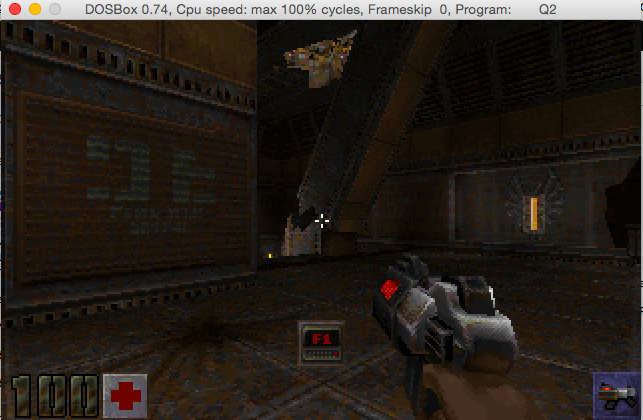
As an added bonus, I used Rufus 2.2, to setup a bootable MS-DOS USB stick, slapped everything onto there, and booted up on my Xeon, and it works!
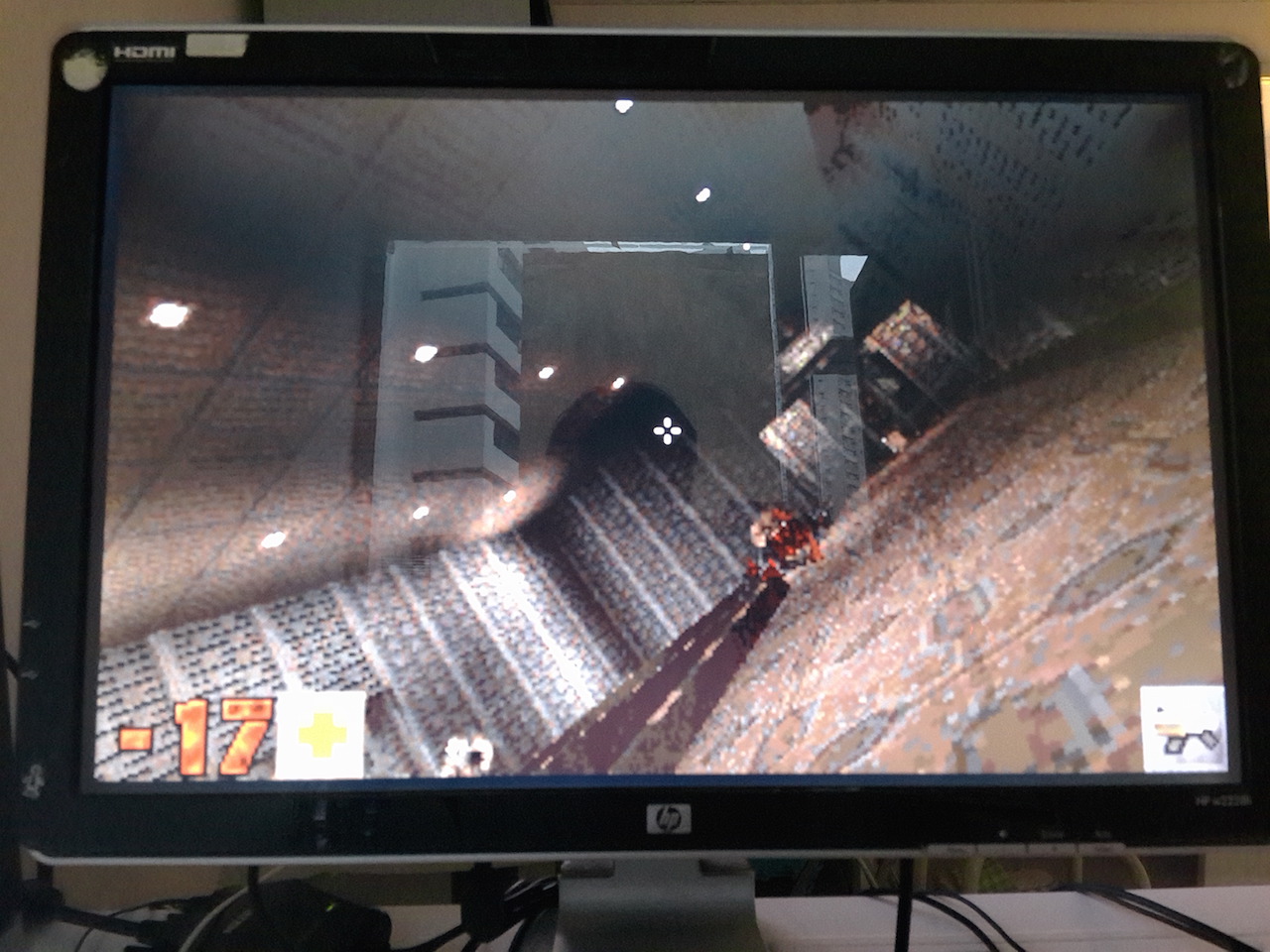
Quake II running on MS-DOS

Quake II running on MS-DOS

Now as a super bonus, [HCI]Mara’akate went above and beyond by adding in a bunch of fixes, and updates from 3.24 and various stuff from Knightmare.  And then the best part is integrating libogg, so it can now play the ogg sound track!  Really, just place the ogg files in the baseq2\music directory and away you go!

For those who care the bitbucket of the project is here, and binaries are here.

**UPDATE**

For anyone who is interested, I’ve updated the binaries, to include the latest version with built in quakespy technology!  Run an /slist2 and get a list of servers!
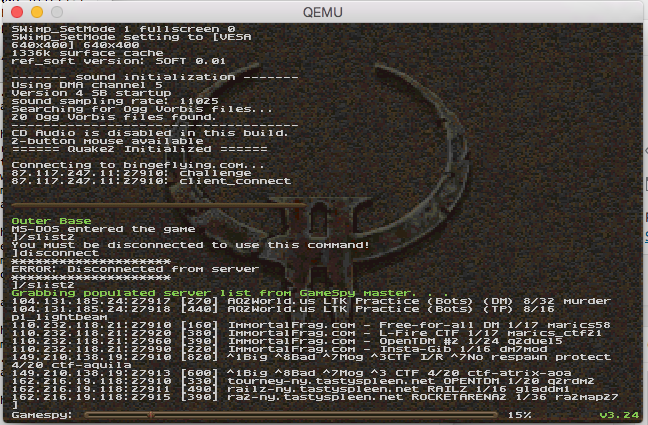
/slist2 in action!

/slist2 in action!

For the more adventurous trying to build from source, we are using GCC 2.95.3 and DJGPP 2.04.  All of the sub libraries that you need to build are already pre-compiled in source drop.

At this point the ‘alpha 2’ version contains:

  • VGA
  • SVGA
  • Mouse
  • Keyboard
  • SoundBlaster and Gravis UltraSound Family
  • CD-ROM music
  • OGG music
  • Networking (You need a packet driver)

Installing the packet driver will require a driver from the crynwr project.  You can find a description of some of the drivers here.  Sadly, for new cards I think we are left in the dark.

I’ve also compiled a ‘server’ for Linux based on the code, and put it online @ 87.117.247.11:27910

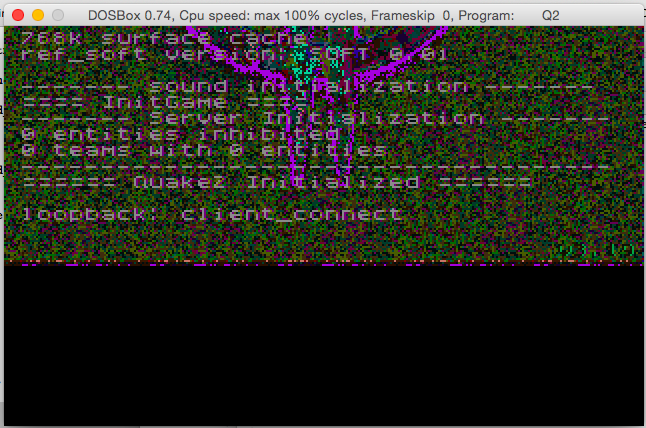
Continued in pt4, and part 5.

Porting Quake II to MS-DOS pt2

Continuing in this series on porting Quake II to MS-DOS, we get to touch some of the fun stuff.  The first big ‘fun’ thing is networking.

Now in my prior work with the MS-DOS version of Quake, I had used the WATTCP library to bring networking to the otherwise Windows/UNIX specific fun of network deathmatch back to MS-DOS.  Quake by default had support for the Beame & Whiteside’s TCP/IP stack which for all intents and purposes has vanished from the face of the Earth (does anyone have a copy?!).  So, at the time, I thought it’d be cool to try to interface WATTCP with Quake, and it worked on the first attempt as WATTCP is a very competent TCP/IP stack.

So I took the Linux networking file net_udp, and compiled it, and I got an executable!

When it comes to testing WATTCP though, I prefer to use Qemu instead of DOSBox as it can not only emulate various network cards to which I can find packet drivers (yes even the evil PCI NE2000!) but it has a built in SLiRP network stack that let’s me NAT on my desktop without any crazy network configs.

And for the sake of testing, I setup a ‘null’ text mode server, figured out some flags, and I was able to connect!

Quake II for MS-DOS running on Qemu connected to a dedicated OS X server.

Quake II for MS-DOS running on Qemu connected to a dedicated OS X server.

Very exciting stuff indeed!

Now for some interesting stuff.  First, I noticed that MS-DOS 5.00 with himem.sys is almost unplayable because it is so slow.  MS-DOS 4.01 without himem.sys is actually faster.  No, I’m not kidding.

Next is that some levels LOVE to gobble up RAM.  Maps like city1 will need at least 192MB of ram.  I haven’t even tried playing with the virtual memory of DJGPP, and I really don’t want to.  And let’s face it, if you even try to load Quake II on a MS-DOS machine, it better be a ‘big’ one.  This means you should be using the ‘dos’ from Windows 98, or perhaps FreeDOS, although I haven’t tested that at all.

So far from our limited testing the networking seems to be pretty good.   And at least that is one function we didn’t have to really pour a lot of effort into.  Although the payoff of being able to connect to servers on the LAN and even the internet is a good thing.

Continued in pt3, pt4, and part 5.

Porting Quake II to MS-DOS pt1

(In this series, I’m going to go over the process of porting Quake II to MS-DOS.  Now of course the question will pop up why? And the answer is simple enough, after [HCI]Mara’akate added in gamespy support, something was noticeably off, and that is fewer and fewer people are playing Quake 1 these days. So what to do?

Well apparently Quake II has an active following, so it’s time to move our creeky but favorite OS, MS-DOS into the Quake II Arena!

So, the first thing to do is to grab a copy of the GPL source to Quake 2, along with a copy of the game, and get started on making a ‘null’ version of the game.  Null versions of the game have no graphical output, no sound, and ‘function’ at a very basic level.  It’s something to strive for as a first base in hitting that home run of a functional port.  Thankfully iD wrote really portable and modular software.  Unfortunately, they tended to let their ports drift as they were writing the engine, so the null code doesn’t actually work out of the box.  And the project makfiles leave a little to be desired for me, as they have a bunch of i386/Dec Alpha magic which doesn’t leave much in the room for weird ports like MS-DOS.

Now I should mention that before I’d gotten started the first thing, I decided that like QuakeWorld for MS-DOS (and OS/2) I would use GCC as it is a known working compiler out of the box.  If you can, don’t fight so many battles of unknowns at once.  Another thing is that I am going to cross compile from OS X and test with DOSBox.  Of course you may want to use something else, and I know my tastes drift, but for now this is what I’m using. I’m using my old OSX to DJGPP cross compiler with GCC 2.95.3, which serves me well.

So, the first thing was to compile and run the null version with native tools on OS X.  After a bit of struggle, I got here:

$ ./q2
Added packfile ./baseq2/pak0.pak (3307 files)
Added packfile ./baseq2/pak1.pak (279 files)
Added packfile ./baseq2/pak2.pak (2 files)
Console initialized.
Sys_Error: ref_soft::R_BeginFrame() – catastrophic mode change failure

Well that’s great, how to figure this one out?

One thing I did to make it easier to work with the flow of Quake is to make the Sys_Error procedure contain a divide by zero.  Now why would I purposely put a divide by zero in the code?  Simple it lets me back trace the code when Quake catches its own faults so I can see what went wrong where, vs what would look like a clean exit.  From my example:

(lldb) bt
* thread #1: tid = 0xf14f9, 0x000c0853 q2`Sys_Error(error=0x000c17d4) + 98 at sys_null.c:28, queue = ‘com.apple.main-thread’, stop reason = EXC_ARITHMETIC (code=EXC_I386_DIV, subcode=0x0)
* frame #0: 0x000c0853 q2`Sys_Error(error=0x000c17d4) + 98 at sys_null.c:28
frame #1: 0x0003a0cb q2`Com_Error(code=0, fmt=0x000c17d4) + 368 at common.c:215
frame #2: 0x000c0523 q2`VID_Error(err_level=0, fmt=0x000cc8a8) + 81 at vid_null.c:45
frame #3: 0x000a6d38 q2`R_BeginFrame(camera_separation=0) + 592 at r_main.c:1145
frame #4: 0x000a4cfc q2`R_Init(hInstance=0x00000000, wndProc=0x00000000) + 276 at r_main.c:333
frame #5: 0x000c0740 q2`VID_Init + 362 at vid_null.c:122
frame #6: 0x00007900 q2`CL_Init + 55 at cl_main.c:1795
frame #7: 0x0003c2cb q2`Qcommon_Init(argc=1, argv=0xbffffc40) + 754 at common.c:1469
frame #8: 0x000c09ac q2`main(argc=1, argv=0xbffffc40) + 24 at sys_null.c:128
frame #9: 0x000019ad q2`_start + 212
frame #10: 0x000018d8 q2`start + 40
(lldb)

Now I know that R_BeginFrame was where the error was occurring, and looking at the code:

if ( ( err = SWimp_SetMode( &vid.width, &vid.height, sw_mode->value, vid_fullscreen->value ) ) == rserr_ok )
{
…
else
{
ri.Sys_Error( ERR_FATAL, “ref_soft::R_BeginFrame() – catastrophic mode change failure\n” );
}

We can see that the vid.width/vid.height aren’t being setup correctly.  Turns out there was a bunch more work to be done setting up vid_null!

After looking closer at the files, I notice as I’m stitching them together is that Quake II relies on DLL’s as part of its base functionality.  I drifted out of Quake after Quake 1, so I never played II before.  So I didn’t know this.  Obviously DJGPP doesn’t support DLL’s that can be loaded and un-loaded at will (Yes I know about DXE’s, but as the FAQ states, they cannot be un-loaded.  And I’m not going to fight DJGPP’s LIBC).  So looking further in the source, I saw these fun defines:

-DREF_HARD_LINKED -DGAME_HARD_LINKED

So, at one point there was support for ‘hard linking’ in the ‘REF’ video driver, and the ‘game’ logic driver. But it did kind of drift out of the code.  But looking at the Win32 version I could see that putting this functionality back in should be easy.  And to be honest if I learned any lesson from this, is that I should have been pulling the Win32 version apart by injecting null into it until it ran as a null platform, then use that as the basis.  Lesson learned.  Always start with a known good!  Quake II was built with Visual C++ 6, but I only have Visual C++ 4.2 installed on Crossover.  Yes, I know again this is me being difficult.  But it didn’t take much time to get a simple project that has two DLL’s and a Win32 exe running.  Then I took on the ‘ref’ video driver and got that linking inside of the main EXE.  Now with one DLL ‘eliminated’ it was time to work on the game DLL.

The game DLL posed the biggest challenge because it passes a reference to internal functions to it, and exports various functions back to the game engine.  So, I ended up altering the engine to not call the game import/export directly but setting it up myself.  The hardest thing was that I couldn’t pull in the game header file, but rather I had to copy the prototypes myself.  Another interesting thing with the way Quake II works is that the game DLL has to be able to be unloaded and loaded at will.  It wasn’t hard to simulate this, but I wasn’t expecting it.  Again, this is probably because I never really played Quake II.

Now that I had Quake II building without DLL’s I could then take the next step of removing all the IO and re-replacing it with the null code, and now I had something that looked like it was doing something.

Added packfile ./baseq2/pak0.pak (3307 files)
Added packfile ./baseq2/pak1.pak (279 files)
Added packfile ./baseq2/pak2.pak (2 files)
execing default.cfg
execing config.cfg
NULLsock Initialized
Console initialized.
768k surface cache
ref_soft version: SOFT 0.01
——- sound initialization ——-
Sys_FindFirst [./baseq2/autoexec.cfg]: UNIMPLEMENTED!
==== InitGame ====
——- Server Initialization ——-
0 entities inhibited
0 teams with 0 entities
————————————-
====== Quake2 Initialized ======
loopback: client_connect
==== ShutdownGame ====
Sys_Error: Draw_Pic: bad coordinates

This turns out because I didn’t allocate the screen properly.  Looking at the code:

if ((x < 0) || (x + w > vid.width) ||
(y + h > vid.height))
{
ri.Sys_Error (ERR_FATAL,”Draw_Pic: bad coordinates”);
}

We can see it pretty plainly.

Now since we were going somewhere I started to write some MS-DOS code, and switch out of the null set of mind!

First a simple VGA mode 13 setup which gives us 320×200 resolution with 256 available colours.  And for good measure I did a simple VGA palette setup that I knew worked from a prior program.  Next we just blit our buffer onto the screen, and we get this:

Quake II on MS-DOS first screen

Quake II on MS-DOS first screen

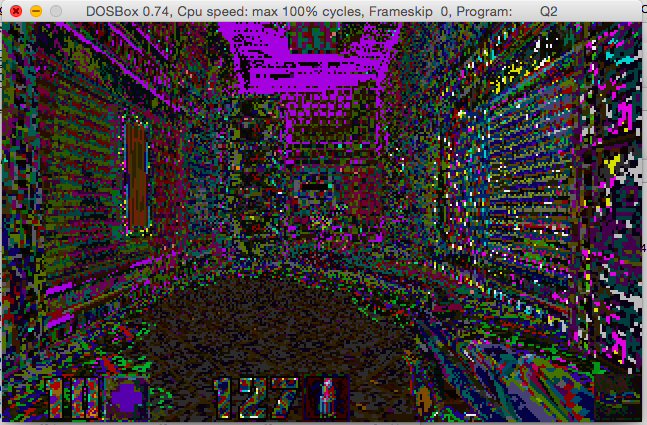
Which is exciting and disappointing at the same time.  I then took the palette code from DOS Quake and got something just as ugly.  I tried the code from OS/2. Same thing.  I tried all kinds of things and was going nowhere.

At this point Mara’akate added in the Linux clock code, and now we had this!

Quake II with a bad palette

Quake II with a bad palette

It wasn’t until much more digging around I saw some 320×240 screen setups that I realized there was something wrong there, and then I saw this gem in the linux port’s code:

/*
** SWimp_SetPalette
**
** System specific palette setting routine. A NULL palette means
** to use the existing palette. The palette is expected to be in
** a padded 4-byte xRGB format.
*/

In traditional VGA palette setups it’s 768 bytes that needs to be read/and pushed to the card.  I even checked Quake 1 is 768 bytes, but now in Quake II, it’s 1024 bytes!  OOPS!  Sometimes (ok a lot of times) you really need to check other ports or a ‘known good’ to see how they did things.

Quake II running on MS-DOS!

Quake II running on MS-DOS!

Pretty awesome!

So, where to go from here? Obviously things like better keyboard input, the mouse, sound and networking need to be done.

Continued in pt2, pt3, pt4, and part5.

Announcing DJGPP 2.05 Beta 1

Yes, you read that right, not only is DJGPP still alive, but after the much stalled 2.04 beta cycle that has been going on for more than a decade, they have decided to push forward with 2.05 to get a release out there!


This is announcement of DJGPP 2.05 beta 1

It has numerous changes since previous DJGPP 2.04 beta 1 release in 2003.
(http://www.delorie.com/djgpp/mail-archives/browse.cgi?p=djgpp-announce/2003/12/06/22:18:05)
Unfortunately DJGPP v2.04 was never released and old beta version slowly
became almost unusable together with other newer DJGPP packages.

More information about changes in DJGPP 2.05 beta 1 is available at

http://www.delorie.com/djgpp/doc/kb/

both in sections about changes in 2.04 and 2.05. The same information is also
available in file info/kb.inf in djdev205.zip

It needs a lot of testing. Please test it if you have time and/or are
interested in any of the above features. Any level of testing would be
appreciated.

The beta is not available via the Zip Picker interface. You can download it
from here:

ftp://ftp.delorie.com/pub/djgpp/beta/v2

Additionally RPM packages (source and binary packages for i686 and x86_64) are
available from

ftp://ftp.delorie.com/pub/djgpp/rpms

Please see the README file for instructions on how to install the beta:

ftp://ftp.delorie.com/pub/djgpp/beta/v2/readme.1st

You can also download DJGPP 2.05 beta 1 packages from DJGPP mirror sites:

http://www.delorie.com/djgpp/getting.html

Thanks for all who have contributed to development of DJGPP

Andris Pavenis

I haven’t used it yet, but I see the following files in the beta directory:

djdev205 DJGPP V2 Development Kit and Runtime
djlsr205 DJGPP V2 Base Library Sources
djtst205 DJGPP V2 Test Programs (for testing the C library)
djcrx205 DJGPP V2 Cross-to-DOS Compiler Support Files (from djlsr/djdev)
djtzn205 DJGPP V2 Timezone Files
djtzs205 DJGPP V2 Timezone Sources

also floating around in the beta directory is GCC 5.1.0!

No doubt it’ll be a good excuse to rebuild and update some Quake related things to see how we fare in 21 century MS-DOS!

Shadowrun Hong Kong!

I just saw this pop up on Steam, Shadowrun Hong Kong!

WooHoo!

WooHoo!

I was hoping this is available right now, but it’s slated for ‘summer’ which is soon!

$19.95 USD

$19.95 USD

With any luck, later on it’ll come to Android too.

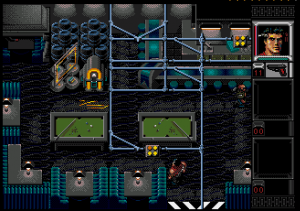
shadowrun FASA 7100Anyways for those of you who don’t know Shadowrun started life as a FASA based tabletop game, then made the transition later to a video game for the SNES, and Genesis.

Shadowrun is set in a dystopian cyberpunk future that blends magic and dragons as well.  It’s very similar to Palladium’s RIFTS which introduced a world with technology and magic, although it wasn’t as focused on the new and exciting genre of cyberpunk.

Those who loved the top down game, were later saddened with FASA’s demise.  Microsoft picked up the property and in 2007 released their own spin on the game.  It was not well received.  In a nice twist of fate, the game was re-licensed to the original developers who release Shadowrun games to this day.

Shadowrun on the Genesis

Shadowrun on the Genesis

.And yes, while I’m on the gratuitous Hong Kong action there is always Sleeping Dogs.

Woof

Woof

Besides that, what else is there?

Mahjong, I guess.

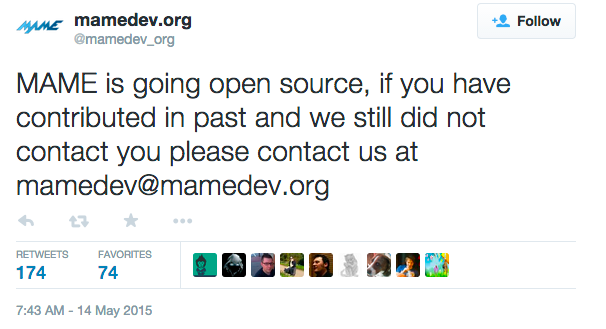
MAME to go open source!

Screen Shot 2015-05-16 at 11.04.26 PM

As I write this I don’t see anything outside of this twitter tweet (post?), along with this Gamasutra post.

The only ‘good’ part I see in there:

Milanovic tells Gamasutra. “Our aim is to help legal license owners in distributing their games based on MAME platform, and to make MAME become a learning tool for developers working on development boards.”

So I guess they want to do android and embedded Linux stuff?

Does anyone know anything more concrete?

It does sound exciting, especially for MAME’s chipset emulation which, let’s face it is superior, and being able to plug them into other emulators that are ‘good enough’ or even different purpose than full system emulation is a good thing.

Also from other sources, I hear that MAME/MESS are to be fully merged, and will be shipped simply as a single executable called MAME.

**EDIT

Well I should have checked the source.  Many things are going to a ,BSD-3-Clause license for example the MUSASHI 68000 processor emulation:

// license:BSD-3-Clause
// copyright-holders:Karl Stenerud
/* ======================================================================== */
/* ========================= LICENSING & COPYRIGHT ======================== */
/* ======================================================================== */

While others are going LGPL, or GPL.

Building SDL2 for Android

Phew is this rather involved.  First you need to download over a gigabytes worth of files. For something that is going to be embedded you need a MASSIVE amount of space.

You need:

I went ahead and installed the JDK in a normal directory,  The same went for the Android SDK.  The NDK is a 7zip file, that I went ahead and put at the root of my C drive because I’m that kind of guy.  Next I unpacked ant into the NDK directory, and SDL.  For SDL be sure to use some command line or other unzip tool that makes sure that the text files are translated appropriately, otherwise they are impossible to read in good editing tools, like notepad.

cd C:\android-ndk-r10d\
unzip -aa \Downloads\SDL2-2.0.3.zip
unzip \Downloads\apache-ant-1.9.4-bin.zip

Now to stage the project directory.  The ‘Android project’ that we are going to build out of is *INSIDE* the SDL archive.  And SDL needs to be inside the project directory, so we xcopy out the bits we need.

md proj
cd proj
xcopy ..\SDL2-2.0.3\android-project\*.* . /e/s
md jni\sdl
xcopy ..\SDL2-2.0.3\*.* jni\sdl /e/s

Now we need to set some environment variables.  Again this is where my stuff is, yours may be different.

set NDK_ROOT=C:\android-ndk-r10d
set ANDROID_HOME=”C:\Program Files (x86)\Android\android-sdk\”
set PATH=%NDK_ROOT%\apache-ant-1.9.4\bin;”C:\Program Files\Java\jdk1.7.0_79\bin”;%ANDROID_HOME%\tools;%ANDROID_HOME%\platform-tools;%PATH%

Now we need to edit the jni\src\Android.mk and point it to your sources.  In this case I’m using dinomage.com‘s simple main.c &  image.bmp as I haven’t written anything exciting yet. Change YourSourceHere.c, to main.c

Now copy in the image.bmp file into the assets directory:

md assets
copy image.bmp assets

Now we can fire up the native compiler tools, and by default it’ll compile for ARM thumb, ARM v7a, and x86

..\ndk-build

Now for the java.  Android is a java platform, so now we have to compile the wrapper that calls our C/C++ code.  First we have to set what version of Android we are compiling for:

android update project –path . –subprojects -t 12

And now we compile with ‘ant’ by typing in:

ant debug

And if all goes well you’ll get:

BUILD SUCCESSFUL
Total time: 2 seconds

Now to run the program, we can fire up one of the emulators (you will have to configure one no doubt) using AVD.  I just clicked around, and picked something that’d launch.  The shell seems to crash a lot, but otherwise yeah.

Now to upload our application to the emulator once it is running:

ant debug install

And if all goes well, you’ll see:

install:
[echo] Installing C:\android-ndk-r10d\proj\bin\SDLActivity-debug.apk onto d
efault emulator or device…
[exec] pkg: /data/local/tmp/SDLActivity-debug.apk
[exec] Success
[exec] rm failed for -f, Read-only file system
[exec] 1985 KB/s (1028625 bytes in 0.506s)

BUILD SUCCESSFUL
Total time: 5 seconds

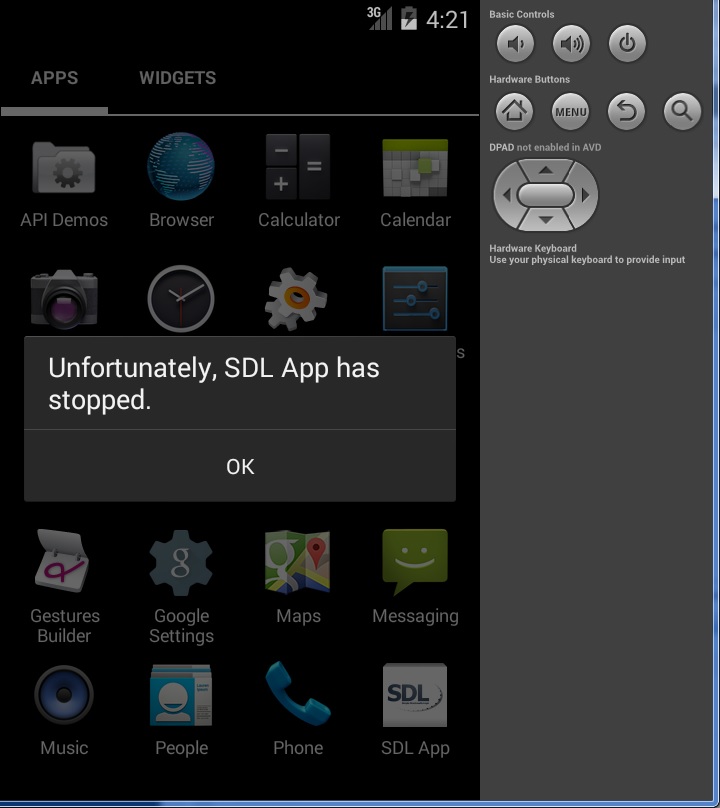
And on my first shot at running, it crashed.

Unfortunately SDL App has stopped

Unfortunately SDL App has stopped

Using ‘adb logcat’ on the emulator I was able to find this line:

java.lang.UnsatisfiedLinkError: dlopen failed: cannot locate symbol “signal” referenced by “libSDL2.so”…

Well it turns out signal was an inline function until platform android-21, now it’s not inline anymore. When you use the ndk r10, android-21 is used by default but it’s not fully retro-compatible with devices running former Android versions. In this case, signal can’t be found on the emulator. (It did run properly on my Lollipop phone).

Fixing this is simple just edit jni\Application.mk and add in the APP_PLATFORM line:

# Uncomment this if you’re using STL in your project
# See CPLUSPLUS-SUPPORT.html in the NDK documentation for more information
# APP_STL := stlport_static
APP_PLATFORM := android-12
APP_ABI := armeabi armeabi-v7a x86

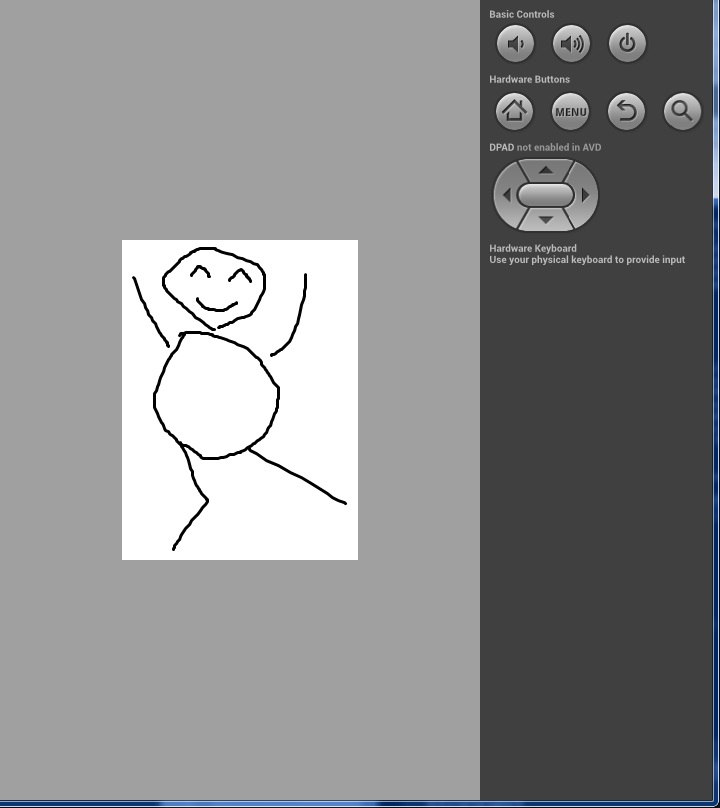
Re-compile with ndk-build, and re-upload with ant then you are good to go.

working

working

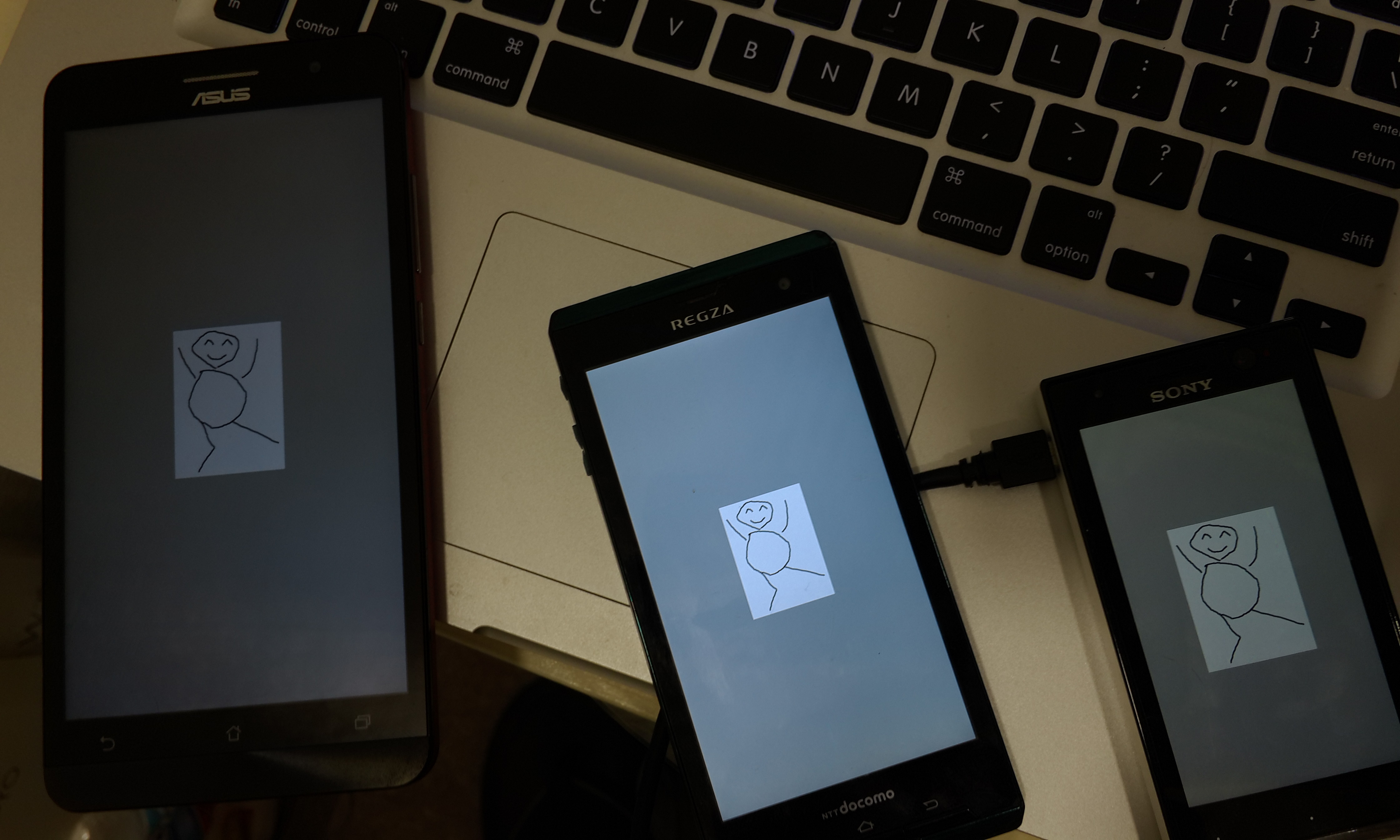
I grabbed, and borrowed some phones around the office, including an x86 phone and yeah it works!

SDL2 test!

SDL2 test!

I haven’t even tried to cross build libraries on Windows… I suspect I should be doing this on OS X or Linux.

All aboard the VENOM hype train!

So here we go, another time for another major security threat, and this time it’s the “VIRTUALIZED ENVIRONMENT NEGLECTED OPERATIONS MANIPULATION” aka VENOM attack.  Yes it has a website, and even a logo! (Creative Commons Attribution-ShareAlike 4.0 International License)

Look at me!

Look at me!

So what is all the fuss about?  Well if you can compromise a Xen, or KVM (and QEMU) VM to run code that bangs against the floppy controller it can have a buffer overflow exploit.

fantastic.

But, I know what you are thinking, most people who KVM use guest OSs that either don’t have floppy drivers, or even explicitly disable the floppy controller.  And from the site:

an unrelated bug causes the vulnerable FDC code to remain active and exploitable by attackers.

Oops.

But let’s calm down, first the attacker has to get root level on the VM before they can think about doing anything.  Of course this is a BIG problem for VM resellers.  Hopefully the patches will be available quickly, and they will be moderately disruptive, especially for those of us who still use virtual floppies.

The source patch has been released on the Qemu mailing list right here.

Overheating boxes…

So apparently sometimes doing ‘stupid things(tm)’ can overheat your disks, and your box… So you should always keep an eye on the temperature.

So for my benefit more so in the future, and maybe others, here is a quick script to check the temperature of the processors, disk, and any changes in /var/log/messages to see what is going on.  I guess I should make it more modular, and not hardcode stuff, but here we are.

#!/bin/bash
#
#
# Read the disk temperature

disk="smartctl -d ata -A /dev/sda  | grep Temperature_Celsius | awk '{print \$10}'"
diskt=$(eval $disk)

if [ "$diskt"  -gt 40 ];
	then
	error=$"Disk temperature is hotter than 40c it's now $diskt\n"
	else
#	error=$"Disk temperature is fine, it's $diskt\n"
	:
	fi

sensors| grep Core|awk '{print $3}'>/tmp/dat.txt

j=0

while read line
do
number="echo $line |sed 's/\.\0\°C//g'|sed 's/\+//g'"
cpu=$(eval $number)
if [ "$cpu" -gt 82 ];
	then
	error=$"$error\nCPU core $j temperature is $cpu"
	else
	#error=$"$error\nCPU core $j temperature is $cpu"
	:
	fi
j=$(($j+1))
done < /tmp/dat.txt rm -f /tmp/dat.txt if [[ -f /tmp/messages.1 ]]; 	then 	tail /var/log/messages > /tmp/messages.2
	dstring="diff /tmp/messages.1 /tmp/messages.2" 
	logadd=$(eval $dstring)
	if [ ! -z "$logadd" ];
		then
		error=$"$error\n\n$logadd"
		else
		:
		fi
	mv /tmp/messages.2 /tmp/messages.1
	else
	tail /var/log/messages > /tmp/messages.1
	fi

if [ ! -z "$error" ];
	then
	echo "there are issues.."
	echo -e $error > /tmp/message.tmp
	mail your_name@your_domain.com -s "errors on machine_name" 

Of course, it can and should be expanded to check up on things like SMART disk errors, and other things going on.  And of course in the crontab, something like:

*/5  *    *   *   *   /root/report.sh

To run it every five minutes.  As always it’s lacking comments, full pathing to executables, and much of anything to keep it safe.  I’m sure if I was smart I could read more from pipes and variables, but I’m old so I read from files.  If you were looking for the bash shell script expert, it’s not me. lol

Going away for a bit

So Cloudflare is hitting my site like crazy, basically DOS’ing me.  So Im going back to the old way.  And then as luck has it my DNS guy has a fit once, I move the root enteries off Cloudflare.

websitespot...

websitespot…


Yeah, so looks like I’m going off line, but once I get the DNS sorted out I’ll be back.

OK I’m back.  Turns out it’s someone in Hungary that has their client misconfigured.

80.64.65.25 – – [11/May/2015:11:21:17 -0400] “GET /?feed=rss HTTP/1.1” 301 496 “-” “Mozilla/6.0 (compatible; Firefox 9.0; Windows NT 5.1; SV1)”
80.64.65.25 – – [11/May/2015:11:21:18 -0400] “GET /feed/ HTTP/1.1” 200 37325 “-” “Mozilla/6.0 (compatible; Firefox 9.0; Windows NT 5.1; SV1)”
80.64.65.25 – – [11/May/2015:11:21:20 -0400] “GET /?feed=rss HTTP/1.1” 301 496 “-” “Mozilla/6.0 (compatible; Firefox 9.0; Windows NT 5.1; SV1)”
80.64.65.25 – – [11/May/2015:11:21:21 -0400] “GET /feed/ HTTP/1.1” 200 37325 “-” “Mozilla/6.0 (compatible; Firefox 9.0; Windows NT 5.1; SV1)”

I’ve had to block you, 80.64.65.25, whomever you are.