Qemu 1.5.0 on OS X

Well it does compile somewhat easily, but after some disk access, it just deadlocks. It didn’t matter if it was writeback, writethrough, or none, it just deadlocks.
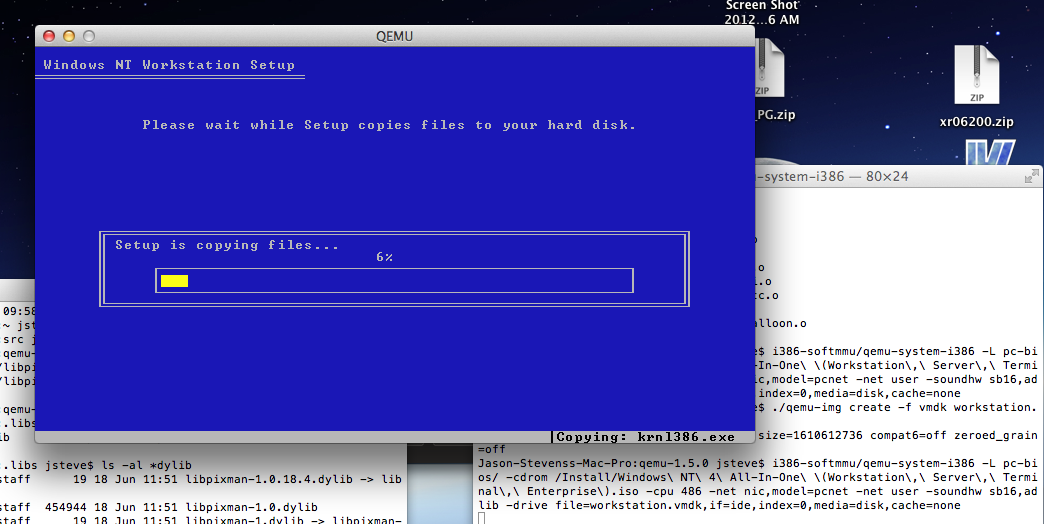
Deadlocked Qemu 1.5.0 on OS X

Deadlocked Qemu 1.5.0 on OS X

Such a shame.  But I thought I’d at least keep the world up to date.

$ cc -v
Apple clang version 4.0 (tags/Apple/clang-421.0.57) (based on LLVM 3.1svn)
Target: x86_64-apple-darwin12.3.0
Thread model: posix
$ gcc -v
Using built-in specs.
Target: i686-apple-darwin11
Configured with: /private/var/tmp/llvmgcc42/llvmgcc42-2336.11~28/src/configure –disable-checking –enable-werror –prefix=/Applications/Xcode.app/Contents/Developer/usr/llvm-gcc-4.2 –mandir=/share/man –enable-languages=c,objc,c++,obj-c++ –program-prefix=llvm- –program-transform-name=/^[cg][^.-]*$/s/$/-4.2/ –with-slibdir=/usr/lib –build=i686-apple-darwin11 –enable-llvm=/private/var/tmp/llvmgcc42/llvmgcc42-2336.11~28/dst-llvmCore/Developer/usr/local –program-prefix=i686-apple-darwin11- –host=x86_64-apple-darwin11 –target=i686-apple-darwin11 –with-gxx-include-dir=/usr/include/c++/4.2.1
Thread model: posix
gcc version 4.2.1 (Based on Apple Inc. build 5658) (LLVM build 2336.11.00)

And something like this….

libiconv-1.14.tar.gz
pkg-config-0.18.1
gettext-0.18.1.1
glib-2.30.2
glib-2.33.2
libffi-3.0.4
libiconv-1.14

I know it is mostly meaningless but Qemu 1.2.0/1.2.2 build & work fine for me.
copying hybrid bootable ISO images to USB disks on OS X

It really is simple, once you know what to do, of course!

sh-3.2# diskutil unmountDisk /dev/disk1
Unmount of all volumes on disk1 was successful
sh-3.2# dd of=/dev/disk1 bs=1m if=debian-6.0.6-amd64-netinst.iso
168+0 records in
168+0 records out
176160768 bytes transferred in 84.783919 secs (2077762 bytes/sec)
sh-3.2# diskutil eject /dev/disk1
Disk /dev/disk1 ejected


Good times!

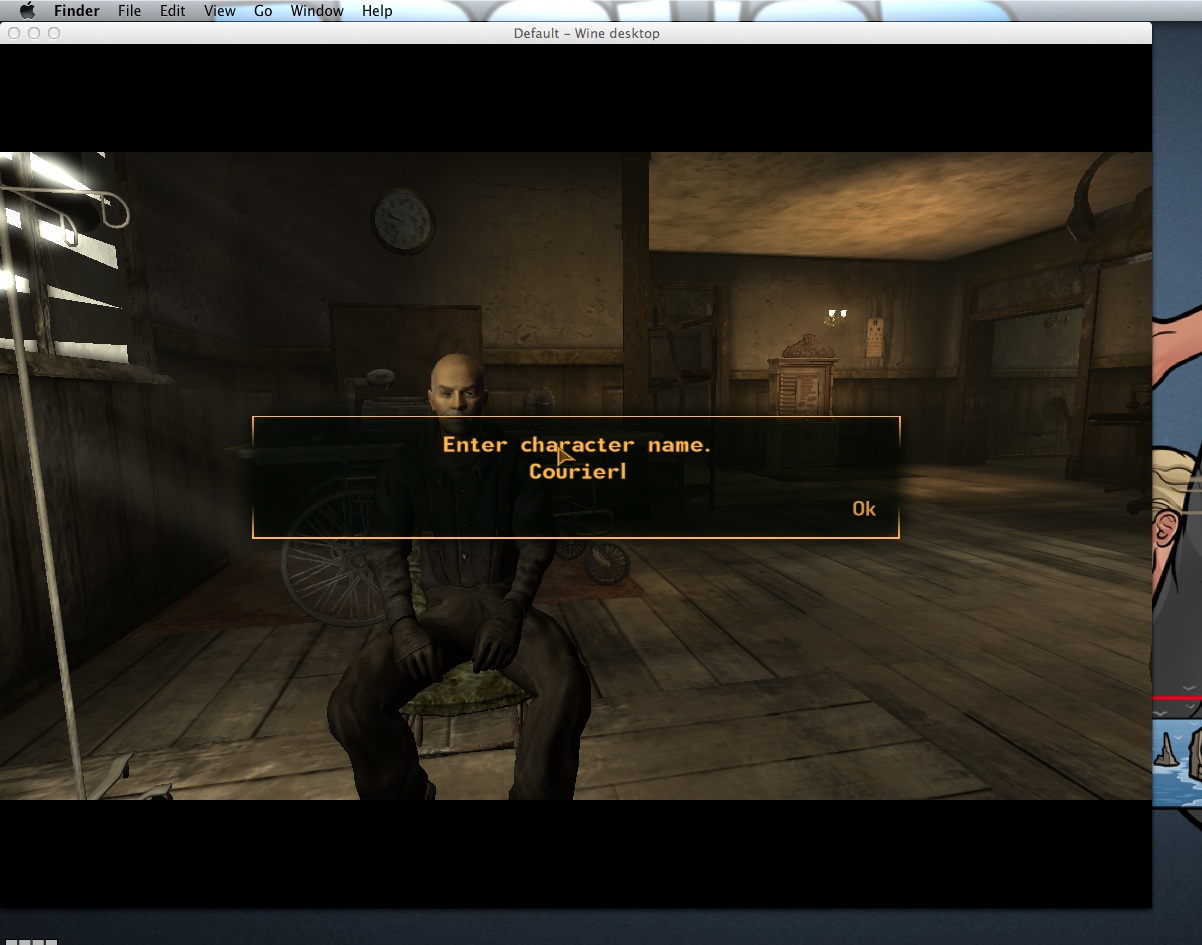
Fallout New Vegas on CrossOver

it runs!

So I’ve been dying to play this on OS X for quite some time to no avail.  So after the CrossOver give away I thought I’d be set! .. I installed steam, spent forever downloading and installing Fallout to only get either a blank white screen when running in full screen mode, or a black window running in a window.

So finally messing with ‘bottle’ settings I stumbled on the ability to run a session in an ’emulated desktop’.  And with that setup with a big enough resolution, boom run it again and it works fine in a window!

Sadly I never held onto my save games so looks like I’ll be starting from scratch.

Qemu 1.2 released!

So this is good news, as always you can check out the change log, or download the source and compile yourself…

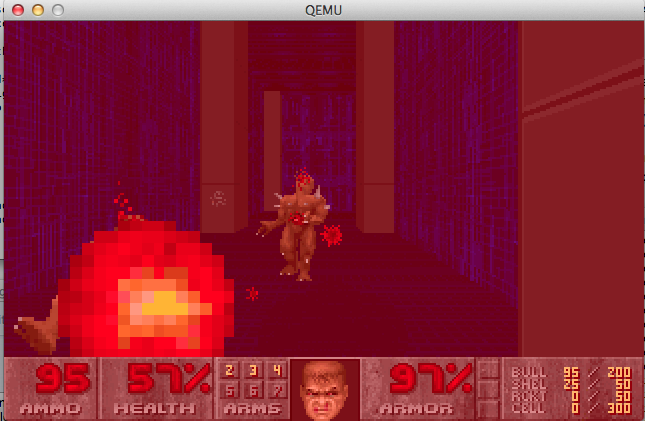
Using my quick instructions on building on OS X, I got 1.2 to compile which is nice, and run DOOM..

As you can see from this output it isn’t relying on the TCG backend

$ ./configure –audio-card-list=ac97,es1370,sb16,adlib,hda,gus –disable-curl –target-list=i386-softmmu
Silently falling back into gthread backend under darwin
Install prefix /usr/local
BIOS directory /usr/local/share/qemu
binary directory /usr/local/bin
library directory /usr/local/lib
include directory /usr/local/include
config directory /usr/local/etc
Manual directory /usr/local/share/man
ELF interp prefix /usr/gnemul/qemu-%M
Source path /Users/neozeed/src/qemu-1.2.0
C compiler gcc
Host C compiler gcc
Objective-C compiler clang
CFLAGS -O2 -D_FORTIFY_SOURCE=2 -g
QEMU_CFLAGS -m64 -DOS_OBJECT_USE_OBJC=0 -arch x86_64 -D_GNU_SOURCE -D_FILE_OFFSET_BITS=64 -D_LARGEFILE_SOURCE -Wstrict-prototypes -Wredundant-decls -Wall -Wundef -Wwrite-strings -Wmissing-prototypes -fno-strict-aliasing -fstack-protector-all -Wendif-labels -Wmissing-include-dirs -Wempty-body -Wnested-externs -Wformat-security -Wformat-y2k -Winit-self -Wold-style-definition
LDFLAGS -m64 -framework CoreFoundation -framework IOKit -arch x86_64 -g
make make
install install
python python
smbd /usr/sbin/smbd
host CPU x86_64
host big endian no
target list i386-softmmu
tcg debug enabled no
gprof enabled no
sparse enabled no
strip binaries yes
profiler no
static build no
-Werror enabled no
Cocoa support yes
SDL support no
curses support yes
curl support no
mingw32 support no
Audio drivers coreaudio
Extra audio cards ac97 es1370 sb16 adlib hda gus
Block whitelist
Mixer emulation no
VirtFS support no
VNC support yes
VNC TLS support no
VNC SASL support yes
VNC JPEG support no
VNC PNG support no
xen support no
brlapi support no
bluez support no
Documentation yes
NPTL support no
GUEST_BASE yes
PIE no
vde support no
Linux AIO support no
ATTR/XATTR support no
Install blobs yes
KVM support no
TCG interpreter no
fdt support no
preadv support no
fdatasync no
madvise yes
posix_madvise yes
uuid support no
libcap-ng support no
vhost-net support no
Trace backend nop
Trace output file trace-<pid>
spice support no
rbd support no
xfsctl support no
nss used no
usb net redir no
OpenGL support no
libiscsi support no
build guest agent yes
seccomp support no
coroutine backend

So far it looks good on OS X, so here is my i386 binary!  Although I’ve only tested it with MS-DOS 4.01 & Doom 1.1

Doom 1.1 on OS X 10.8.1 via Qemu 1.2.0


Qemu 1.2.0 & all its win32 glory

And after much delay, here is my Win32 binary for the i386 system emulation.  And just like the OS X version, I’ve only tested it with Doom.  I’ve included my usual control-alt-delete shortcut & the ability to quick reset.

Qemu on OS X …

So after the whole mountain lion thing I got the latest Xcode..

$ gcc -v
Using built-in specs.
Target: i686-apple-darwin11
Configured with: /private/var/tmp/llvmgcc42/llvmgcc42-2336.11~28/src/configure –disable-checking –enable-werror –prefix=/Applications/Xcode.app/Contents/Developer/usr/llvm-gcc-4.2 –mandir=/share/man –enable-languages=c,objc,c++,obj-c++ –program-prefix=llvm- –program-transform-name=/^[cg][^.-]*$/s/$/-4.2/ –with-slibdir=/usr/lib –build=i686-apple-darwin11 –enable-llvm=/private/var/tmp/llvmgcc42/llvmgcc42-2336.11~28/dst-llvmCore/Developer/usr/local –program-prefix=i686-apple-darwin11- –host=x86_64-apple-darwin11 –target=i686-apple-darwin11 –with-gxx-include-dir=/usr/include/c++/4.2.1
Thread model: posix
gcc version 4.2.1 (Based on Apple Inc. build 5658) (LLVM build 2336.11.00)

And it ‘compiles’ a Qemu but it just hangs… LLVM really broke Qemu … So in the interim if you want Qemu on OS X keep a copy of Snow Leopard handy!

Of course I tried using Snow Leopards gcc on Mountain Lion, but it won’t compile any of the Cocoa stuff.

Go figure.

Good news on the QEMU fronts!

First I found this blog post about building Qemu with CLANG instead of GCC, and I didn’t  even run it through google translate, but I had a feeling that it must work because there is simply too much text there for something that doesn’t work… Although it is with the TCG interpreter…

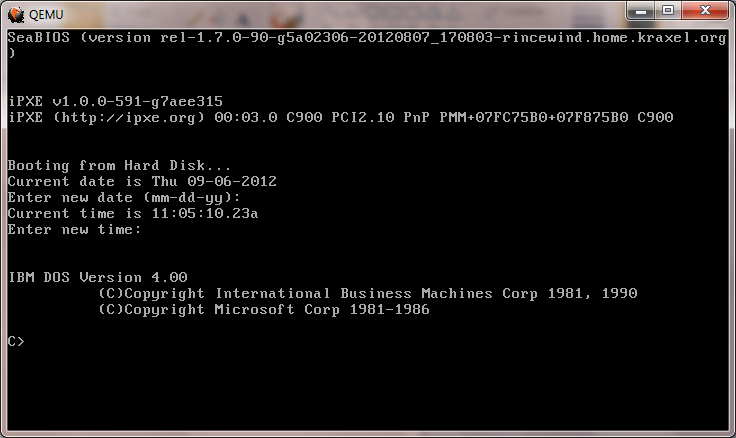
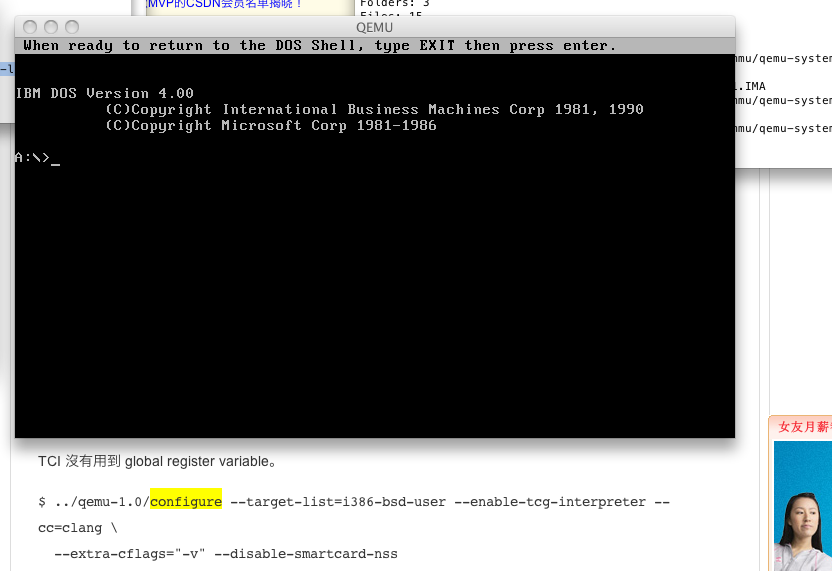
Qemu 1.1.0-1 on OS X 10.6.8 via clang!

And sure enough it works! (well so far I’ve only booted the IBM PS/1 MS-DOS 4.00 image I had handy. But that is good news for me as I’m planning on shifting away from running Windows all the time, and it was annoying having this powerful mac pro, but not being able to run / play with Qemu.

The move the clang would make sense as I under stand it Apple is moving away from GCC at any rate.

Also on the road to a non TGC build of Qemu I did find out the compiler included on the 10.6.3 DVD works while the later IOS update one does not…

Using built-in specs.
Target: i686-apple-darwin10
Configured with: /private/var/tmp/llvmgcc42/llvmgcc42-2336.1~3/src/configure –disable-checking –enable-werror –prefix=/Developer/usr/llvm-gcc-4.2 –mandir=/share/man –enable-languages=c,objc,c++,obj-c++ –program-prefix=llvm- –program-transform-name=/^[cg][^.-]*$/s/$/-4.2/ –with-slibdir=/usr/lib –build=i686-apple-darwin10 –enable-llvm=/private/var/tmp/llvmgcc42/llvmgcc42-2336.1~3/dst-llvmCore/Developer/usr/local –program-prefix=i686-apple-darwin10- –host=x86_64-apple-darwin10 –target=i686-apple-darwin10 –with-gxx-include-dir=/usr/include/c++/4.2.1
Thread model: posix
gcc version 4.2.1 (Based on Apple Inc. build 5658) (LLVM build 2336.1.00)

GCC for update for IOS 5 … which doesn’t build a working Qemu exe

Using built-in specs.
Target: i686-apple-darwin10
Configured with: /var/tmp/gcc/gcc-5646~6/src/configure –disable-checking –enable-werror –prefix=/usr –mandir=/share/man –enable-languages=c,objc,c++,obj-c++ –program-transform-name=/^[cg][^.-]*$/s/$/-4.2/ –with-slibdir=/usr/lib –build=i686-apple-darwin10 –with-gxx-include-dir=/include/c++/4.2.1 –program-prefix=i686-apple-darwin10- –host=x86_64-apple-darwin10 –target=i686-apple-darwin10
Thread model: posix
gcc version 4.2.1 (Apple Inc. build 5646)

While the one that does come on the 10.6.3 DVD works fine.

Next up for all those of you on Windows or Win32 i386 platforms, rainbow has kindly provided a Win32 build of Qemu, which you can download from his site!  Ive booted MS-DOS on it from within VirtualBOX and it seems to work fine!

One thing I’ve noticed about 1.1.0 is that it cannot read low density 3 1/2″ disks!!!!

Mouse issues with VirtualBOX on OS X

So I’ve been using this old intel mac pro, to run VirtualBOX with a really weird issue.. The moue pointer just doesn’t work in the VM no matter what I’ve done.

Ok, I’ll admit that instead of running in 32bit mode on this mac, I’ve set it up to boot like a PC into the chameleon bootloader to then let me boot OS X in 64bit mode.. Which makes this a great ‘hackintosh’ as its all Apple hardware.  But to get me through the booting and whatnot I’ve been using a USB keyboard/mouse, then once booted up I’ve been using bluetooth Apple keyboard/mouse (yes my desk is a disaster).

Anyways with the USB mouse plugged in, I can only move the mouse by right dragging in the VM.  It doesn’t matter if its relative mouse pointer or not.

But as soon as I unplugged the USB mouse, it works fine… Maybe its because I have two mice??

Also you’d think Apple could have done some softload 64bit firmware for the 2006 Mac Pro 1,1 but… I guess some times you have to take matters into your own hands….

Oh and that reminds me of another tip, when installing Windows XP you’ll be expected to hit F8, which on my keyboard just pauses the currently playing song.. Instead hold down the `fn` key, then press F8.  Which makes me all the more glad I got a real apple keyboard, as finding all these special keys on a windows keyboard… involved.

KOTOR for MacOS X crashes…

So part of my 2Ghz G5 purchase was to be able to play KOTOR… The $5 version I got on steam just crashes on launch so that… lame.

Anyways it crashes like crazy on OS X, not sure if the intel version is as bad, but on the PowerPC, I found this little nugget in the crash log.

Version: 1.03 (45217)

PID: 248
Thread: 5

Exception: EXC_BAD_ACCESS (0x0001)
Codes: KERN_PROTECTION_FAILURE (0x0002) at 0x00000000

Thread 0:
0 libSystem.B.dylib 0x9000af48 mach_msg_trap + 8
1 libSystem.B.dylib 0x9000ae9c mach_msg + 60
2 IOKit 0x90af0de4 io_connect_method_scalarI_str
uctureI + 216
3 …apple.ATIRadeon9700GLDriver 0x072614c4 gldFinish + 84
4 GLEngine 0x07161850 glFinish_Exec + 636
5 com.aspyr.kotor 0x002dc340 aglRestoreContext() + 20
6 com.aspyr.kotor 0x002e9428 GLRender::FinishSoftShadowsAT
I() + 1584
7 com.aspyr.kotor 0x00338318 Scene::RenderShadows(int, int
, int, int) + 528
8 com.aspyr.kotor 0x003399b4 Scene::RenderSinglePass() + 7

That’s right, it looks like SoftShadowsATI causes the thing to bomb out.  So disabling shadows has lead to a much better experience so far. Whats also odd, is the driver says its for a 9700, while the hardware is a 9600 … But I don’t know enough about ATI stuff to say anything about that…

I never did get around to KOTOR on my quad G5 with the Nvidia card…