Mach386: MACH and BERKELEY UNIX for i386

I’ve been looking for this, since I first found out about it a few years ago. It’s a port of 4.3BSD Tahoe to the i386, utilizing the Mach kernel. This is the biggest gap of the era, which is bringing mini-computer BSD to an affordable platform, the AT386.

Sadly like many others after Mach386, it did not find widespread commercial success and MtXinu wound down operations of the product, and eventually the company itself. It’s a shame too that both Mt Xinu & BSDi eventually exited the BSD market, while the open 386 alternatives flourished and grew.
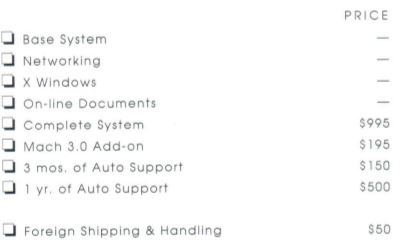
One thing is for sure, it wasn’t cheap! At least on the perpetually starving college student budget the base license was $995! And that included no source code at all. Although the Mach 3.0 Add-on does include source code, however because of the then new AT&T USL vs. BSDI/UCB lawsuit CMU got cold feet over it’s BSDSS/BNR2SS for Mach 3.0 and pulled it, leaving you with a micro kernel with no personality. Although years later the rights would flow from AT&T to Novel who then let Caldera acquire them, and then give the infamous 32v giveaway (pdf) essentially setting BSD free. Although I was one of the people who shelled out the $100 for the oldSCO SYSIII license back in the day.

Mach386 lived from around 1991 until 1993. Needless to say the Juggernaut called Linux appeared at the right time and the right place, when all of the BSD’s had faltered because of that lawsuit. Sometimes in life, timing is absolutely everything.

Sadly by the time I could afford expensive OS’s it was 1999 and I’d bought OS X Server 1.0, with all it’s 4.4BSD + Mach 2.5 fun.

Anyways fast forward a few decades and I have been looking for a mythical 4.3BSD on i386 for far too long, and I came across a post on betaarchive mentioning retrosys.net, and all of Scott’s adventures with Mach386. So I was able to contact him, and get a copy of Mach386!

Installation:

Well the disk set is from 1992, and going back to that era means you are going be locked into the old disk geometry where an IDE disk under 500MB is the best way to go. The floppy controller is programmed in a weird way that the only thing I could get it working with was VMWare. It wasn’t so bad going through the disks, and I quickly had a system up and running. Once the install is done it’ll run under QEMU for instance just fine.
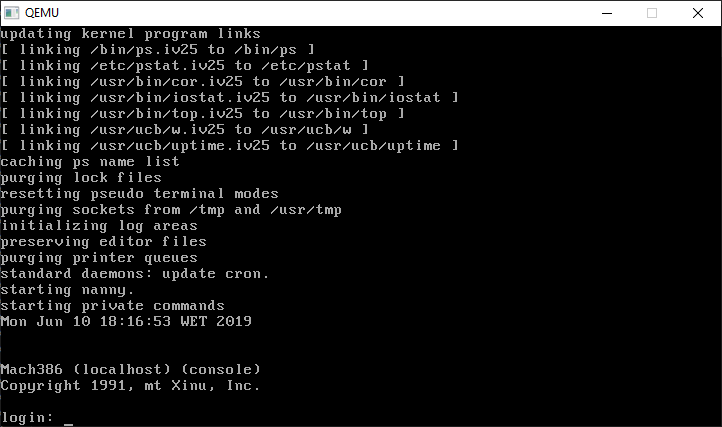
Mach386 on Qemu

Currently there is no ‘modern’ ish networking support, aka no NE2000. So I’ve been using serial terminals to use uuencode/uudecode to get files in & out of the VM.

So what’s in the box? Well I didn’t install the X11 stuff as I’m just not in the mood to fight it, but it’s a 4.3BSD system! Sadly adventure/zork is absent, however rogue and all the other BSD type fun is there. gcc version 1.37.1 & GNU assembler version 1.36 among others are also includes, although without any diff’s or source. Although the networking headers & tools are on separate disks, there is no nonsensical link kit type thing like Xenix, meaning that TCP/IP is fully integrated to the kernel. While there is SLIP support apparently I haven’t messed with it at all yet.

What is really interesting is the other disk set, MtXinu-Mach386-M3921131020-Mach_3.0+DUI.7z which is that Mach 3.0 kernel version MK78 which I believe is the first widespread & public release of Mach 3.0.

Being that this a Mach based system it builds the 3.0 kernel with ease. It even includes a 4.3BSD (sadly binary only) ported kernel to the 3.0 Mach which you can run. It’s defiantly not as fast as the default kernel, but seems to work well enough.

The kernel in question is what they term Mach 2.6 which is the 2.5 plus lots of enhancements. Among others is a different disk layout/partitioning scheme so you can dualboot. Although in the era of cheap VMs it’s kind of pointless.

So it may not look like much, but it’s a really fun thing to play around with. At the same time 386BSD had been pushed out into the world, and Linux was also a thing. It’s not surprising that Mt Xinu & BSDi would eventually fail in the marketplace, and Linux would go on to decimate the UNIX landscape. But it’s cool to run a direct VAX based OS on the PC.
I’m not dead

It’s just been really busy with this move, unpacking and the usual losing things, finding things and breaking things.

In the middle of it all, I found something online, that I want to at least do some proper article thing about… As it’s been really exciting, and goes back to the first month I started this blog.

Outside of NeXTSTEP, the other i386 commercial version of Mach 2.5 surfaced, the Mt Xinu version!

Even better, a few years ago, I had stumbled onto the source code for 2.5 buried on the 4th disc of the CSRG set, and with a LOT of luck and persistence I can confirm that the sources are complete enough to build.

loading vmunix.sys
rearranging symbols
text	data	bss	dec	hex
389088	45564	101364	536016	82dd0
ln vmunix.sys vmunix; ln vmunix vmunix.I386x.STD+WS-afs-nfs

However, as luck always has it, start.s in the i386 code does something weird at the 3GB mark causing a triple fault on any kind of modern emulation/virtualization setup.

    / Fix up the 1st, 3 giga and last entries in the page directory
    mov     $EXT(kpde), %ebx
    and     $MASK, %ebx

    mov     $EXT(kpte), %eax
    and     $0xffff000, %eax
    or      $0x1, %eax

    mov     %eax, (%ebx)
    mov     %eax, 3072(%ebx)        / 3 giga -- C0000000

    mov     $EXT(kpde), %edx
    and     $MASK, %edx

Not all that sure why, but at least on Bochs, I can see the triple fault.

00036527018d[CPU0  ] page walk for address 0x0000000000101122
00036527018d[CPU0  ] page walk for address 0x00000000e0000011
00036527018d[CPU0  ] PDE: entry not present
00036527018d[CPU0  ] page fault for address 00000000e0000011 @ 0000000000101124
00036527018d[CPU0  ] exception(0x0e): error_code=0002
00036527018d[CPU0  ] interrupt(): vector = 0e, TYPE = 3, EXT = 1
00036527018d[CPU0  ] page walk for address 0x00000000c0161370
00036527018d[CPU0  ] PDE: entry not present
00036527018d[CPU0  ] page fault for address 00000000c0161370 @ 0000000000101122
00036527018d[CPU0  ] exception(0x0e): error_code=0000
00036527018d[CPU0  ] exception(0x08): error_code=0000
00036527018d[CPU0  ] interrupt(): vector = 08, TYPE = 3, EXT = 1
00036527018d[CPU0  ] page walk for address 0x00000000c0161340
00036527018d[CPU0  ] PDE: entry not present
00036527018d[CPU0  ] page fault for address 00000000c0161340 @ 0000000000101122
00036527018d[CPU0  ] exception(0x0e): error_code=0000
00036527018i[CPU0  ] CPU is in protected mode (active)
00036527018i[CPU0  ] CS.mode = 32 bit
00036527018i[CPU0  ] SS.mode = 32 bit
00036527018i[CPU0  ] EFER   = 0x00000000
00036527018i[CPU0  ] | EAX=e0000011  EBX=0015f000  ECX=00161dc1  EDX=0015f000
00036527018i[CPU0  ] | ESP=0000efbc  EBP=0000efbc  ESI=00193fb8  EDI=00009d84
00036527018i[CPU0  ] | IOPL=0 id vip vif ac vm RF nt of df if tf SF zf af PF cf
00036527018i[CPU0  ] | SEG sltr(index|ti|rpl)     base    limit G D
00036527018i[CPU0  ] |  CS:0028( 0005| 0|  0) 00000000 ffffffff 1 1
00036527018i[CPU0  ] |  DS:0020( 0004| 0|  0) 00000000 ffffffff 1 1
00036527018i[CPU0  ] |  SS:0010( 0002| 0|  0) 00001000 0000ffff 0 1
00036527018i[CPU0  ] |  ES:0020( 0004| 0|  0) 00000000 ffffffff 1 1
00036527018i[CPU0  ] |  FS:0000( 0005| 0|  0) 00000000 0000ffff 0 0
00036527018i[CPU0  ] |  GS:0000( 0005| 0|  0) 00000000 0000ffff 0 0
00036527018i[CPU0  ] | EIP=00101122 (00101122)
00036527018i[CPU0  ] | CR0=0xe0000011 CR2=0xc0161340
00036527018i[CPU0  ] | CR3=0x00000000 CR4=0x00000000
00036527018i[CPU0  ] 0x0000000000101122>> add byte ptr ds:[eax], al : 0000
00036527018d[SIM   ] searching for component 'cpu' in list 'bochs'
00036527018d[SIM   ] searching for component 'reset_on_triple_fault' in list 'cpu'
00036527018e[CPU0  ] exception(): 3rd (14) exception with no resolution, shutdown status is 00h, resetting

Mach 3.0 doesn’t do this, so I’ll have to dig far deeper into start.s which is kind of really beyond me.

Building a boot disk … is involved. ๐Ÿ˜

rm -rf /usr/src/mach25-i386/obj
mkdir /usr/src/mach25-i386/obj
cd /usr/src/mach25-i386/standi386at/boot
make fdboot
/home/user/mkfs /dev/rfloppy 2880 18 2 4096 512 32 1
dd if=/usr/src/mach25-i386/obj/standi386at/boot/boot.fd of=/dev/rfd0d
/home/user/fsck -y /dev/rfloppy
cd /usr/src/mach25-i386/
make
mount /dev/floppy /mnt
cp /usr/src/mach25-i386/obj/STD+WS-afs-nfs/vmunix /mnt
sync
umount /mnt
/home/user/fsck -y /dev/rfloppy

So, I’m not all that dead. For anyone super impatient, you can download my VMDK here, which runs on Qemu & VMware, it includes a serial terminal on COM1 so you can use a real terminal, and if you are like me, uuencode/uudecode files in & out of the system. As always read the 404 page for the current username/password.

End of an era, Linux to Deprecate a.out support

From the post on kernel.org:

Linux supports ELF binaries for ~25 years now. a.out coredumping has bitrotten quite significantly and would need some fixing to get it into shape again but considering how even the toolchains cannot create a.out executables in its default configuration, let’s deprecate a.out support and remove it a couple of releases later, instead.

I can’t say I’m all that surprised, maintaining backwards compatibility has not really been a Linux thing, as most people are incapable of doing any troubleshooting in the myriad of hundreds to thousands of independent packages, and instead find it far easier to switch to a different distro entirely.

At the same time, the vast majority of Linux packages are available in source code, so re-building things as ELF most likely has happened in the last 25 years.

During the great ELF migration, it was a gigantic PITA having basically 2 copies of all the libraries as things were converted over, and a.out stuff quickly evaporated. For me, the beauty of a.out was for later kernels to be able to mount and run older stuff. But as we are in the era of both ‘cheap’ user mode kernels along with virtualization will the old executable format truly be missed?

Linux has survived the removal of native support for the 80386, and even the detection logic for the NexGen processors (yes they were real, and yes they did ship), so no doubt this further amputation won’t matter to the vast majority.

I have to wonder how long until the i386 32bit target is removed? Distros like Debian have long since removed support for 80486/80586 classed processors to bring the minimum up to requiring SSE-2 based instructions, and I can’t imagine anyone who is running a 32bit OS for their main OS in this day and era.

diff --git a/arch/x86/um/Kconfig b/arch/x86/um/Kconfig index f518b47..494eeb5 100644 --- a/arch/x86/um/Kconfig +++ b/arch/x86/um/Kconfig @@ -16,7 +16,6 @@ config 64BIT config X86_32 def_bool !64BIT - select HAVE_AOUT select ARCH_WANT_IPC_PARSE_VERSION select MODULES_USE_ELF_REL select CLONE_BACKWARDS

Farewell a.out

Update: from further along in the changelog

And Alan Cox points out that the a.out binary loader _could_ be done in user space if somebody wants to, but we might keep just the loader in the kernel if somebody really wants it, since the loader isn’t that big and has no really odd special cases like the core dumping does.

Oldlinux.org got updated!

I know that on the surface it may not seem like much, but considering the last update was nearly 3 years ago…

2019-02-08 ร‚ย ร‚ย 

Time flies, it’s flying fast, and it’s been two years till now. The latest Chinese revision, the Fifth revision of the book:”A Heavily Commemted Linux Kernel Source Code” is nowร‚ย HERE, and, more importantly, theร‚ย English versionร‚ย of the book is also givenร‚ย HERE. After nearly one year of translation, the English version of this book has finally been completed. Of course, there must be translation errors and tipos in the book. I hope you may point them out for me. Finally, thanks Trent Jarvi who helped me a lot, thank you friends in the Linux communities, and thank you all, and Happy Chinese Spring Festival!

Yes, that’s right the book is now available in English. And in PDF form! It’s an extensive dive into the 0.12 source, complete with diagrams, notes and annotated source code.

It’s a whopper though, 1109 pages, and weighing in at 11 MB! This is not a light read!

As always the site is http://www.oldlinux.org/

Virtual Xenix & the internet pt 2

So retrohun is doing their blog thing on github of all things, and the latest entry, is of course Xenix tales. As mentioned in comments on this blog & other places they found another driver for Xenix TCP/IP!

Going back years ago, the tiny NIC driver support for the elderly Microsoft/SCO Xenix 386 v2 included 3COMA/B/C and SLIP. However it’s been recently unearthed that D-Link had drivers for their DE-100 & DE-200 models, and as it happens the DE-200 is a NE-2000 compatible card!

That means that Qemu can install/run Xenix, and it can get onto the internet* (there is a catch, there is always a catch).

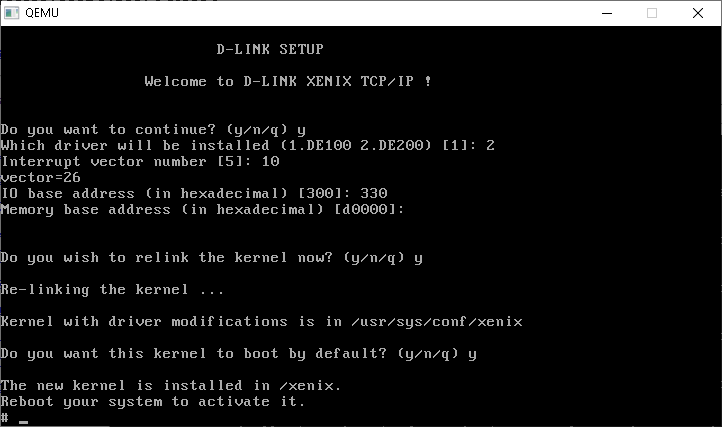
You can download the driver either from github or my password protected mirror. Simply untar the floppy under Xenix (tar -xvf /dev/fd0) and do the install via ‘mkdev dlnk’

Setting up the driver is… tedious. Much like the system itself. I found Qemu 0.90 works great, and is crazy fast (in part to GCC 3) even though Qemu 0.9’s floppy emulation isn’t good enough to install or read disks. With all the updates to Qemu 3.1 use that, it’ll read the disks, and allow for networking.

To give some idea of speed I ran the age old Dhrystone test, compiled by GCC 1.37.1 and scored the following:

Dhrystone(1.1) time for 5000000 passes = 8
This machine benchmarks at 625000 dhrystones/second

When compared to the SGI Indy’s 133Mhz R4600SC score of 194,000 @ 50000 loops that makes my Xeon W3565 322 times faster, under Qemu 0.90! And that’s under Windows!

Setting up the commandline/launching is pretty much this:

qemu.exe -L pc-bios -m 16 -net nic,model=ne2k_isa -net user -redir tcp:42323::23 -hda ..\xenix.vmdk
added SLIRP
adding a [GenuineIntelC] family 5 model 4 stepping 3 CPU
added 16 megabytes of RAM
trying to load video rom pc-bios/vgabios-cirrus.bin
added parallel port 0x378 7
added NE2000(isa) 0x320 10
pci_piix3_ide_init PIIX3 IDE
ide_init2 [0] s->cylinders 203 s->heads 16 s->sectors 63
ide_init2 [1] s->cylinders 0 s->heads 0 s->sectors 0
ide_init2 [0] s->cylinders 2 s->heads 16 s->sectors 63
ide_init2 [1] s->cylinders 0 s->heads 0 s->sectors 0
added PS/2 keyboard
added PS/2 mouse
added Floppy Controller 0x3f0 irq 6 dma 2
Bus 0, device 0, function 0:
Host bridge: PCI device 8086:1237
Bus 0, device 1, function 0:
ISA bridge: PCI device 8086:7000
Bus 0, device 1, function 1:
IDE controller: PCI device 8086:7010
BAR4: I/O at 0xffffffff [0x000e].
Bus 0, device 1, function 3:
Class 0680: PCI device 8086:7113
IRQ 0.
Bus 0, device 2, function 0:
VGA controller: PCI device 1013:00b8
BAR0: 32 bit memory at 0xffffffff [0x01fffffe].
BAR1: 32 bit memory at 0xffffffff [0x00000ffe].

In the file /etc/tcp the default installation does a terrible job of setting up the NIC. I changed the ifconfig line to this:

ifconfig dlink0 10.0.2.15 -trailers broadcast 10.0.2.255 netmask 255.255.255.0

Which at least brings it up a bit better. I added in a gratuitous ping also in the startup script to build the arp for the gateway.

ping 10.0.2.2 32 1

Which brings us to the next point, the routing command is broken after loading the D-Link driver. I tried all the available TCP/IP drivers for Xenix (1.1.3.f 1.2.0e).

# route add default 10.0.2.2 1
add net default: gateway 10.0.2.2 flags 0x3: No such device or address

So no dice there. And yes, for SLIP/no interfaces the route command works as expected, just not with the DLINK driver.

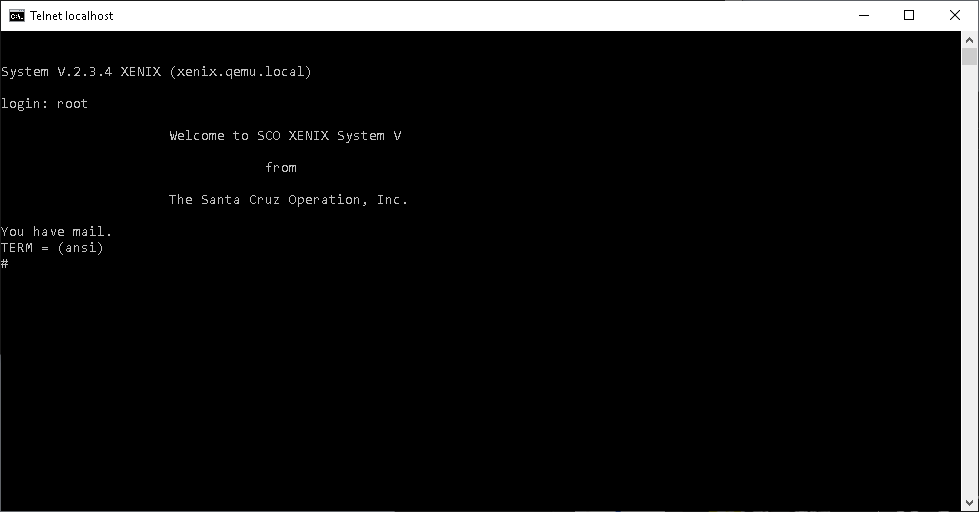
However local connections from the host machine do work, so yes, you can telnet into the VM!

Welcome to 1990!

This makes using Xenix far more usable say for managing files, control/compiling etc.

For you die hard IRC fans, all is not lost, you can simply run a local proxy (See: Teaching an old IRC dog some new tricks) on your host machine, and point the irc client to 10.0.2.2

IRCII on Xenix/Qemu

So there you go, all 20 Xenix fans out there! Not only a way to get back online, but to do it in SPEED!

Thanks to Mark for pointing out that there has been tremendous progress with version 3.1 of Qemu, and it’s TCG user speed is up to the 0.90 levels of speed (at least with dhrystone/Xenix), and it just takes a little (lot) of massaging to get up and running with Xenix with the right flags:

qemu-system-i386.exe -net none -L . -m 16 -hda xenix.vmdk -device ne2k_isa,mac=00:2e:3c:92:11:01,netdev=lan,irq=10,iobase=0x320 -netdev user,id=lan,hostfwd=tcp::42323-:23

This is based off my old post, Running Netware 3.12 on Qemu / KVM 2.8.0 although with a few more flags to assert the user mode tcp redirect.

I’m using Stefan Weil’s build of the x64 native i386 Qemu.

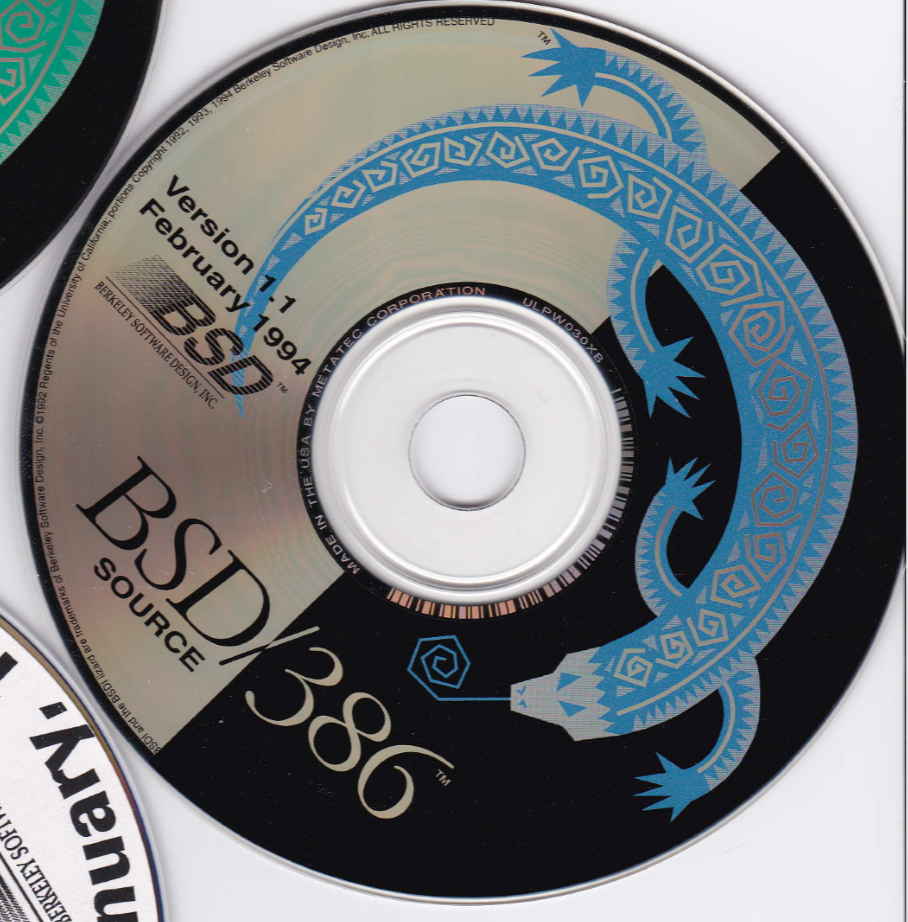
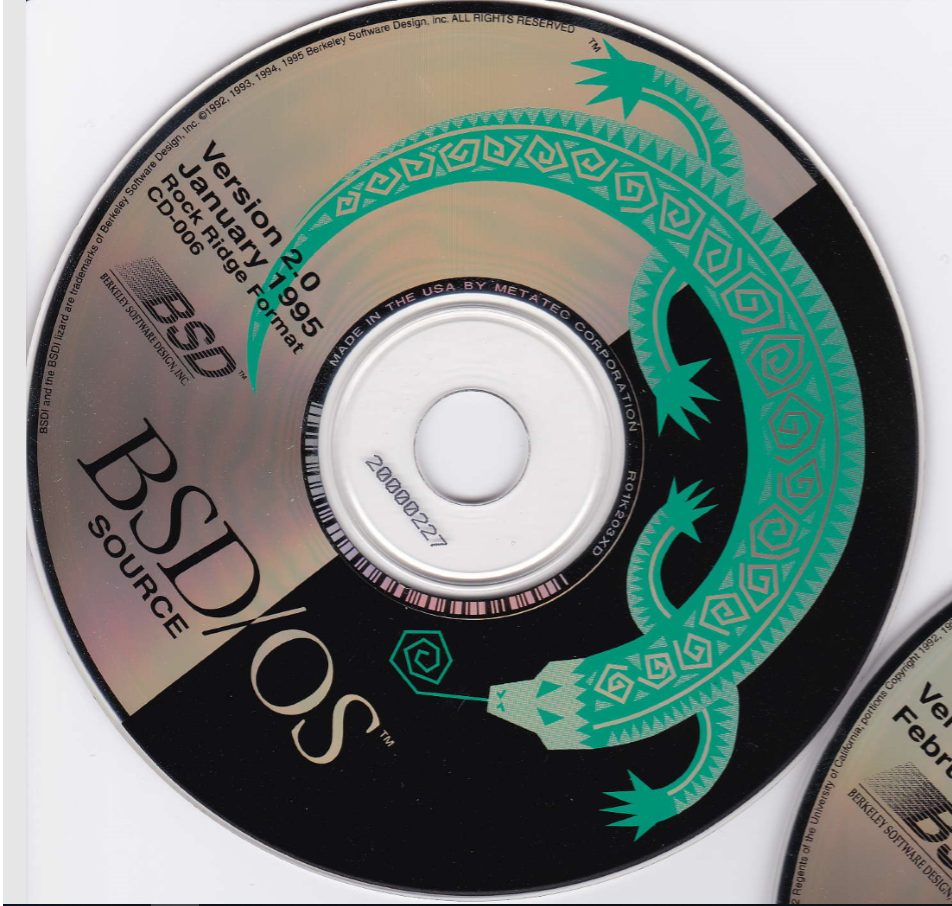
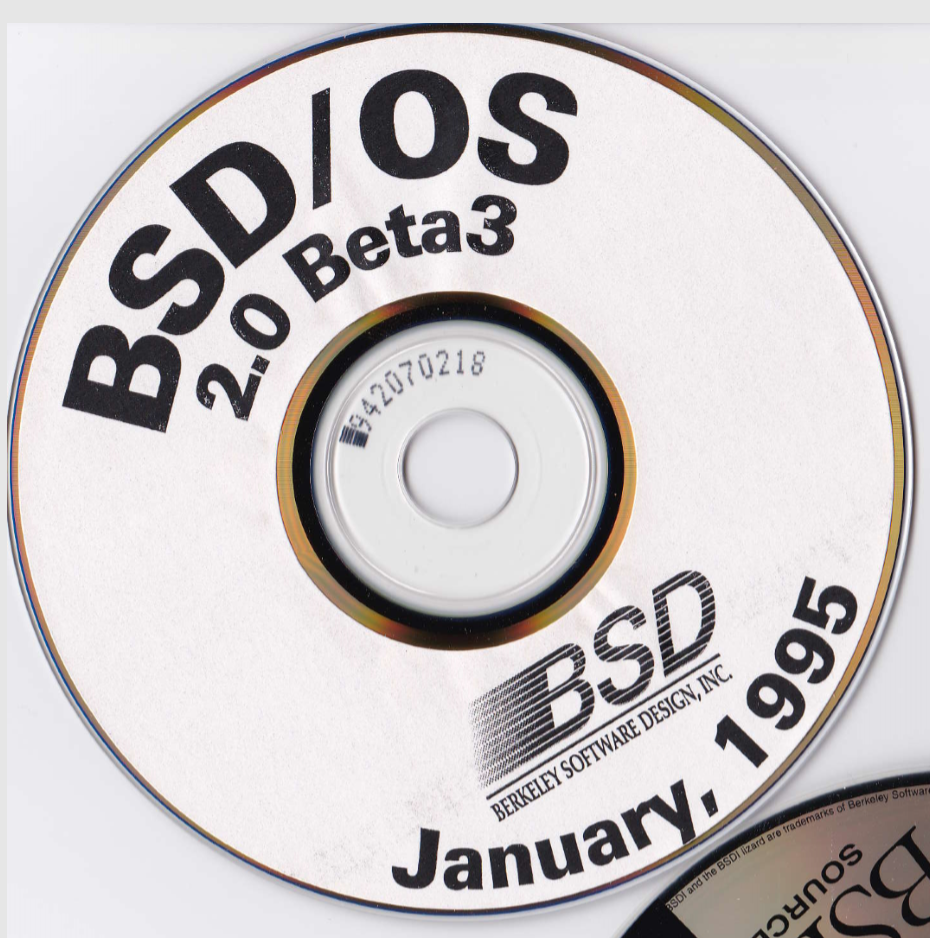
Unloading some BSD/OS CD’s

I was kindly sent these a while ago from an avid reader, and I tried to get them to boot up into anything useful and didn’t get anywhere.ร‚ย  I’m sure emulators of today are probably up to task, be it Bochs/PCem/86Box or even Qemu.

So they are now up on archive where I also found version 4 up there so I may as well flesh out the collection.

Enjoy!

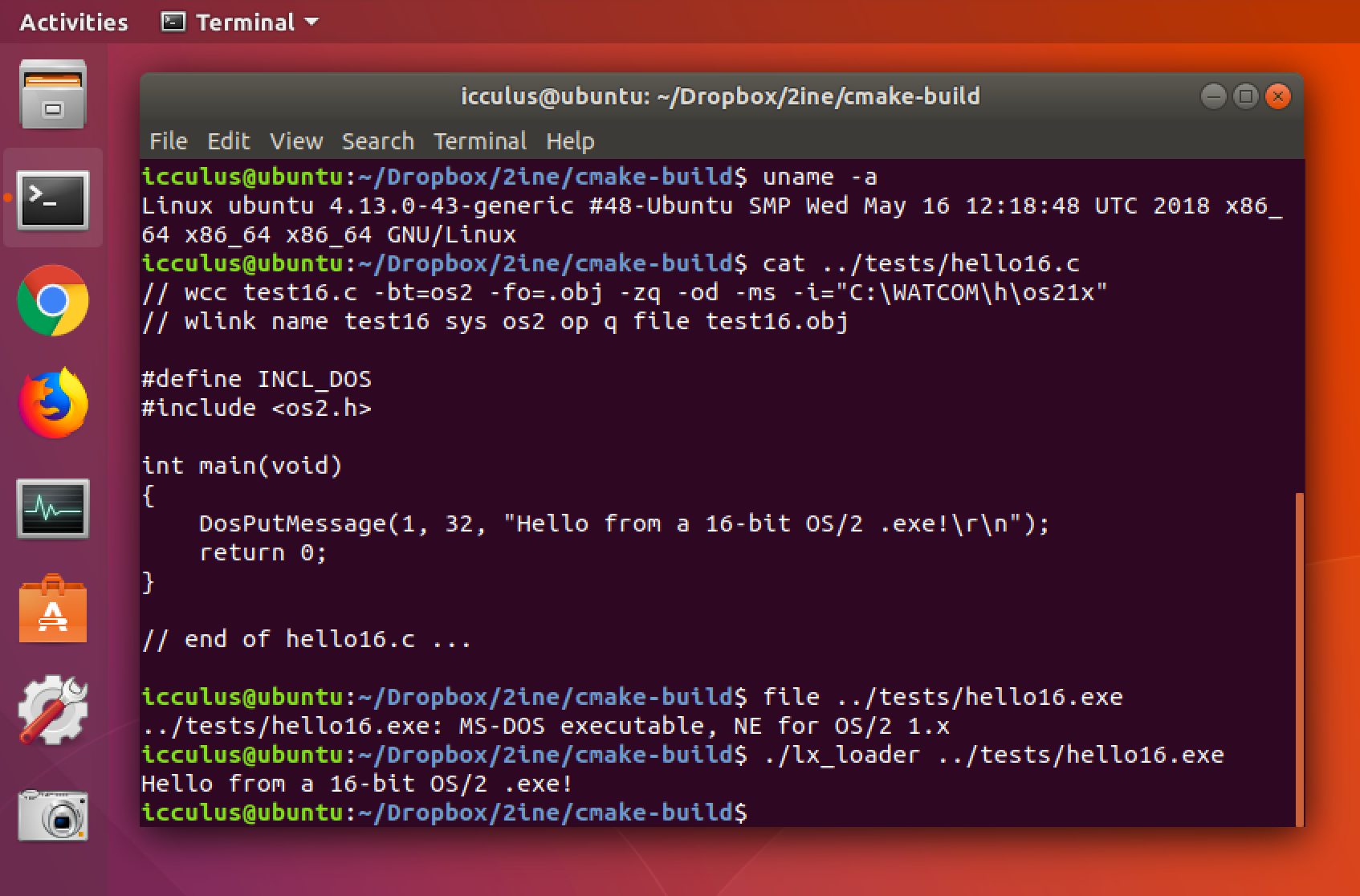
2ine updated to have preliminary 16-bit .exe support!

From icculus’s patreon

This is nothing short of amazing.ร‚ย  In the last update, 2ine was running simple 32bit programs on Linux, and providing a portable API set to allow strict OS/2 API based programs to run on Linux.

And now Ryan has turned his focus onto 16bit support for 2ine, which you can read about here:

https://www.patreon.com/posts/2ine-16-bit-exe-19337541

As you can read right now It’s running a simple OpenWatcom 16bit hello world based program.ร‚ย  The 16bit OS/2 and 32bit OS/2 API’s ended up having different calling sizes, among other issues which had complicated the bridge program.ร‚ย  However Ryan’s newer use of scripts to generate the required glue for the API’s at least mean that adding the 16bit/32bit calling conventions & required bridges/glue is at least now automated.

This is super cool, as this will eventually open the door to Watcom C/Fortran, Zortec C, Microsoft Basic/C/Cobol/Fortran and of course many other languages that burst out into the initial OS/2 scene before the eventual weight of the SDK & associated costs doomed OS/2 to failure.

Seriously, for those among us who love OS/2 and have like $5 to spare, send some encouragement to Ryan… ๐Ÿ™‚

Anyone in need of bash?

I found this post the other day, and thought it was interesting.

Date: 13 Apr 91 18:17:44 GMT
Organization: University of Helsinki
Lines: 18

I've recently ported bash to minix-386 (nice, but takes about 300kB of
RAM). It's been "tested" by me using it all the time (good editing and
history - couldn't live without it any more), but I won't make any
guarantees. If anybody is interested in cdiffs against bash-1.05, please
mail me (I'll post if there is enough interest).

The port definitely needs GCC, and 386-minix. ST-minix will probably
work as well (I've sent it to one ST-minixer), after changeing a #define
LITTLE_ENDIAN to BIG_ENDIAN. If the port already has been done by
someone else - just ignore this message.

		Linus Torvalds		[email protected]

PS. I've hacked the kernel to accept gcc-compiled programs directly
without going through gcc2minix, but I haven't tested it very much yet
(bash works though, so most things probably will). Changes are trivial,
mail me if interested. (And yes - it accepts old minix format too - you
don't have to recompile everything :-)

Naturally it’s about the impending birth of Linux.ร‚ย  First he needed to get GCC running under Minix 386, but I didn’t know at the time that he had patches floating around to allow Minix to directly run the GCC A.OUT format executables.

Scary to think that if Minix had allowed submissions and ‘bloat’ that Linux would have never been.

On the other hand, much like 386BSD the backpressure of having some kind of free BSD/UNIX system which did take in submissions was overwhelming, with the false start of 386BSD going the route of Minix and in that first critical year not pulling in any of the additional patches, while Linux grew by leaps and bounds.ร‚ย  By the time the AT&T vs BSDi lawsuit hit, well the game was already in Linux’s favour, even with it’s already fragmented distro base.

Re-building old GCC distribution tars AKA patching backwards

AKA for everyone but me, who never read the readme.ร‚ย  For some reason I got pointed back to my old GCC 1.27 on MS-DOS article, and wanted to see when the 386 really did first appear, and after a bunch of messing around it was shipped in GCC 1.25

Sat Jul 16 14:18:00 1988 Richard Stallman (rms at sugar-bombs.ai.mit.edu)

* *386*: New files.

So there we are, July 16th 1988!

But looking a the ‘old-releases/gcc-1‘ directory there is no gcc-1.25.tar file! So how to get there from here?ร‚ย  Well the simple answer is to takeร‚ย gcc-1.27, and reverse patch it down using the patches in the patches directory.ร‚ย  The only catch of course is to read prior patches to the reverse to see if any files need to be renamed, otherwise there will be failures… specifically in the fileร‚ย gcc.diff-1.25-1.26

So normally I’ve always patched going up, but with the magical -R flag, you can go backwards!ร‚ย  So taking 1.27 you can go to 1.26 by running

patch -p1 -R < ../gcc.diff-1.26-1.27

And this will take 1.27 and downgrade it to 1.26.ร‚ย  As mentioned above the renames for going from 1.26 to 1.25 needs to be done in reverse:

Before installing these diffs, rename files as follows:

mv typecheck.c c-typeck.c
mv decl.c c-decl.c
mv parse.y c-parse.y
mv parse.h c-parse.h

so do the opposite, and then you can reverse diff.

For anyone who cares I put up the tar files on sourceforge here.

PCem v13 released

Lots of new features added into this release!

New systems like:

  • IBM PS/2 Model 50
  • IBM PS/2 Model 55SX
  • IBM PS/2 Model 80

New disk controllers!

  • AT Fixed Disk Adapter
  • DTC 5150X
  • Fixed Disk Adapter (Xebec)
  • IBM ESDI Fixed Disk Controller
  • Western Digital WD1007V-SE1
  • Adaptec AHA-1542C
  • BusLogic BT-545S
  • Longshine LCS-6821N
  • Rancho RT1000B
  • Trantor T130B

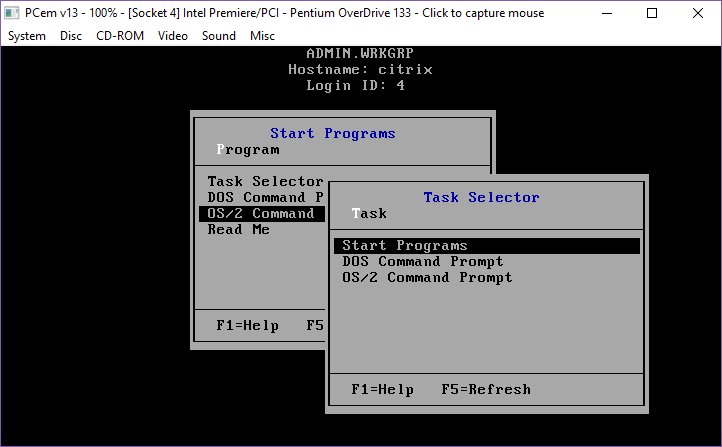
And plenty of new fixes!ร‚ย  I just installed Citrix 2.0 with the older OS/2 1.2 based drivers, and it works great!

Citrix 2.0 on PCem v13

The full announcement is here, along with downloads for Windows & Linux.