Updated build of Linux 0.11 on Windows 10

Building & Running Linux

Building & Running Linux

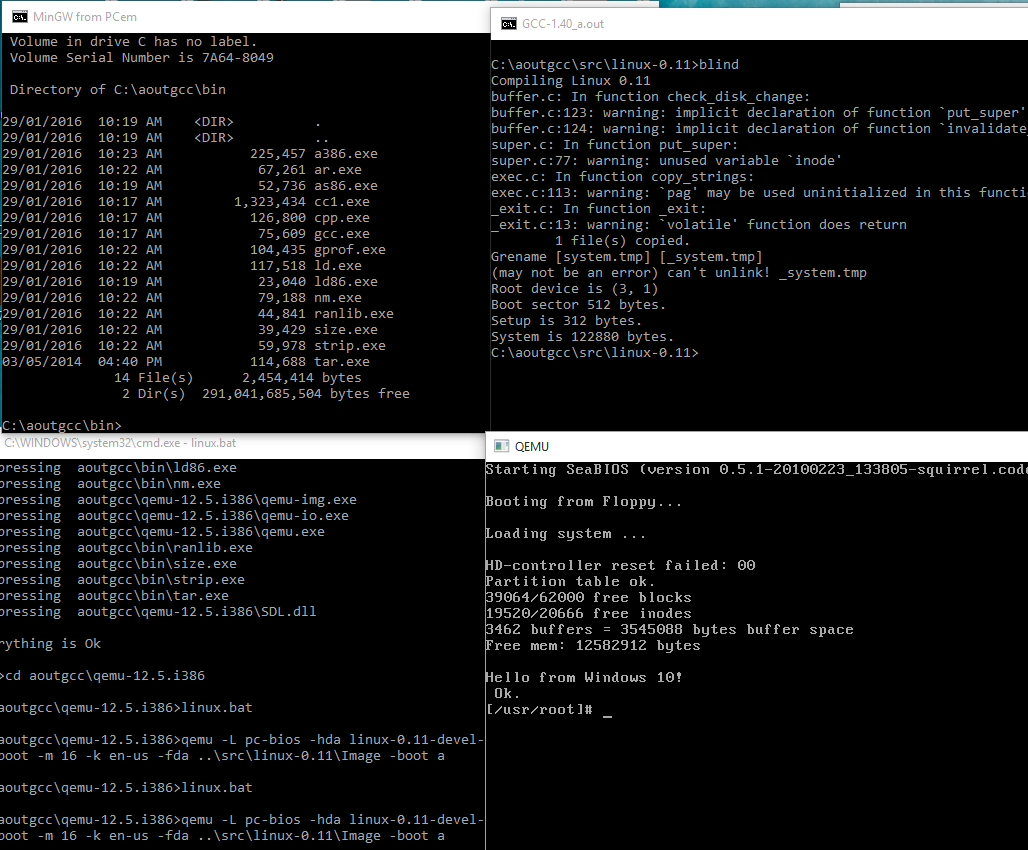
I’ve updated my project for compiling Linux 0.11 on Windows 10.  In this version it builds a lot better with TDM MinGW 5.1.0 + MSYS.

The big improvements is that you can compile Linux without the full MinGW/MSYS install by running the ‘blind’ script which will compile the kernel without make and friends.

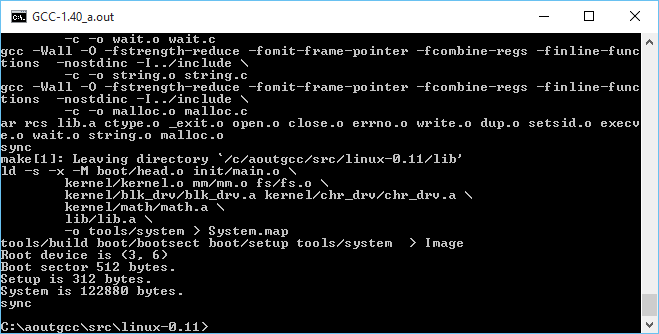
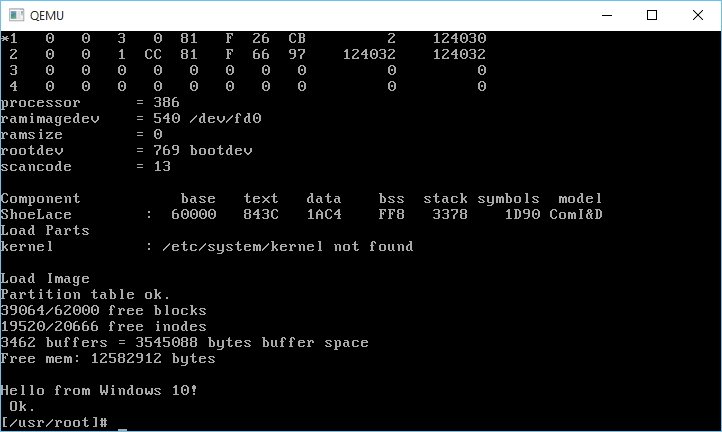
The build process for the kernel works as well so now with the included Qemu 0.12.5, no need to link under Linux anymore.  I fixed up some of the build processes as I thought I’d re-build and some stuff bombed so it’s all fixed up.

For those interested, I just updated the original download here:

MinGW-aout-linux-011.7z

Building Linux 0.11 on Windows 10

No really, it compiles! on Windows!

No really, it compiles! on Windows!

So continuing with the fun from yesterday, where I had managed to get gcc 1.40 running on Windows with MinGW, it was time to try to take the final leap and build Linux.

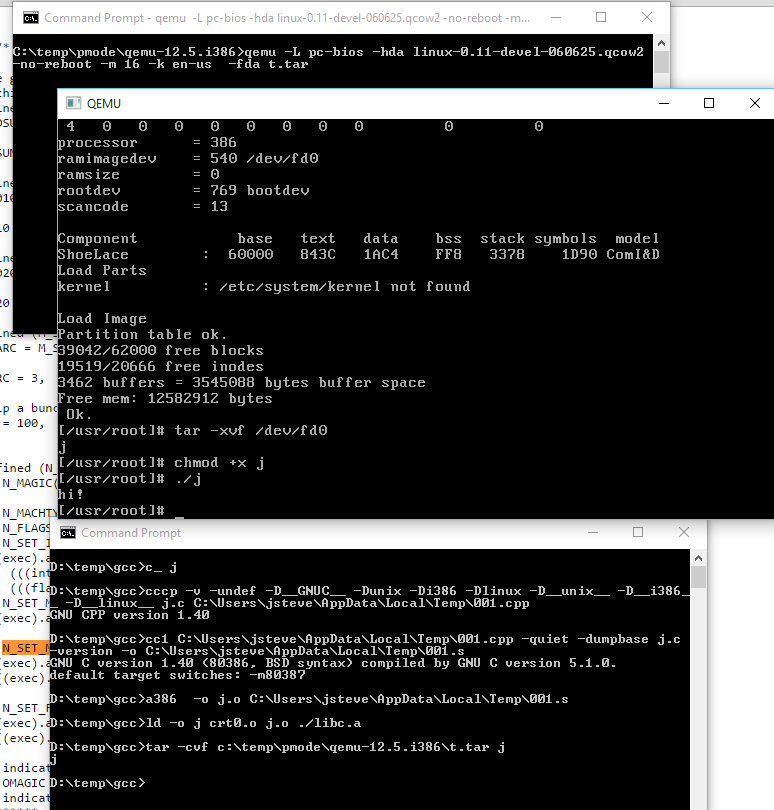
There wasn’t too much to massage on Linux, mostly Makefiles for the various tool name differences, and how to handle keyboard.S as the default setup for NTFS is case insensitivity. While I did get some old version of as16 and ld16 to build, I’m not sure if they are working correctly. Or it could be the ‘build’ tool. The downside is that the final ‘Image’ file produced doesn’t work (I should add that all issues have since been fixed, and it is now possible to cross compile a running kernel from Windows, and boot it with Qemu).

But copying the ‘system’ file that is compiled on Windows, to a Linux VM, and having it do the boot setup does work!

And it boots!

And it boots!

Very cool to say the least!

I almost wonder if MSVC 1.0 could build any of this. Then it could be possible to bootstrap Linux from Windows NT 3.1 … Although Windows 10 is good enough for me, right now.

And I got the DJGPP 1.0 gcc driver to work (soft of)!

C:\aoutgcc\test>gcc -v hello.c -o hello -I ../include-0.12 -L../lib
gcc version 1.40
cpp -v -I ../include-0.12 -undef -D__GNUC__ -Dunix -Di386 -D__unix__ -D__i386__ hello.c C:/Users/neozeed/AppData/Local/Temp/cca0_388.cpp
GNU CPP version 1.40
cc1 C:/Users/neozeed/AppData/Local/Temp/cca0_388.cpp -quiet -dumpbase hello.c -version -o C:/Users/neozeed/AppData/Local/Temp/cca0_388.s
GNU C version 1.40 (80386, BSD syntax) compiled by GNU C version 5.1.0.
default target switches: -m80387
a386 -o hello.o C:/Users/neozeed/AppData/Local/Temp/cca0_388.s
ld -o hello c:/aoutgcc/lib/crt0.o -L../lib hello.o c:/aoutgcc/lib/gnulib -lc c:/aoutgcc/lib/gnulib

Sorry that doesn’t format so well on a blog. But now I only have to force the include path, and the lib directory. At this point I’d call it ‘good enough’

I uploaded the archive MinGW-aout-linux-011.7z. If you want to compile Linux, you’ll need a MSYS from MinGW. Otherwise, this is only interesting to people who run Windows and want to play with Linux 0.11. Â I also included the Linux VM, and binaries for the tools. It’s not even 7MB. How is that for crazy small?

** EDIT

I got it all working now that I found all the portions to set to output as O_BINARY/wb that are needed on a Win32 host, so using MinGW I can build the as86/ld86/binutils/gcc and Linux 0.11!

My updated post is here.

Also I put all the source onto git, along with binaries up on sourceforge. It’s worth mentioning that since I wrote this article, I have gotten quite a number of older versions of Linux to build, along with simple kernel debugging with GDB. Kernels include:

Download Ancient Linux on Windows

Download Ancient Linux on Windows

Craziest cross compile yet!

Windows 10 to target Linux 0.11!

It works!

It works!

Sadly that ancient line program only runs ELF binaries, so that won’t work to test.

As I mentioned gcc doesn’t work. I need to tear more into DJGPP
to see how they did it or just use it’s gcc driver to run this.

In the test directory I’ve mimic’d what a Linux 0.11 install does when compiling
a single file into an exe.

simply run:

c_ hello

and it’ll compile hello.c into hello.

C:\aoutgcc>..\bin\cpp -v -I../include-0.12 -undef -D__GNUC__ -Dunix -Di386 -Dlinux -D__unix__ -D__i386__ -D__linux__ hello.c C:\Users\neozeed\AppData\Local\Temp\001.cpp
GNU CPP version 1.40

C:\aoutgcc>..\bin\cc1 C:\Users\neozeed\AppData\Local\Temp\001.cpp -quiet -dumpbase hello.c -version -o C:\Users\neozeed\AppData\Local\Temp\001.s
GNU C version 1.40 (80386, BSD syntax) compiled by GNU C version 5.1.0.
default target switches: -m80387

C:\aoutgcc>..\bin\a386 -o hello.o C:\Users\neozeed\AppData\Local\Temp\001.s

C:\aoutgcc>..\bin\ld -o hello ../lib/crt0.o hello.o ../lib/libc.a

Wasn’t that fun?

The ‘best’ way I can think of to test is to tar the exe like this:

C:\aoutgcc>..\bin\tar.exe hello.tar hello

And then run it with the Linux 0.11 on Qemu which can be found here:

qemu-12.5.i386.zip

qemu -L pc-bios -hda linux-0.11-devel-060625.qcow2 -no-reboot -m 16 -k en-us -fda hello.tar

Then once Linux boots, do this:

tar -xvf /dev/fd0
chmod +x hello
./hello

Fun?!

For anyone who wants to play at home, here is the complete sources, and binaries.

InfoTaskForce running on PowerPC (Dynamips)

choices..

choices..

Well considering what a hit it was, the last time I did this, I thought I’d give it another go!

And after a bit of fighting, I got it to run!

Now what were the obstacles?  Well for starters not having a full libc certainly hurts things.  Things like a malloc.  And without getting fancy with the memory map I did the lamest cheat ever, which is a 1MB static array I just handed out with a fake malloc (no free, I didn’t bother to track chunks), and you know it works enough.

Also I need to read files, and I need to look more into the hardware to see how to do that.  There seems to be plenty of hooks for NVRAM, but the ROMMON substitute doesn’t seem to support them.  Also there is no ROMMON hook for reading from the console!  The MIPS cilo is more ROMMON dependent, while the PowerPC c1700 talks to the uart directly so this is a PowerPC thing for right now.

I also learned something exciting about ld, which is how it can absorb binary images into objects, that you can link and access directly into your program!  No more having to convert it to hex, make these insane headders that CPP may or may not bomb over.  No you can make them objects right away!

ppc-elf-ld -r -b binary -o planetfa.o planetfa.dat

In this example I read the file planetfa.dat as BINARY, and encapsulate it in an object file called planetfa.o . It’ll now have a symbol name of _binary_planetfa_dat_start for where the image begins, _binary_planetfa_dat_size will tell me how big it is in memory, and _binary_planetfa_dat_end will mark the end of this ‘file’ in memory.

Now in the old days when it was a file I could access it like this:

fread ((char *)ptr,block_size,(int)num_blocks,game_file);

But that won’t work.  So now instead of calling fopen/fclose (which don’t exist in CILO), I set a counter to what my current offset is, change the ‘fseek’ to just set the global counter to where it should be, and when I fread I just memcpy:

memcpy(ptr,_binary_planetfa_dat_start+fseekp,num_blocks*block_size);
fseekp=fseekp+(num_blocks*block_size);

I suppose I could just have wrapped the f* calls into some emulation library but I don’t need to get all that crazy sophisticated.

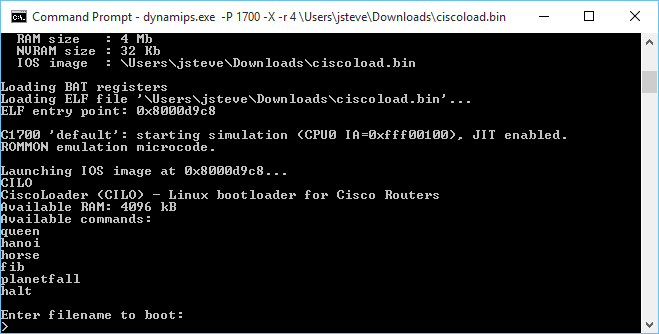
C:\temp\dynamips>dynamips.exe -P 1700 -X -r 4 ciscoload.bin
Cisco Router Simulation Platform (version 0.2.15-experimental(merge uppc smips)Build-3-x86/MinGW stable)
Copyright (c) 2005-2011 Christophe Fillot.
Build date: Sep 19 2015 19:33:12

Local UUID: 0450c178-6480-11e5-a559-019031cf957a

Pcap version [WinPcap version 4.1.3 (packet.dll version 4.1.0.2980), based on libpcap version 1.0 branch 1_0_rel0b (20091008)]
Unsure if this file (c1700_i0_rommon_vars) needs to be in binary mode
Virtual RAM size set to 4 MB.
IOS image file: ciscoload.bin

ILT: loaded table “mips64j” from cache.
ILT: loaded table “mips64e” from cache.
ILT: loaded table “ppc32j” from cache.
ILT: loaded table “ppc32e” from cache.
vtty_term_init
CPU0: carved JIT exec zone of 64 Mb into 2048 pages of 32 Kb.
C1700 instance ‘default’ (id 0):
VM Status : 0
RAM size : 4 Mb
NVRAM size : 32 Kb
IOS image : ciscoload.bin

Loading BAT registers
Loading ELF file ‘ciscoload.bin’…
ELF entry point: 0x8000d9c8

C1700 ‘default’: starting simulation (CPU0 IA=0xfff00100), JIT enabled.
ROMMON emulation microcode.

Launching IOS image at 0x8000d9c8…
CILO
CiscoLoader (CILO) – Linux bootloader for Cisco Routers
Available RAM: 4096 kB
Available commands:
queen
hanoi
horse
fib
planetfall
halt

Enter filename to boot:
malloc 64512 offset is 0 offset is now 64522
malloc 38912 offset is 64522 offset is now 103444
PLANETFALL
Infocom interactive fiction – a science fiction story
Copyright (c) 1983 by Infocom, Inc. All rights reserved.
PLANETFALL is a trademark of Infocom, Inc.
Release 37 / Serial number 851003

Another routine day of drudgery aboard the Stellar Patrol Ship Feinstein. This
morning’s assignment for a certain lowly Ensign Seventh Class: scrubbing the
filthy metal deck at the port end of Level Nine. With your Patrol-issue
self-contained multi-purpose all-weather scrub brush you shine the floor with a
diligence born of the knowledge that at any moment dreaded Ensign First Class
Blather, the bane of your shipboard existence, could appear.

Deck Nine
This is a featureless corridor similar to every other corridor on the ship. It
curves away to starboard, and a gangway leads up. To port is the entrance to
one of the ship’s primary escape pods. The pod bulkhead is closed.

Deck Nine Score: 0/4451
PLANETFALL
Infocom interactive fiction – a science fiction story
Copyright (c) 1983 by Infocom, Inc. All rights reserved.
PLANETFALL is a trademark of Infocom, Inc.
Release 37 / Serial number 851003

Deck Nine Score: 0/4451
>

For anyone crazy enough, you can find my MinGW Dynamips on sourceforge, cross compilers for PowerPC, and the branch of the firmware source that includes InfoTaskForce, and the binary image.

While I don’t want to write an OS for this, it is almost tempting.  Or go the other route, and add in some non router based hardware… Like audio hardware, or a framebuffer.

Does anyone have a 1700 to test to see if any of this works?  Or a 7200?! 😀

Continuing with a PowerPC ELF compiler for Windows

Continuing on from yesterdays adventure I built the PowerPC compiler to support the Cisco 1700 (and maybe the 7200 NPE-G2?).

Much to my surprise, this one works too!

Loading ELF file ‘../ciscoload.bin’…
ELF entry point: 0x8000cba0

C1700 ‘default’: starting simulation (CPU0 IA=0xfff00100), JIT enabled.
ROMMON emulation microcode.

Launching IOS image at 0x8000cba0…
CIL
Error: Unable to find any valid flash! Aborting load.

Awesome!

Building this was a lot more fun.  I thought I could sidestep building a Linux to PowerPC ELF cross compiler, but as it turns out, to bootstrap libgcc, you really need a compiler that can do this.  But with the steps basically down, it was trivial to whip up.

Although I did keep on hitting this error with the Win32 tools that “-mstrict-align” is not supported, while trying to build the startup and libgcc sources using the MinGW targeted compiler through wine.  But once I had a native Linux to PowerPC toolchain in place, not only could I build the Windows based compiler, but I can also use the flag -mstrict-align on Windows without it complaining.  So lesson learned, have a cross compiler built to the final target to make life easier when building a Canadian cross.

As always, building the binutils package was a snap, just run:

./configure --host=i686-mingw32 --target=ppc-elf -prefix=/ppc

and I had my assembler/linker/librarian in no time.

Because of the aforementioned -mstrict-align issue, I got more creative with the parameters for GCC.

./configure --target=ppc-elf --prefix=/ppc --disable-nls --disable-werror --disable-libssp --without-headers --disable-threads --build=i486-linux-gnu --host=i686-mingw32

But with the Linux to PowerPC cross compiler in place, I was able to quickly generate a working toolchain.

I copied in CILO, and added in a build batch file to manually build it, and updated the test directory to run it.

So for those who are interested here is my toolchains:

And a mirror on sourceforge of my cross toolchains, PowerPC and MIPS.

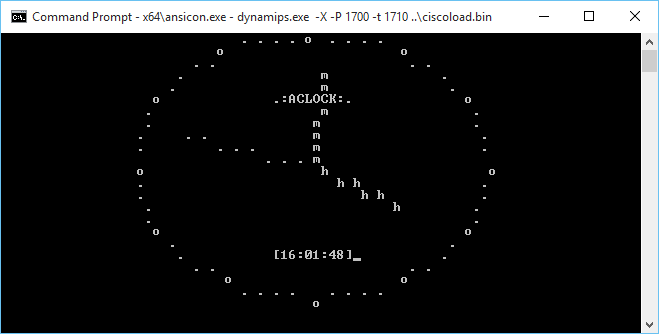
As a minor addendum, The 1700 can run stuff that is far more complicated than the MIPS.  I’m not sure why I get so many TLB violations for doing something more complicated but I (poorly) ported aclock to run on the cisco 1700!

Aclock on the cisco 1700 via Dynamips

The Dynamips ROMMON emulator doesn’t provide the keyboard input function call so it can’t read from the keyboard.  Also it can’t read the clock, so I have it running 250,000 dhrystones between clock ticks.  Although I think that is far too many, maybe 125,000 would be more like it but it runs on the PowerPC.  While on the MIPS I get nothing but this:

*** TLB (Load/Fetch) Exception ***
PC = 0x80008964, Cause = 0x00008008, Status Reg = 0x00408103

Oh well.  Maybe it’s a stack problem I guess I’ll have to break down and do a memory map and write a malloc if I want to go down this road.  Although back in 1999 this would be incredible but today I don’t think anyone would run anything but IOS on their cisco hardware.

Building a MIPS Compiler for Windows on a Linux VM!

I’ve tried to build a cross compiler on MinGW32 before, and despite there being obvious steps on how to do it, I’ve never gotten it to work.  Now I’ve built cross compilers before so it’s not like I don’t have any clue on what I’m doing, but the problem is that Windows isn’t UNIX, and I don’t want to use Cygwin.

So that enters another fun possibility known as the Canadian Cross, which is using a machine in the middle to build a compiler.  As we all know, Linux is great for building and running GNU software, so a Linux machine to build my cross compiler would be the best.  Now the whole point of this is that I wanted to build a MIPS program to run on Dynamips.  And through a LOT of googling, I managed to find this program called CILO the cisco Linux loader.  Now as far as I can tell the people trying to port Linux the the MIPS based cisco routers (3600 and 7200) never succeed, but they did manage to leave this bootloader behind.  And compiling it was very tricky as they gave no hints on what to use.  So with a lot of trial and error I found that binutils 2.18 is the minimal version that will work as the code depends on being able to do register aliasing which isn’t present in previous versions.  Also according to this, they were using gcc 4.1.2 in their Linux port. So with some luck I did mange to get CILO to build with a cross compiler on Linux.  Which was pretty awesome to see Dynamips run a C program!

But that doesn’t help me on the Windows side.

Now the first thing that I’d normally do is install the default MinGW cross tools, but because I need ancient binutils and GCC support as newer versions not only won’t work for what I want, but won’t build older versions I tried to keep things in step.  This meant on Linux I first had to build a Linux to Windows cross compiler using binutils version 2.25.1 and GCC version 4.1.2 . Configuring and building binutils was a snap with:

./configure --target=i686-mingw32 --prefix=/usr/local/mingw32

And configuring and building gcc was also a snap with:

./configure --target=i686-mingw32 --prefix=/usr/local/mingw32 --disable-libssp

I thought I could just use a new mingwrt and w32api but that proved disastrous as the newer libs gave me this fun error on trying to link a Win32 execuatable:

undefined reference to `___chkstk_ms’

And googling that around the consensus is that your binutils, and gcc is too old, and upgrade, granpa!  But I want old software so I naturally have to just use older versions, and for gcc 4.1.2 I wanted:

  • mingwrt-3.18-mingw32-dev.tar.gz
  • w32api-3.15-1.mingw32-dev.tar.lzma

Now I could build and link and test my Linux to Windows toolchain!

Now for the crazy part.

First I need a binutils, so I configured binutils 2.18 like this:

./configure --host=i686-mingw32 --target=mips-elf --prefix=/mips

And sure enough with a little prodding I had a MIPS assembler/linker/librarian and all that fun stuff!

Next was a little (ok a LOT) more fun which was building gcc.

After about 30 aborted attempts I finally got gcc to build with this:

./configure --target=mips-elf --prefix=/mips --disable-libssp --build=i486-linux-gnu --host=i686-mingw32

The fun part of course is that during the build, gcc will want to run the cross compiler and dump it’s host machine bit types by running ‘xgcc -dumpspecs’.  Well thankfully via wine, Linux can run Win32 execuatables so I saved myself a few minutes by not having to copy over the partial compiler, and run the command, and transfer the results back.

So with a bit more hand holding on the build I finally got it to finish compiling by linking /bin/true to fix-headers . What a mission.  Now I excitedly transfered my build to my Windows host, and setup some environment variables and built the hello world cisco application, and, it worked! (well crashes the same way as the pre-built one, but it does say:

C7200 ‘default’: starting simulation (CPU0 PC=0xffffffffbfc00000), JIT disabled.
ROMMON emulation microcode.

Launching IOS image at 0x80008000…
Hello World!
Image returned to ROM.
Reset in progress…

Which is pretty cool!

I tried to merge in a make utility but that turned out to be kind of screwed up, so I just copied the cross steps from Linux, and now I can build cilo on Windows!

C7200 ‘default’: starting simulation (CPU0 PC=0xffffffffbfc00000), JIT disabled.
ROMMON emulation microcode.

Launching IOS image at 0x8000d2e4…
CIL
Error: Unable to find any valid flash! Aborting load.
Image returned to ROM.
Reset in progress…

It may not look like much, but It is running the program!  Dynamips is missing a bunch of hardware, like flash.  Or I found out the ability to read from the console using the promlib.  But it can print to it at least.

So for those who want to give it a try, here is my MIPS-ELF tool-chain for Win32, that includes the cisco loader!

Porting Quake II to MS-DOS pt5 – 3DFX, GameSpy, Quake 2, and The Universe

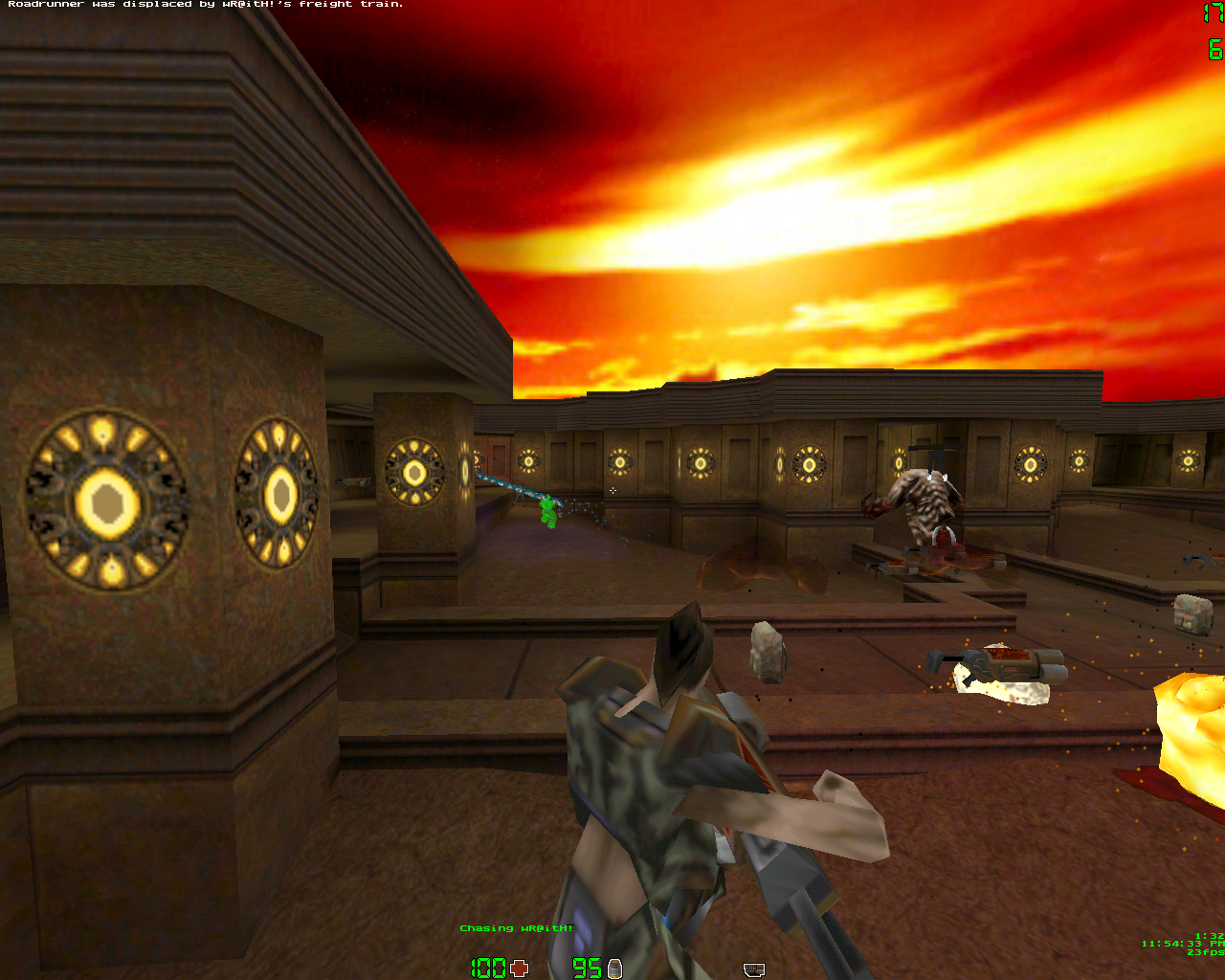
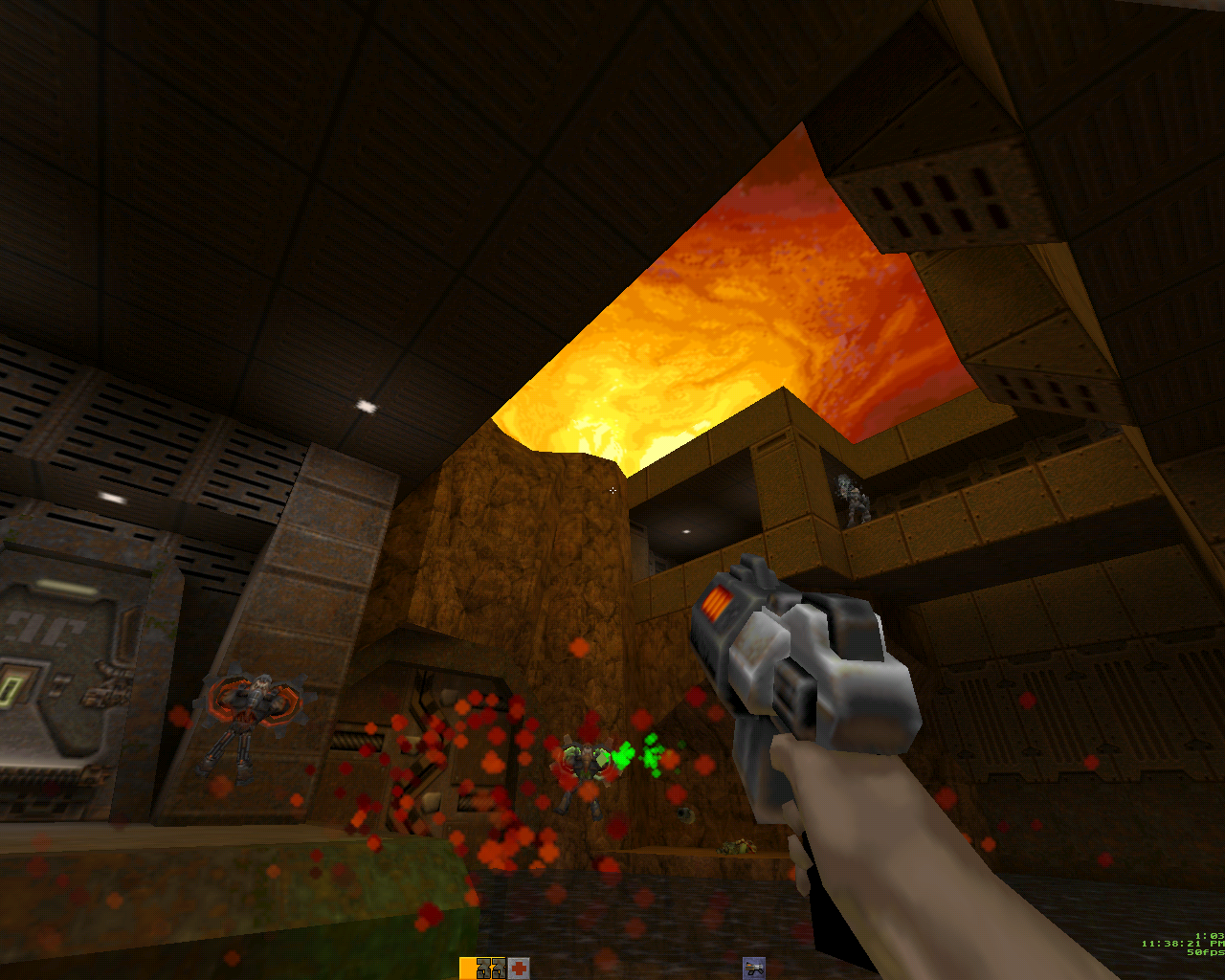
The following is a guest post / wrap-up of the Q2DOS adventure by [HCI]Mara’akate.q2dos_3dfx_4
In the last update sezero and I([HCI]Mara’akate) tied up most loose ends with regards to Q2DOS.  Specifically: adding in DXE support for mods and cleaning up some code from the early efforts.  During this time, a forum user by the name of ggorts (strogg spelled backwards!) mentioned the possibility of using an old Mesa version with 3DFX support in DOS. I worked on separating the ref_soft from being statically linked into a DXE form and sezero cleaned up any potential problems there.

I mentioned the possibility of attempting the Mesa port to sezero and he thought it was probably a wasted effort and thought making a ref_glide depending only on glide3x.dxe would be a better way to go with less overhead.  I started some initial work on it but quickly abandoned this side-project as I have no real glide (or even OpenGL) knowledge and didn’t have enough time on my hands to play around with it.

Around this time, we also separated the GameSpy browser code into a separate DXE for potential legal issues.  The GameSpy code was publicly released, but never officially GPL’d.  Using this method, other port authors could link against a gamespy.dll to add in the browser capabilities that connect to my GameSpy master server emulator (see QDOS branch for source code to that particular project).

Ggorts also came up with some code for us to be able to finally use the banked modes and Mode-X 320×240.  Though 320×240 Mode-X seems to have some issues with certain emulator configurations, for the most part it works OK.  This also helped us to get some ASM rendering code in from Q1 and help clean up the original mess that was the SVGA driver; a lot of unused code from Q1 was removed and sezero found a clever way to send the video modes list between the game binary and renderer DXE.

In any event, one night I figured I’d take a stab at trying to get Mesa working in Q2DOS.  Checking out the Mesa3d FTP and researching the various changelogs it appears as if Mesa 5 series was the last true effort with Mesa 6.4.x series being the last maintained version with 3DFX specific code.  I got everything to compile but ran into hard-lock issues no matter what I attempted.  During this time, ggorts found out some various small, but now obvious issues. Including increasing the stack size to 1MB, and he hard-coded the ref_gl to only work in 640×480.  It took a lot of pleading but eventually he released his source with a static compile for Voodoo 1 cards only as he was testing this on emulators like DOSBox with glide support and PCem dev branch.

I worked on cleaning up the source and he produced some glide3x libraries for me for Voodoo 2 and Voodoo 5 as these were the only cards I personally owned.  Imagine my surprise as I first loaded it up and it actually worked!  And it was smooth with no rendering issues!

q2dos_3dfx_3

At this point, sezero became involved and worked very hard to clean up the Mesa compile issues, including various scary warnings and helped to update us to the final glide3x commit pushed to the development branch and Mesa v6.4.3 which was an unreleased maintenance update for Mesa v6.4.2.

It was a long journey to get the code all working together just right, and a big thanks goes out to the early Mesa crew including Brian Paul, Daniel Borca, and “KoolSmoky” and the mysterious ggorts fellow who pushed hard for this feature.

To recap, Q2DOS from the last time we talked now has:

  • 3DFX Rendering with Mesa v6.4.3 for all Voodoo cards.
  • Separated renderer so it is no longer statically linked.
  • GameSpy is now a DXE.
  • WAV streaming, which is practically free as opposed to the OGG format.

q2dos_3dfx_1
q2dos_3dfx_8

We are about at the end of our Q2DOS journey.  A few odds and ends with Mesa and Voodoo 5 SLI issues remain (though nothing to show stopping) and there’s a small wish list of some unnecessary features but it’s come a long way from the initial null driver effort!

q2dos_3dfx_2*Neozeed

I have to say it is simply incredible to see how Q2DOS went from a very primitive ‘wow it works’ port to a full featured port.  Simply amazing!

For those who missed the adventure it starts in Part 1, continued in Part 2, Part 3 and Part 4.

“warning: Invalid parameter passed to C runtime function.”

So while debugging Dynamips I got this fun message under GDB.  Of course it doesn’t tell you WHAT function did it, or HOW it was trying to do it.  Fantastic.

Thankfully Dennis Yurichev’s blog gave me the hint to put a breakpoint on ‘OutputDebugStringA’ and sure enough I could see Dynamips trying to treat a socket like a stdio file handle.  Something you can’t do in Win32 world.

On the plus side, I just had to do a small re-write of some functions and I can talk to the Dynamips hypervisor!  Idle and JIT are working too!  Along with WinPcap and UDP transports.

Dynamips on MinGW

It’s always bugged me that the only way to build Dynamips for Windows was with Cygwin.

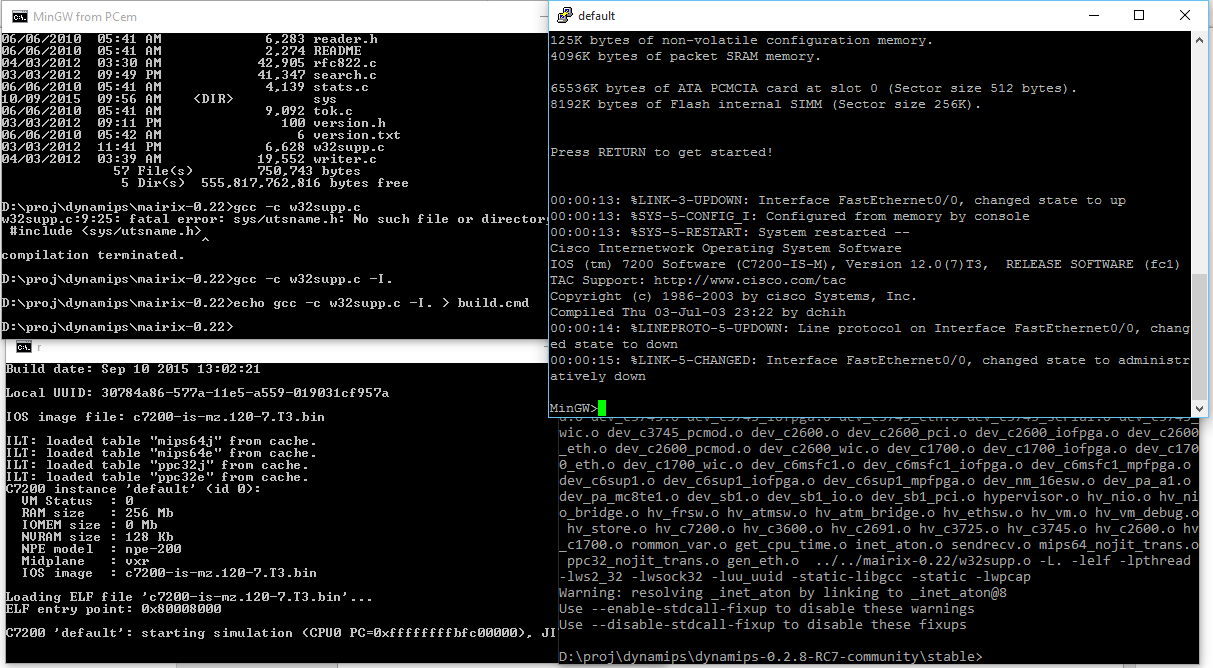
Well fear no more, I’ve mashed an old version (I would have tried newer, but of course Cmake fails spectacularly and with zero help as always!) and not only does it compile, but it can boot a 7200 version of IOS.

Dynamips on MinGW

Dynamips on MinGW

JIT is broken.  You have to telnet into the console.  And the console is a little wonkey as I’m sure it’s doing a lot more UNIX translation vs being a Win32 program but it does work enough to login, save the config, and reload.

But it’ll crash on reload.

I’m sure it’s full of bugs actually.

https://sourceforge.net/projects/dynamips-mingw/

I started with Dynamips 0.2.8-RC7-community and started commenting out stuff to get it to compile.  Luckily I found this ezwinports that includes mairix that includes some memory mapping functions, namely mmap and munmap ported to Win32 in an early glibc port. While I was trying to integrate libuuid, I got this fun error:

mingw “error: conflicting types” “UUID”

MinGW includes UUID support, since it’s a Microsoft thing.  Unfortunately libuuid doesn’t include unique names,  so I had to rename uuid_t to uu_uuid_t

//typedef unsigned char uuid_t[16];
typedef unsigned char uu_uuid_t[16];

in the uuid.h header file, along with all instances in Dynamips.

I also borrowed sendmsg/recvmsg along with the msg structures from VLC.  inetaton.c from WSHelper, and finally telnet.h from NetBSD.

After that it was a matter of making sure Winsock starts up, and fixing some linking breakage.

For those who want to try, the binary package is here.  I’ll have to setup git on this machine and upload all the changes.  It shouldn’t require any DLL’s, although I haven’t looked at the pcap stuff, as I mentioned it’s largely untested, so I have no idea if any of it works other than the telnet console.

PCem networking update to build 335

Well after extensive testing of various CFLAGS settings it turns out that “-O2 -flto -ffast-math -mfpmath=387” gives the best overall settings for PCem.

So yeah me and leileilol went through a dozen+ iterations to arrive at this fun conclusion.

So I’ve only included 2 executables, a debug and the -O2 build.

You can download it here.

I haven’t made any changes to the networking code, and even with a LOT of fighting got OS/2 Warp 3.0 Connect to install.

Gopher

Gopher

Plus I fixed my gopher!

**EDIT

I made a mistake, and built both exe’s as debug.  I updated the archive, those who downloaded it, will want to do so again!