On the way to building Qemu 1.0…

Well one of the fun things is that Qemu now relies on glib.  But in order to build glib it needs pkg-config. And of course you can believe that pkg-config requires glib in order for it to work.  Good lord, nothing like circular dependencies!!!

So what to do?  First things first libffi will be needed to build glib.  It doesn’t seem to have any crazed dependancies so that built ok.  Also something I’ve been missing in a lot of ‘native’ MinGW builds is to add:

–prefix=/mingw

to the configure strings to get things in a location where the system will find them.  For some reason MinGW doesn’t walk /usr/local .. I guess because its not UNIX. With libffi built then you can configure/build glib like this:

export LIBFFI_CFLAGS='-I /mingw/lib/libffi-3.0.10/include'
export LIBFFI_LIBS=-lffi
export lt_cv_deplibs_check_method="pass_all"
export CFLAGS='-O0 -g -pipe -Wall -march=i486 -mms-bitfields -mthreads'
export CPPFLAGS='-DG_ATOMIC_OP_USE_GCC_BUILTINS=1'
export LDFLAGS=”-Wl,--enable-auto-image-base”
./configure --prefix=/mingw --with-pcre=internal --disable-static --disable-gtk-doc --enable-silent-rules

Then it is a simple matter of building out pkg-config then rebuilding glib in a ‘sane’ fashion.  This all comes form the MinGW wiki which has great information on how to do things like bootstrap glib!

And don’t forget to install python! Even Qemu needs it now!

And add it to /etc/profile so it will be in your path…

  export PATH=”.:/usr/local/bin:/mingw/bin:/bin:/c/python27:/c/python27/dlls:$PATH”

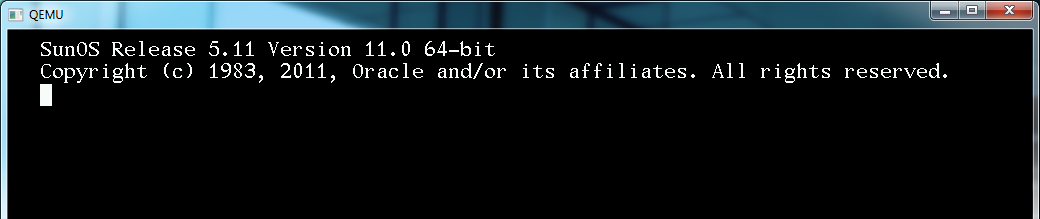
Solaris 11 came out today

They blew the 11/11/11 launch date.  I guess Oracle really just doesn’t care about magical numbers or whatever.

I guess for the two or three people who even run this stuff (no doubt to run Oralce and it’s draconian licensing) you can find out all about it here.

It appears they still keep the Fortran stuff around for it…  Oh and this release is x86_64 only.  Sorry 32bit users.

Installing gcc (and I imagine everything else) revolves around the pkg command… In this case ‘pkg install gcc-3’ will download and install gcc 3.  While ‘pkg install gcc-45’ will install GCC 4!.  Don’t forget to install system/header or you won’t have things like stdio.h!!

Another GCC tidbit, is that you can build 64bit binaries with GCC 4.5 by supplying the -m64 flag!

While Solaris 11 installs somewhat quickly in VirtualBox (but wow does it take forever to boot), it is bare minimum…

Also for those who want it, here is lynx & ircII for Solaris Oh and a Quake World Server.  At least wget is in the base, but I don’t see why lynx isn’t.

Quake & QuakeWorld for MS-DOS update

So after a year+ of inactivity I’ve spent some time with Quake (netquake) and QuakeWorld for MS-DOS.  I had modified it to support the WatTCP stack for MS-DOS, allowing you to play over the internet with any MS-DOS PC with a packet driver.

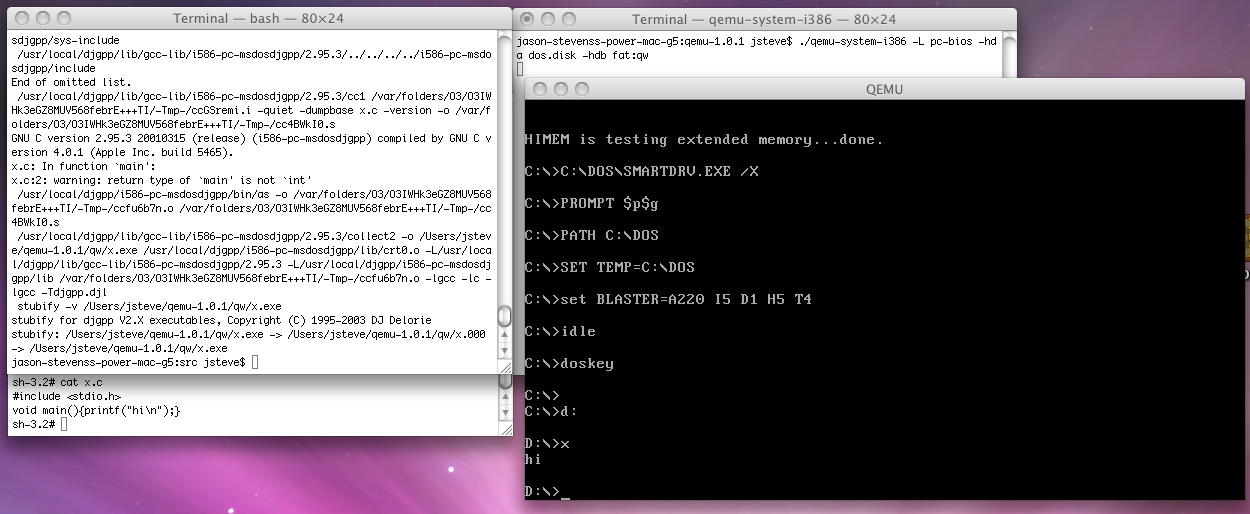
After a good bit of prodding and playing with DJGPP I’ve updated everything to include some new tweaks for a malloc ‘bug’ (Quake assumes the memory is clean, which under DJGPP it isn’t) some limit increases (zone to 1MB, and increases in max edicts, models & sounds), and forcing the sound to 22050Hz.  The source code is now here.  As much as it pained me, I built it with this DJGPP under MS-DOS (On Qemu) and I’m keeping it here, as gcc 3 & 4 are incapable of building a working WatTCP or Quake.

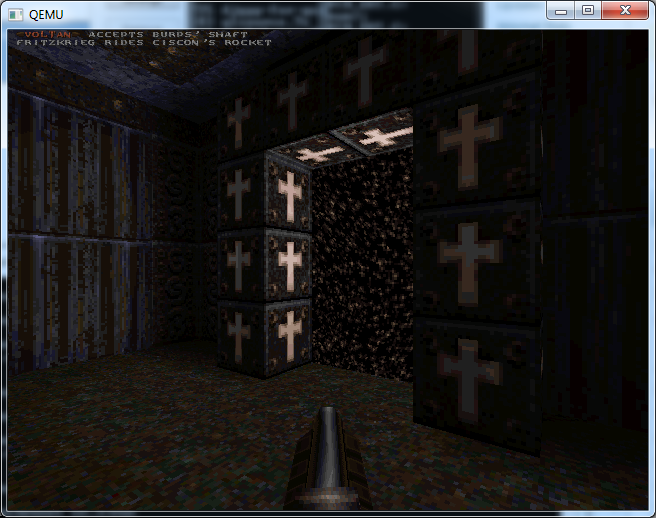
Another big fix for QuakeWorld is that it now can run in 640×480, 800×600, and even 1024×768 if your video card is VESA 2.0 compatible!!!

Basically you can just replace the default exe’s in a Quake1 install and go from there.  If you do not have quake at all, you can always look for the shareware version.  QuakeWorld will require the commercial version for what it is worth. I’ve found it runs best with 32MB of ram.  I don’t know if that is even an issue in this day & age.  Quake1 will run in 16, but I have a feeling QuakeWorld runs in VM (thanks to CWSDPMI) and it does say it is using 32MB … Because I clear the ‘zone’ before Quake runs there may be a 30 second to 1 minute pause.  This is to be expected, just hold tight.

QuakeWorld at 640x480

QuakeWorld at 800x600

QuakeWorld at 1024x768

You can download either Quake.exe or Qw.exe.

Thanks to [hci]maraakate, for the hints on what to update where, and of course the testing on a ‘real pc’!`

QuakeWorld for OS/2 2.0

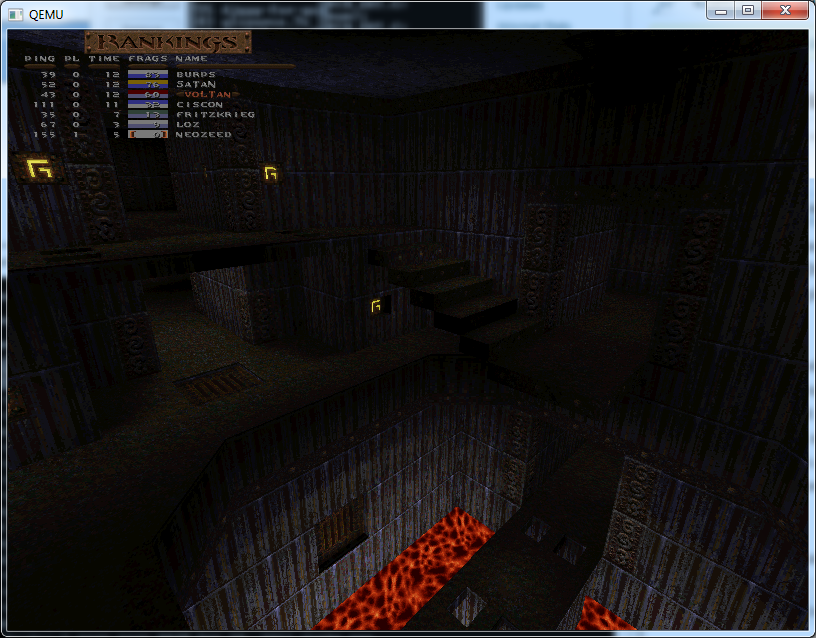
Not sure why its suddenly working…. but I suspect it may be either updates to both OS/2 base OS & TCP/IP or…. it is because I’m using the QuakeWorld server code that matches the client…. Anyways I’ll upload a binary and the rest later as it is super late.  But for those of you who want to see it…

Yes it really is an OS/2 exe built with EMX!

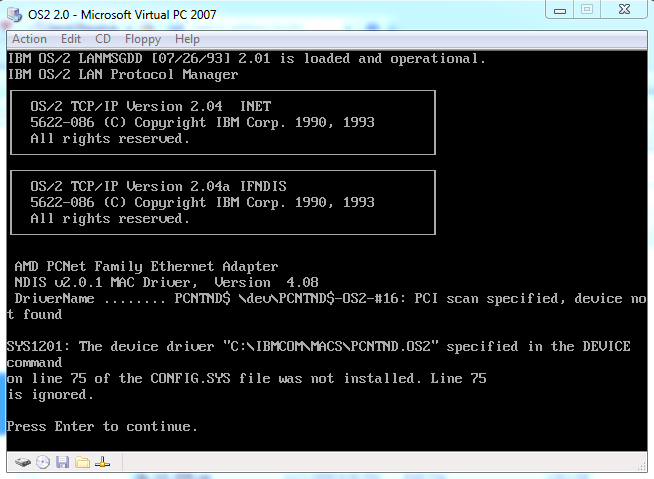
I’ve updated the sourceforge page to include an exe, and a copy of the updates that I’m using to OS/2.. Oddly enough my OS/2 install with Virtual PC no longer works… The NIC isn’t found anymore, must be some update?  I’ve got 6.0.192.0, although I know for a fact that this image used to work…

Broken driver

Further update, turns out I’m retarded the AMD PCNet driver is for VMWare/Qemu … Virtual PC emulates a DEC 21140a, which I downloaded a NDIS2 driver from Intel which works great.  I do have to turn off hardware assisted virtualization otherwise OS/2 won’t boot at all from the hard disk..  I’m not sure if it is because I’m now on an AMD computer, or if it is the matched QuakeWorld server/client but it works fine… in Qemu & Virtual PC.

Super small 64bit OS

it doesn’t do much, but it does work!.. I saw it mentioned here, and the source archive can be downloaded here.

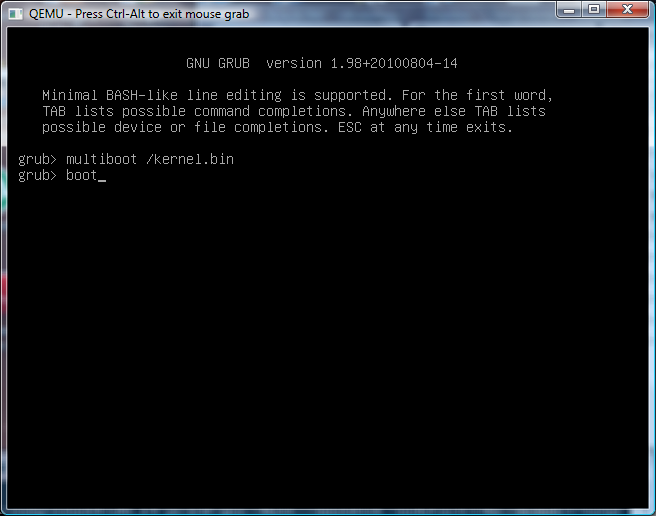
So I went through the steps of  building a 64bit cross tool to build it.. Although Qemu won’t boot the kernel directly, and it uses GRUB which isn’t so bad but I haven’t made a transparent boot system for it just yet…  Maybe I can use a CD-ROM ISO image…

C:\temp\trunk4>build
C:\temp\trunk4>del *.o kernel.bin kernel.ld
C:\temp\trunk4>x86_64-pc-elf-cpp -Iinclude -P -C -DLINKER_SCRIPT -o kernel.ld kernel.lds
C:\temp\trunk4>x86_64-pc-elf-gcc -Iinclude -Xassembler --divide -c -o startup.o startup.S
C:\temp\trunk4>x86_64-pc-elf-gcc -Wall  -nostdlib -nodefaultlibs -mcmodel=large -Iinclude -c -o kmain.o kmain.c
kmain.c: In function 'kmain':
kmain.c:17: warning: unused variable 'n'
kmain.c:15: warning: unused variable 'str'
C:\temp\trunk4>x86_64-pc-elf-gcc -Wall  -nostdlib -nodefaultlibs -mcmodel=large -Iinclude -c -o idt.o idt.c
C:\temp\trunk4>x86_64-pc-elf-gcc -Iinclude -Xassembler --divide -c -o isr.o isr.S
C:\temp\trunk4>x86_64-pc-elf-gcc -Wall  -nostdlib -nodefaultlibs -mcmodel=large -Iinclude -c -o pic.o pic.c
C:\temp\trunk4>x86_64-pc-elf-gcc -Wall  -nostdlib -nodefaultlibs -mcmodel=large -Iinclude -c -o console.o console.c
C:\temp\trunk4>x86_64-pc-elf-ld -nodefaultlibs -z max-page-size=0x1000 -o kernel.bin -T kernel.ld startup.o kmain.o idt.o isr.o pic.o console.o
C:\temp\trunk4>x86_64-pc-elf-objdump -S kernel.bin  1>kernel.asm

The ‘warnings’ are all my fault… As I wanted a string not the 1,2,3,4…

Grub boot flags


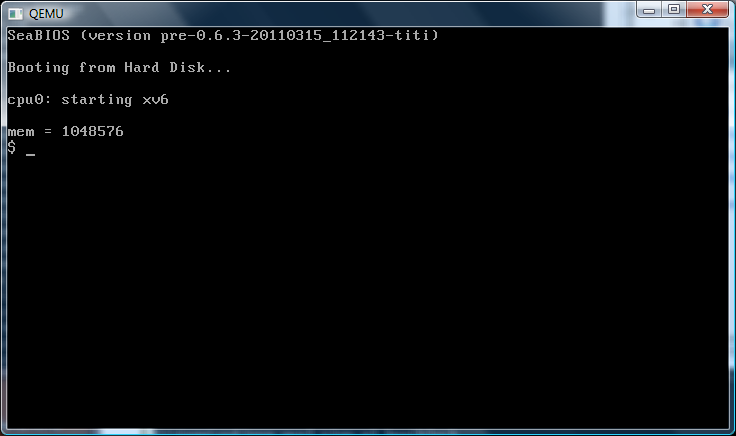
And here we are in 64bit long mode!

So for the two or three people who care, my archive is here… I may move crap around, but at the same time building a 64bit cross compiler was a real chore.. More so because that x86_64-elf bare targets didn’t exist until some time around 4.3.2 which… is involved to build.

xv6 revisited…

I was hoping to do more with this, but things are going other ways in life.  Anyways a while back I had touched on xv6, a MIT teaching tool and semiport of Unix v6 to the i386!  The best part about it, is that it is SMALL…

I’ve been playing with it the last day on the latest version of Qemu and hit a snag with its SMP support (yes it does have that!) so I played with it, and couldn’t figure it out so I had to turn it off.. It is something ACPI related, and probably along the reason why Windows x64 doesn’t run on new Qemu either..

I’ve built the cross compiling environment needed (A bare elf compiler/linker/assembler) and managed to smash enough of it into a single directory that you won’t need MinGW installed, but can rather invoke ‘build.bat’ which will compile link, dd the disk image, and launch Qemu.

I’ve had trouble with mkfs so… you’ll have to live with a prebuilt root image.

If you want to build your own cross compiling toolchain, there is a good guide here on the OSWiki.  Naturally you’ll want my previous post on some snags I ran into on MinGW if you do choose that as your target environment.

What I’d love to do is port newlib, and see just how useful this xv6 could become..  I would imagine adding signals (well beyond kill) may allow things like bash 1.x to run, and maybe gcc itself.. Which would be cool.

You can download my work here.  Check it out, it’s cool!

building a cross compiler under MinGW snag in collect2

rm -f collect2.exe
gcc -DCROSS_COMPILE -DIN_GCC     -g -O2  -DHAVE_CONFIG_H  -o collect2.exe collect2.o tlink.o hash.o intl.o underscore.o version.o  obstack.o       -ladvapi32 ../libiberty/libiberty.a
collect2.o: In function `handler':
C:\MinGW\msys\1.0\src\gcc-2.95.3\gcc/collect2.c:527: undefined reference to `kill'
collect2.o: In function `scan_prog_file':
C:\MinGW\msys\1.0\src\gcc-2.95.3\gcc/collect2.c:2269: undefined reference to `pipe'
C:\MinGW\msys\1.0\src\gcc-2.95.3\gcc/collect2.c:2292: undefined reference to `fork'
collect2: ld returned 1 exit status
make[1]: *** [collect2.exe] Error 1
make[1]: Leaving directory `/usr/src/gcc-2.95.3/gcc'
make: *** [all-gcc] Error 2

Ugh, isn’t that annoying? Well it turns out from the mailing list

The mingw32-hosted GCCs does not need ‘collect2.exe’ hence
set USE_COLLECT2= nothing (empty) in the <gcc_obj_dir>/gcc/Makefile

This needs to be fixed in GCC mainlne.

Regards.
Nitin.

And the other half….

fixincl.c:316: error: `SIGQUIT' undeclared (first use in this function)
fixincl.c:316: error: (Each undeclared identifier is reported only once
fixincl.c:316: error: for each function it appears in.)
fixincl.c:323: error: `SIGALRM' undeclared (first use in this function)
fixincl.c: In function `internal_fix':
fixincl.c:808: warning: implicit declaration of function `pipe'
fixincl.c:816: warning: implicit declaration of function `fork'
fixincl.c:845: warning: implicit declaration of function `sleep'
fixincl.c:860: warning: implicit declaration of function `fcntl'
fixincl.c:860: error: `F_DUPFD' undeclared (first use in this function

Which is fixed by changing

STMP_FIXINC = stmp-fixinc

into

STMP_FIXINC =

Oops!


Failed Quakeworld port to OS/2 2.0

Yeah, I guess I just couldn’t salvage this thing… Sometimes when you stand on the shoulders of giants you fall off.

So what had started as a seemingly simple thing turned into a nightmare.. I took the source to my MS-DOS port of Quakeworld, and decided to build it under OS/2. And to be crazy about it, I thought it’d be awesome to get it to work under OS/2 2.0 .

Which means no sound, locked to 320×200 256 colours, full screen only, since the VGA driver won’t do anything but. Years ago on ebay I managed to score IBM TCP/IP for OS/2 2.0 & 2.1, with the LAN support!

IBM OS2 2.0 syslevel 1

IBM OS2 2.0 XR02000 (no fixpacks)


ibm os2 2.0 syslevel2

IBM TCP/IP for OS/2 with no fixpack

So as you can see from my syslevel’s I’m running a pretty bare machine, even the graphics subsystem is still 16bit!

Well the good news, is that with EMX and a HPFS disk, I was able to quickly get the null version running. With a minor amount of work, I had TCP/IP connectivity and things were going well. I had ripped apart a video demo, and got the display up, although it was ungodly slow.. Until I found out that when you are full screen you can request access to the physical video memory, under OS/2 so that sped things up a great deal!

Then all that really needed to be done was get the keyboard working.

And here is where I slipped up.

OS/2 is weird for interactive programs that want to know key states. It seems the best and most common way to do this was to setup a ‘monitor’ for the keyboard device, and try to read the stream as keys are pressed. Sadly idiots that slamm the keyboard, or gamers that hold down an arrow key for a minute lock the thing, and the key then is ‘jammed’ down until you hit it again for the release.

I’m pretty sure that I did it wrong, so I borrowed code from a more ‘advanced’ OS/2 port and it did the same thing. Maybe it’s OS/2 2.0? I don’t know, I did service pack it and update and still the same result.

I really didn’t want to spend that much time on it…..

QuakeWorld for OS/2

QuakeWorld for OS/2

I feel hesitant to release a binary as you will get killed, and I haven’t even tried the mouse yet, but I suspect it’ll still suck.

So for anyone that cares, here is the source… misspellings and all.