Some quake 1 links

Well last night I wanted to test my quake build on a real quake server… So looking around I found this great site, QuakeOne. So I used the full pak files I got from buying Quake (yet again) on steam, and went through and downloaded some mega map download (remember maps go in c:\quake\id1\maps), and combed through the server list and found a few servers to connect to.

The great thing is it worked.

It worked well enough that not only did the DOSBox test worked, but also running it through Qemu and Virtual PC. I configured Qemu & Virtual PC to use their own NAT solution, and they both worked fine. Since the PCAP thing can be a little crazy for DOSBox I’m thinking about trying to merge in the SLiRP code from Qemu into it, to provide ‘user mode networking’… It’s worked well enough for SIMH, so I don’t see why not.

Oh and speaking of quake, Qaddicted has some great information as well.

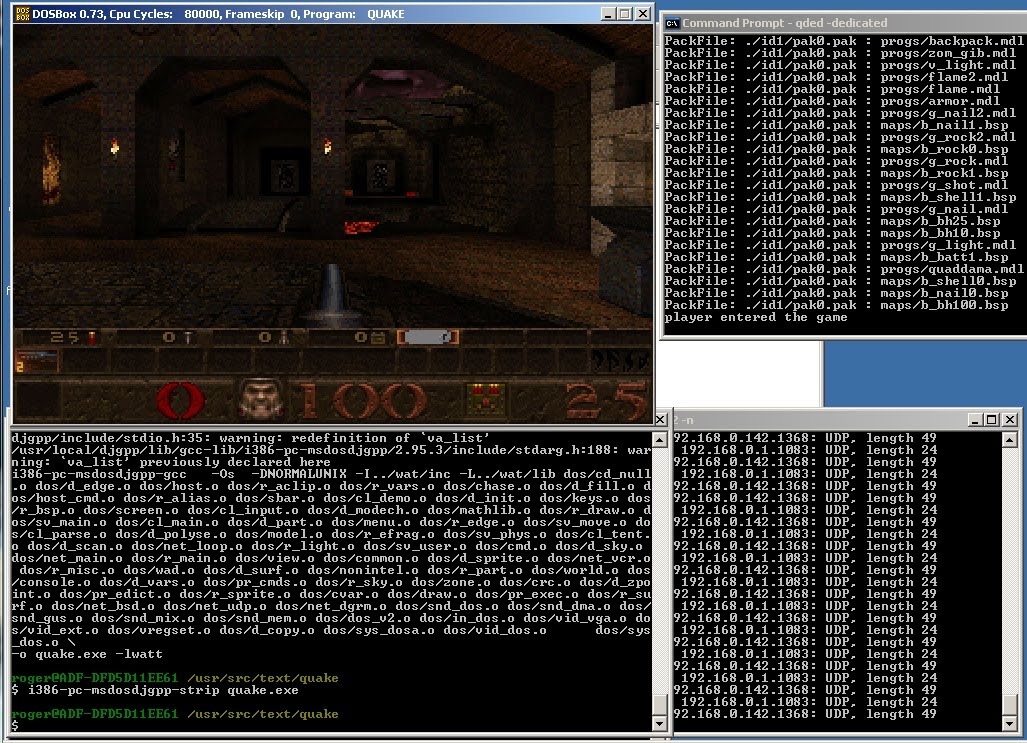
Quake1 with WATTCP built with DJGPP on DOSBox

Phew.

As far as I know this was never done, as the world at large moved away from MS-DOS, and of course when Quake 1 on MS-DOS was popular they weren’t exactly giving out the source… Such a shame the DLM thing was lost in the shuffle as DLL’s on DJGPP/MS-DOS could have made quake more modular..

So what I’ve done, is I’ve used an ancient version of cygwin that I was playing around with line, and built a cross compiler for DJGPP. Then using that I’ve built the latest version of Watt-32 tcp/ip with it, then I took my build of Quake 1 on DJGPP, and built quake to use the net_bsd, net_udp, net_dgrm services, and added in the needed hooks for Watt-32 TCP/IP. And to their credit, I just added a single function call to both protocols init functions, and a single function to the general network poll function. All and all I think it’s 3 lines I changed.

Then to test, I used an older copy of DOSBox that included a virtual NE2000 that binds onto a physical interface via libpcap, loaded up the packet ne2000 driver, and ran the client!

For a server, I used the much older, quake dedicated server I had built to run on Windows NT 3.1. Although I never did automatically turn on the ‘-dedicated’ flag for some reason…

On the Windows XP virtual machine, I installed a loopback adapter, then set it up with internet connection sharing so that XP would act as a DHCP server to the Watt-32 TCP/IP stack.

Anyways, as you can see in the picture I connected a simple sniffer, WinDump to watch the packets, and it worked.

I’m still blown away that it worked on the first shot.

It’s really a testament to all the people that make all the moving parts here, when I can just string stuff along and get it to work.

For anyone daring enough, this zip contains all the source, and binaries of all the parts, except for the cygwin install. (I did have to poach a ‘modern’ cygwin1.dll from a modern install).

Enjoy!

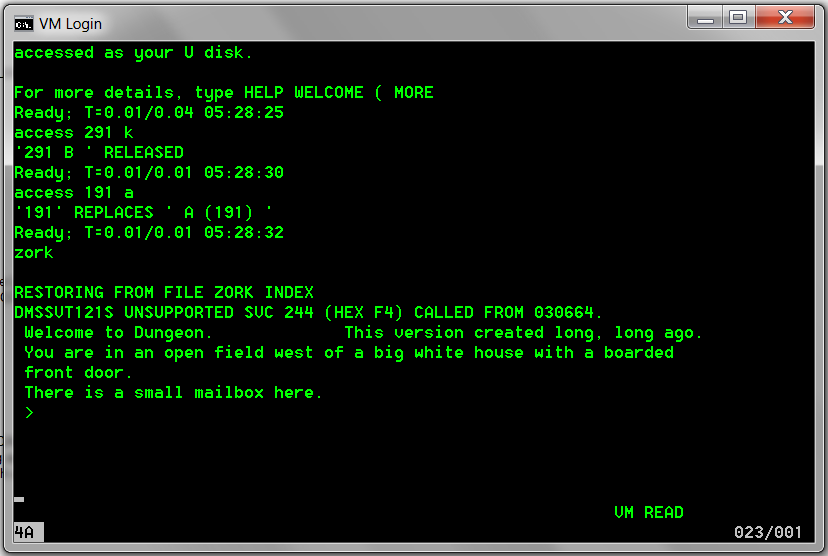
Zork on the IBM Mainframe (VM/370 CMS) it lives!

There we have it, after a LOT of fighting the emulators, missing bits, LOTS of help the hercules-os380 mailing list, and the EXCEPTIONAL of one Paul Edwards, and it’s running.

It seems to be Dungeon version 1.2C

read news
US NEWS & DUNGEON REPORT
01-MAR-81 Late Dungeon Edition
This is a version of Zork on VM/370

The problems with it are:
-Lack of an endgame.
-Simple parser (no compound sentences).
-Numerous bugs and spelling errors.
But so what.

If you encounter problems or find logic, spelling, or usage bugs,
keep them to yourself.

>

It’s a little odd playing zork on a mainframe…

Quake1 & MS-DOS

And because I had a request for it, here is a 7zip containing a makefile, and source suitable for building quake under MS-DOS.

I sourced it from the Doom makefile, and cross built it under OS X… It builds in under 5 seconds using all 4 cpu’s on my OS X box with my OS X to MSDOS DJGPP cross compiler…. I had forgotten that the gpl’d source included MS-DOS support.. I had taken the video part from Chi Hoang’s DOS port of DOOM and gotten it to run until I remembered.. Oh well a few hours wasted.

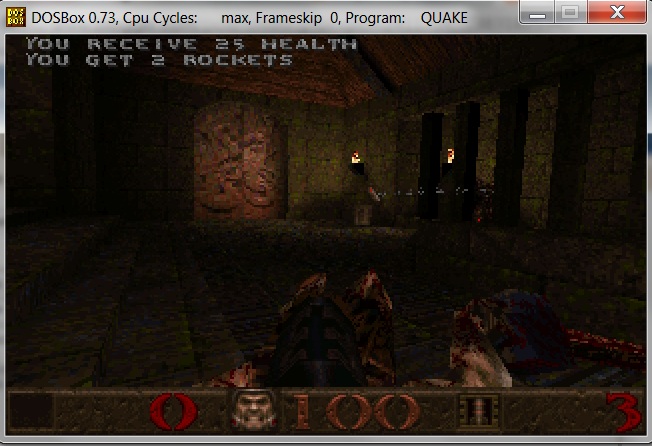
So there it is, Quake1 built on a mac, and running on DOSBox on a PC.....

And speaking of Quake, it’s on sale too!

But just for today, on steam…..

Doom for MS-DOS

Today while checking out eets on steam ( yeah I know… ) I came across this sale… It’s Doom, Doom II, and Doom III all together, with all the expansion sets for $8.74 USD!

Well needless to say I couldn’t resist the offer, so I bought it. While playing around with Doom, I was wondering what was the first port of the Linux X11 doom back to MS-DOS. A bit of googling brought me to the doom wiki, and from there it seems that “DOSDoom” version is the first source port returning DOOM back to MS-DOS.

As mentioned in Chi Hoang’s notes, it took him 4-5 hours to do the initial port. So I figured it’d be worth re-creating the 0.1 version of his work, under DOSBOX with DJGPP.

I did find out the hard way that there is a single assembly clause that breaks under newer versions of DJGPP, and there is a small issue with the HOME environment variable that if it’s not set it’ll crash DOOM. So I ‘fixed’ that to use the current directory.

To install this legacy version of DJGPP, I found the needed files..

*bnu27b.zip
*csdpmi7b.zip
*djdev201.zip
*gcc2721b.zip
*gdb418b.zip
*mak3791b.zip
*pat253b.zip

Simply unzip all of this into a directory that your DOSBox mounts, and alter your dosbox.conf something like this:

[autoexec]
# Lines in this section will be run at startup.

mount c c:\dos
c:
set PATH=C:\DJGPP\BIN;z:\
set DJGPP=C:\DJGPP\DJGPP.ENV

Then you should be able to extract the doom source that I’ve patched up, and run make to re-build the exe. I’ve included a shareware wad file that won’t explode on missing demos…

So the end result is the following:
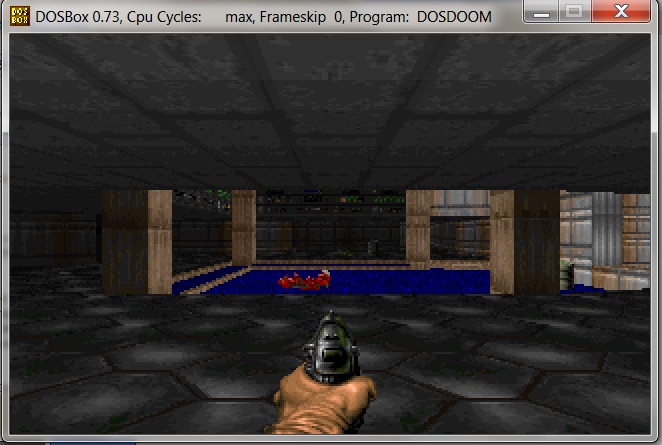
DOSDoom 0.1

DOSDoom 0.1

Which… has no networking support, no audio, but it does work! This port is overall minimally invasive to the code, and I’d suspect it’d make it a very easy starting point for yet even more ports of doom… I think there is over 40 out there.

That’s the one great thing about making the source available, is that the product lives on and on!

Nethack for Windows CE (x86)

So after struggling like CRAZY on trying to build nethack for Windows CE, it came down to two posts out there….

Thanks to some people in Russia, and Google translate, I found some explicit instructions on building Nethack…

Which spelt out that you need Visual C++ 6.0 to create the dependancies, then use embedded Visual C++ 3.0 to build, which the snag there, is that I was foolishly using 4.0 service packed to level 4, which stripped out support for the SH4 cpu…!

Thankfully, the site hpcfactor, maintains a download for embedded VC 3.0, and I was able to churn out an exe for the emulator. Then tearing it appart, I was able to replicate the build using Platform Builder 2.11 to create a native x86 executable.

So after all that work, here it is!

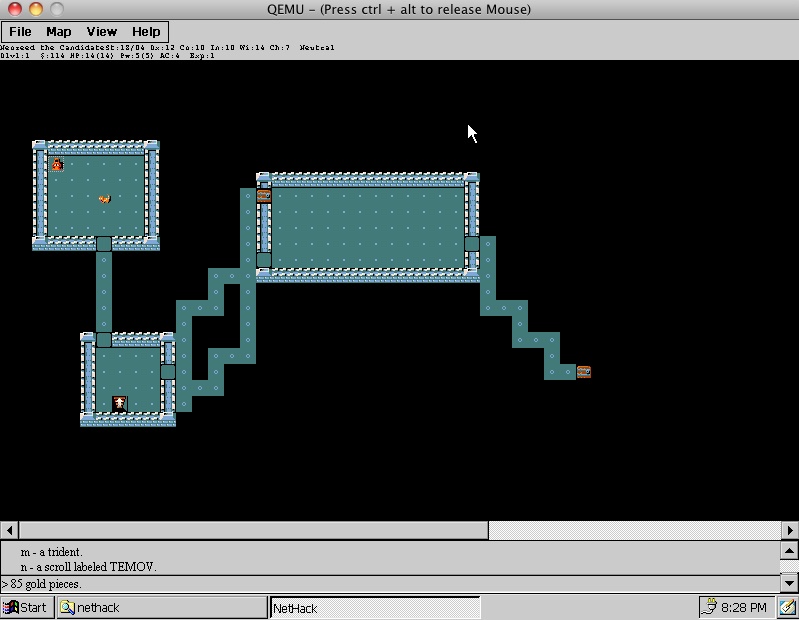
NetHack for WindowsCE x86

NetHack for WindowsCE x86


For those people on x86 machines, or using the CEPC platform, here is the exe, datafile, and finally the source code.

This is what I’m hoping I can manipulate for SIMH…

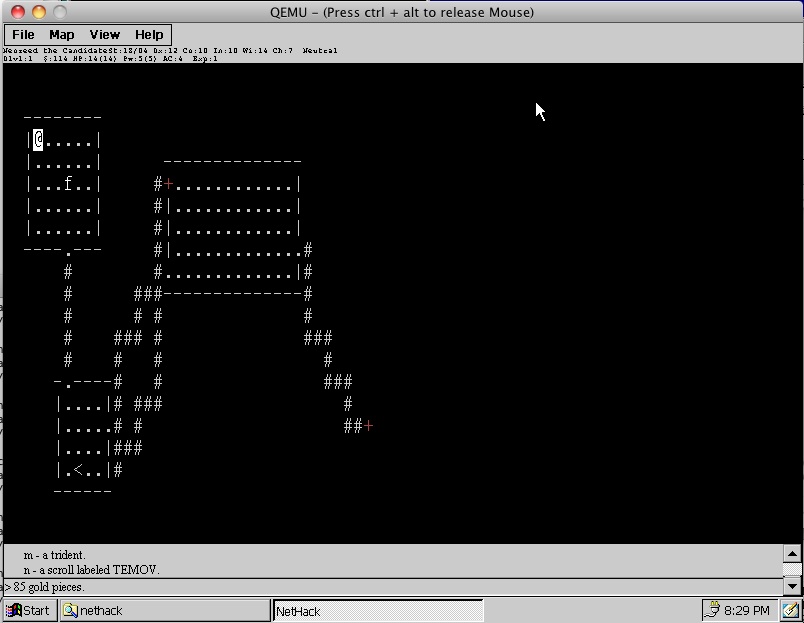
Nethack on CE text

Nethack on CE text

Textmode in graphics…

Net Hack wiki moved

I just received notice that the NetHack wiki has now moved and the new site is nethackwiki.com.

It’s great when old software just doesn’t revive for a little while then fade back to obscurity, so update your links, or just browse the site and be blown away by all their information on such a great (and difficult) game.

And of course, I have NetHack for the Windows NT 4.0 MIPS, and various 4.X BSD on sourceforge under the package tapes….

VMWare Fusion 3.1 & KOTOR

Well let me be the first to say this is a little “modern” compared to all of my prior stuff, but anyways I’ve been enjoying life under OS X the last few days (along with crunch time @ work.. .sigh). As part of my day job I do still have to maintain some MS-DOS & Windows stuff, so while I do run Qemu under OS X, I’ve also purchased a copy of VMWare Fusion 3.1 (available online, and as a 30 day eval!). Ok so it’s $89 with the one year support, pretty snazzy stuff.

Now one thing that I find very interesting, is that unlike all the other more expensive versions of VMWare, Fusion for the MAC allows for SOME 3d apps to run!

I’m still kind of amazed at the stuff that does run and how cleanly it does so.

So I’ve installed good old Windows XP in a VM, then tried Fallout 3. No go. For the hell of it I tried Sims 3, and surprisingly it worked.. Even though it’s silly as there is an OS X version available.

So for today (I think it may be over in a few hours….) Steam is selling Star Wars Knights of the Old Republic for $2.50 USD!

Now KOTOR has been kind of finicky about what machines it’ll run on, in the past, but I have to say, much to my surprise the emulated 3d hardware ran KOTOR out of the box, without any modifications or anything!

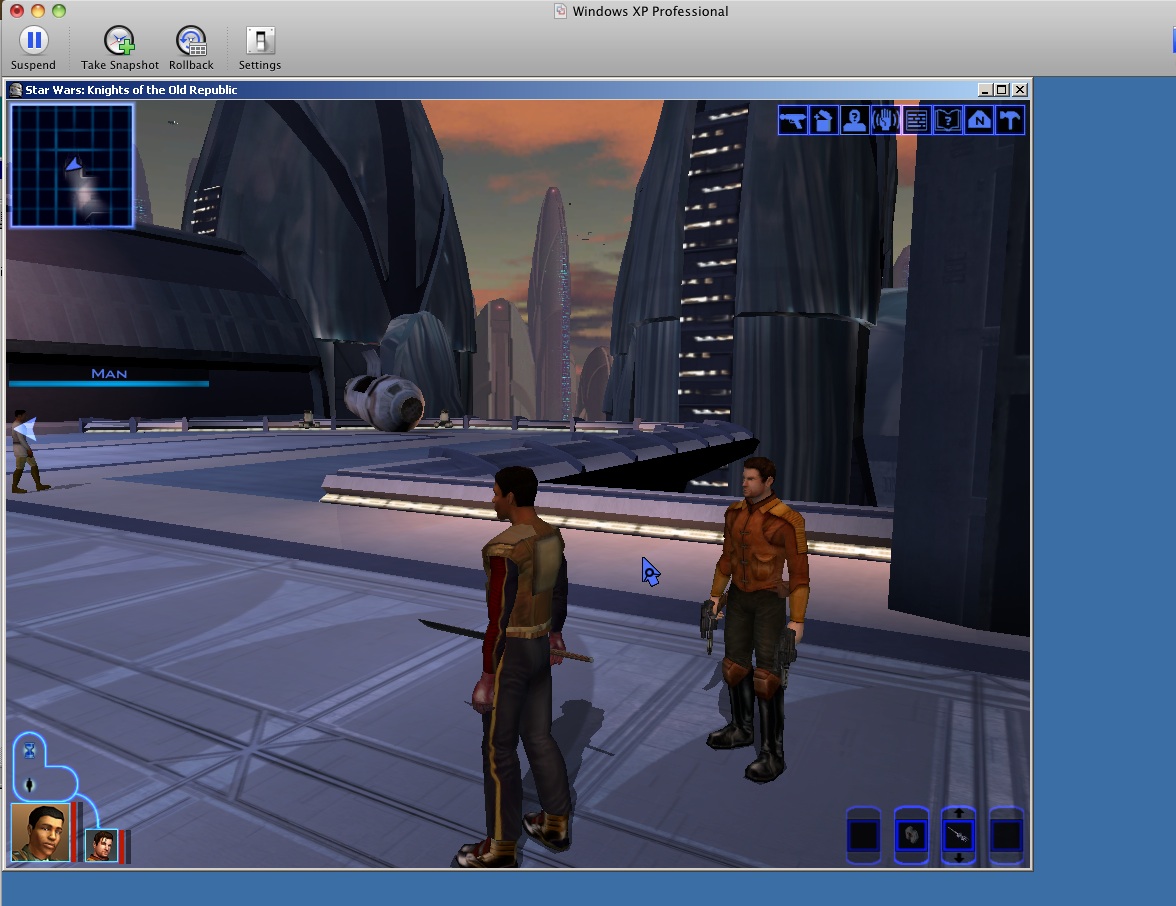
So here it is, KOTOR in a ‘window’ on Windows XP in a Window on OS X.

KOTOR under XP VMWare Fusion in a window windowed

KOTOR under XP VMWare Fusion in a window windowed

And it’s playable at 1024×786.. and 1280×960, although at higher resolutions I’ve had issues with the mouse tracking.. .perhaps something about hardware/software mice support?

Anyways, emulation has now come to the point where 3d stuff really does run!