And then there is the horrible training videos. Yuck.
When you think your job sucks, there is retail
3

And then there is the horrible training videos. Yuck.

I think it’s valid for just today
http://store.steampowered.com/app/38400/Fallout_A_Post_Nuclear_Role_Playing_Game/
Got to say it’s really cool that it works with hardware 3D acceleration.
I may want to try to do something with it later on, however I’ll need to get it a case.
I have a cold, and yeah sound like crap. I’ll add specs later as I think my fever is kicking back in. Sigh. But yeah basically
So yeah ~550 HKD or $70 USD. Not bad.
So a little closer look at the hardware. I’m lucky that there is an active used hardware market here in Hong Kong, elsewhere in the world you either have HAM radio events, ‘boot sales’, garage sales, or for the truly desperate, eBay, Yahoo auctions, and AliExpress. My go to place here is of course the Capital Computer Centre, where they at least will test stuff before selling it. I know I’m old fashioned but I like buying in person.
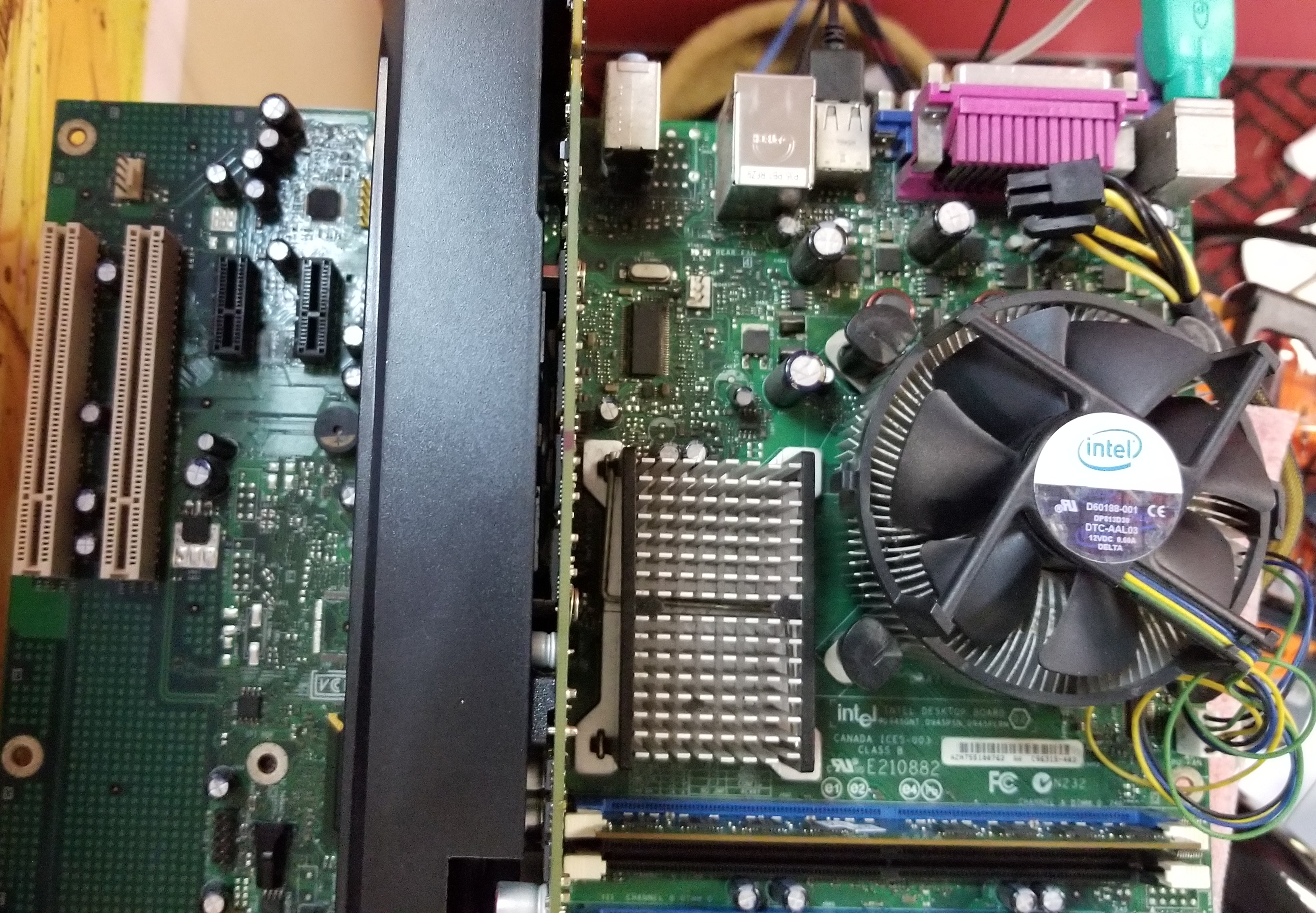
I had originally chosen this board to mess around with Darwin. I wanted something new enough to have a P4, but old enough to still have an older ‘parallel’ EIDE controller port. And the Intel D945GNT, board certainly was up to that task. Like ancient Darwin, AROS works best with either parallel disks, or SATA disks in older parallel emulation. The markings on this board are a little hard to read as the bigger numbers are the product testing/radio compliance numbers, and the model number is a bunch of possible models as I guess they like to make so many variations on a single board.
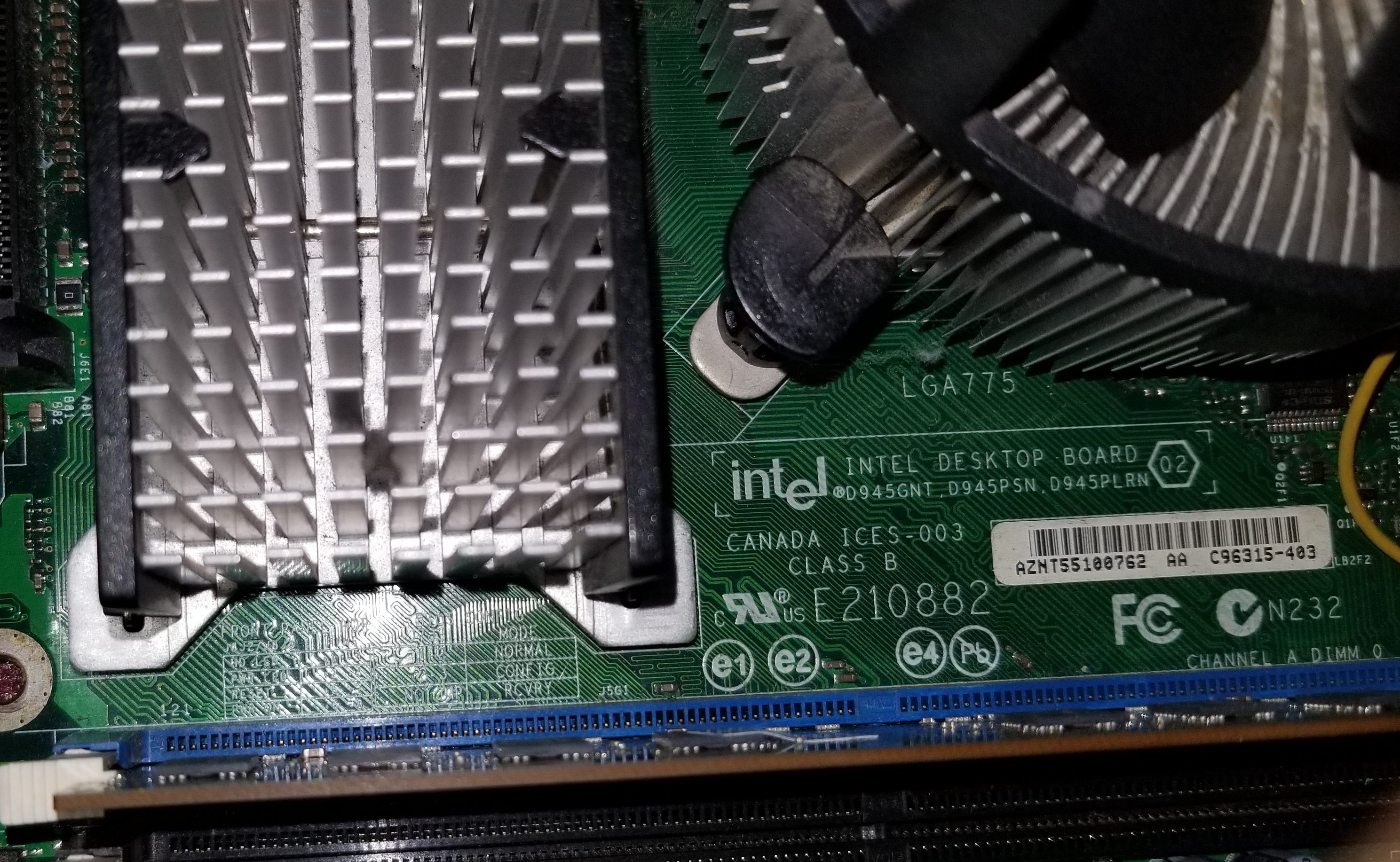
Here is a close up, and E210882 is *NOT* the mode number. Nothing like confusion.
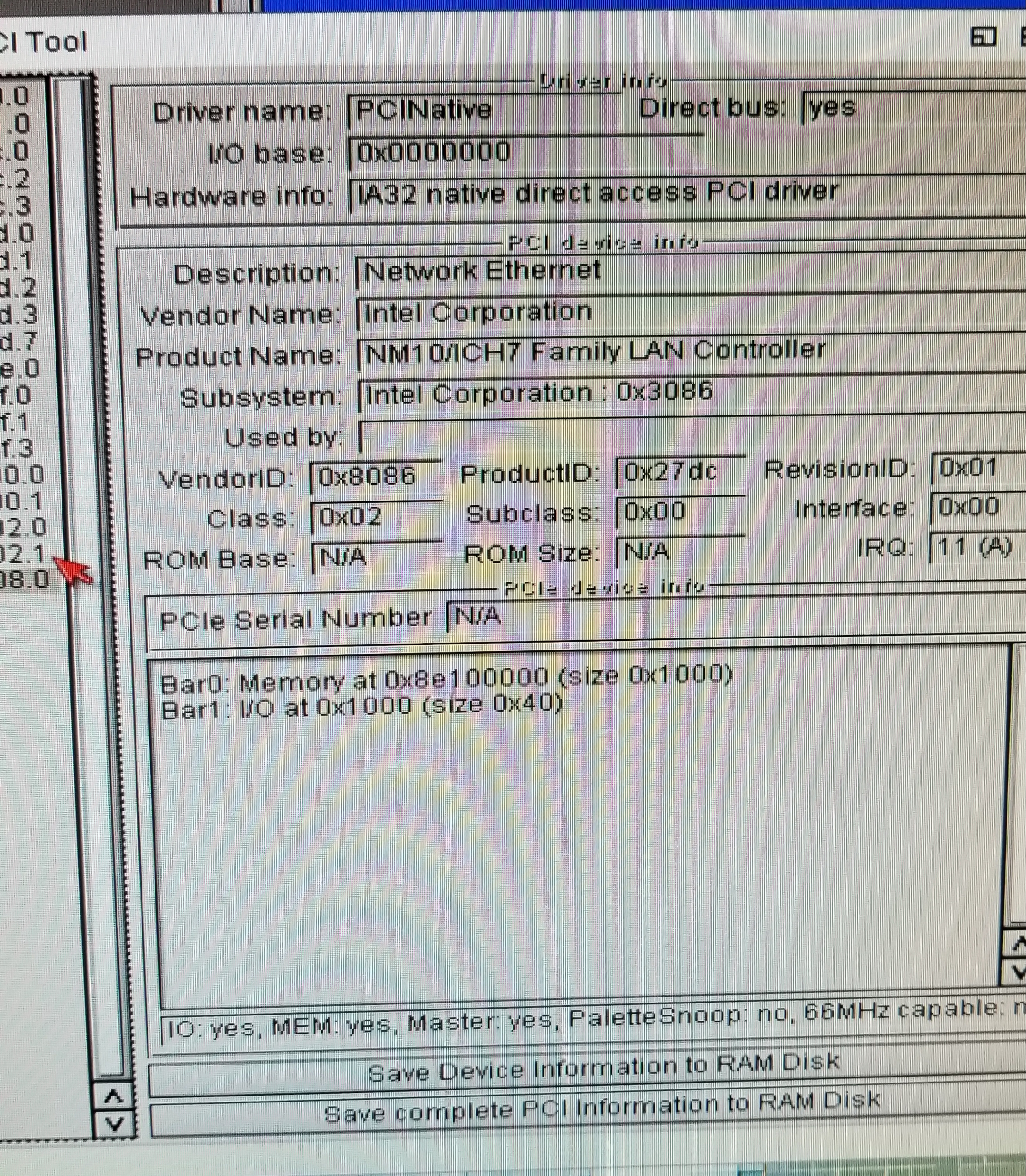
One of the big reasons for using the Intel board, is that it has an onboard NIC, and Intel of course uses Intel NIC’s so it has the very compatible Intel PRO/100 VE Desktop Adapter.
While you can get these on PCI cards, and use other boards, I figured since I was going to buy a board anyways, and once things get this old the people selling them really don’t care who made the board, but rather that this is an old P4 board, they all sell for the same price.
Another plus about this board is that it is new enough not to have AGP, but rather the new and exciting PCI Express. This board as the Express x16, which of course is perfect for a ‘large’ GPU. AROS has a port of the Gallium3D nouveau driver, making this perfect for a super cheap GTX 460.
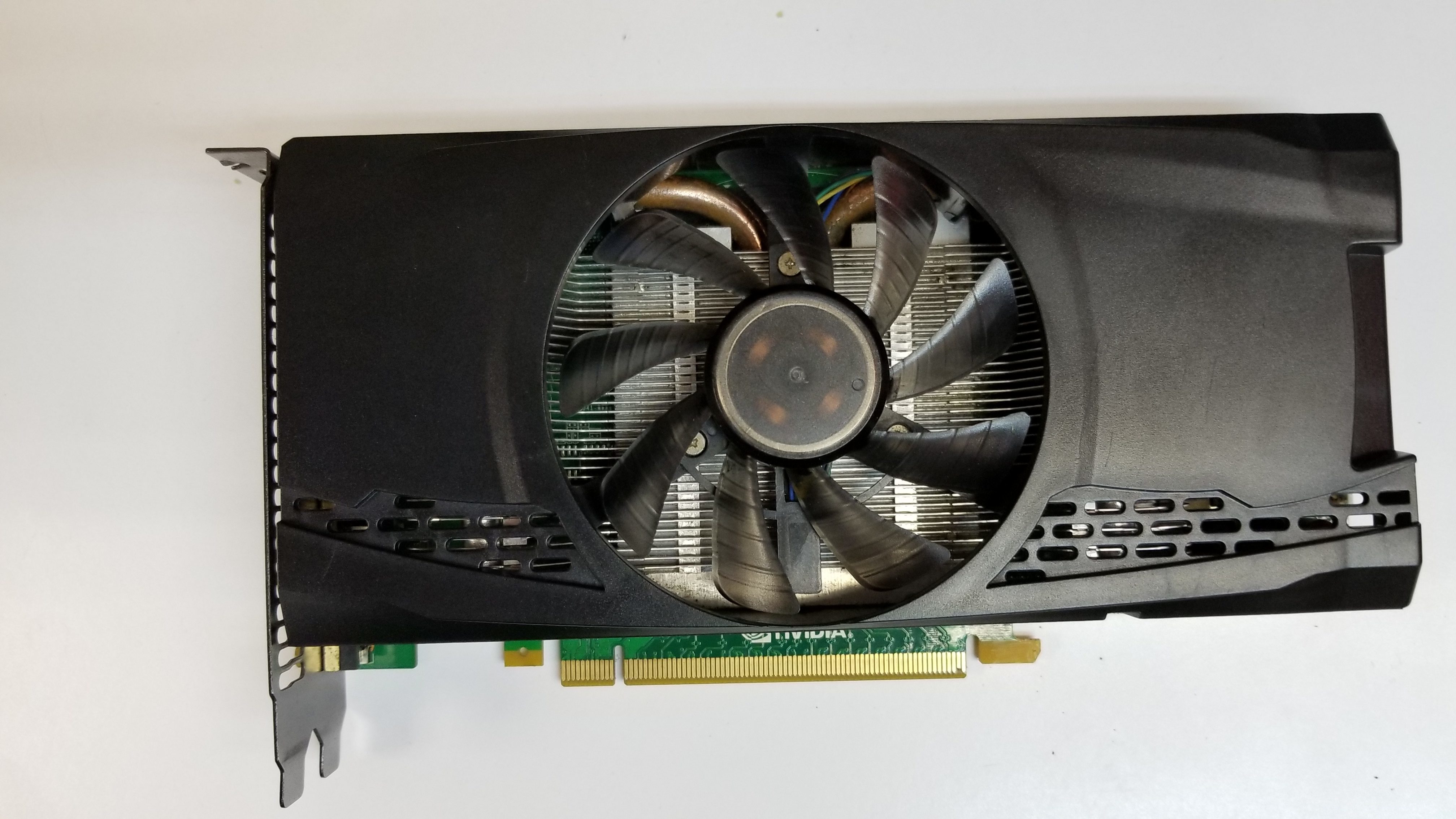
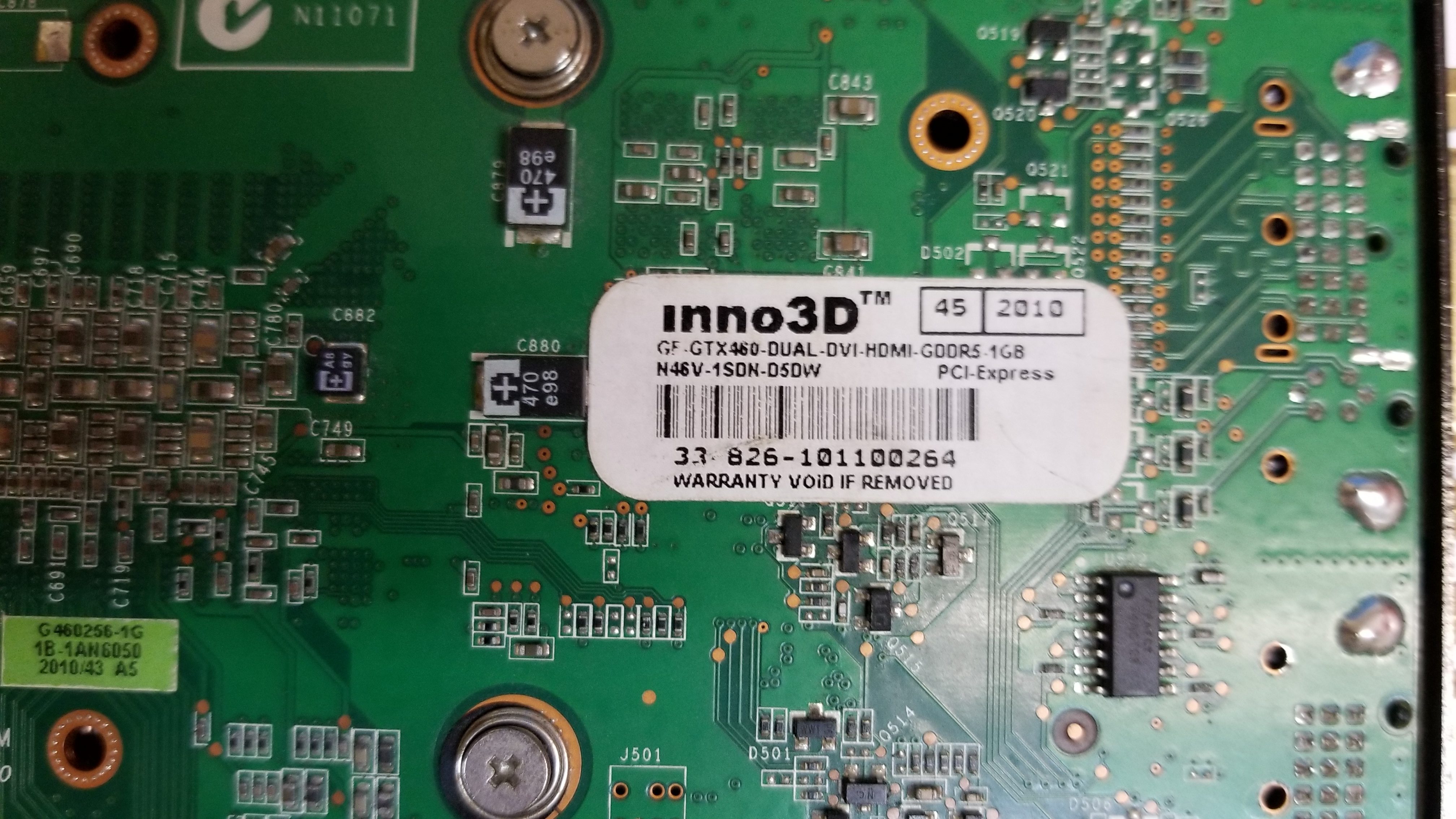
I shopped around for a while and I found this accelerator, that although has no apparent labeling at least on the flip side it has the identification. I really don’t know what is the fastest GPU you can get for AROS, but this one seems to work just fine, and it’s what Stephen Jones is using so that is what I went with.
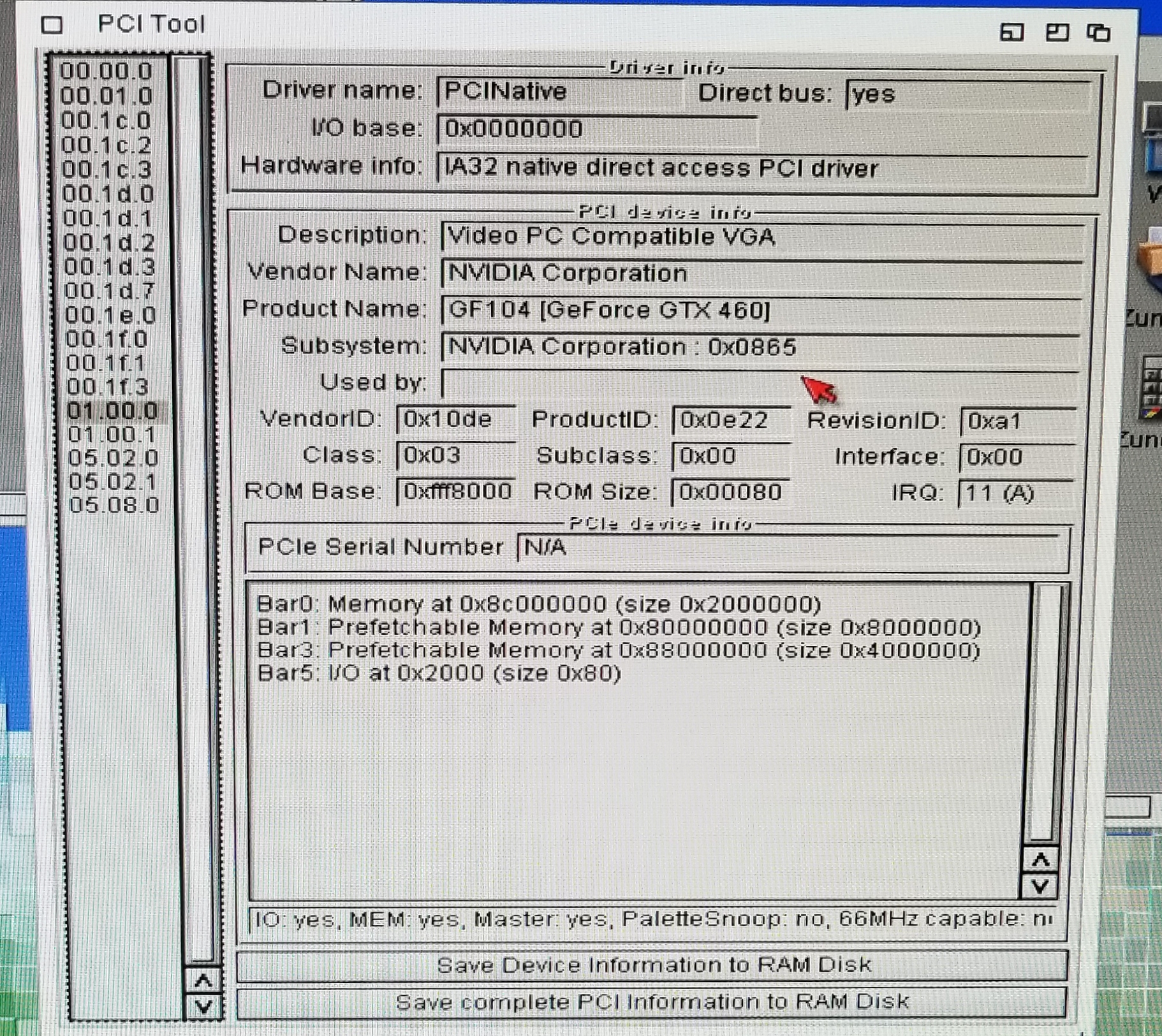
And looking under AROS, this is how the PCI resources show up for the video card.
This was an old card, and it looked like either the OEM didn’t put any stickers on it, or someone had taken them off. Either way I don’t care, and it doesn’t matter as it works just fine. Sure the GTX 1080 is over five times faster, but the open Gallium driver won’t work with it as Nvidia has done their best to break open stuff, and even if it did, you can’t buy a 1080 for less than a pizza. At least not yet.
For some reason, I had begun collecting older and cheap Sound Blaster cards when I see them. I wasn’t going to spend more than $50 HKD ($7 USD) for them, so I don’t have an Audigy cards yet, but I did have this Live card. At the time I didn’t think it was anything special, although the EMU10k chip is desirable, and popular for much older systems.
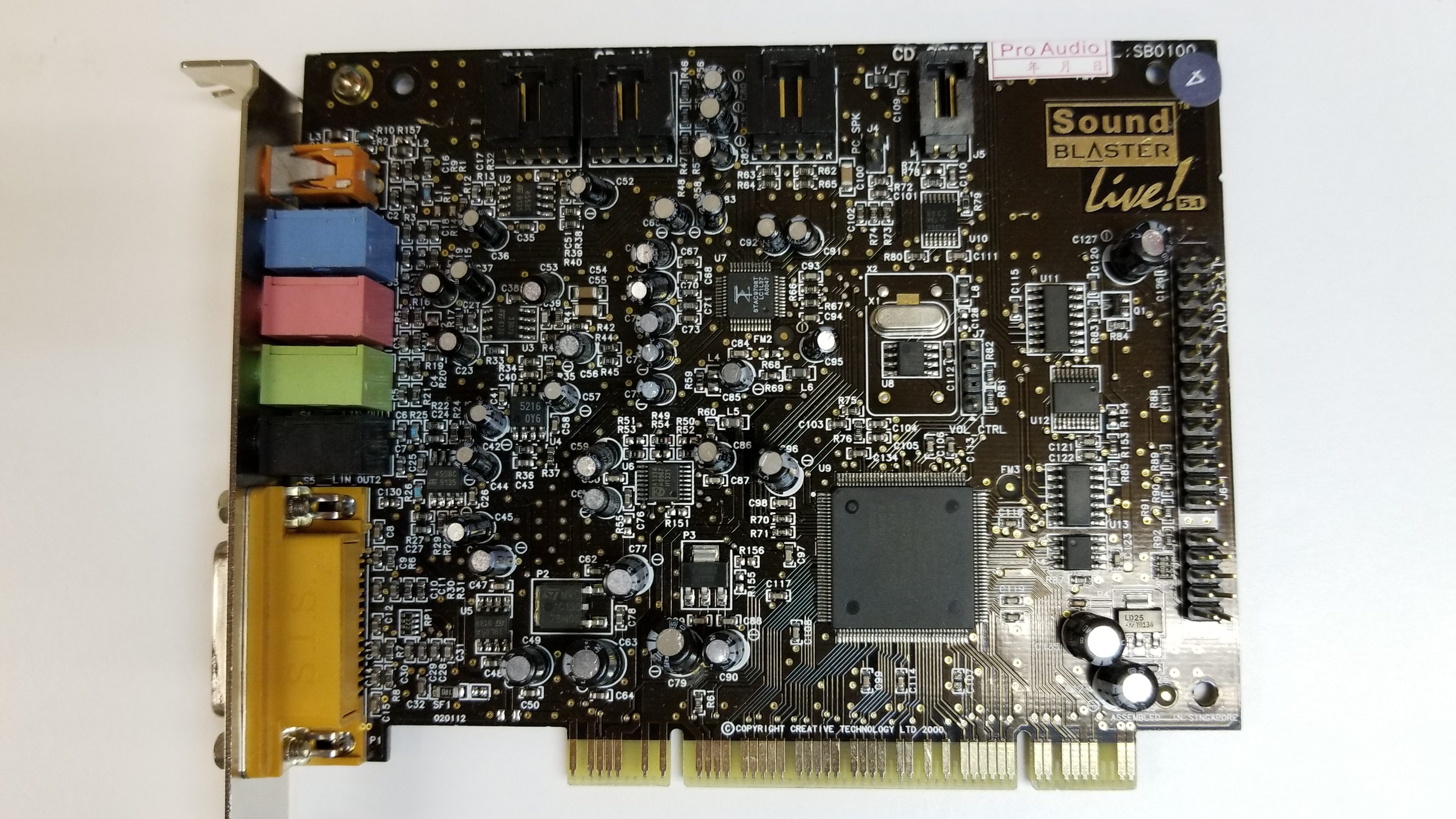
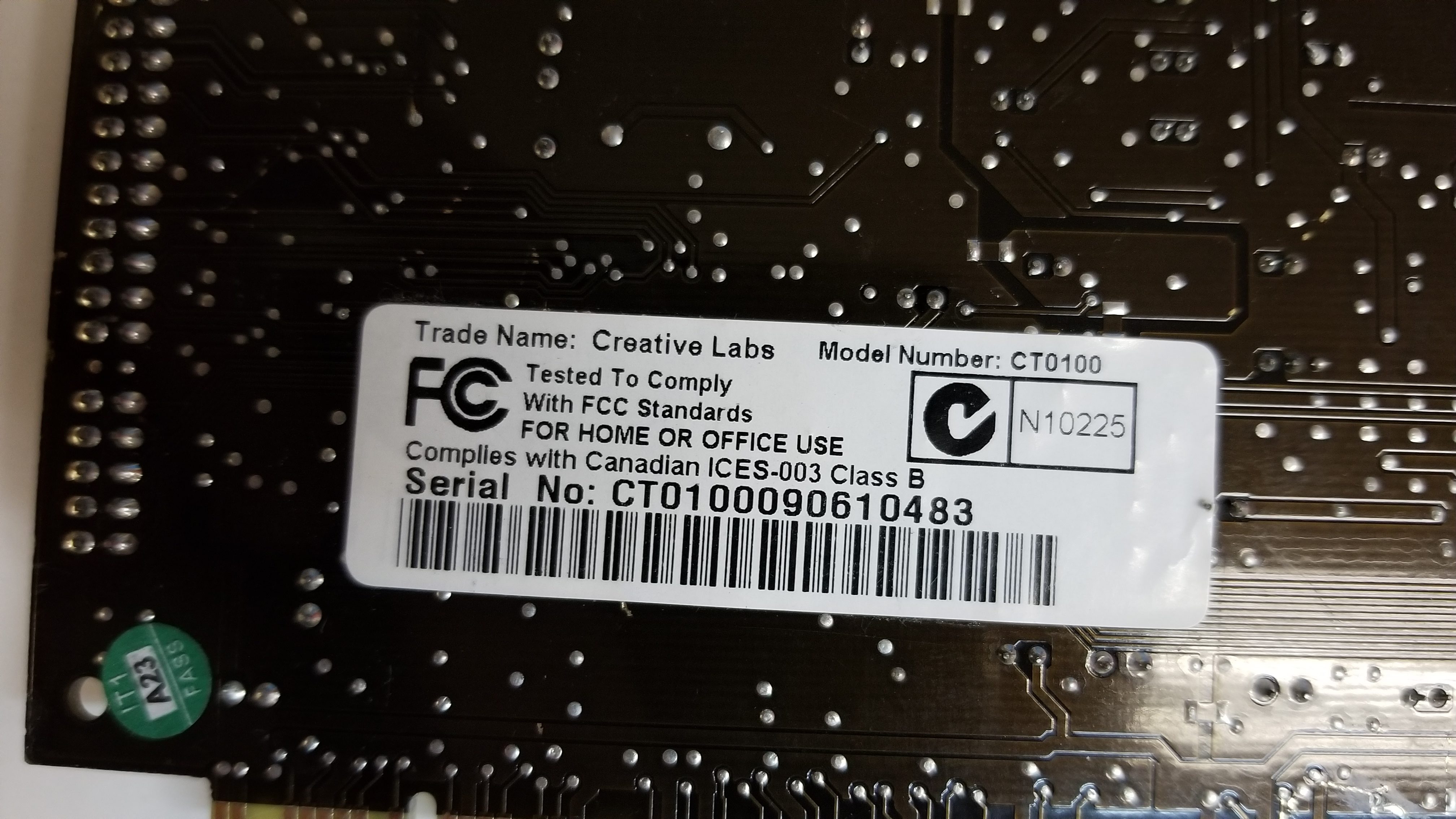
This card is the CT0100 model. And it works great!
And this is how AROS sees the card
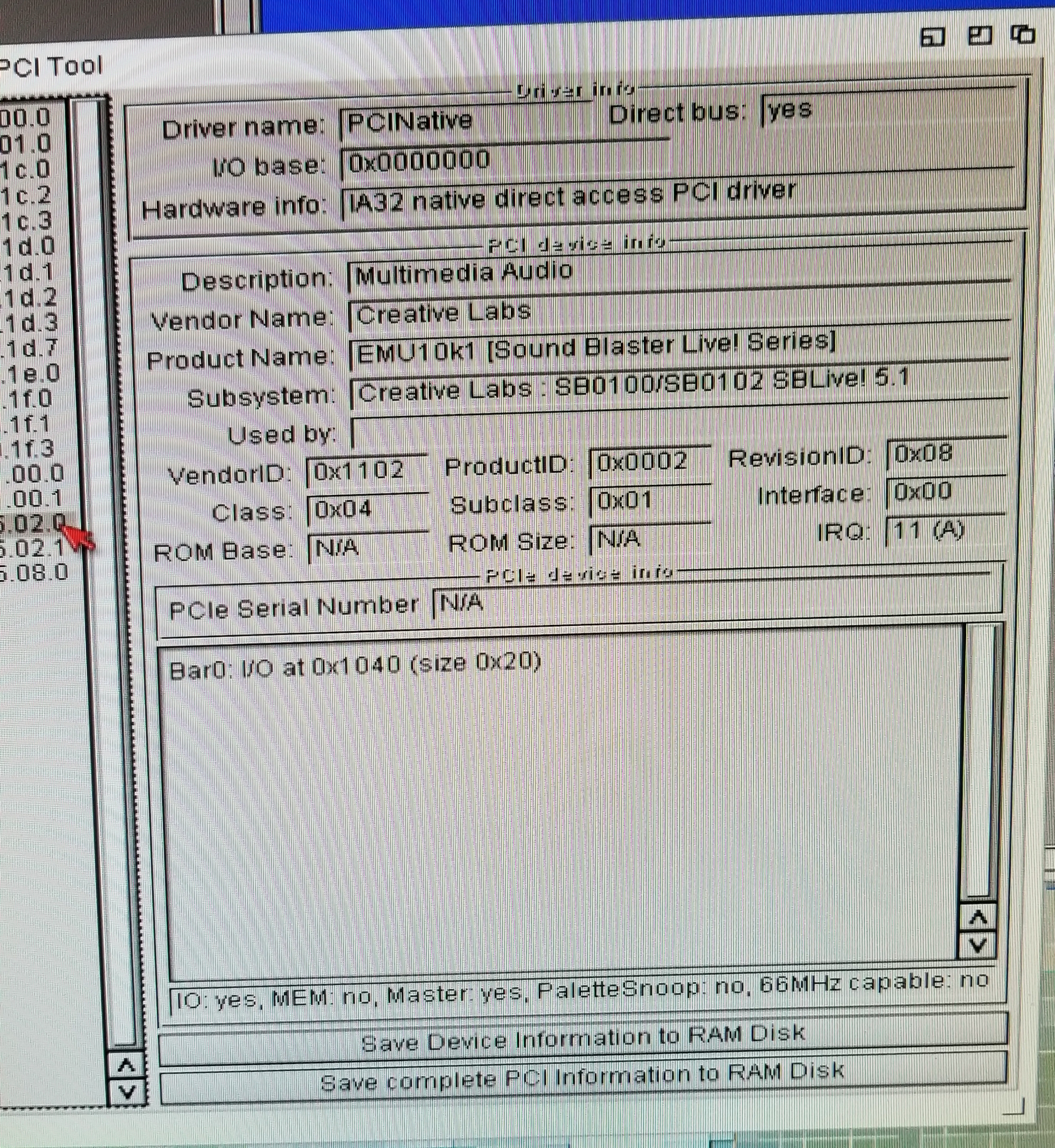
The AROS HCL is a little confusing to me, but it all seems to work. If it weren’t for the Stephen Jones video I wouldn’t have tried as it implies it won’t work.
I have to admit that it’s impressive. For anyone interested you can find AROS Icarus Desktop here, and here is Stephen Jones’s video that inspired me to see this run in real life!
It doesn’t hit on the breakpoints for some reason. I’m most likely doing something wrong.
GNU gdb 4.17
Copyright 1998 Free Software Foundation, Inc.
GDB is free software, covered by the GNU General Public License, and you are
welcome to change it and/or distribute copies of it under certain conditions.
Type “show copying” to see the conditions.
There is absolutely no warranty for GDB. Type “show warranty” for details.
This GDB was configured as “–host=i486-pc-netbsd –target=i386-linux-gnuaout”…
Setting up the environment for debugging gdb.
Breakpoint 1 at 0x94a4: file panic.c, line 18.
Breakpoint 2 at 0x667b: file init/main.c, line 110.
tcp_open ! localhost:1234
0xfff0 in sys_unlink () at memory.c:430
430 }
(top-gdb)c
Continuing.
Program received signal SIGINT, Interrupt.
panic (s=0x1dd6c “”) at panic.c:23
23 for(;;);
(top-gdb)bt
#0 panic (s=0x1dd6c “”) at panic.c:23
#1 0xd9b3 in mount_root () at memory.c:430
#2 0x12f39 in sys_setup (BIOS=0x1ab38) at hd.c:157
#3 0x7477 in system_call () at sched.c:412
#4 0x1000000 in ?? ()
(top-gdb)
But after a LOT of struggling it certainly looks about right.
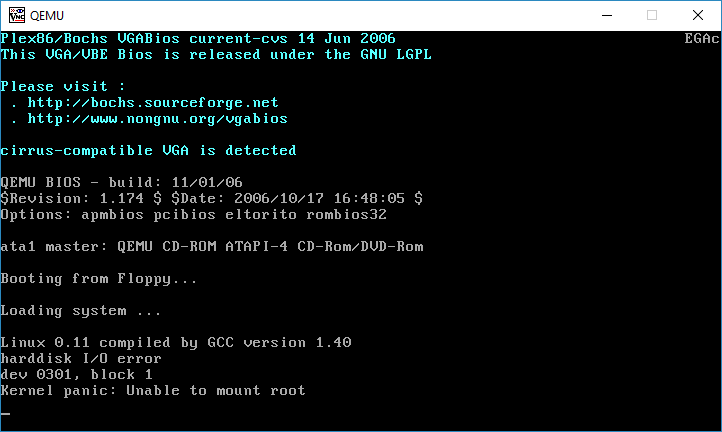
Linux 0.11 kernel panic on mounting root
I then went ahead and built GDB 8.0.1, and it’s incredibly slow, and I guess not too compatible with Qemu 0.9 (I had issues with newer builds though) but it does break.
(top-gdb)target remote localhost:1234
Remote debugging using localhost:1234
0x0000fff0 in sys_unlink () at memory.c:83
83 }
(top-gdb)i b
Num Type Disp Enb Address What
1 breakpoint keep y 0x000094a4 in panic at panic.c:18
2 breakpoint keep y 0x000094a4 in panic at panic.c:18
silent
return
(top-gdb)c
Continuing.
Breakpoint 1, panic (s=0xd8cf <sys_mount+227>) at panic.c:18
18 printk(“Kernel panic: %s\n\r”,s);
Reply contains invalid hex digit 79
(top-gdb)i s
Reply contains invalid hex digit 79
(top-gdb)bt
#0 0x0000d9b3 in mount_root () at memory.c:83
#1 0x0001ab60 in hd_info ()
#2 0x00000000 in ?? ()
(top-gdb)i r
eax 0x0 0
ecx 0x51 81
edx 0x1fb4c 129868
ebx 0x0 0
esp 0xffff94 0xffff94
ebp 0xffffa8 0xffffa8
esi 0x1ab60 109408
edi 0x0 0
eip 0xd9b3 0xd9b3 <mount_root+139>
eflags 0x246 [ PF ZF IF ]
cs 0x8 8
ss 0x10 16
ds 0x10 16
es 0x10 16
fs 0x17 23
gs 0x17 23
(top-gdb)
And while it more or less runs there is some issues using the GDB stub from Qemu 0.9.0, although I had a world of pain with newer versions. And I’ve never done the kernel debug thing before so this is all new to me.
And I guess it goes as no surprise that with GDB 8, they have a.out Linux tagged as obsolete and to be removed. I guess I need to try a GDB that was current to Qemu 0.90 so it may not have so many packet overruns and unexpected results…
 Microsoft has had a long tradition of wanting to be cool and edgy, and copying what is popular to make themselves a metwo company. Â And it’s really random, some things become wildly popular, while others crash and burn so hard that almost all existence of it happening is destroyed. Â Back before the commercialization of the internet, if you wanted to do real-time conversations you used IRC, and before then it was just talk/ytalk on any UNIX host.
However once the internet opened up, companies were free to invent their own protocols, and let the users choose if they wanted something more rich than a simple text based protocol, it may seem obvious today, but users wanted to do things like share files, and more importantly be able to minimize the program and only get an alert if someone was actually messaging them. Â Out of the gates of commercialization the big hit was ICQ. Â And Microsoft being Microsoft, first created Comic Chat, a simplified IRC client back in 1996 as part of it’s push with Internet Explorer 3, which brought many internet programs to Windows, including a NNTP client, and a simple SMTP/POP email client. Â Then in 1999 the MSN group brought out their MSN messenger.
With the later massive misstep of buying Skype from Ebay, Microsoft shuttered the MSN messaging product, and has been trying very hard to shoehorn Skype as not only a communication tool for users, but also for businesses. Â Apparently they are going to try to copy slack now for us business users.
Back around 2002, when MSN was integrated in with things like ME and XP, I found some server implementation on one of our internal servers. Â I think it was written in either Perl or python, and I just recall it definitely ran on one of our Linux boxes with a MySQL back end. Â At the time we wanted a private server to keep internal communications internal, and MSN was convenient as everyone had it, and all they needed was a registry change to tell MSN to use the internal server. Â Oh how times have changed.
Over on Escargot, it’s even easier to download a pre-patched client, Â then create your account and login!
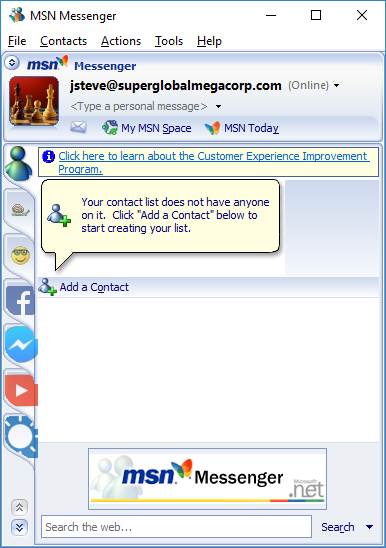
All alone
And just like that I’m logged in using MSN 7.5.0324 English on Windows 10.
Even better is that the source to Escargot is available!
If anyone feels the need to find me, you’ll know where, naturally you’ll have to type in that crazy long domain name….
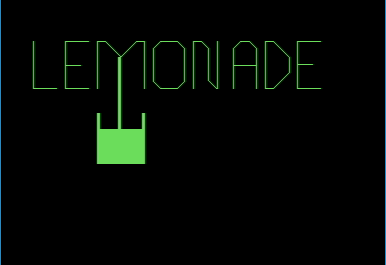
Lemonade on the PET
Back before there was sim city, the first popular simulation thing I can think of on our ancient basic bound 8 bit machines (and even mainframes running basic!) was Lemonade. Â Wikipedia, naturally is full of Apple citations, and of course, is absent of any mention of the most popular selling home computer of all time, as Commodore is usually scrubbed from history in favor of this narrative that Apple was some how popular (it wasn’t).
Oddly enough tracking down these older versions of Lemonade is really hard. Â But thankfully others have done the hard work for me!
First from The Sleeping Elephant, Â and here is lemonade!.prg for the Pet microcomputer. Â It’ll run fine in Vice, although it’ll run best using a Pet 3016 – 3032 and the model 4016 and 4032. Â It needs more than 8kb of RAM, so the original models are out, and the ‘graphcis’ don’t display corrrectly on the larger 8000 models, although the game does run.
But what about the Commodore 64?

Commodore Educational Software
By the time the Commodore 64 came out, Commodore had stepped upped their game, and made available a large number of basic programs ported to the Commodore 64. As always the thinking is if you can convince parents that this is educational and it’ll help their kids, they’ll buy one.  Well in this case they were right!  Although lacking the cool animation of the PET, it does include more documentation.  And thanks to vcfed.org, You can download a tape file image here.
Unsurprisingly the game play is pretty much the same. Â You buy your Lemon concentrate, sugar and cups, try to predict demand based on your price and the weather. Â You set a price, and sit back and hope for the best.
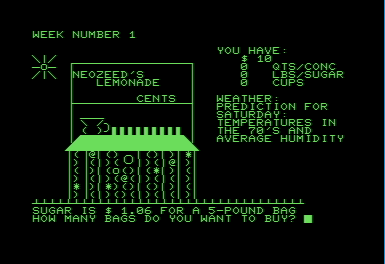
Lemonade Stand on the PET

Lemonade Stand on the Commodore 64
Once you figured out that the first few lines (3-5 on the C64) were there to not let you alter it, you were golden. Â With the source, you could make summer last 10 years if you wished, or change any of the seemingly arbitrary limits. Â If you were really keen on it, you could also print the source code and work out the logic flow with a pencil, something that you really needed back in the days of 40 column screens.
Settings -> Virtual Device Traps
Settings -> Drive Settings -> (Uncheck) True drive emulation
Settings -> Peripheral Settings
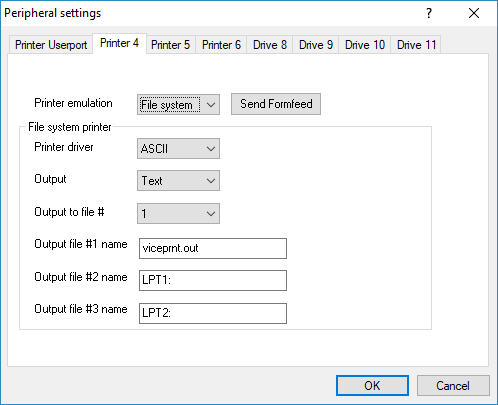 And now you can click the printer #4 tab and set it to output a to a file
Assuming you have the program loaded you can then just type in:
OPEN3,4:CMD3
LIST
CLOSE3
*Remember that Vice emulates the Commodore layouts, which means on the PET machines, they use a number pad.
The above commands will open up the printer, print the listing output to the printer, then close the printer device. Â If all went well you’ll have the source dumped to viceprnt.out although PETSCII won’t render on ASCII systems, nor will the machine language portion, and a lot of the BASIC may get down shifted but you can always fix that with tr.
tr ‘[:lower:]’ ‘[:upper:]’ < c64_lemonaide.bas > c64_lemonaide_upper.bas
This one came to me from Peter, a set of C++ macros and define sets that implement a subset of BASIC.
YES, that is correct, BASIC. Â It even has line number! Â Let’s look at a simple hello world!
type hello.bas
#include “ptsvubas.cc“
BEGINBASIC(int,main,(int argc, char* argv[]))
10 PRINT “Hello, world!”;
20 GOTO 40;
30 PRINT “I am not printed”;
40 END;
ENDBASIC
It’s compiled with GCC like this:
c++ -pipe -xc++ -fpermissive -w -o hello.exe hello.bas
And then run it!
Hello, world!
Neat!
From the docs in the main .cc file:
Implemented a BASIC language dialect/subset, with the following restrictions:
So it’s not 100%, there is no strings, not even a REM (conver to C++ comments) so it’ll be a while until you can build more traditional basic programs.
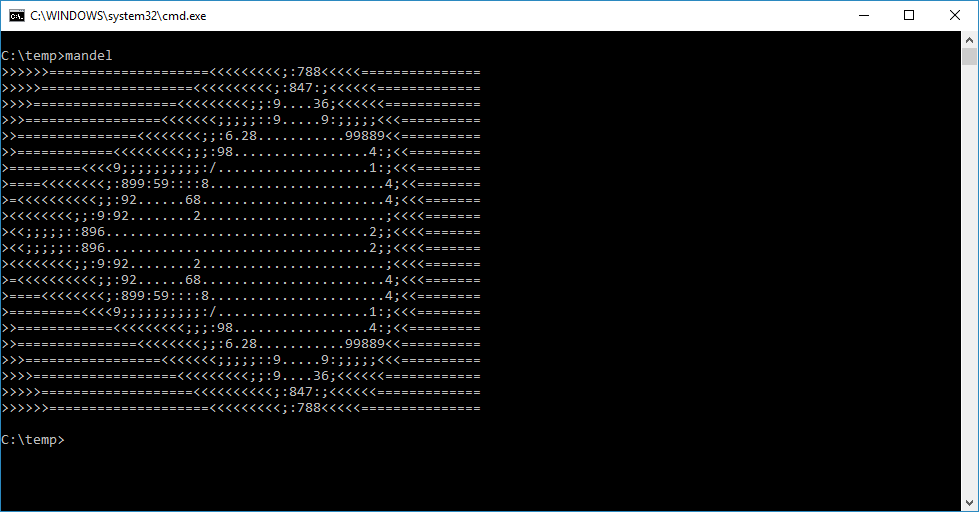
Simple Mandelbrot set in BASIC
I used “mingw-i686-7.1.0-win32-dwarf-rt_v5-rev0” to test this on Windows.
You can download ptsvubas from it’s site here:Â vm01.unsoft.hu/~np/basic/latest/
I have to admit it, that when I first heard about this I was HIGHLY skeptical, but sure enough it actually works.
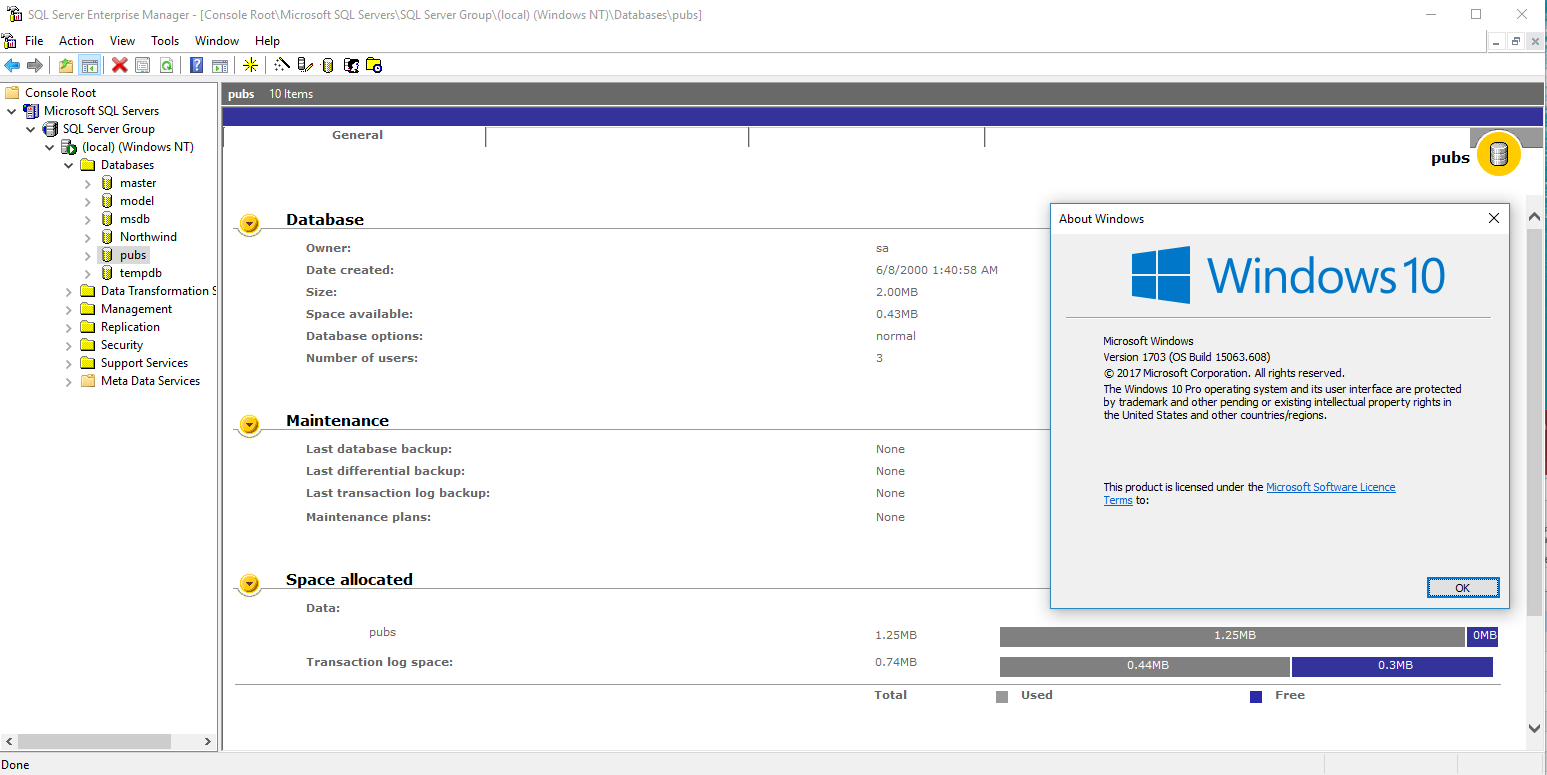
Enterprise Manager looking at the infamous PUBS database
Although I have gotten SQL Server 4.21a & 6.5 running on Windows 10 (The core from 6.0 works, but it’s pre-release COM objects for the Enterprise manager don’t like Windows 10) There were two stumbling blocks I never could get around. The first one turned out to be something trivial, which is SQL 4.21 would never listen on TCPIP.
It turns out that this actually was a simple fix.
17/09/21 19:40:24.00 server server name is ‘JADERABBIT’
17/09/21 19:40:24.00 server Recovering database ‘model’
17/09/21 19:40:24.00 server Recovery dbid 3 ckpt (45,26)
17/09/21 19:40:24.00 server Clearing temp db
17/09/21 19:40:24.03 kernel Using ‘SQLEVENT.DLL’ version ‘4.21.00’.
17/09/21 19:40:24.83 kernel Using ‘OPENDSNT.DLL’ version ‘4.21.09.02’.
17/09/21 19:40:24.83 kernel Using ‘NTWDBLIB.DLL’ version ‘4.21.00’.
17/09/21 19:40:24.83 ods Using ‘SSNMPNTW.DLL’ version ‘4.21.0.0’ to listen on ‘\\.\pipe\sql\query’.
17/09/21 19:40:24.83 ods Using ‘SSMSSOCN.DLL’ version ‘4.21.0.0’ to listen on ‘1433’.
17/09/21 19:40:26.04 server Recovering database ‘pubs’
17/09/21 19:40:26.06 server Recovery dbid 4 ckpt (469,25)
17/09/21 19:40:26.06 server Recovering database ‘ultimate’
17/09/21 19:40:26.06 server Recovery dbid 5 ckpt (524295,12)
17/09/21 19:40:26.06 server Recovery complete.
17/09/21 19:40:26.12 server SQL Server’s default sort order is:
17/09/21 19:40:26.12 server ‘bin_cp850’ (ID = 40)
17/09/21 19:40:26.12 server on top of default character set:
17/09/21 19:40:26.12 server ‘cp850’ (ID = 2)
The DLL for TCP/IP is SSMSSOCN.DLL, and it turns out it really wants to be located in the C:\Windows\SysWOW64 directory (aka the system path for libraries). Well that’s all great now, isn’t it?
Not really.
The ODBC drivers in Windows 10 finally made a magical cut off point that they will not talk to any old and ‘vulnerable’ SQL Servers. This means that the oldest version you can connect to is SQL Server 2000. Even SQL 7 didn’t make the cut. Trying to connect to a SQL 7 server, you just get:
Attempting connection
[Microsoft][ODBC SQL Server Driver]Cannot generate SSPI context
And then I saw this post, about using FreeTDS to connect to MSSQL. So I followed their instructions, and got nowhere fast just lots of crashing. Turns out the bloodshed environment’s included G++ just fails 100% of the time for me, with a nice crash. So I pointed it to the TDM GCC install, and then had to link the DLL manually and… nothing. No configuration point. In a fit of rage, I took the exist msvc project, opened it in Visual Studio 2015, and built it, except for one issue…
odbccp32.lib(dllload.obj) : error LNK2019: unresolved external symbol __
Seriously, it turns out that 2015 can’t just link to ODBC, that the libc thing that gave me SDL grief is deeply entrenched all over the place. So in this case you need to link against legacy_stdio_definitions.lib. Fantastic.
I get my DLL, and yes, it’s a Windows 32bit ODBC driver!
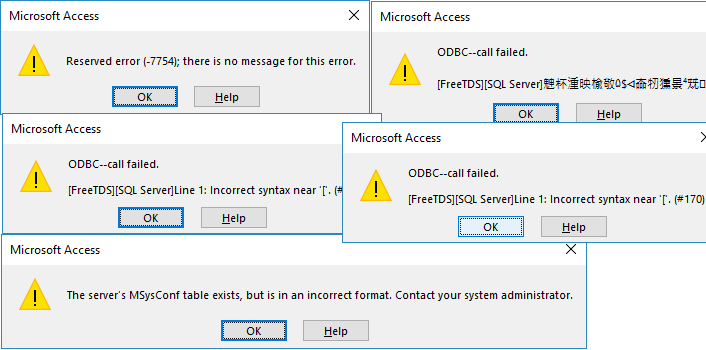
FreeTDS Access failure
And yeah, lots of failure.
A red-herring was seeing this in the trace:
net.c:741:Sending packet
0000 01 01 00 2b 00 00 00 00-53 45 4c 45 43 54 20 43 |…+…. SELECT C|
0010 6f 6e 66 69 67 2c 20 6e-56 61 6c 75 65 20 46 52 |onfig, n Value FR|
0020 4f 4d 20 4d 53 79 73 43-6f 6e 66 |OM MSysC onf|
So I was thinking that SQL 4.21 & 6.5 are just too old to have this weird table, and as mentioned over here people would just create it, to get Access to shut up, and get on with their lives.
So, I put in some SQL
CREATE TABLE MSysConf(CREATE TABLE MSysConf(Config  int NOT NULL,chValue char(255) NULL,nValue  int NULL,Comments char(255) NULL)
GO
INSERT INTO MSysConf(Config,nValue,Comments)VALUES(101,1,’Prevent storage of the logon ID and password in linked tables.’)
GO
And yes, it creates the table, Access get’s it’s result then obviously doesn’t like it and up and dies. Maybe I can burn more cycles on it later, or break down and ask.
***UPDATE As a follow up, check out Loading the MS SQL 6.5 drivers on Windows 10, for enabling ODBC access on newer versions of Windows.
And then I saw this epic thread, Windows 10 & My SQL Server 2000 Personal.
I managed to install following these steps:
Extract SP4
Copy ..SP4\x86\other\sqlredis.exe to ..\originalinstallpath\x86\other
(this avoid mdac insall freezing)
Create this folder structure (any place):
Microsoft SQL Server\80\Tools\Binn
Microsoft SQL Server\MSSQL\Binn
Find out sqlunirl.dll on SP4 path and copy to Binn folder above
Copy dll files on ..SP4\x86\setup to Microsoft SQL Server\MSSQL\Binn (folder above)
Copy folder structure (created on step 3) to C:\Program Files (x86)
Give full access to user logged to **Microsoft SQL Server** folder
Change install compatiblity ..\originalinstallpath\x86\setup\setupsql.exe
XP SP2
Run as administrator
**UPDATE
Newer versions of Windows 10 don’t include the old Visual C++ runtime, and the install will fail. Just copy the DLL’s into the syswow64 directory.
copy SP4\x86\system\msvc?71.dll \Windows\SysWOW64
This is tested on 17134.112 Version 1803 of Windows 10.
Could that really be it? For some reason I had a file held in the Computer\HKEY_LOCAL_MACHINE\SYSTEM\ControlSet001\Control\Session Manager\PendingFileRenameOperations registry key, preventing me from installing, but zapping the key & stub program, and I was able to follow the steps (I’m still not sure if you copy the dlls into the MSSQL\Binn or Tools\BInn directories, so I copied them to both!) and yes, it worked. I even could run the SP4 update.
And now I can use Access 2016 with this fine ancient database.
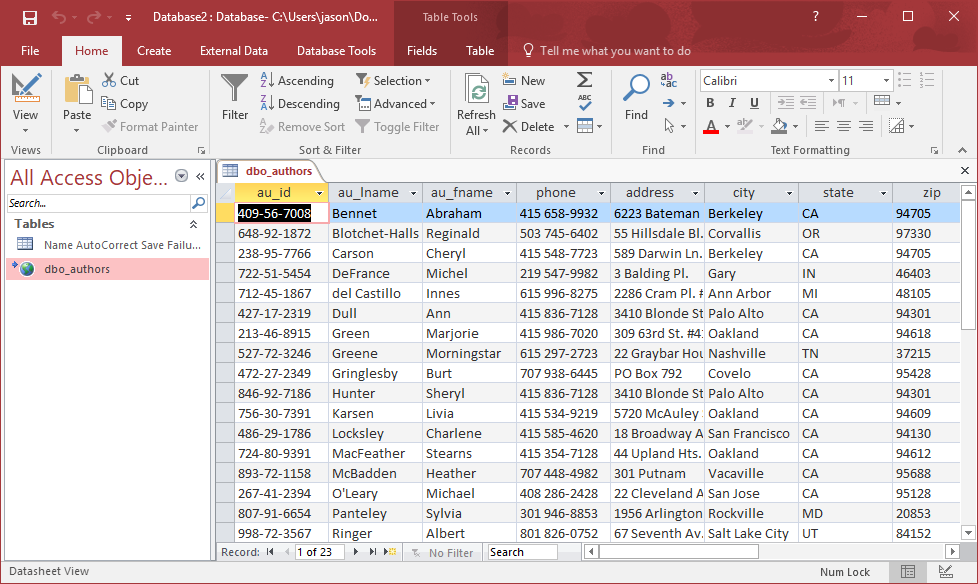
Access 2016 with SQL 2000 via ODBC
And here we are. As always there is no larger over reaching point to this. I did have to create a linked SQL login for myself to get ODBC to login properly but it’s somewhat simple, and honestly if that sounds bizarre to you, why are you even thinking about something like this?
For me, I’m interested in the DTS of all things. Sure the new ones are fancier, and all that jazz, but I paid good money back in the day for old MS dev tools, and being able to use them without any virtualization, aka running on bare iron is all the more appealing.
More so my own use, but this article on linuxconfig.org was a LOT of help.
Basically and with no explanation the steps are :
apt-get update
apt-get upgrade
apt-get dist-upgrade
dpkg -C
apt-mark showhold
cp /etc/apt/sources.list /etc/apt/sources.jessie
sed -i ‘s/jessie/stretch/g’ /etc/apt/sources.list
apt-get update
apt list –upgradable
apt-get upgrade
apt-get dist-upgrade
aptitude search ‘~o’
And that’s it!
I also took the BBR congestion update tip from tipsforchina.com
wget –no-check-certificate https://github.com/teddysun/across/raw/master/bbr.sh
And adding the following to /etc/sysctl.conf after the “net.ipv4.tcp_congestion_control = bbr” line.
fs.file-max = 51200
net.core.rmem_max = 67108864
net.core.wmem_max = 67108864
net.core.netdev_max_backlog = 250000
net.core.somaxconn = 4096
net.ipv4.tcp_syncookies = 1
net.ipv4.tcp_tw_reuse = 1
net.ipv4.tcp_tw_recycle = 0
net.ipv4.tcp_fin_timeout = 30
net.ipv4.tcp_keepalive_time = 1200
net.ipv4.ip_local_port_range = 10000 65000
net.ipv4.tcp_max_syn_backlog = 8192
net.ipv4.tcp_max_tw_buckets = 5000
net.ipv4.tcp_fastopen = 3
net.ipv4.tcp_mem = 25600 51200 102400
net.ipv4.tcp_rmem = 4096 87380 67108864
net.ipv4.tcp_wmem = 4096 65536 67108864
net.ipv4.tcp_mtu_probing = 1
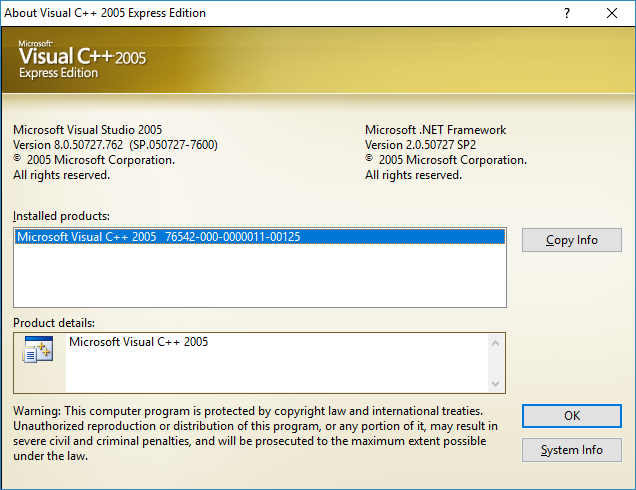
Visual C++ 2005 Express Edition
So I’m back out, and on my limited machine (I did order something new, but on a group buying thing so it won’t be here for another SIX weeks… but then I’ll be on the road again so if I’m lucky 11 weeks……..) I’m using Visual C++ 2005 Express Edition, which by default includes just enough to compile simple stdio CLI based stuff.  To do anything more complicated you need what is known as the ‘Platform SDK’.  And to match up for the time period I’m using the Windows® Server 2003 SP1 Platform SDK Full Download. And of course various Direct X SDK’s too.
For my benefit (maybe yours too), here is
Instructions to integrate the Platform SDK are here, although I did set this to match the expected paths that were in my setup after installing service pack 1. Â However I still had to manually do step 4:
Update the default.js file (found in %VSINSTALLDIR%\VC\VCWizards\AppWiz\Generic\Application\scripts\1033) and change the two lines that read:
LinkTool.AdditionalDependencies = “kernel32.lib $(NoInherit)”;
to:
// LinkTool.AdditionalDependencies = “kernel32.lib $(NoInherit)”;
And I was all set to go.
To make life easier (for me) this is headers & libs for the platform SDK + Direct X 6 & 7, and only 18 megabytes, instead of hundreds to download platform_directx6_7.7z This has the directories and whatnot where they were expected, although you’ll have to manually add in the Direct X include & library directories, if you want to do anything with Direct X.
From the Tools menu in Visual Studio, select Options. The Options dialog box appears.
From the Options dialog box, expand the Projects and Solutions node and select VC++ Directories. In that section, add the following paths to the appropriate subsection: