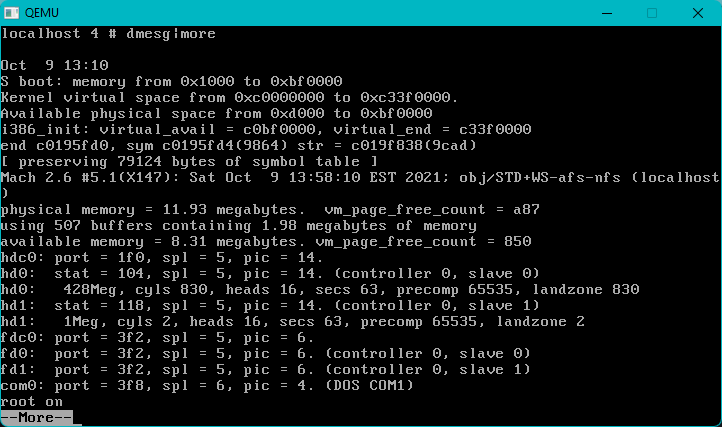
Well back before, I had been looking into old linkers for 386 OMF, I knew I’d found some fun with some old GNU tools going back to the heyday of Xenix 386. As kind of expected the tools used to build Xenix, along with it’s SDK were in fact Microsoft C/MASM. So yes way back in 1987 Microsoft not only has MASM386, but they also had a 32bit Microsoft C 5.00. Let that sink in for a moment as OS/2 had been forced into 16-bit land despite FOOTBALL, and Windows/386 being a 386 VM86 multitasker. So in a weird way all the parts were in existence.
Back in the old days of GCC 1.x there was a bit of excitement about the file masm386.c in the old GCC source directory, sadly despite it being updated, there was no real public push on modifying GCC to support non AT&T assemblers. Instead something unexpected (well to me!) happened is that GAS had been modified to output OMF.
I tested this on MinGW with some simple stuff, and sure enough it links just fine. Considering its what is on the GCC on Xenix port I’m sure it’s pretty solid.
Enter OS/2
Now this is more fun, and again kind of sad that GCC didn’t take on the ability to target other assemblers (just look at the x68000!), Maybe they didn’t see GAS for OMF, or just didn’t know. Instead a more aggressive choice was made, to alter the binary output. Linking on OS/2 with EMX involved 2 very different and incompatible paths, the first one is the ancient Unix i386 a.out format, which then a utility called emxbind will convert into a loader & stub that OS/2 can run. Think of it as an OS/2 extender to take simple Unix programs (which is what they are) to run on OS/2. Neat!
The second more ‘native’ approach is to convert the binary a.out files into what is known as OMF files, which non GNU linkers like Wlink from Watcom or Link386 from Microsoft can then link into direct native EXE’s or DLL’s.
There had been an experimental ELF build of the EMX toolchain on OS/2 but I think it may have died? So as crazy as it seems bigger and crazier programs need to be built on systems like Windows or Linux and linked outside of OS/2 to get around the old memory limits. It’s really hard to say as I’ve never used it, although being able to do the link outside of OS/2 would be an advantage.
I’ve found 2 programs to convert the a.out objects into OMF, the first and oldest being o2obj. The one drawback I’ve had is that this doesn’t play so well with the Watcom 386 OMF linker. Instead the much later RSXNT/LIBC0.6 project’semxomf. I’ve done some painful hacking but it appears to do what it should do. A simple omfdump seems to be spilling stuff out.
Of course the alternative is to use a 64bit linker, and since a.out has been pulled from binutils the only real hope is the Watcom linker which is now running in a 64bit address space. And the Watcom chain won’t understand ancient i386 a.out, however Microsoft 386 OMF it certainly will, although it appears to be based around something later than the aforementioned o2obj, which is why I ahd to do the emxomf.
I know as this stands it’s not very satisfying but I kind of wanted to push this out the door as I’d been hacking from time to time on it, and didn’t want to leave it to rot completely. The EMX tools remind me of the NeXT stuff where everyone goes native platform wild never imagining a day when remaining portable would mean it’d be easier to target more software.
The one thing I wonder about sometimes if there was some kind of secret Microsoft extended DOS/Windows that relied on OMF & Link386 that predated the NT team and their switch to COFF? Obviously it’d be super obsolete and would have been something like the first PharLap 386 stuff. But I’ve only owned a disk dump of v4, and a legit copy of TNT v6. Old 386/DPMI/Extender tools are hard to find.
Linkers & loaders, along with binary formats are too hard for me, but I thought I’d share at least what I’d been able to conjure with MinGW. I’ll have to touch on EMX to native OMF linking later.
This is a bit cheating, but I broke down and did some dump/exports of a building system to get the file layout. Since the MiG phase was totally done native, I didn’t bother with that, or trying to ‘fix’ the nested Makefiles, rather I just dumped the output and worked with that. I guess I could make my own Makefile but for now it’s a stupid script. I used the a.out build tools for Linux as the objects are all the same anyways.
cd mach25-X113\obj\STD+WS-afs-nfs
build-gcc258.cmd
Since there is no Makefile it won’t run in parallel. About 20 seconds or so later you’ll get a linked ‘a.out’ but it won’t run. The script xport.cmd is rigged for me and Qemu 0.10.5 to create a tar file to extract inside of mach and perform the native link.
Obviously this means you can us modern UI’s tools and everything else as you are now on the outside! If you can force your build to use my ancient tools you can even do the build. Nice!
Doing a rebuild of the kernel in Qemu the 2.5.8 -O2 build shaved a whole second off the build, so yes it actually did something.
Things to do would be cross linking, fixing the drivers that don’t build, and probably improving stuff like bigger disks, filesystems and memory… or networking!.. .but that’s all too complicated for me!
One of the great things about Windows 11 was the inclusion of the Windows Subsystem for Linux or WSL. It wasn’t available at launch but it started with v1 a simple ELF loader and an implementation of the Linux kernel on the NTOS kernel. Being a re-implementation of Linux it was great for what did work, however many things did not. Compared to other Unix subsystems for NT over the years however WSLv1 was the best no question.
Not being enough however, Microsoft took a page out of the old WinOS/2 days and stubbed a Linux kernel to run under Hyper-V, allowing it to run far more applications, and for me giving the ability to use applications that alter memory space, and allowing i386/x32 applications to run. You could happily export your X-11 display to a Windows based X server, and get applications that way. But this isn’t 1993 so it was very limiting.
Enter WSLg
The big change is the ability to use RDP to hook both Wayland and Pulse Audio bringing Linux ‘desktop’ X11 applications to the Windows desktop. Also added in is virtual GPU capabilities allowing accelerated 3D, along with CUDA applications to run (although with a performance penalty.
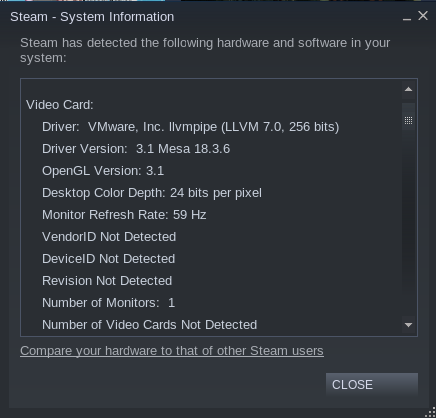
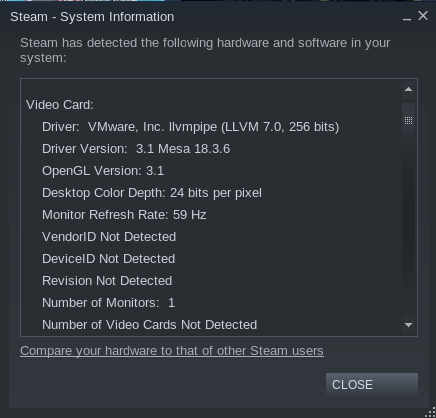
The downshot for me, is that my existing Debian 10 install was not picking this up, and was somehow picking up a VMware
VMware llvmpipe
I have no idea how or why it was picking this up. While I did have the VMware Player installed, the newer versions backend through Hyper-V.
I did find this article, which gave me a path to get where I wanted, although the transition of an existing v2 instance didn’t work for me. Maybe Debian 10 is too weird. I don’t know.
Not sure where how to proceed I backed up my home directory and un-installed VMware Player and purged my existing Debian 10. I installed that Ubuntu Community Preview which promises to include all the new and exciting features.
$ glxinfo -B
name of display: :0
display: :0  screen: 0
direct rendering: Yes
Extended renderer info (GLX_MESA_query_renderer):
    Vendor: Microsoft Corporation (0xffffffff)
    Device: D3D12 (NVIDIA GeForce RTX 2070) (0xffffffff)
    Version: 21.0.3
    Accelerated: yes
    Video memory: 40710MB
    Unified memory: no
    Preferred profile: core (0x1)
    Max core profile version: 3.3
    Max compat profile version: 3.1
    Max GLES1 profile version: 1.1
    Max GLES[23] profile version: 3.0
OpenGL vendor string: Microsoft Corporation
OpenGL renderer string: D3D12 (NVIDIA GeForce RTX 2070)
OpenGL core profile version string: 3.3 (Core Profile) Mesa 21.0.3
OpenGL core profile shading language version string: 3.30
OpenGL core profile context flags: (none)
OpenGL core profile profile mask: core profile

OpenGL version string: 3.1 Mesa 21.0.3
OpenGL shading language version string: 1.40
OpenGL context flags: (none)

OpenGL ES profile version string: OpenGL ES 3.0 Mesa 21.0.3
OpenGL ES profile shading language version string: OpenGL ES GLSL ES 3.00
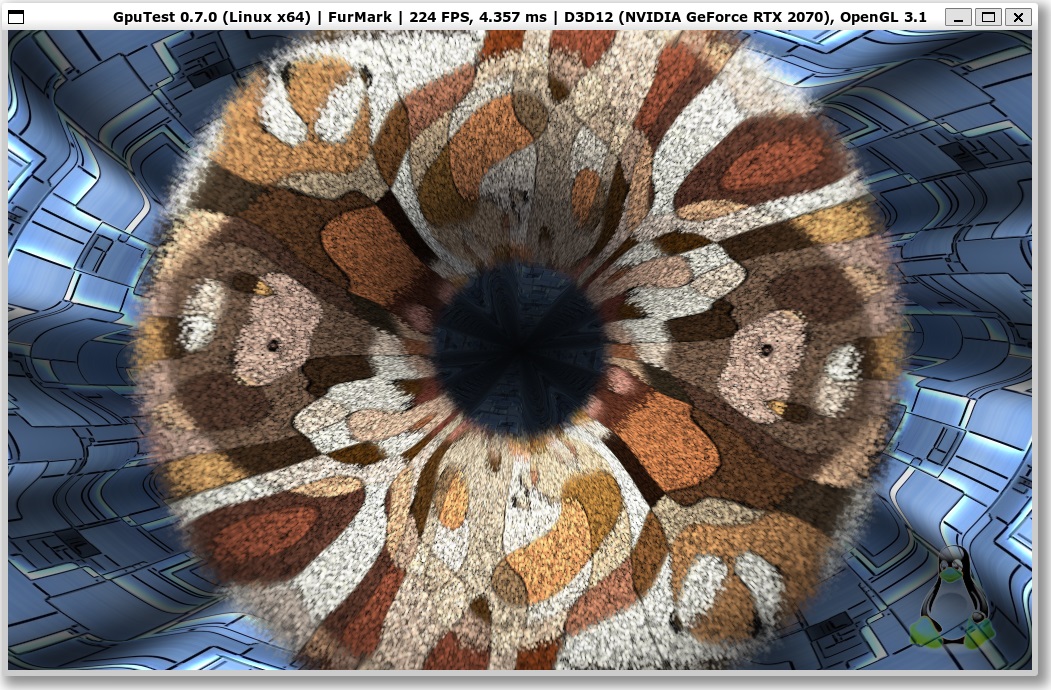
Now this is looking MUCH better.
224FPS! FurMark
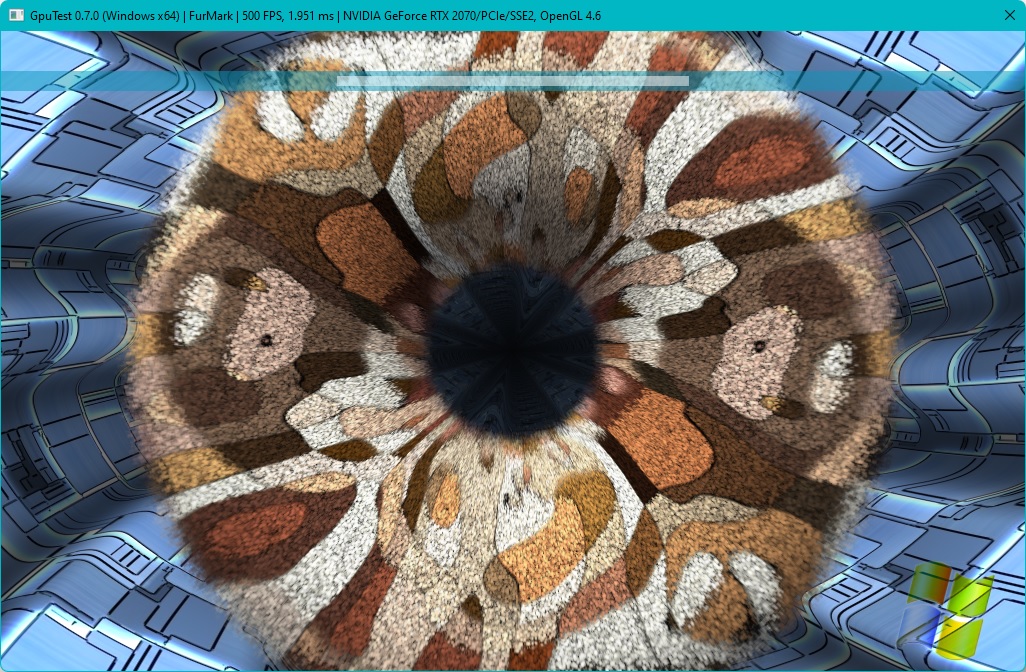
Now compare this to a native version of FuMark:
500 FPS
So it’s a 50% haircut. Ouch.
Gaming however using steam (yes steam runs!) reveals some other deeper issues. The mouse tracking is WAY off. So for FPS stuff you’ll spend a lot of time staring at the ceiling or the floors. The next issue is there is no mouselock, so things that rely on being able to move the mouse far beyond a screen length is impossible to play. To be fair it’s a preview, and so far I have to admit Windows 11 feels more like a technical preview. Also I don’t know what the deal is or anything about profiling it but KOTOR2 is insanely slow. Although at least with 3d acceleration running it’s not 1 frame every 5 seconds.
So I installed steam, because why not? But this is steam for Linux. It’s picking up VMware 3D accel.. .I don’t think that’s right. KOTOR2 loads but it’s 100% cpu and 1 frame every 5 seconds.
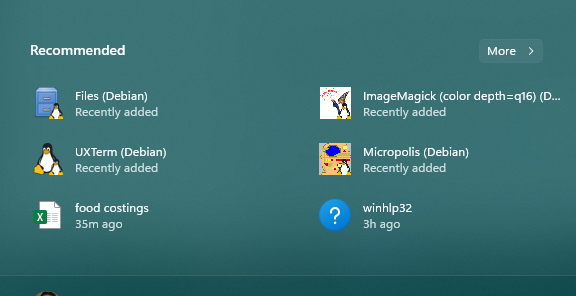
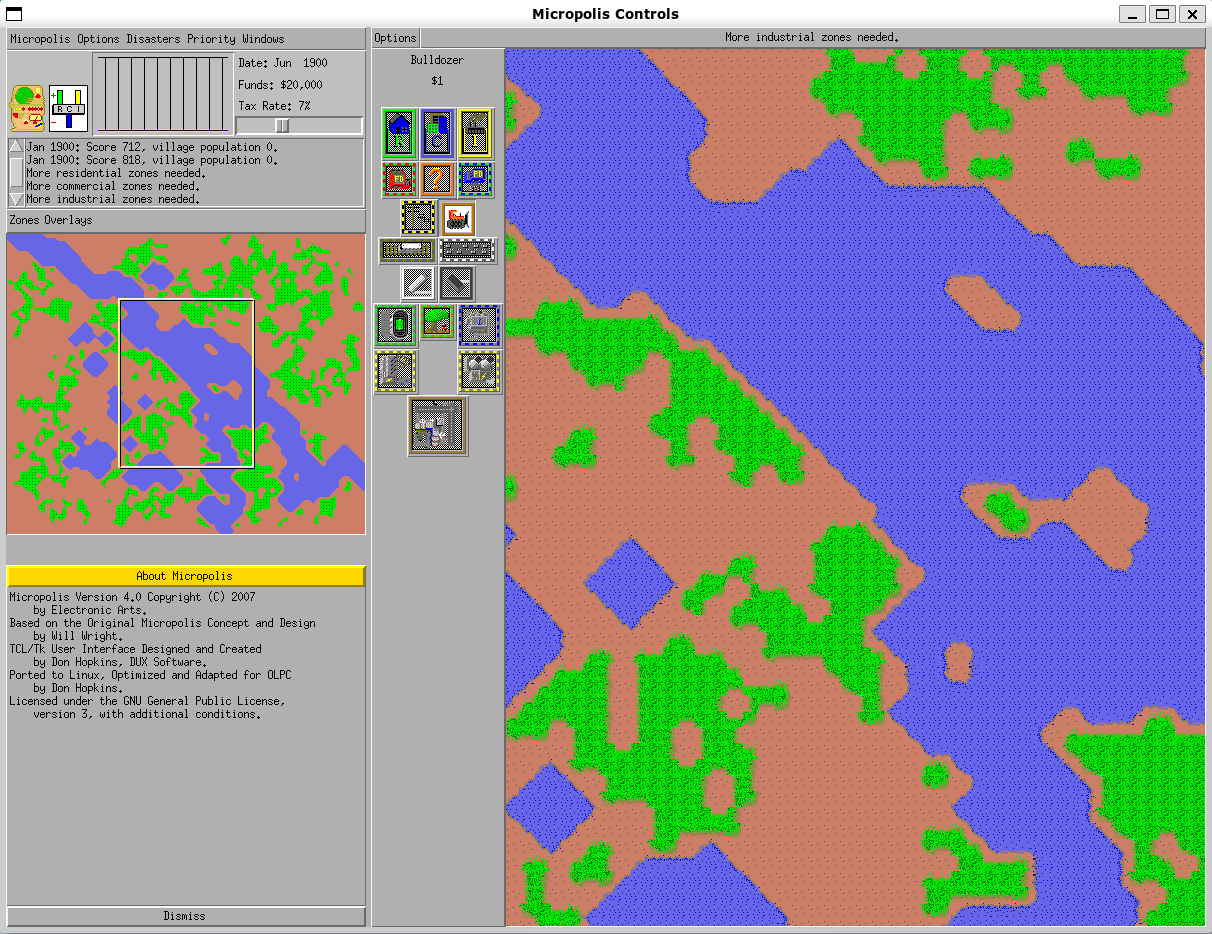
On the otherhand I’d installed Micropolis ages ago, and it added itself to the 11 launcher:
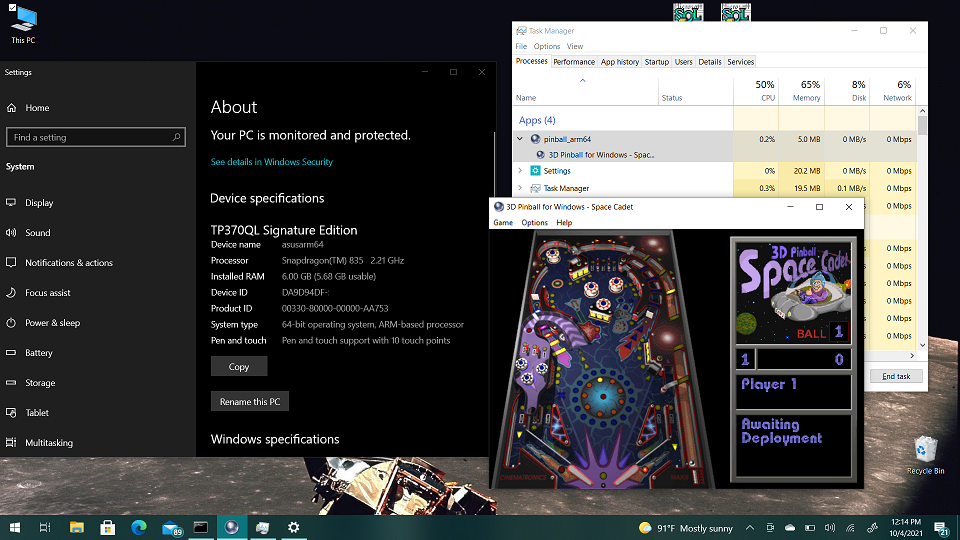
With all the controversy over 64bit pinball, and where and how things appeared, then disappeared to the discovery that the x64 version was a thing, but it was left off the install manifest but shipped on CD, along with my simple script to just extract it, the problem was that ARM32/64 users were left in the cold.
Don’t get me wrong, the original 32bit exe runs fine under emulation, but who wants emulation when you can have NATIVE CODE?! You’d have to try to find the source code (lol good luck!) or reverse engineer the program. And that’s what happened, enter:
I’m using Visual Studio 2019 to build this, and it was great it *just worked*. Hurray!
There is also a rebuild going on for SDL to bring Space Cadet Pin Ball to Linux and beyond. The only downside is that it uses a number of ‘new C++ features’ locking out older platforms. I’d done some work to dumb it down although there is a bit of this new fangled C++ I’m unsure of what is going on. So that means, unfortunately Itanium users are left in the dark, as Visual Studio 2010 is too old.
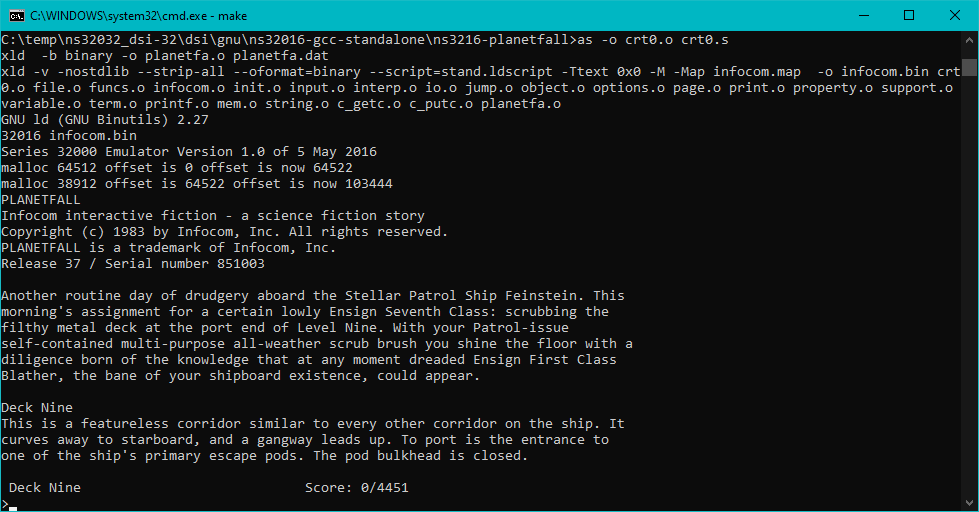
InfoTaskForce’87 running on a simple NS32016 emulator
What is it?
It sure may not look like much but it was an adventure getting here.
First, what is it? Well it’s the very simple NS32016 from here, with a few minor changes. I expanded the RAM from 256kb to a whopping 8MB. Then I added simple character I/O allowing me to print messages to the screen. Next looking at the toolchain page, I used my old Linux to Windows GCC 4 cross compiler to build the appropriate Canadian cross compiler to the NS3216.
Building the tools
A while back, I had built a cross compiler from Linux to Windows using GCC 4.1 as the basis as it was the last version that didn’t have massive external dependencies. NS32016 support was dropped some time in the late 3.x or early 4.x GCC so it means we need to go old anyways. I arbitrary picked GCC 2.8.1 for this build, while using the recommended Binutils 2.27
GCC 2.8.1 doesn’t quite know what we are doing so there is some flags we need to run off in auto-config.h namely
#define HAVE_BCMP 1
#define HAVE_BCOPY 1
#define HAVE_BZERO 1
#define HAVE_INDEX 1
#define HAVE_KILL 1
#define HAVE_RINDEX 1
#define HAVE_SYS_RESOURCE_H 1
#define HAVE_SYS_TIMES_H 1
You can just comment them out, or remove those lines all together.
When it came to building GCC, I did run into issues with GCC 7/8 trying to build GCC 2.8.1. I found it much easier to either have that Linux 4.1 compiler, or if you have access to Wine or WSL you can just run the Win32 binaries for the gen phases.
./configure --prefix=/cross --target=ns32k-pc532-netbsd --host=i686-mingw32
make CC=i686-mingw32-gcc xgcc cccp cc1 cc1obj
If you can run your own Win32 exe’s on Linux it’ll run just fine using the Linux to Windows GCC 4 cross. Otherwise you will need to either patch GCC or make your own GCC 4 hosted Linux to Linux cross compiler like this:
make CC=i686-mingw32-gcc HOST_CC=i586-linux-gcc xgcc cccp cc1 cc1obj
Hopefully that worked enough, and now you have your cross compiler. Now it’s time to build libgcc1.a
Again you really want to be able to run the resulting programs on Linux but I guess you could script it out. Naturally if you wanted to just use Linux, it’d be easier to make that cross compiler directly, although I’m not sure how much of GCC 2.8.1 I want to fight, or just get GCC 4 running on Linux and use that to port.
crt0, somewhere for C to start
As mentioned a crt0.s is missing but there was enough inspiration to come up with this:
#NO_APP
gcc_compiled.:
.text
        .align 1
.globl _start
_start:
        enter [],0
#APP
#       setting the stack 256k under 8MB
        lprd sp,0x7c0000
        jsr _main
#NO_APP
L1:
        exit []
#       setting the stack 256k under 8MB
        lprd sp,0x7c0000
        bpt
        .align 1

#does nothing
.globl ___main
___main:
        ret 0

.globl _exit
_exit:
        bpt
        ret 0
I used a bit of the C example, and added some hooks that GCC was expecting namely a __main call that is made from main before it does anything (a place to init memory perhaps?), a place to catch an explicit exit call, along with setting the stack of course.
Patching InfoTaskForce without malloc / disk access
It’s not going to win any awards, but it was really great to get it to run a simple program written in GCC. Looking for something more fun, I took the old InfoTaskForce interpreter from ’87, and dug up my modification to run on cisco routers, and cooked up this version, that adds enough of printf from Linux, a bogus malloc that just allocates from a fixed memory array (otherwise you have to actually know about your platform), and a fun trick with later binutils where you can import a binary file directly as an object!
Neat!
Since I don’t have any file I/O being able to have the game data in RAM is crucial. I tried to tweak it so you could build the same working thing on Windows (maybe others?).
So for anyone who wants to look at the standalone adventure Win32 hosted tools are here, although the emulator should be somewhat portable.
In my “C:\Program Files (x86)\Windows Kits\10\Emulation\Mobile\10.0.14393.0” directory I have a modest 2GB file called flash.vhd which contains the phone image. I copy it to where I run my VM’s and run it with the XDE emulator:
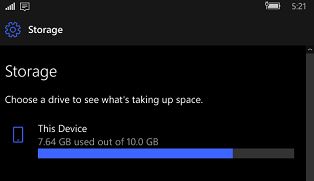
And I’m running in no time, I login, load some apps, then I notice the storage:
What is this, a phone for ants?
What?! the disk image is a paultry 10GB. I guess the idea is that you wouldn’t actually try to load up the emulator like it’s your daily driver, rather you load YOUR app and only YOUR app, and just pretend that this isn’t some weird offshoot nostalgia machine.
Well needless to say something needs to be done about this storage situation.
I look and find this package, vhdutils. I had to go to some sketchy site, but it did include source. I should put this somewhere more legit to take away from all those weird squatters.
So with stuff installed onto my phone I’m almost at 7GB physical 7.6 virtual space. I could go all crazy with 128 or 256GB but it’d largely be stuff I bought… which of course thanks to the magical world of DRM won’t play.
Yeah I guess you are welcome that I bought all those movies, and stuff but sure I wasn’t going to watch them on this phone… emulator. Thanks. thanks again.
So the resize vhd is quick. brutal. and efficient. I go with 64GB, because, why not? I could probably just grow it again if I needed to.
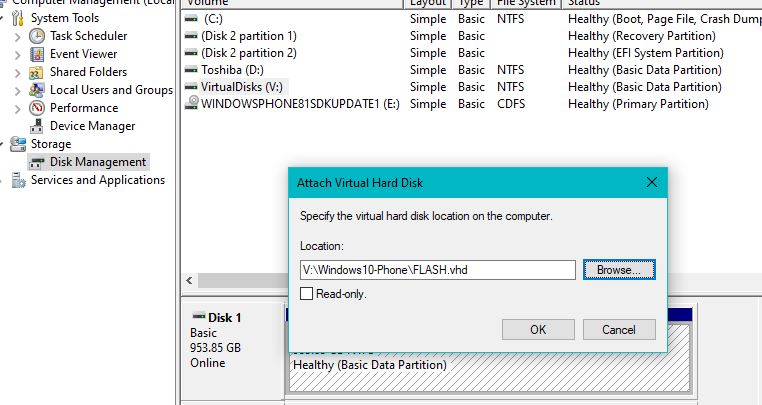
Now for the fun part. We need to attach the vhd, and resize the volume. I hope you like diskpart.
In the MMC I attach the disk image.. it’ll pop a few folders as it’s got a bunch of drive letters. I’ve never explored a phone, I don’t know if the ARM images are just as weird.
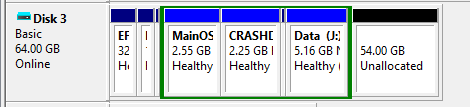
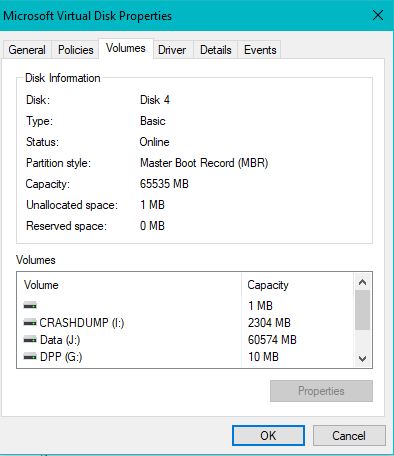
Even more strange, it’s MBR!
So if you were thinking, lots of partitions, and a clear win for GPT, sadly this isn’t it.
Sadly there is no free partitions (although one hiding could be deleted…?) And the UI doesn’t support expanding a logical drive (the green container). But diskpart does.
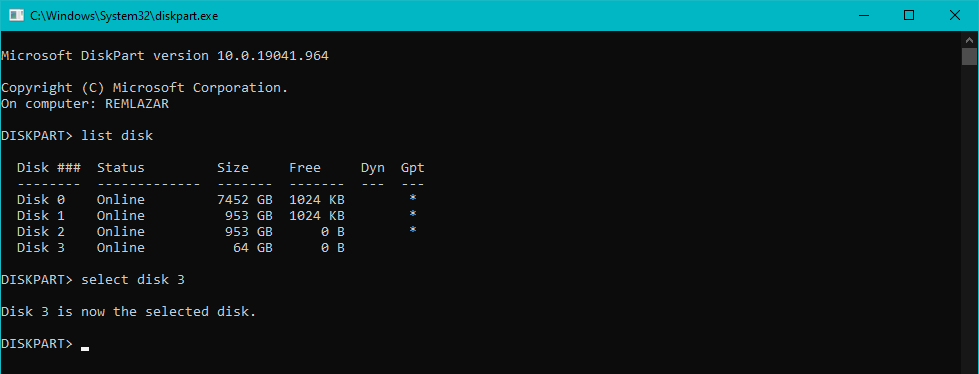
As indicated above the emulator’s vhd is disk3. You can see it’s the 64GB disk. Select it.
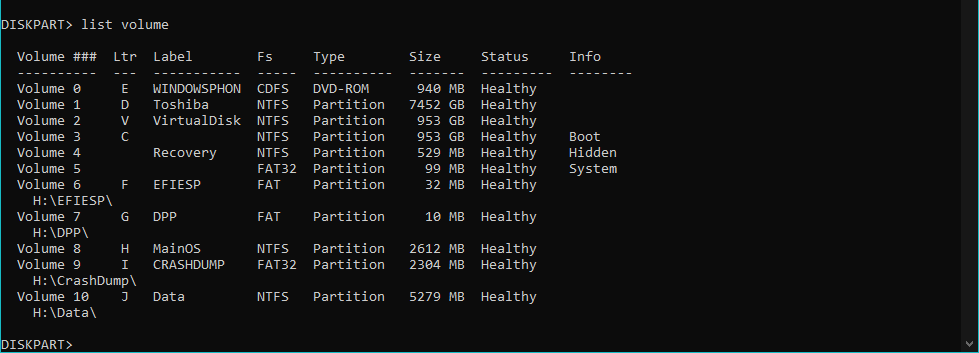
Next list the volumes. The Data disk (J:) is what we want so select Volume 10.
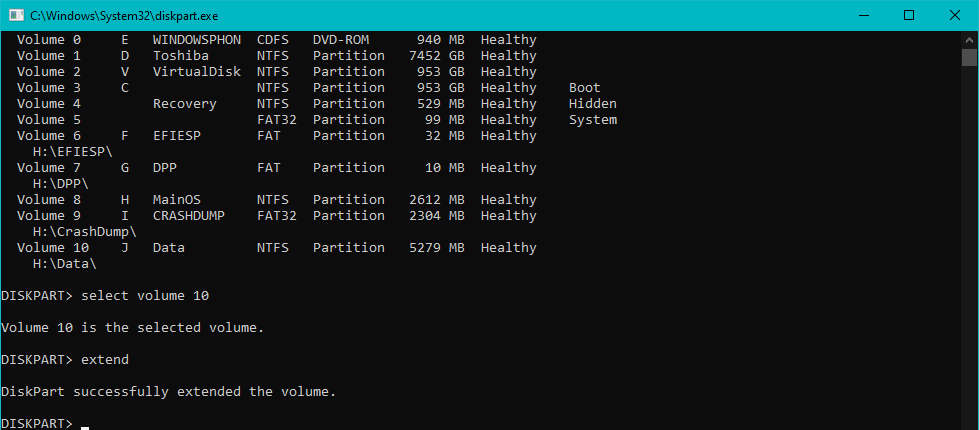
Literally just ‘select volume 10’ and ‘extend’. Don’t tell me this is difficult.
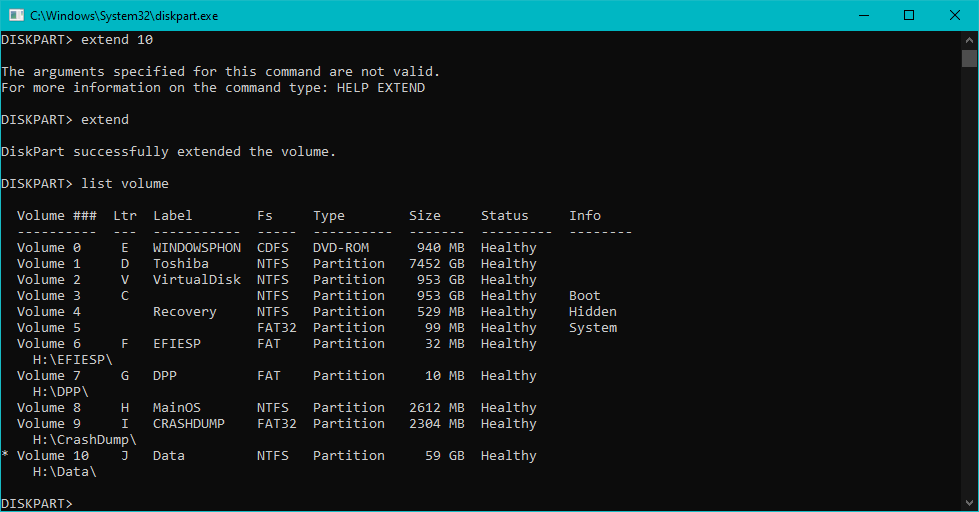
Listing the volumes again will show a 59GB Data partition. Congratulations we did it!
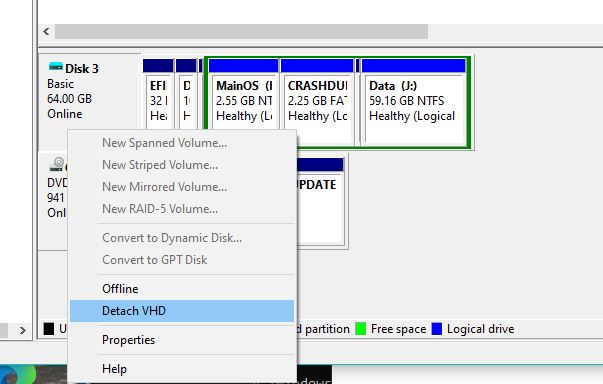
Back in the MMC, you’ll see it as well how the Data partition, along with the green extended partition is now taking up the entire disk. So we can now Detach the VHD, and run the emulator again!
Nice!
And just like that we now have plenty of free space on the emulator.
I downloaded some games, and some music. It’s nice to be back home.
It’s not an extensive list as I didn’t game much on my phone but here is what I know works:
Final Fantasy 1
Heroes of Larkwood
Skulls of the Shogun
Sonic CD
FL Studio
Candy Crush Saga
Pixel Dungeon +
Halo Spartan Asslt just closes, and Asphalt 8: Airborne doesn’t get the screen size right so it’s impossible to click enough buttons.
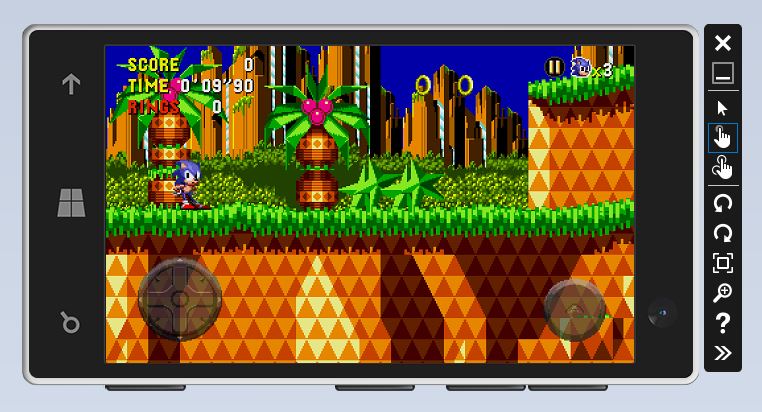
Sonic CD on Windows Phone 10
It’s nice that sonic runs, (haha) although using a mouse makes it impossible to control.
Now one fun thing is that the emulator is x86, nor ARM based so I converted the VHD to a VMDK, ran it under VMware, and YES it RUNS… sort of.
Perhaps a format that never was to be, the Phone/Tablet but it boots quickly and is so responsive. Windows without most of the .. Windows bits. I guess the real experiment will have to be will it run on a Surface?
It’s all 32bit anyways, and such an evolutionary dead end. Pitty.
Claunia‘s Aaru project is hitting a 5.3 milestone, and having a launch party!
Aaru is a fully featured media dump management solution. You usually know media dumps as disc images, disk images, tape images, etc.
With Aaru you can identify a media dump, extract files from it (for supported filesystems), compare two of them, create them from real media using the appropriate drive, create a sidecar metadata with information about the media dump, and a lot of other features that commonly would require you to use separate applications.
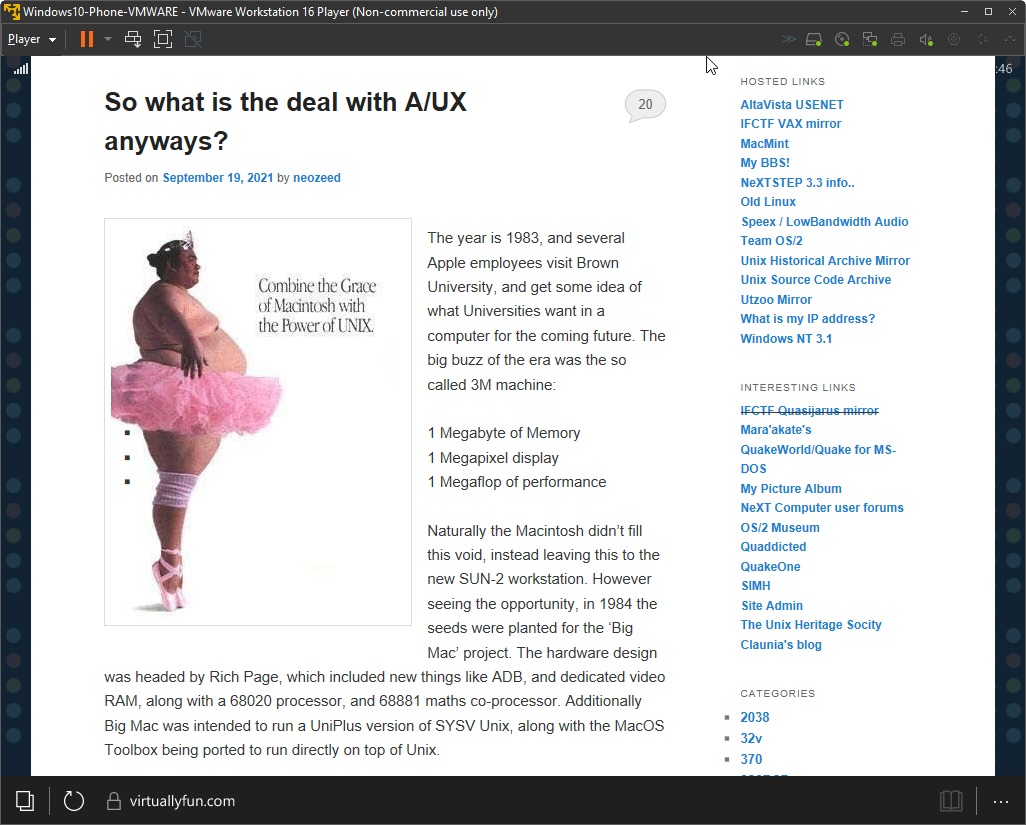
The year is 1983, and several Apple employees visit Brown University, and get some idea of what Universities want in a computer for the coming future. The big buzz of the era was the so called 3M machine:
1 Megabyte of Memory
1 Megapixel display
1 Megaflop of performance
Naturally the Macintosh didn’t fill this void, instead leaving this to the new SUN-2 workstation. However seeing the opportunity, in 1984 the seeds were planted for the ‘Big Mac’ project. The hardware design was headed by Rich Page, which included new things like ADB, and dedicated video RAM, along with a 68020 processor, and 68881 maths co-processor. Additionally Big Mac was intended to run a UniPlus version of SYSV Unix, along with the MacOS Toolbox being ported to run directly on top of Unix.
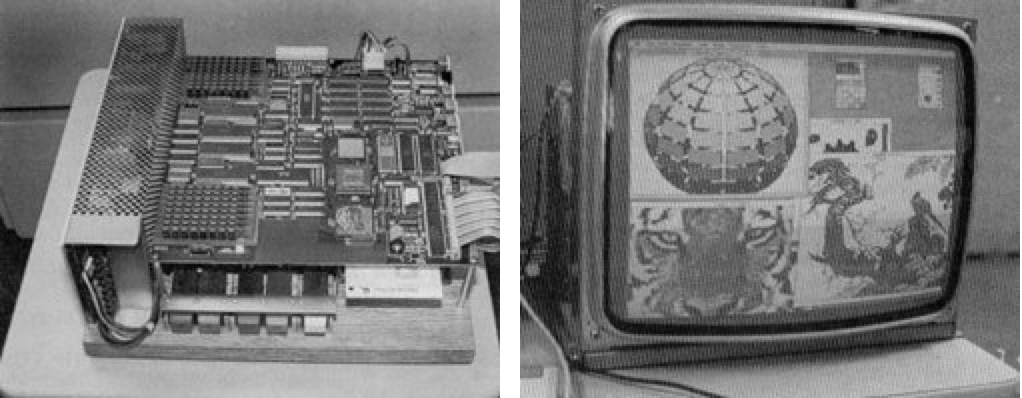
All that I can find of the Big Mac project is this insanely low resolution image, along with the codename ‘Milwaukee‘.
However all this came to and end in 1985 with the ouster of Steve Jobs, who in turn took various people including Bud Tribble, George Crow, Susan Barnes, Susan Kare, Dan’l Lewin, and Rich Page. Apple followed up with a $5MM USD lawsuit alleging that Jobs had done research for a next generation product and taken the key staff, namely Page from Apple to make it reality. The suit was eventually dismissed.
From there the race was on to build a 3M machine. NeXT would take the Big Mac concept further with the NeXT CUBE which included ADB, NuBUS and a 68030/68882 + SCSI + Ethernet setup. And for the OS, 4.3BSD Tahoe+Mach 2.5, along with a new Objective C language, and new OO frameworks.
Genesis
Back at apple however the ‘Big Mac’ project seemed to have stagnated, and was slimmed down and eventually shipped as the Macintosh II in 1987. There no doubt was a re-awoken sense of urgency in the academic space for the 3M market, now that NeXT was making a 3M machine Apple of course didn’t want to be pushed out of the new space. Apple released a real 1.0 product (1.1.1 survives, although you have to run ( /etc/toolboxdaemon & ; term) to get anything fun from Shoebill with the ISO), what can barely be called a bare bones SYSV port with overlapping terminals at best..
A/UX 1.1.1 codename ‘Circle K’ running on the Shoebill emulator
Overwhelming, and interesting this is not.
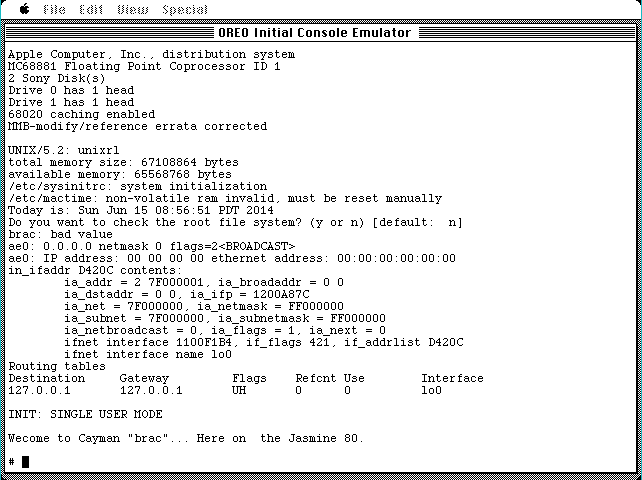
This of course was more like a tech demo, running a single ‘Unix toolbox app’ at a time. Pricing according to usenet was around $500 for the software, keeping in mind of course that a Macintosh II would be far more expensive. Version 1 also started to add BSD features namely curses in 1.0, allowing you to port simple terminal ‘graphics’ to the OS. The trend of adding BSD features was only going to continue from here! But all of this is a large step up from the earliest known version simply labeled as 0.7 which despite it’s ‘Oreo’ appearance is strictly text mode only.
Oreo is text mode only.
Dawning of a new era
The real magic is in 2.0:
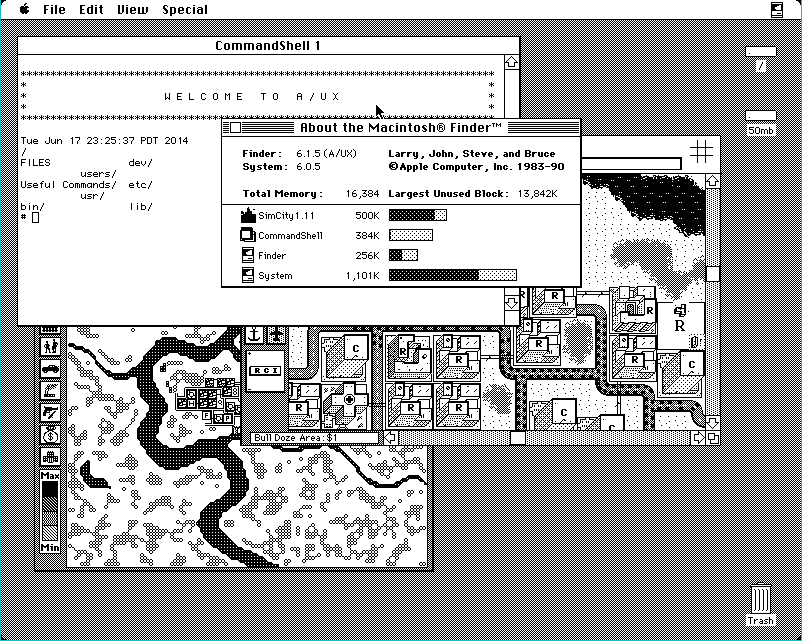
Sim City on A/UX 2.0 code name Perestroika, Space Cadet
Think of it more like the OSX of the 1980s. Finder has been ported over to the Toolbox on Unix API allowing A/UX 2.0 to run off the shelf MacOS applications. Under the hood however is the same UniSoft SYSVr2. However running MacOS on top of Unix gives it far faster disk IO, and of course the much vaunted memory protection, although with the massive catch that it’s only for Unix applications. You can still crash applications, and even finder. However you can telnet into the box and restart services, or perform a graceful reboot.
For Unix fans this was the first time you could get ‘off the shelf applications’ that didn’t cost a fortune, along with the standard Unix far. Amazingly both the C compiler and Fortran 77 compiler are included in the box. By 1990 many a company was making these only available for a separate purchase. Version 2.0 also brought along some BSD features with the big one being UFS support for longer filenames, and faster disk performance than the aging SYSV filesystem.
Of course it wouldn’t be all sunshine and rainbows as around this time Apple launched a lawsuit against Microsoft, and Atari over the visual iconography of MacOS (Oddly enough GEM on the ST was ignored). This so called ‘look and feel’ lawsuit lead to a boycott of the fledgling Unix from the FSF, which in turn hurt things like binutils/gcc/gdb etc being easily available to A/UX users.
So what went wrong?
Without even looking at the follow up version 3, and the products demise in the transition from 68000 to PowerPC, the writing was on the wall.
Price
The damned thing was just too expensive! From Wikipedia “When introduced, a basic system with monitor and 20 MB hard drive cost US$5,498” Version 1 was available on tape, and later CD-ROM, I think there was a floppy version, but without a doubt a 20MB disk is far too small. Just as anything under 4MB of RAM is not going to be realistic. Adding in these components you are going to be into the low end of SUN’s catalogue. And why would you take a chance on Apple when you could go to an established Unix vendor?
The other issue is that Unix being Unix you really needed a MMU, and Motorola MMU chips were expensive. Also A/UX had drivers for SCSI only. This prevented a ‘low end revolution’ as the low end machines like the 605 didn’t have SCSI, or full 68040’s. Even the end of the line Quadra 800, sold for an eye watering $4,679!
Direction
What was the heart of A/UX? It was a Unix with a one button mouse, and optional X-11.. with A ONE BUTTON MOUSE?! It was a SYSV Unix, not a BSD, but did include BSD TCP/IP, NFS & UFS filesystem. It was shunned by the FSF as a first tier platform so people had to fidget with code to get it to compile. It was GSA C2 certifiable, but did anyone actually use it in that role?
It was also a Unix with a version of Outlook, and Excel, AfterDark, Fortran 77, and a dead simple UI.
Even after all this time, answering what A/UX was seems to be an identity crisis.
Where did it go right?
One of the big deciding factors in getting workstations for government compliance was the so called C2. This meant things like enforced passwords, auditing and POSIX. It’s everything that the POSIX subsystem for NT was built for, to check just enough boxes, while for Apple A/UX just gave them an instant win. I have no idea if it ever happened but I’m sure somewhere someone was using a Quadra with Word Perfect and A/UX to be a super expensive and certified Mac. Obviously the MAE project dovetails into this, giving commercial MacOS applications to Unix users, but so many others have covered that, and the short version is that it’s incredibly fragile and not very robust at all.
I’m sure someone used it as a fileserver, heck even in the PowerPC generation there a straight port of AIX to a server along with AppleTalk modules.
The demise
Its easy to point to using UniSoft SYSVr2 as being a cost factor, but it really was the hardware requirements. Without any AUX for the LC it was doomed. This wasn’t going to be the Unix for Grandma. Transitioning to the PowerPC removed the braindead CPU problems of lacking a MMU or FPU, but I suspect that the tricks of the 68000 translator would not have run, and certainly wouldn’t pull off things like device drivers. Worse stil people just got used to System 7, and had hopes that the fabled Copeland / System 8 would bring about something strong enough like a Unix without any of the complexities.
Timelines, however slipped, Apple had flirted with MkLinux but didn’t fully commit. Indeed these were dark days, it’s like they were so dead set on going forward to not see a seemingly obvious solution to the OS problem in the past.
Looking at Carbon, and Toolbox32, it’s hard not to imagine a world pushing ISV’s to write for a protected MacOS, but they’d never had bought NeXT. As a matter of face, I would argue that without Steve’s media connections from Pixar, Apple would have slid away into irrelevance, as media outsells the PC tech anyways. Even in 2010 Jobs had called Apple clearly in the ‘post PC era‘.