Microsoft Giano and NetBSD 4.0.1

Well using the link at Microsoft, I managed to get NetBSD installed. Don’t forget you’ll need a new version of putty that supports serial ports, and connect it to \\.\pipe\USART0 when requested by the simulator. I always get a C++ exception, that I just ignore and let it keep on chugging.

So for the curious, here is a bootlog….

NetBSD/emips 4.0.1 Netboot Bootstrap, Revision 1.0
([email protected], Mon Aug 9 00:23:36 PDT 2010)

Default: 0/ace(0,0)/netbsd
boot:
Loading: 0/ace(0,0)/netbsd
2694960+177944 [152192+143455]=0x305cf4
Starting at 0x80020000

memory segment 0 start 00000000 size 10000000
memory segment 1 start 10000000 size 00100000
Too much memory in cluster 1, trimming memory to range 10000000..10000000
Copyright (c) 1996, 1997, 1998, 1999, 2000, 2001, 2002, 2003, 2004, 2005,
2006, 2007
The NetBSD Foundation, Inc. All rights reserved.
Copyright (c) 1982, 1986, 1989, 1991, 1993
The Regents of the University of California. All rights reserved.

NetBSD 4.0.1 (GENERIC) #137: Fri Dec 17 00:21:13 PST 2010
[email protected]:/usr/obj/sys/arch/emips/compile/GENERIC
Xilinx ML50x (eMIPS)
total memory = 256 MB
avail memory = 247 MB
timecounter: Timecounters tick every 62.500 msec
mainbus0 (root)
cpu0 at mainbus0: Microsoft eMIPS CPU (0x70401) Rev. 1 with software emulated floating point
cpu0: 64 TLB entries
ebus0 at mainbus0
eclock0 at ebus0 addr 0xfff80000: eMIPS clock
timecounter: Timecounter “eclock” frequency 10000000 Hz quality 2000
dz0 at ebus0 addr 0xfff90000: neilsart 1 line
ace0 at ebus0 addr 0xfff50000 : System ACE
ace1 at ebus0 addr 0xfff50100 : System ACE
enic0 at ebus0 addr 0xfff10000: eNIC [16 16], address 00:03:ff:e1:5e:ea
icap0 at ebus0 addr 0xffed0000: Internal Configuration Access Port
epio0 at ebus0 addr 0xfff60000: GPIO controller
gpio0 at epio0: 32 pins
flash0 at ebus0 addr 0xfffb0000 base f0000000: 8MB flash memory (2 x StrataFlash 28F320)
lcd at ebus0 addr 0xfff40000 not configured
evga at ebus0 addr 0xfff20000 not configured
ps2 at ebus0 addr 0xfff30000 not configured
ac97 at ebus0 addr 0xffef0000 not configured
timecounter: Timecounter “clockinterrupt” frequency 16 Hz quality 0
flash0: 8192 KB, 1 cyl, 1 head, 16384 sec, 512 bytes/sect x 16384 sectors
ace0: drive supports 255-sector PIO transfers
ace0: card is
ace0: 2048 MB, 128 cyl, 1 head, 32768 sec, 512 bytes/sect x 4194304 sectors
ace1: drive supports 255-sector PIO transfers
ace1: card is
ace1: 4460 KB, 0 cyl, 1 head, 32768 sec, 512 bytes/sect x 8920 sectors
boot device: ace0 part0
root on ace0a dumps on ace0b
root file system type: ffs
dzparam: c_ispeed 9600 ignored, keeping 38400
Sat Mar 19 21:10:50 GMT 2011
swapctl: adding /dev/ace0b as swap device at priority 0
Checking for botched superblock upgrades: done.
Starting file system checks:
/dev/race0a: file system is clean; not checking
/dev/race0d: file system is clean; not checking
/dev/race0e: file system is clean; not checking
/dev/race0f: file system is clean; not checking
Setting tty flags.
Setting sysctl variables:
Starting network.
/etc/rc: WARNING: $hostname not set.
IPv6 mode: host
Configuring network interfaces:.
Adding interface aliases:
Building databases…
Starting syslogd.
Checking for core dump…
savecore: no core dump
Mounting all filesystems…
Clearing /tmp.
Checking quotas: done.
Setting securelevel: kern.securelevel: 0 -> 1
Starting virecover.
Starting local daemons:.
Updating motd.
postfix: rebuilding /etc/mail/aliases (missing /etc/mail/aliases.db)
newaliases: warning: valid_hostname: empty hostname
newaliases: fatal: unable to use my own hostname
Mar 19 17:11:08 postfix/sendmail[402]: fatal: unable to use my own hostname
Starting inetd.
Starting cron.
Sat Mar 19 17:11:09 EDT 2011

NetBSD/emips (Amnesiac) (console)

login: root
Mar 19 17:11:14 login: ROOT LOGIN (root) ON console
Last login: Sat Mar 19 17:04:07 2011 on console
Copyright (c) 1996, 1997, 1998, 1999, 2000, 2001, 2002, 2003, 2004, 2005,
2006, 2007
The NetBSD Foundation, Inc. All rights reserved.
Copyright (c) 1982, 1986, 1989, 1991, 1993
The Regents of the University of California. All rights reserved.

NetBSD 4.0.1 (GENERIC) #137: Fri Dec 17 00:21:13 PST 2010

Welcome to NetBSD!

Terminal type is vt100.
We recommend creating a non-root account and using su(1) for root access.
#

It’s not very often you see any UNIX originating from Microsoft* (Yes I know .. Xenix) anyways it does boot, and to save anyone interested, I’ll spare you the 1.5 HOUR long install and give you my disk image.

Speaking of which, it’s SLOW. I mean S-L-O-W.

Also as a side note, here is how to mount a CD-ROM ISO image…

mount -t cd9660 /dev/ace1c /mnt

At any rate, the speed just isn’t there for any real usage.
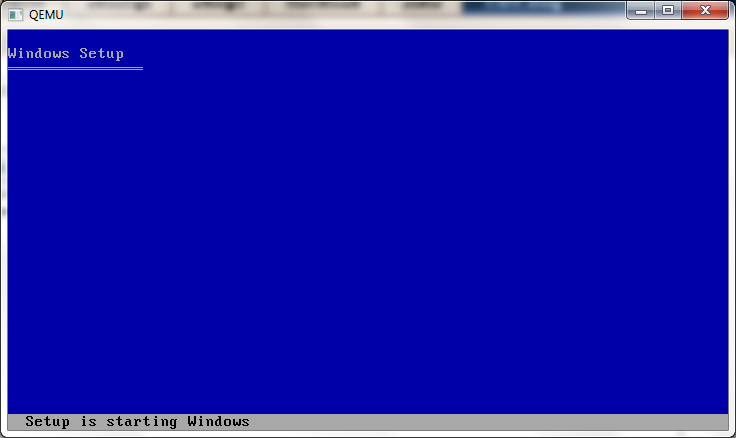
Qemu and 64bit windows…

It’s been a while since I’ve tried to run some 64bit versions of windows so I downloaded some from MSDN, and tried to run some under the latest 0.14.0 build

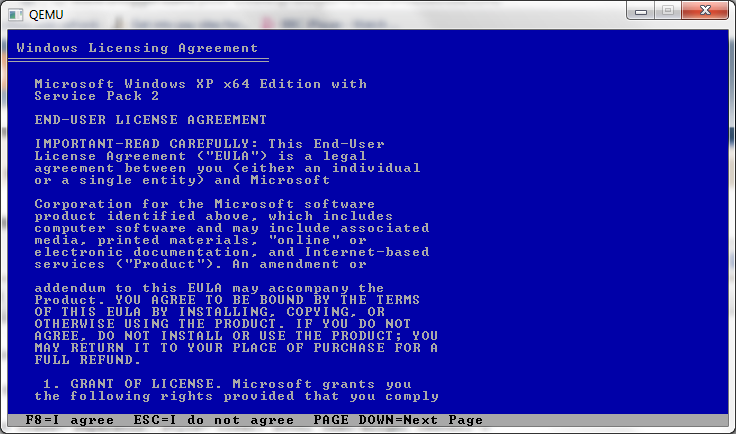
First up is Windows XP x64 sp2 (en_win_xp_pro_x64_with_sp2_vl_x13-41611.iso)

I launched it like this:

qemu-system-x86_64.exe -m 1024 -hda six64.disk -L pc-bios -cdrom en_win_xp_pro_x64_with_sp2_vl_x13-41611.iso

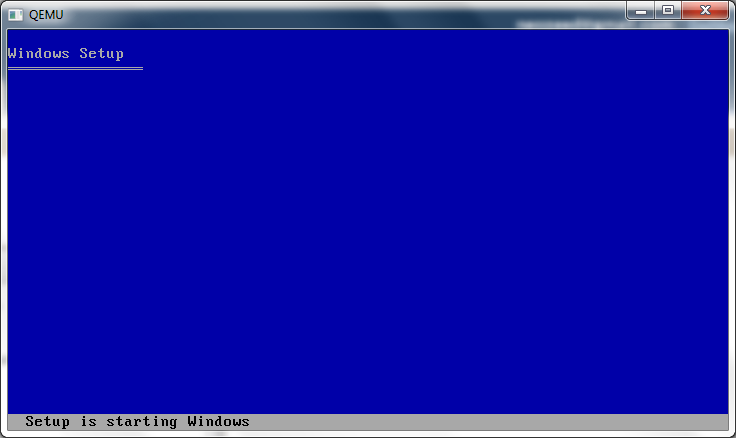
And the bootloader loads up, but it hangs transitioning to the kernel. Nothing is logged to the serial port.

qemu 0.14.0 windows xp sp6 x64

Next up is Windows 2003 server, with no service pack.

I’m loading up Qemu like this:

qemu-system-x86_64.exe -m 1024 -hda six64.disk -L pc-bios -cdrom \install\en_ws_2003_std_x64_vl.iso

And again being met with a hung state booting the kernel.

qemu 0.14.0 windows 2003 x64

I guess this isn’t surprising as booth 2003 & XP x86_64 both use the same kernel.

Next up, I thought I’d try a longhorn beta…

qemu-system-x86_64.exe -m 1024 -hda six64.disk -L pc-bios -cdrom longhorn-some-random-beta-x86_64.iso

qemu 0.14.0 longhorn 3016

And I get a nice black screen, again transitioning to the kernel…

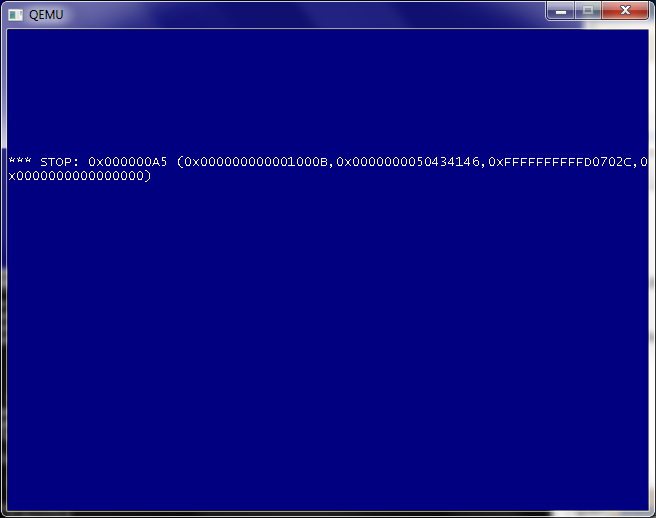
So let’s try Windows 2008r2 (It’s the same thing as Windows 7).

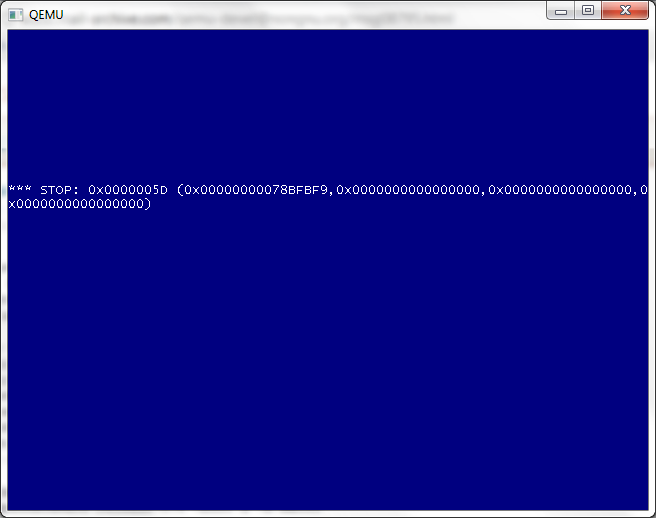
qemu 0.14.0 windows 2008 r2 x86_64 crash

So this is different, so googling around for the Stop: 0x0000005D (0x0000000078BFBF9,0x0000000000000000,0x0000000000000000,0x0000000000000000 code, led me to some config file for the x86_64 for additional CPU types. It appears that in the arch_init.c file I modified the following line:

const char arch_config_name[] = CONFIG_QEMU_CONFDIR “/target-” TARGET_ARCH “.conf”;

Into:

const char arch_config_name[] = “./target-” TARGET_ARCH “.conf”;

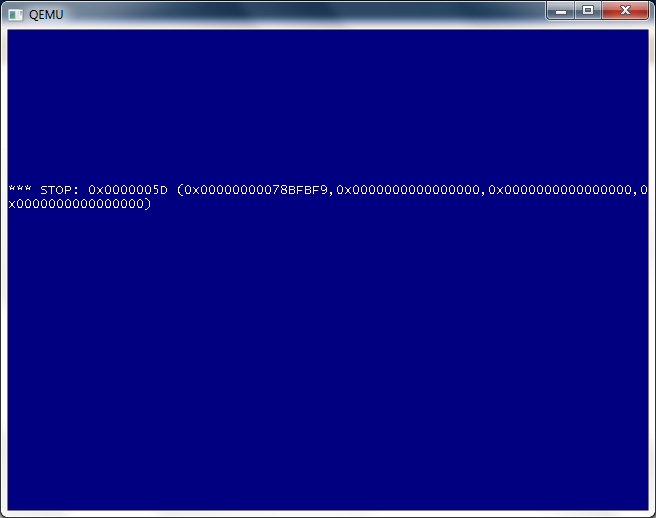
So that way I could pick up the ” -cpu Nehalem ” flag. Sadly it produced…

qemu 0.14.0 windows 2008 r2 x86_64 crash nehelam

Bummer.

Meanwhile, much like Novell Netware, it really only works on Qemu 0.9.0

qemu 0.9.0 widnows xp x64 sp2 boot

qemu 0.9.0 windows 2008 r2 x86_64

But not so hot for Windows 2008 r2 (AKA Windows 7).

Microsoft Giano

I stumbled across this the other day, Giano, a simulation framework.

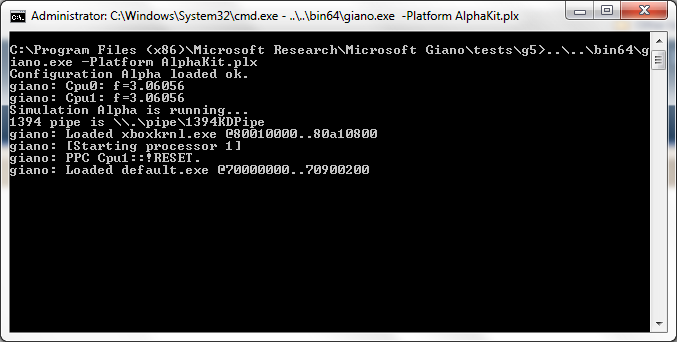
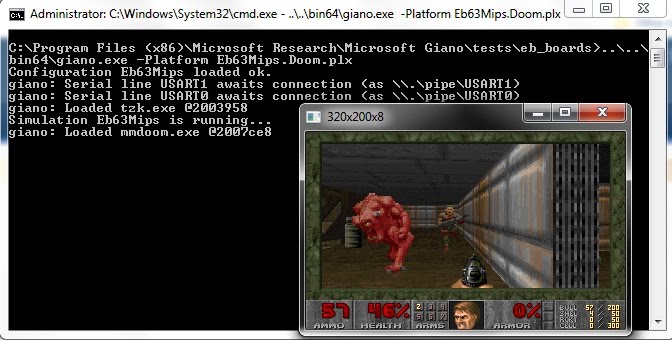
Included is a bunch of stuff, like a basic x86 / cepc (with Windows CE 6.0 image), an Xbox 360 emulator, a SPOT emulator, some eval boards (AT91EB63?) with both MIPS and ARM cpus that even include a doom kernel like experience! A Macintosh G5 (I wonder if it’d boot with Apple ROMS..?) Oh and..

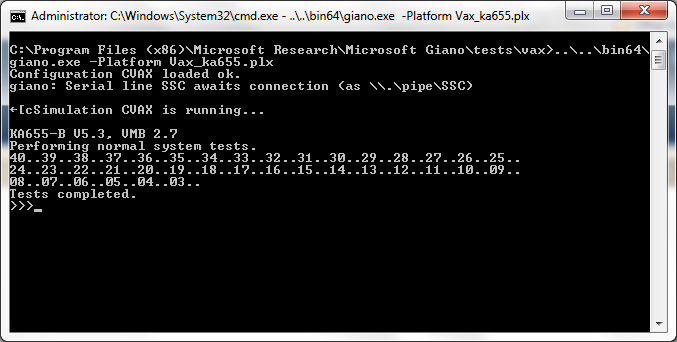
A VAX.

The VAX code is taken from SIMH but I guess to show how extensible the framework is, they mashed in enough microvax to get it going.

SIMH in a way you’ve never seen it…

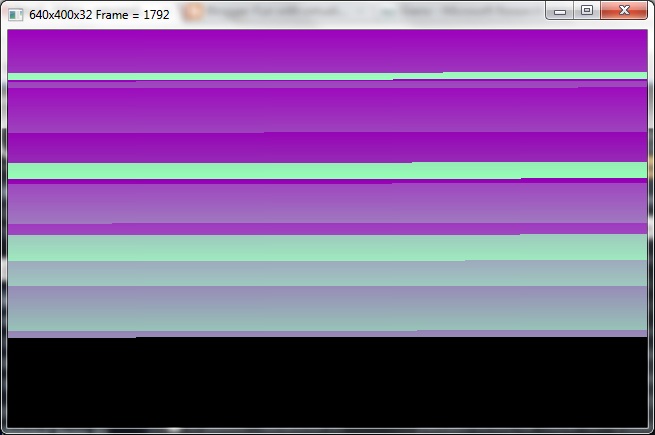
At any rate, here is some other screen shots of Giano in action….

CEPC

xbox 360 alpha test

xbox360 console

And of course….

Giano MIPS doom

DOOM

Also buried in there is a new MIPS variant, the emips along with a donated NetBSD port!

Sadly I had no luck running NetBSD….

Default: 0/ace(0,0)/netbsd
boot: 0/ace(1,0)/netbsd
Loading: 0/ace(1,0)/netbsd
5085072+70448=0x4eae14
Starting at 0x80020000

memory segment 0 start 00000000 size 10000000
memory segment 1 start 10000000 size 00100000
Too much memory in cluster 0, trimming memory to range 00000000..08000000
Too much memory, ignoring memory range 10000000..10100000
pmap_steal_memory: seg 0: 0x50b 0x50b 0x7fff 0x7fff
pmap_steal_memory: seg 0: 0x54b 0x54b 0x7fff 0x7fff
pmap_steal_memory: seg 0: 0x54d 0x54d 0x7fff 0x7fff
Copyright (c) 1996, 1997, 1998, 1999, 2000, 2001, 2002, 2003, 2004, 2005,
2006, 2007, 2008, 2009, 2010, 2011
The NetBSD Foundation, Inc. All rights reserved.
Copyright (c) 1982, 1986, 1989, 1991, 1993
The Regents of the University of California. All rights reserved.

NetBSD 5.99.48 (RAMDISK) #0: Tue Mar 15 01:01:14 UTC 2011
[email protected]:/home/builds/ab/HEAD/emips/201103142200Z-obj/home/builds/ab/HEAD/src/sys/arch/emips/compile/RAMDISK
Xilinx ML50x (eMIPS)
total memory = 128 MB
avail memory = 120 MB
sysctl_createv: sysctl_create(no_sa_support) returned 22
mainbus0 (root)
cpu0 at mainbus0: Toshiba or Microsoft eMIPS CPU (0x70401) Rev. 1 with software emulated floating point
cpu0: 64 TLB entries
ebus0 at mainbus0
pid 0(system): trap: cpu0, TLB miss (load or instr. fetch) in kernel mode
status=0x2000000, cause=0x8, epc=0x8002d5c8, vaddr=0xd0000000
tf=0x8054cc78 ksp=0x8054cd18 ra=0x8002d5b8 ppl=0xd0000000
kernel: TLB miss (load or instr. fetch) trap
Stopped in pid 0.1 (system) at 0x8002d5c8: lw v0,0(s0)
db>

Maybe someone else will have better luck.

— edit, it seems Microsoft has a NetBSD 4.01 download, here. And it boots!

Who is the drizzle?

In case you’ve been hiding in a cave, you’ll know that Oracle has bought out just about all the real competition to their flagship product and basically driven the developers out.. Just as they have strangled SUN’s products in some vain attempt at a lawsuit against Google, they basically have killed mysql.

Well enter, drizzle.

I haven’t loaded it yet, but it’ll certainly be something worth investigating going forward since MySQL is effectively dead.

SPARC NetBSD on Qemu 0.14.0

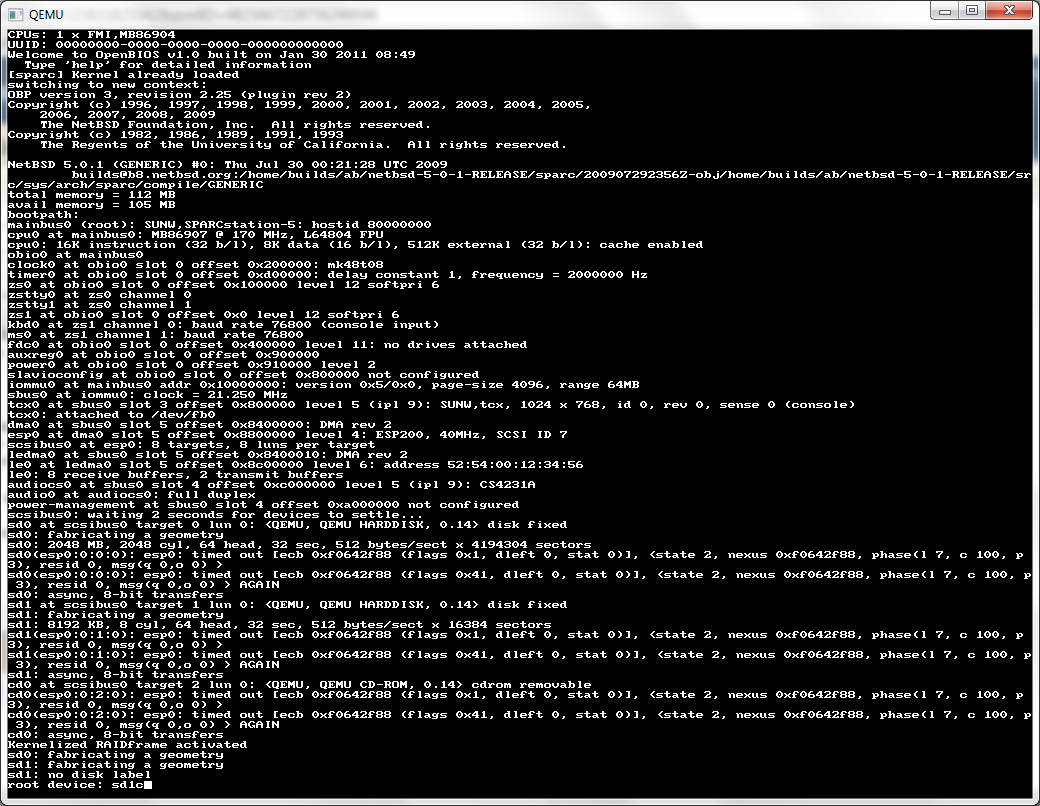
I came across this link, in some kind of vain search to see if NetBSD Sparc could run on Qemu.  And the answer is a resounding yes!

I have to admit it was pretty simple to setup too. I did a network install, so all I needed in a minimal config was a GENERIC kernel, and the miniroot. I did it this way because booting with the inserted kernel lets me easily choose my root…

First I created a 2GB data disk, then start up Qemu like this…

qemu-system-sparc.exe -kernel netbsd-GENERIC -L pc-bios -hda sparc.disk -hdb miniroot.fs -net nic -net user

And it’ll boot up!

I specify the root to be sd1c, I’m not sure if it’d pick up on sd1, or sd1a but at any rate sd1c certainly works. The other gotcha I found was the keyboard, sun-type4 worked best. I also had to configure the network manually (maybe I missed something?) but the settings are simple for NAT.

address 10.0.2.15
mask 0xffffff00
gateway 10.0.2.2
dns 8.8.8.8

Any attempt to ping the gateway will fail. But it’s nothing to worry about, and the install can continue normally. I pulled the rest of NetBSD down via HTTP, and it booted up!

I should also add that the CD-ROM iso install works as well. And the NetBSD site has lots of ways of getting the install ISO for the sparc.

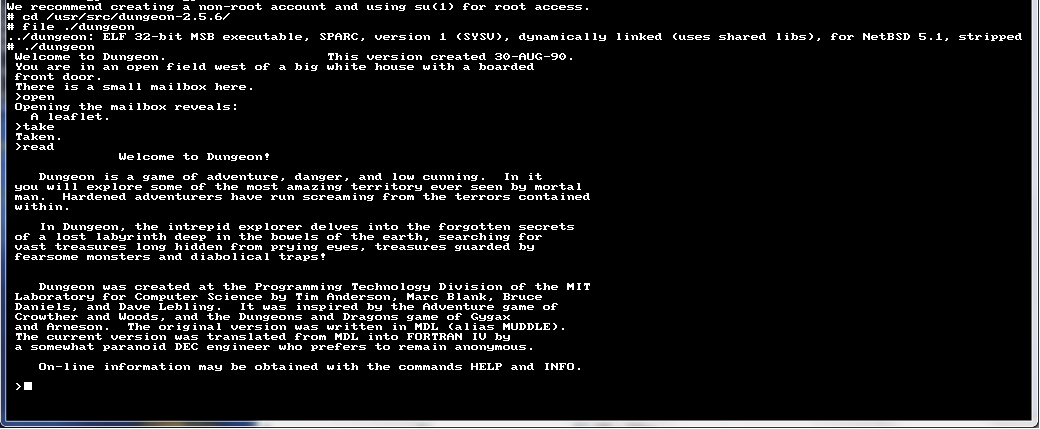
And of course, will it run Zork?

Yes it does!

Word for Windows 2.0 demo

Someone managed to save the Word 2.0 demo executable, and a few files to do with it, but not the install. It appears to work ONCE per session, and if you launch word twice it’ll destroy the install… Very strange.

But for anyone looking for a demo copy of Word 2.0, along with Excel, Powerpoint & Schedule, it’s right here.

It runs great in DOSBox, and really if you use these for a few minutes, then try the later ones, what are you really missing?

Internet Explorer 9 released..

Well today Internet Explorer 9 has been released… I guess they timed it for the pi day thing yesterday (3/14!).

You can find all the languages & versions here.

So how does it perform? Well the CP/M Javascript page doesn’t work at all in IE9 mode. In compatability mode, it can’t execute commands with an argument so booting or loading disks seems not to work. It’s such a shame.

The javascript NES emulator not only works, but seems to perform pretty well I get just under 60fps. Oddly performance is just slightly slower then Chrome, yet the sound in IE is far smoother. That was really unexpected, but still interesting.

Outside of that, I’ve only used it for 10 minutes now so I really can’t say. But we all know that for better or worse, IE always holds the largest ‘surface area’ so it will remain the most targeted. But for now it’l be fun to play with, but I’ll be lery of remaining on it.

Trumpet Winsock 2.0b

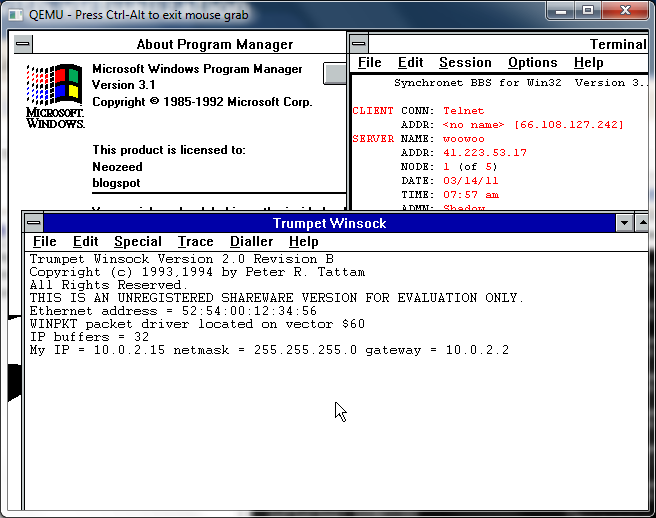
So while browsing around k7tty, I came across this file, internet.zip, that pretty much has everything you need for a windows 3.1 machine to get into the internet using Trumpet Winsock.

I used a packet driver, along with Qemu’s built in ne2000 and it works pretty well!

While I never used Trumpet back in the day, setting it up for LAN access was pretty easy, and while Trumpet 1.0 loads on Windows 3.0 I never could find any applications that actually work with it. Trumpet 2.0 seems more along the line of the finalized Winsock 1.1 stacks, with applications abound to run with it and Windows 3.1

Well it looks like I’m popular in China again.

China & Technology

China & Technology

This time I’ve had over 1,400 Windows 2000 users with IE 6.0 download the ‘full’ binary build of Qemu 0.14.0

119.166.31.202 – – [12/Mar/2011:23:53:33 +0000] “GET /install/qemu-0.14.0.zip HTTP/1.1” 200 13320793 “-” “Mozilla/5.0 (compatible; MSIE 6.0; Windows NT 5.0)”

Like this….

# cat install-access.log|grep ‘ MSIE 6.0; Windows NT 5.0’ | wc -l
1403

Honestly I don’t see why they do it, so I’ve pulled the download. I really don’t see the appeal of it, and most anyone who cares about Qemu will be using the x86/x86_64 stuff anyways.

Virtual Internet Teletype

I came across this page, while hunting down the source code to WinVN before NASA’s Kennedy Space Centre picked it up.

Do you remember those old movies where the news is coming across the ‘wire’? Or better they are using the wireless?

I’m not sure if they still do broadcast over the air, I suspect they do, but you’ll naturally be required to have all kinds of special radio and teletype equipment. Which naturally takes times, money and effort. And my attention span is WAY too short for that kind of thing.

To get this to run, I’m using VLC, and MMTTY. If you don’t want to go deaf, or you don’t want the ‘full’ experience, then I’d suggest Virtual Audio Cables.

So basically it works like this. You can click on one of the two links below and

http://65.243.191.51:8000/listen.pls
http://65.243.191.51:8030/listen.pls

Which will then kick off your streaming audio player… If you can withstand the noise, crank it up so your microphone picks up the noise… 🙂

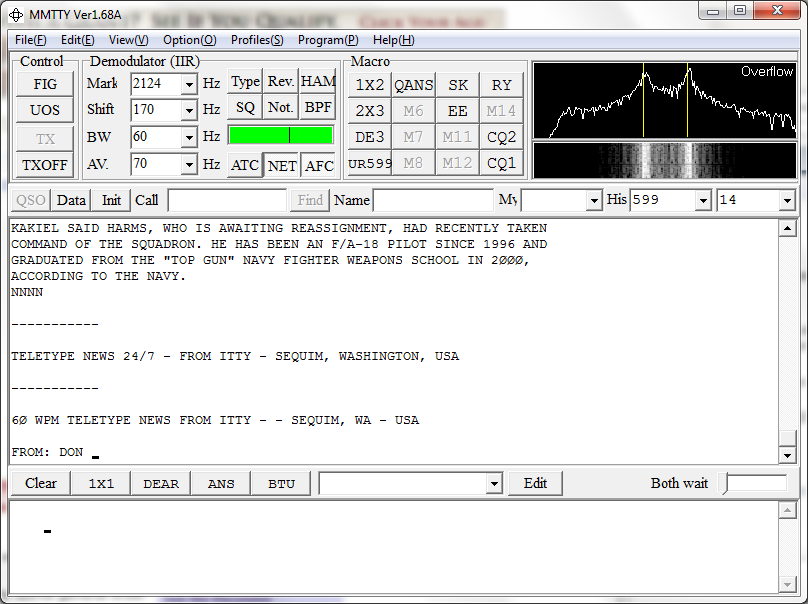
Then launch MMTTY and it will listen on the microphone, and suddenly start to translate the bauddot!

mmtty in action

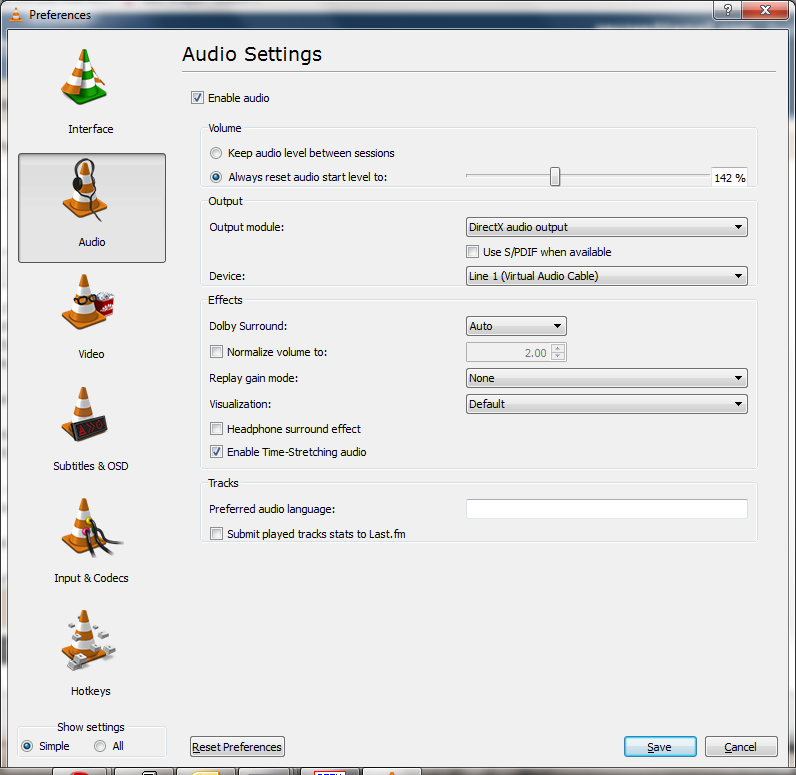
If you have issues, or wish to finagle the audio devices, or perhaps to use VAC so you don’t have to listen to it, first set VLC to use a different audio output (Tools -> Preferences) then I used the Direct X output feature so I can specify which audio card to use.

VLC audio preferences

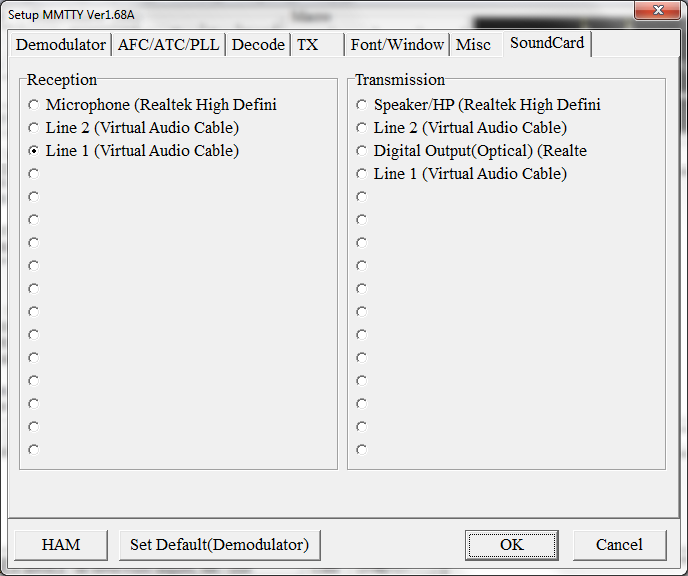
Then to configure MMTTY, go under Options -> Setup MMTTY, click on the sound card tab, and you can set the input.

mmtty preferences

And there we go.

The Itty news feed is user driven, so feel free to get the mailer mentioned on the page, and try to submit some news.

There is a lot going on today, esp with the earthquakes that are ongoing in Japan, and the unrest, and populist uprisings in the ME.

But now you can ‘enjoy’ the news in a really old fashioned way.