
(This is a guest post by Antoni Sawicki aka Tenox)
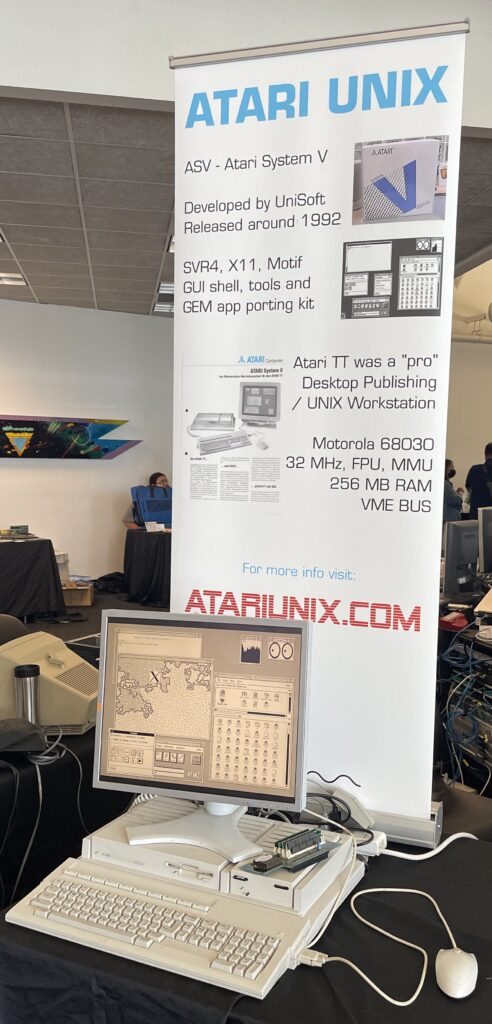
Some 12 years ago I ran a short series of articles about my efforts to run Atari Unix on an actual Atari TT 030 machine. Which by itself is not an easy task, as it requires specific late models of TT (or hardware fixes by Atari), copious amounts of TT RAM and a high resolution mono framebuffer graphics (which requires a very special monochrome monitor or an adapter which I had to build instead). I have later exhibited my ASV setup on VCF West:
Behold! This time I present ASV virtualized under Hatari!
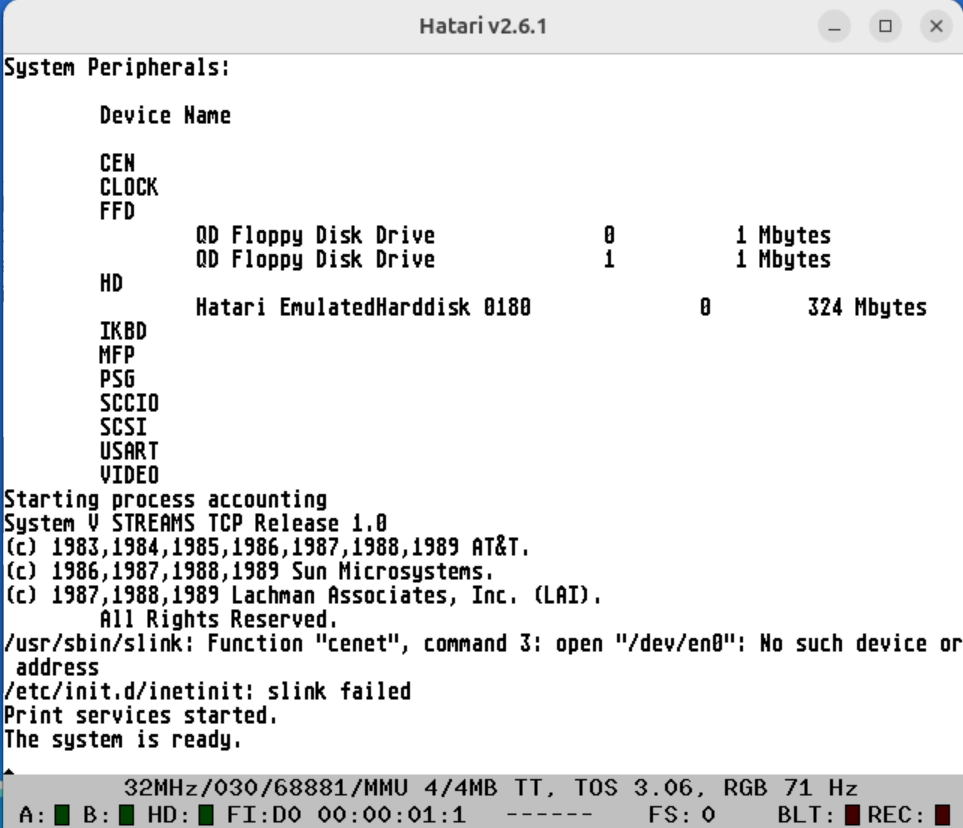
This work is not mine, all credit goes to Plamen! This is absolutely amazing as now more people can experience this legendary OS. The works is still in progress. Will post updates and more screenshots regularly!
Update: X11, screenshot courtesy of Andrew W:
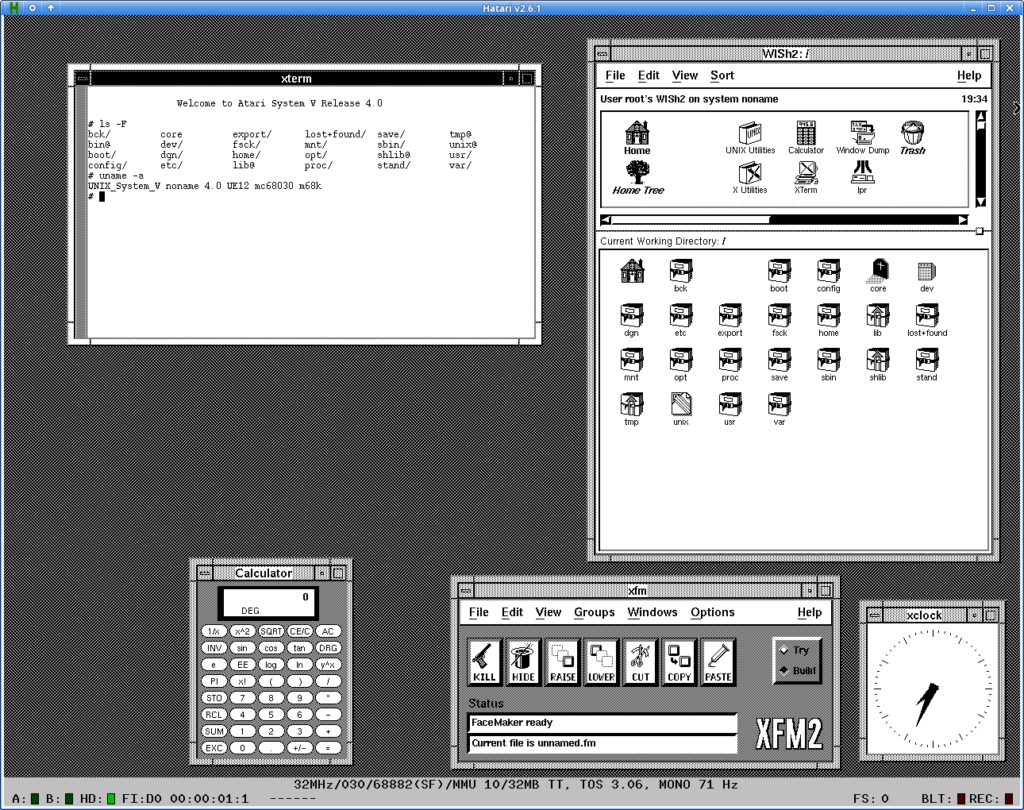
Update: Complete setup available here!
I would like to see some example of GEM ported app
Truthfully amazing, where can I get the Hatari disk image?
Still work in progress. You need patches to Hatari etc. For now it’s floating on Virtually Fun Discord.
https://archive.org/details/atari_system_v_ue12_hatari
Hatari doesn’t support Ethernet emulation yet, but it emulates serial ports well. ASV recognizes the emulated port, and I was able to log in via serial terminal. I then considered configuring the network via SLIP, which I’ve already done in Hatari for TOS and Minix, but I haven’t found it viable. At least one of the network configuration/initialization files references the SLIP interface (/etc/inet/strcf), but I haven’t found any sign of slattach or an equivalent utility. It seems that SLIP support wasn’t included by default in the TCP/IP of Unix SRV4 distributions, but I found at least one driver and utilities source code (http://ftp.funet.fi/pub/unix/networking/slip/svr4). The binaries are for i386; I don’t know if the code would compile for 68k, and I haven’t been able to test it because I don’t know how to get the file onto the Hatari virtual machine.
if the serial code is solid enough uuencode it!
I used to run this on qemu solaris & aix to get stuff in:
stty_orig=`stty -g`
stty -echo
echo paste!
cat > l
uudecode l
rm -f l
stty $stty_orig
you can probably skip the cat and just uudecode directly..
Thanks for the suggestion, I transferred the code to the ASV via serial connection, but I didn’t use uuencode because I noticed Kermit was already installed. It works, but with many errors unless the files are small, so I had to transfer it in parts, which is really inefficient… But, in the end, there was an error compiling the kernel driver. Perhaps there are architectural problems, but it seems that the basic TCP/IP package sources are missing from the ASV image. The README file in slip.tar.Z mentions replacing Driver.o in /etc/conf/pack.d/ip/, but neither that directory nor the original .o file exist…