
For this install I’m going to use the lanman client that comes on the NT 3.51 server CD. I believe they included this thing in version 3.1 through version 4.0 of Windows NT. You can find it in the “CLIENTS\LANMAN.OS2\DISKS” directory. Also I bet you never realized there is a copy of Windows 95 on the 4.0 server disk, and there is a copy of Windows for Workgroups on the 3.x disks…. (CD ONLY!).
Anyways with the disk in hand (or in virtual image) go ahead and kick off the install on diskette 1.
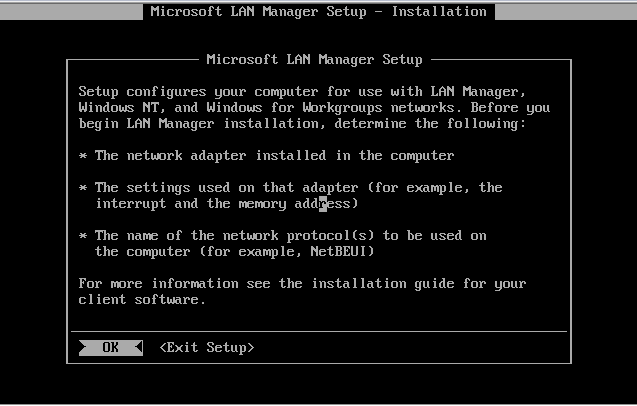
The program does black & white on 2.0 while on 1.3 it is in colour..
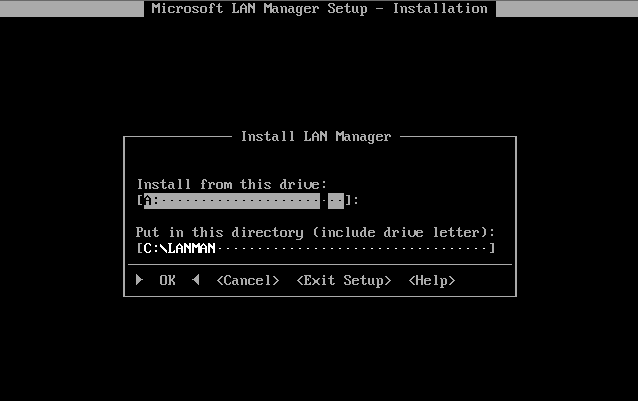
Copy from the A drive to the C drive… no issues here.
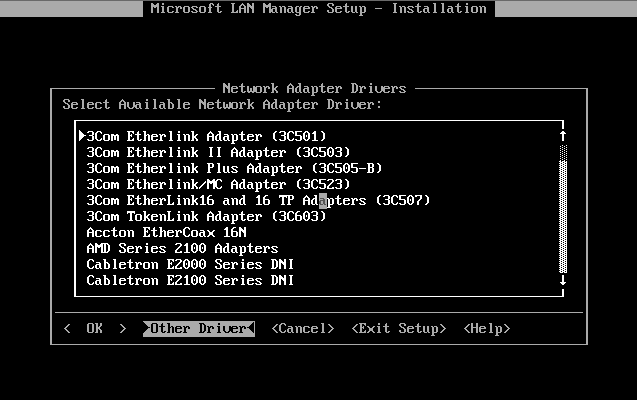
While the client does have a number of lan drivers, it does not have the NIC driver that Virtual PC emulates. Luckily I’ve put it on another diskette…
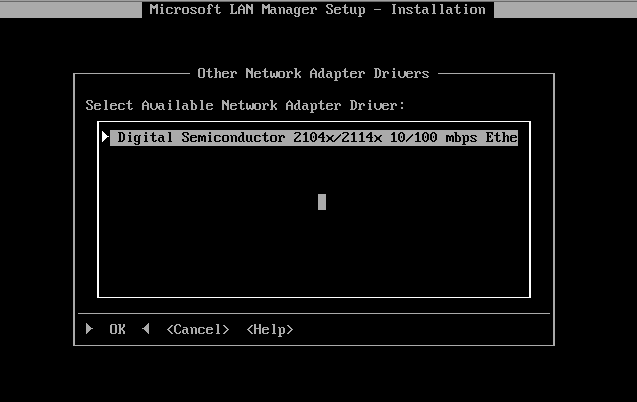
And there we go, the Digital Semiconductor 2104x/2114x 10/100 mbps Ethernet driver.

And now we get to select protocols. While TCP/IP is an option, the IP stack included in this version is really only good for connection to Windows NT servers. It cannot be used by other applications. Sadly there never was a ‘winsock’ type common library for IP stack providers in OS/2.

Review the bindings. It’s a shame IBM made this process to damned involved with LAPS.
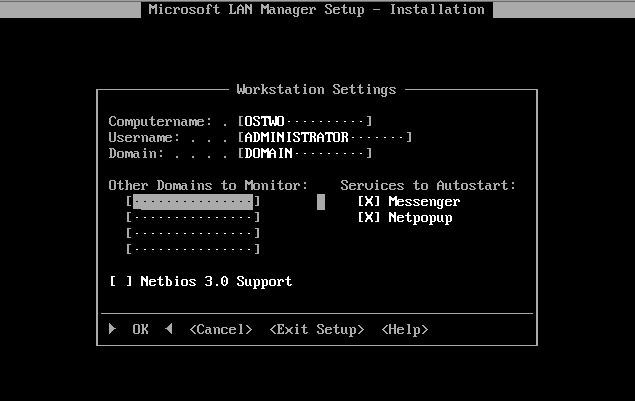
Here you can type in whatever you want.
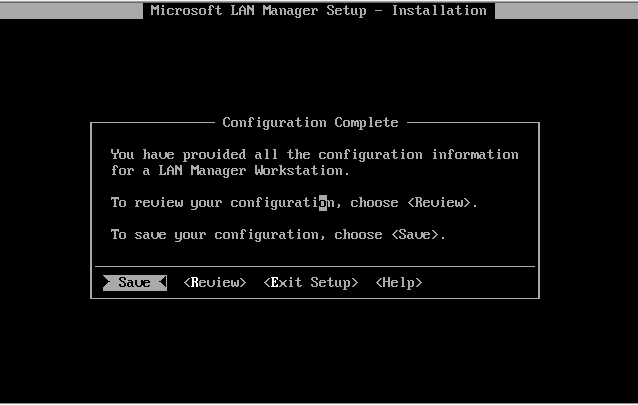
Save the configuration.
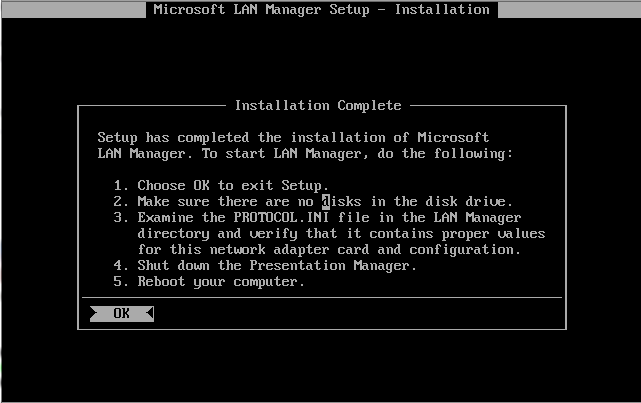
Ok everything is good, now for a reboot!
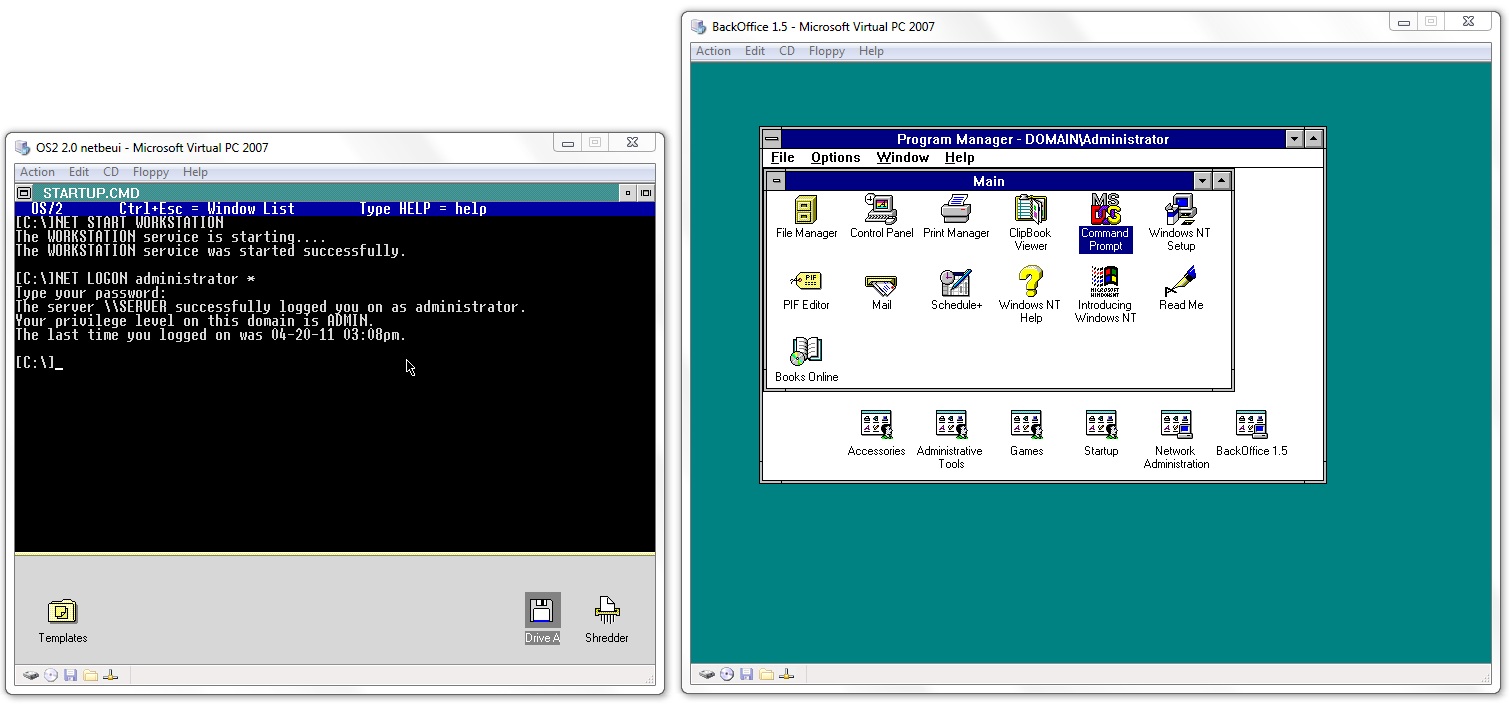
And just to show you upon rebooting, the OS/2 VM now opens up a command prompt and starts the login process. And it’s validated my Administrator account against the NT Server in question. Now all I have to do is map the M: drive to the mailstore, and install the client.
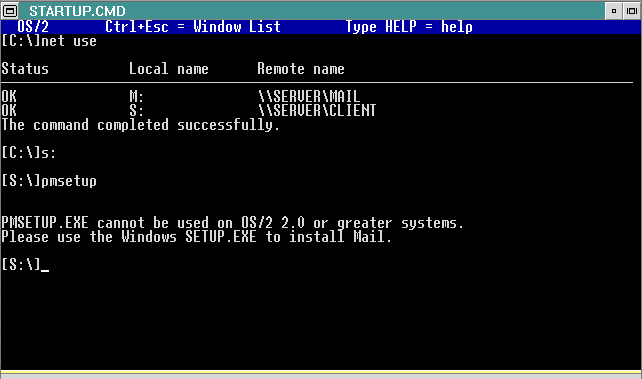
So with everything mapped we go to install on OS/2 and… It says no. Which I guess isn’t that surpising, as the WLO help programs have a habit of crashing on OS/2. But no matter if you install it on 1.3 you can simply xcopy the installed directory and bring it online.
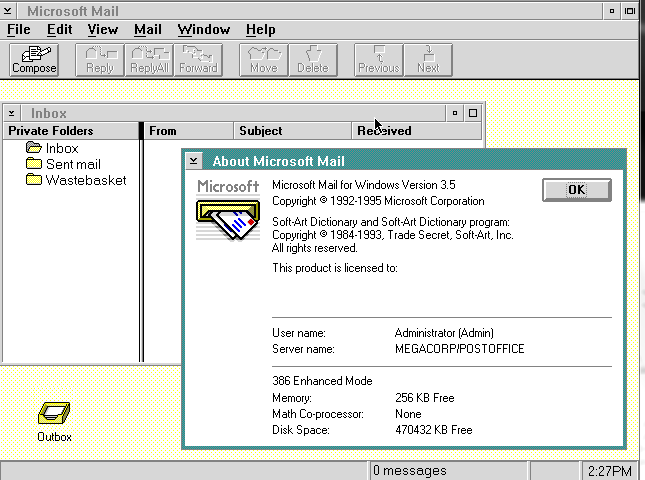
And there you go!
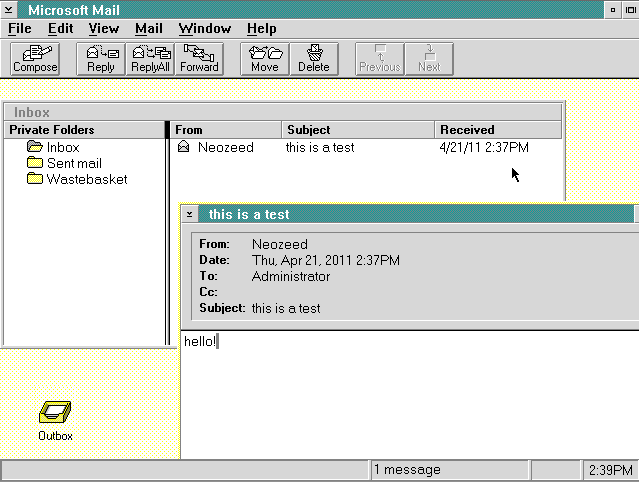
Even better it can send and receive files.
I would imagine the next ‘exciting’ steps to take down this old path is adding users into the system, and getting it connected to the world. But I’m busy with my new Itanium at the moment so it’ll have to wait for a bit.
If anyone has any feedback let me know… I know this may seem incredibly complicated, but really it’s a boat load easier then dealing with AD & Exchange 2010. Not to mention the filesizes are insanely smaller.
Microsoft's FTP Server:
ftp://ftp.microsoft.com/bussys/Clients/LANMAN.OS2/
If you installed OS/2 2.0 under Virtual PC 2007 SP1, it is possible to create a 2 GB partition and format the partition as FAT under under OS/2 2.0.
I don’t know if Windows 3.0 is designed to work with 64 MB of RAM installed under OS/2. I think that I better test it out. 🙂
Hi I can download your driver disk I entered the password and username but page is always the same the onlything what is changing is the url /old/old/old and so on can you help me please?
OOPS I updated the link, it should have been OS2 not os2 in the file path.
Very sorry about that.
Did u ever try to install LAN Manager Server on OS 2 2.1
I am trying to do make it act as RIPL boot server, but first the thing complained that I had to little ram (it needs at lest 256MB)
if I try to increase the ram in virtual pc 2007 past 64mb the os2 hangs (don’t even get to the logon screen)
There are some patches here: https://www.os2site.com/sw/upgrades/pcram.html
but they seam to only be for Warp 4, not OS2 2.1
If I ignore the scarry warning LAN Manager gives me about to little ram (since I only want to run RIPL server, and nothing else): https://images2.imgbox.com/6a/90/kNKC9QoO_o.png
I get it installed, but after a reboot it runs CHDSK hangs, then I rebbot again ang it hangs loading screen: https://images2.imgbox.com/6c/17/F4P9RmKM_o.png
BIOS sometimes had an OD/2 setting for more than 64Mb. Although I’m not sure you can get into the bios and see if it’s a setting, and if it’ll honor it.
OS/2 so needed a ‘mem’ command
in Virtual PC 2007 bios there is no souch setting (I think it uses some kind of AMI BIOS)
after switching to Virtualbox I don’t have souch problem (OS2 crashes if I increase RAM) anymore
What I did discover is that as soon as install LAN Manager Server, the next time I reboot OS2 it gets stuck in Loading Screen (even in Virtualbox) (like it wouldn’t like my network card driver os something)
I know it’s so frustrating.
I ended up moving to qemu mostly as I could run it on a VPS.. although I’m not sure how much RAM it presents ..
It was an issue back then too going beyond 16Mb
Although it would probably take a lot of work, remember that VirtualBox is actually open source and thus it’s possible to modify it.
I’ve never played around with the source, but still.
(I’ve played a bit with the source for 86box, in particular to allow freely setting the MAC address for some network cards that don’t allow changing the address fully. This is needed to correctly run DECNET as the MAC address directly translates to a DECNET address (i.e. four bytes of the MAC address is always the same for DECNET and the last two forms the DECNET address in the form of a 6+10 byte “pair”, allowing 63 networks with 1023 nodes each).
If you can use VirtualBox there is a huge performance win as compared to for example 86box as you don’t have to emulate the CPU with VirtualBox. (Best regards from Captain Obvious).